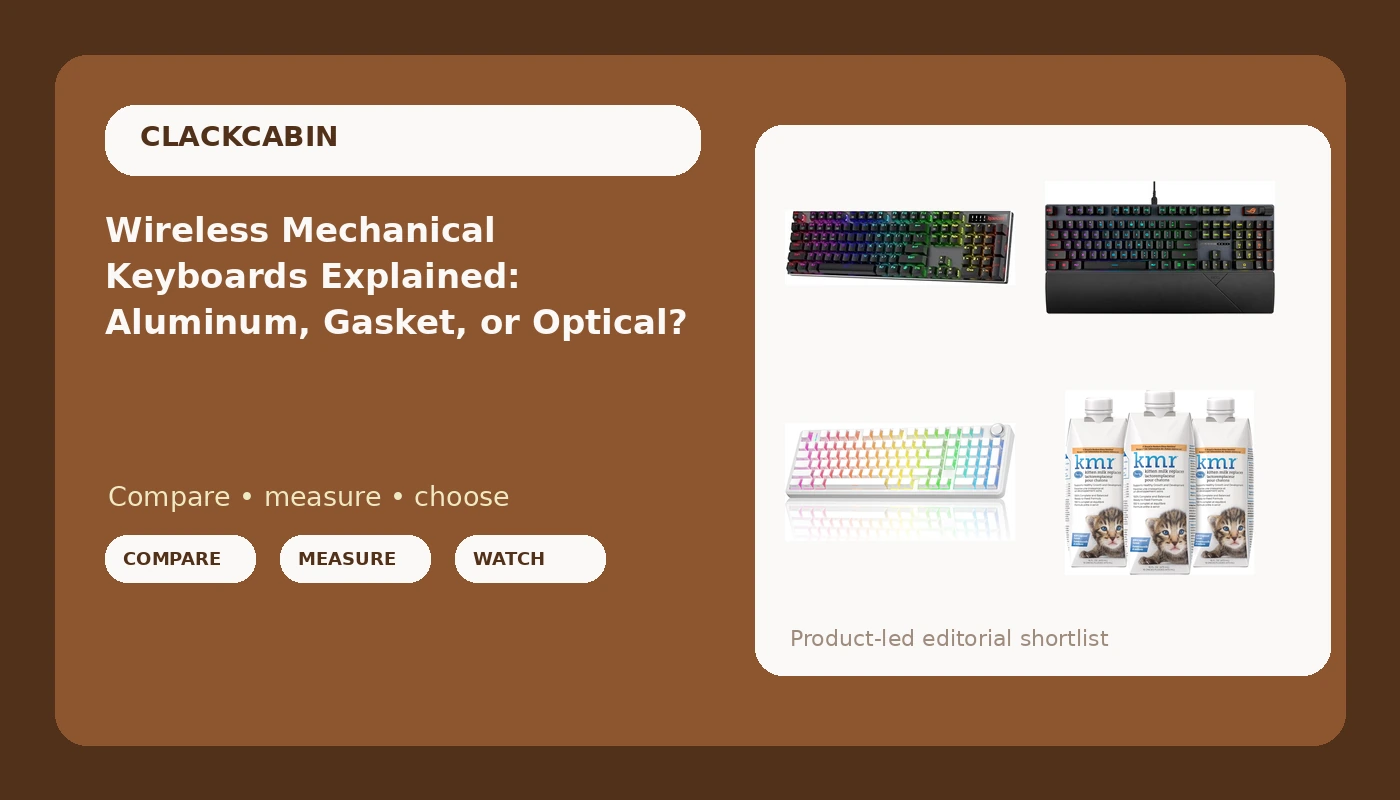
Buying a wireless mechanical keyboard in 2026 means sorting through three or four genuinely different products that all get filed under the same label. One is a 104-key aluminum deck built for spreadsheets and numpad work. One is a gaming board built around optical switches, foam and a wrist rest. One is a gasket-mounted custom-style board you can pull switches out of with a cheap tool. The specs that separate them are boring on purpose: layout, switch technology, connection modes, keycap material, and whether the sockets are hot-swappable. This explainer covers the four items on the current bench list, three keyboards and one item that is not a keyboard at all, and it tells you which one fits which job.
Related: Gasket Mount Explained: What It Changes and What It Does Not →
Quick answer
There is no single wireless mechanical keyboard that fits everyone, because the three keyboards here solve different problems. The Redragon K556 PRO is the full-size aluminum option with a 104-key layout. The ASUS ROG Strix Scope II is the optical-switch board with sound-dampening foam, PBT doubleshot keycaps and a wrist rest. The AULA F99 Pro is the hot-swappable, gasket-mounted model with Bluetooth 5.0, 2.4GHz and USB-C. The fourth item in this batch, PetAg KMR Kitten Milk Replacer Liquid, is not a keyboard and only belongs on your list if you are hand-feeding a kitten. Decide your layout and switch type first, then pick the board that matches.
Four useful options
| Model | Best fit | What stands out |
|---|---|---|
| Redragon K556 PRO Wireless RGB Mechanical Gaming Keyboard, 104-Key Aluminum | Desks that need a number pad and a cable-free connection | 104-key full-size layout with an aluminum frame |
| ASUS ROG Strix Scope II Gaming Keyboard, pre-lubed ROG RX Red Linear Optical switches, Sound-dampening Foam, PBT doubleshot keycaps, Streaming hotkeys, Multi-Function Controls, Wrist Rest | Gamers and streamers who want optical linear switches | Pre-lubed optical switches, sound-dampening foam, PBT doubleshot keycaps, wrist rest |
| AULA F99 Pro Wireless Mechanical Keyboard-Silent Version,BT5.0/2.4GHz/USB-C Hot Swappable Custom Keyboard,Gasket Structure,Pre-lubed Linear Switches RGB Backlit Computer Gaming Keyboards,White | Tinkerers who want hot-swap sockets and a gasket-mounted feel | Bluetooth 5.0, 2.4GHz and USB-C, hot-swappable sockets, gasket structure |
| PetAg KMR Kitten Milk Replacer Liquid - 16 oz, Pack of 3 - Ready-to-Feed Formula with Vitamins for Newborn Kittens to 1 Year - Easy to Digest | Bottle-feeding orphaned or supplementing kittens | Ready-to-feed liquid formula in a three-pack of 16 oz bottles |
The full-size option: Redragon K556 PRO Wireless RGB Mechanical Gaming Keyboard, 104-Key Aluminum
A full-size 104-key board is the least fashionable choice in this hobby right now and still the right one for a lot of desks. If your day involves spreadsheets, financial models, or code where you type long numeric identifiers, a dedicated number pad earns its footprint. The aluminum frame matters for a different reason: mass. A heavier case shifts less when you type hard, and it tends to stay where you put it. The trade-offs are real. A 104-key board is noticeably wider than a tenkeyless, which pushes your mouse hand further out and can change your shoulder position over a long day. Wireless also means a battery to manage, a receiver to keep track of, and a charging cable you will eventually need. Check which connection modes are listed and whether the receiver is included.
The optical option: ASUS ROG Strix Scope II Gaming Keyboard, pre-lubed ROG RX Red Linear Optical switches, Sound-dampening Foam, PBT doubleshot keycaps, Streaming hotkeys, Multi-Function Controls, Wrist Rest
Optical switches register a press when the stem interrupts a beam of light rather than when metal contacts meet. In practice that means no contact bounce and no metal-on-metal wear at the actuation point, and linear optical switches such as the ROG RX Red feel consistent from the first press. Factory pre-lube is the other half of the story, and it is worth being precise about: pre-lubed on a spec sheet means the factory applied lubricant, not that anyone hand-tuned the switch, so a board can still arrive feeling slightly uneven. Sound-dampening foam reduces the hollow case ring that thin plastic frames produce, and PBT doubleshot keycaps resist the shine that cheaper ABS caps develop on the home row. Note that this board's feature list emphasizes switches, keycaps and controls rather than connection modes, so if cable-free operation is non-negotiable, verify that detail before buying.
The hot-swap option: AULA F99 Pro Wireless Mechanical Keyboard-Silent Version,BT5.0/2.4GHz/USB-C Hot Swappable Custom Keyboard,Gasket Structure,Pre-lubed Linear Switches RGB Backlit Computer Gaming Keyboards,White
Hot-swap sockets are the most useful feature on this list. They let you pull a switch with a small tool and drop in a replacement, which turns one keyboard into a test bed instead of a fixed purchase. That matters most for anyone who has not settled on a switch feel yet. The gasket structure suspends the plate on flexible material so the case transmits less of each keystroke, which changes both sound and feel, and it is the feature budget boards have been adding fastest since 2023. The Silent Version name points to a quieter-tuned switch and dampening, but quiet is a claim to verify with your own ears or with measured decibel data rather than a spec sheet adjective. The F99 name points to a 99-key family layout, so confirm the exact key count if you rely on a number pad.
The odd item in the batch: PetAg KMR Kitten Milk Replacer Liquid - 16 oz, Pack of 3 - Ready-to-Feed Formula with Vitamins for Newborn Kittens to 1 Year - Easy to Digest
This one arrived in the same product batch and it does not belong in a keyboard buying guide, so there is no reason to pretend otherwise. PetAg KMR is a kitten milk replacer for kittens that cannot nurse, and it does a legitimate job for a specific situation: hand-feeding a rescue kitten or supplementing a litter when the mother cannot. If you are fostering, the ready-to-feed liquid format saves you from mixing powder at 3 a.m., which is the practical argument for it over the powdered version. If you are not fostering, skip this entry entirely and put the money toward switches, keycaps or a desk mat.
Prices and availability may change. Confirm the current details on the retailer page before buying, and match every product to its verified listing.
Bluetooth, 2.4GHz, and USB-C: what the three modes are actually for
Most wireless mechanical keyboards now offer the same three connection paths, and they are not interchangeable.
Bluetooth 5.0 is the flexible one. It pairs with laptops, tablets and phones, usually remembers several devices, and needs no receiver, which matters when your laptop has two USB-C ports and both are already occupied. Its weaknesses are consistent too: it shares the crowded 2.4GHz band with Wi-Fi and USB 3 devices, and some operating system Bluetooth stacks handle wake-from-sleep badly.
A 2.4GHz receiver is the option for gaming and for anyone who notices timing. It uses a dedicated dongle rather than the general Bluetooth stack, which generally produces more consistent input timing and faster wake behavior. The cost is a USB port and one more small object to lose.
USB-C wired is not a failure state. It is how you charge, and it is the mode to use when you are mid-incident and cannot afford a dropped keystroke or a flat battery.
Three-mode boards let you move between all of this, which is the practical argument for them: Bluetooth for the laptop, dongle for the desktop, cable for charging. Verify the modes on the product page, because wireless alone tells you nothing about which of the three you get.
Layout, switch type, and hot-swap: the specs that decide the purchase
Three specs do most of the work in a keyboard purchase.
Layout is the one you cannot change later. A 104-key board includes a number pad and a wider frame. Tenkeyless drops the number pad. Compact layouts drop the function row, the number pad, or both, and rely on layers for the missing keys. The right answer is the layout that matches your actual keystrokes, not the one that photographs best.
Switch type is the one you can change later, if the board is hot-swappable. Linear switches travel straight down with no bump. Tactile switches have a bump at the actuation point. Clicky switches add an audible click, which is a wonderful thing to own and a terrible thing to bring to an open office. Optical switches such as the ROG RX Red register through light rather than metal contact.
Hot-swap sockets decide how much the board can grow with you. A hot-swap board accepts replacement switches with a puller, so a switch you dislike costs you a few dollars instead of a new keyboard. Check whether the sockets accept both 3-pin and 5-pin switches, and check the LED orientation, because north-facing LEDs and tall Cherry-profile keycaps can physically clash.
- Count the keys you press on a normal day before you count features.
- Decide whether you need wireless at all, and if you do, which of the three modes you actually want.
- Pick a switch feel you can live with for a full work week, not a five-minute demo.
- Confirm the sockets are hot-swappable and that they accept the switch pins you plan to use.
- Verify what the name does not tell you: exact key count, keycap material, receiver inclusion, and warranty terms.
Practical guidance before you buy
- Measure your desk space before choosing a full-size board, because the number pad is a footprint decision, not just a feature.
- Assume every wireless board will eventually need a cable, and keep a USB-C cable where you actually sit.
- Budget for one extra set of switches if the board is hot-swappable, since that is the cheapest way to change how a keyboard feels.
- Treat factory pre-lube as a starting point rather than a finish line, and read what the switch actually is before assuming you will like it.
- Check the configuration software before you buy, because a board whose lighting requires an account login is a board you will stop configuring.
Which option should you choose?
Choose the Redragon K556 PRO Wireless RGB Mechanical Gaming Keyboard, 104-Key Aluminum when you want a full-size 104-key layout in an aluminum frame and you need wireless connectivity for a desktop setup. Choose the ASUS ROG Strix Scope II Gaming Keyboard, pre-lubed ROG RX Red Linear Optical switches, Sound-dampening Foam, PBT doubleshot keycaps, Streaming hotkeys, Multi-Function Controls, Wrist Rest when optical linear switches, acoustic damping, PBT doubleshot keycaps and dedicated streaming controls matter more than cable-free operation. Choose the AULA F99 Pro Wireless Mechanical Keyboard-Silent Version,BT5.0/2.4GHz/USB-C Hot Swappable Custom Keyboard,Gasket Structure,Pre-lubed Linear Switches RGB Backlit Computer Gaming Keyboards,White when you want to swap switches later, you prefer a gasket-mounted feel, and you need Bluetooth, 2.4GHz and USB-C in one board. Choose the PetAg KMR Kitten Milk Replacer Liquid - 16 oz, Pack of 3 - Ready-to-Feed Formula with Vitamins for Newborn Kittens to 1 Year - Easy to Digest when you are hand-feeding an orphaned kitten and need a ready-to-feed liquid formula, and not otherwise.
None of the above is a lab verdict on these specific units. Everything here comes from the supplied product names and feature lists, so treat connection modes, switch type, exact key count and quietness as details to confirm on the product page and in the return policy before you commit. The keyboard hobby is full of spec sheets that promise more than the board delivers, and the only real protection is checking the fine print and keeping your receipt.
The bottom line
A wireless mechanical keyboard is a set of trade-offs, not a single product category. Layout decides whether the board fits your hands and your desk, switch type decides how it feels and sounds, and hot-swap sockets decide whether you are stuck with that decision. The Redragon K556 PRO covers full-size aluminum with wireless and RGB, the ASUS ROG Strix Scope II leans into optical switches and acoustic damping, and the AULA F99 Pro gives you the most room to change your mind later. Buy for the layout and the switch, confirm the connection modes and the key count, and leave the kitten formula out of it unless you are genuinely bottle-feeding.