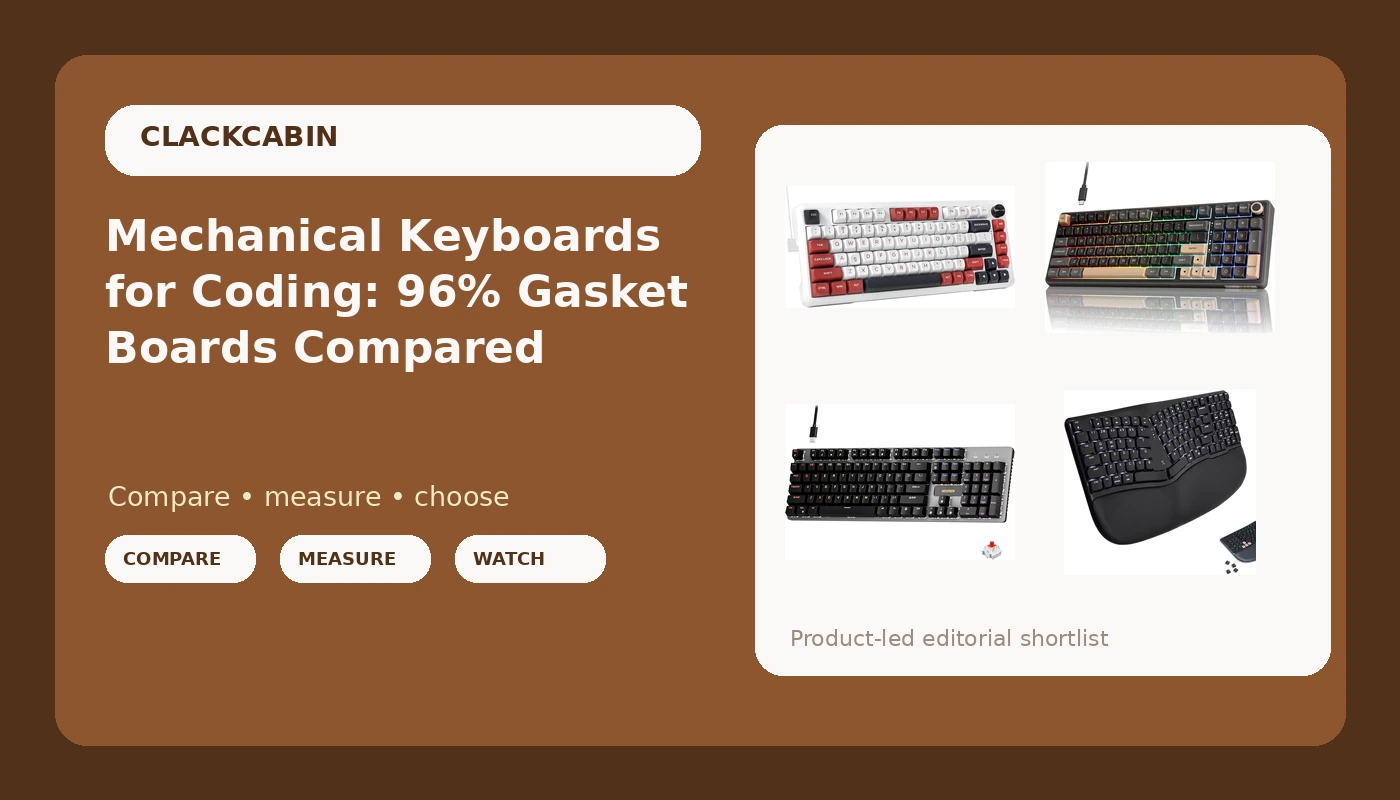
Anyone who writes code for a living spends more hours with a keyboard than with any other tool on the desk, which is why mechanical keyboards for coding get argued about so fiercely. The problem is that "mechanical" has become a marketing word. Two boards carrying the same label can differ in layout, switch type, mounting, keycap material, and whether you can remap a single key without installing somebody's cloud software and creating an account.
This guide compares five mechanical keyboards that you can buy today at retail rather than wait on a group buy. The spread covers a compact 75% board, a 96% board with a number pad and volume knob, a wireless board with QMK/VIA support, a split ergonomic wireless model, and a full-size 104-key option. Every card below is matched by its product identifier so the image, the name, and the retailer link all point to the same item.
Related: How to Quiet a Rattly Spacebar Without Desoldering
Quick answer
The RK ROYAL KLUDGE R98 Pro Wired Mechanical Keyboard is the strongest fit for coding and long typing days because it pairs a 96% layout with a number pad and volume knob, a gasket mount, MDA profile PBT keycaps, and hot-swappable pre-lubed linear switches, so both the feel and the parts can be changed later. Choose the KEMOVE K94 Wireless Mechanical Keyboard instead when you want a cable-free desk and QMK/VIA remapping.
Mechanical keyboards worth comparing
These five cover the layouts and connectivity options that matter most for desk work, so the comparison is about which set of trade-offs fits your setup rather than which board is universally better.
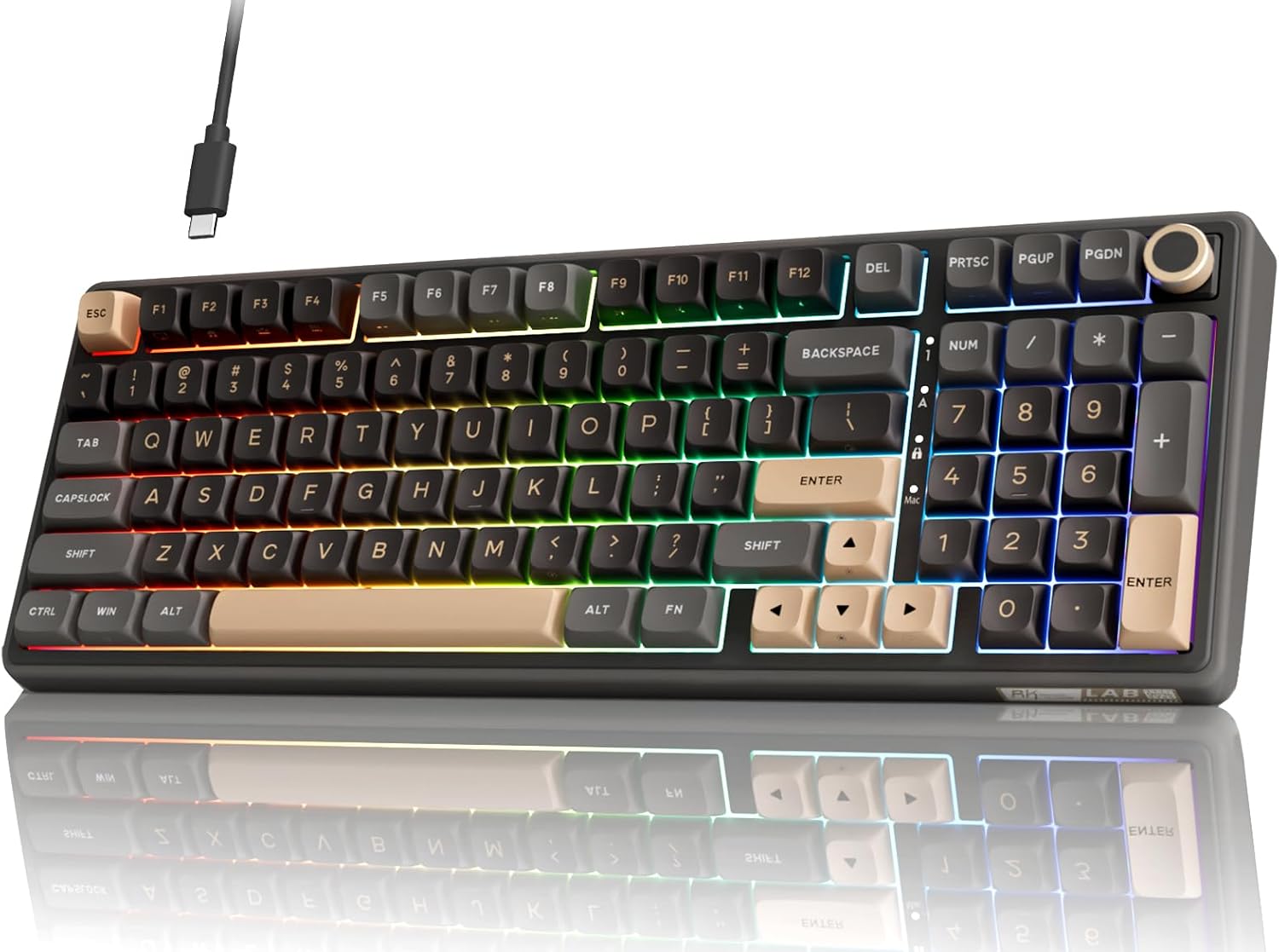
RK ROYAL KLUDGE R98 Pro Wired Mechanical Keyboard, 96% Creamy Gaming Keyboard RGB Backlit with Number Pad and Volume Knob, Gasket Mount, MDA Profile PBT Keycaps, Hot Swappable Pre-lubed Linear Switch
A 96% wired board with a number pad, a volume knob, RGB backlighting, a gasket mount, MDA profile PBT keycaps, and hot-swappable pre-lubed linear switches.
Visit on Amazon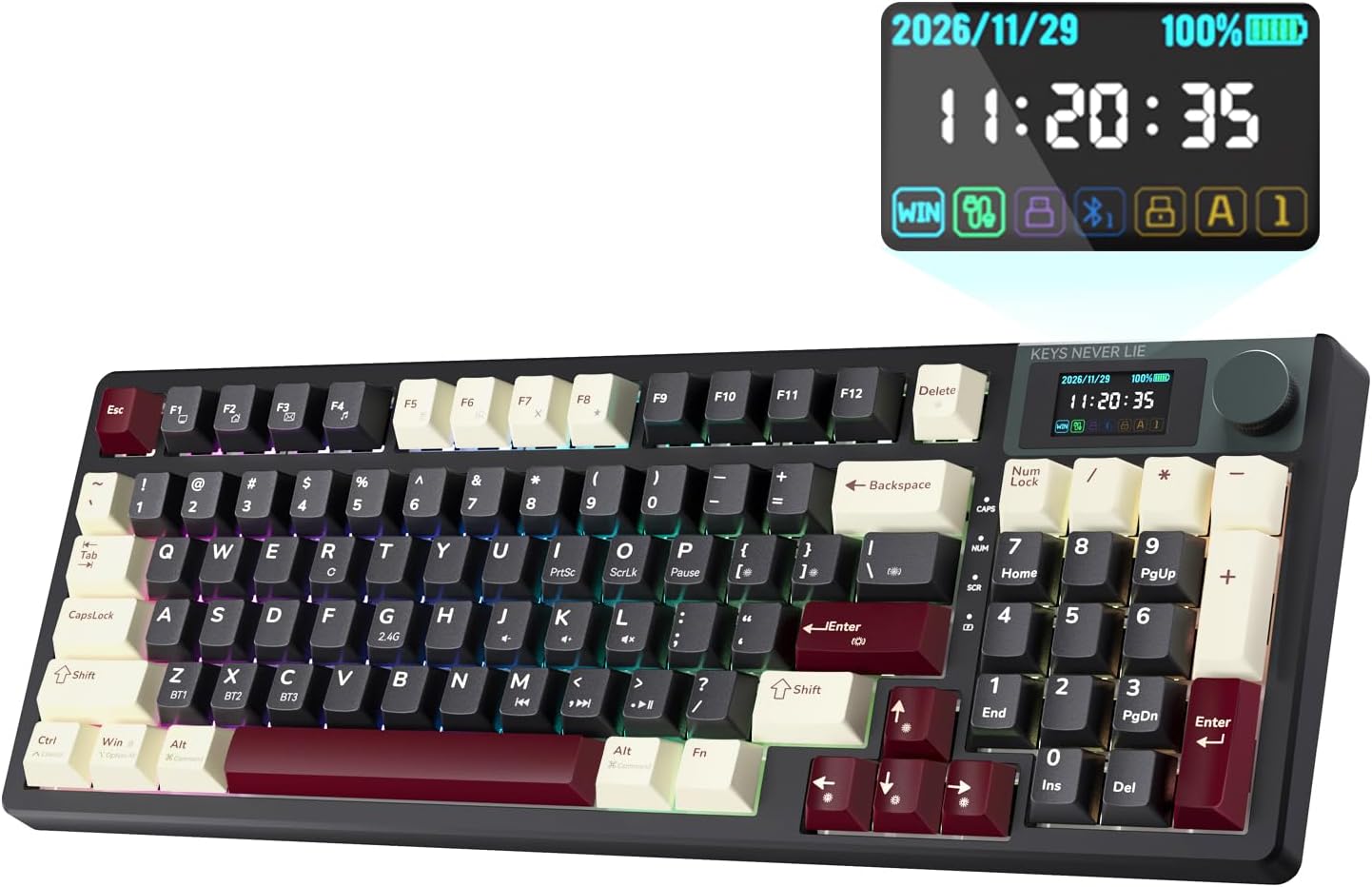
KEMOVE K94 Wireless Mechanical Keyboard, QMK/VIA, LCD Screen & Metal Knob
Check current Amazon price
A wireless mechanical board with QMK/VIA support, an LCD screen, and a metal knob for volume or media control.
Visit on Amazon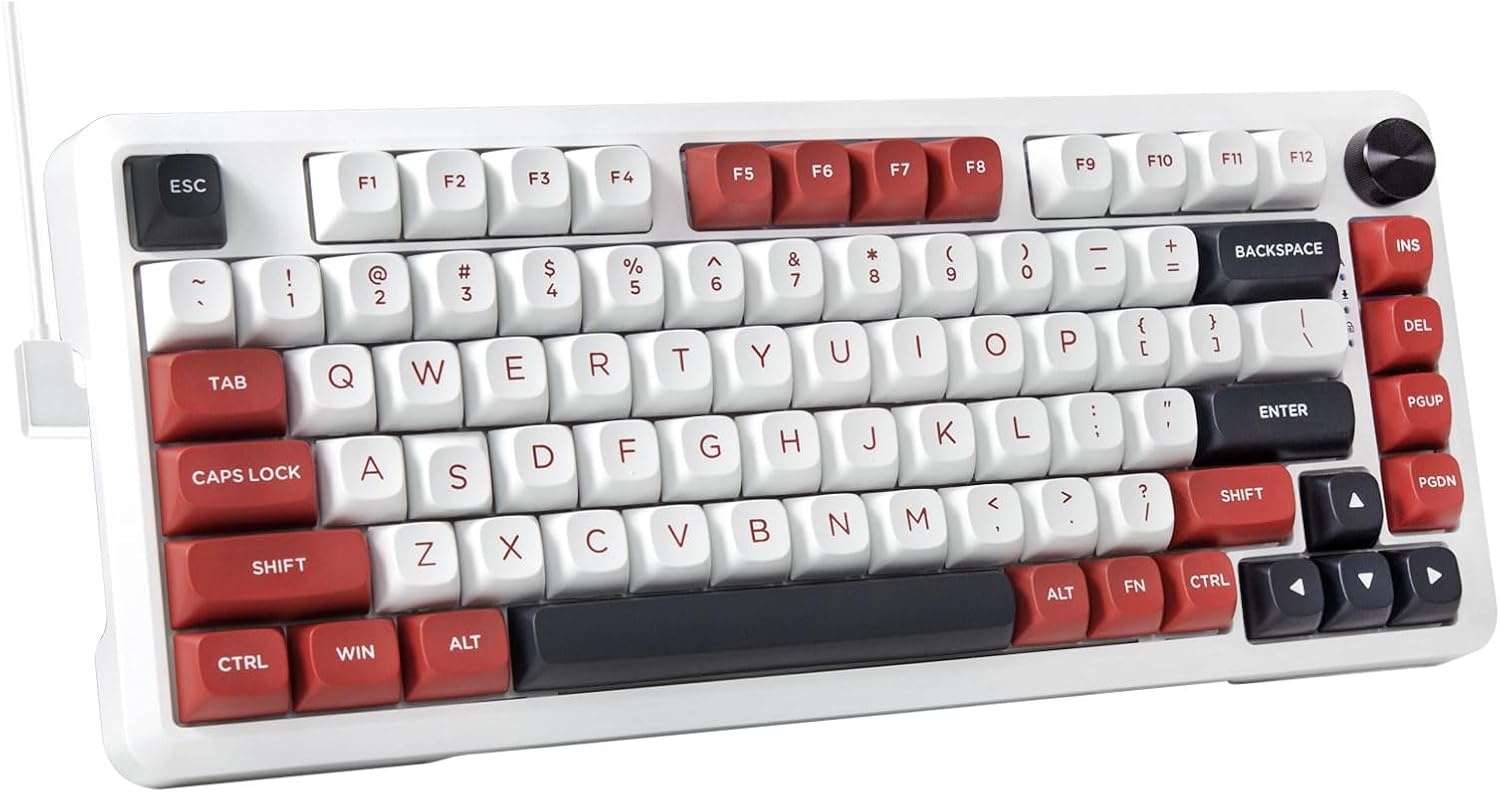
E-YOOSO 75% Wired Mechanical Gaming Keyboard, Creamy Sound, White/Red
A compact 75% wired board built around a creamy sound profile and finished in white and red.
Visit on Amazon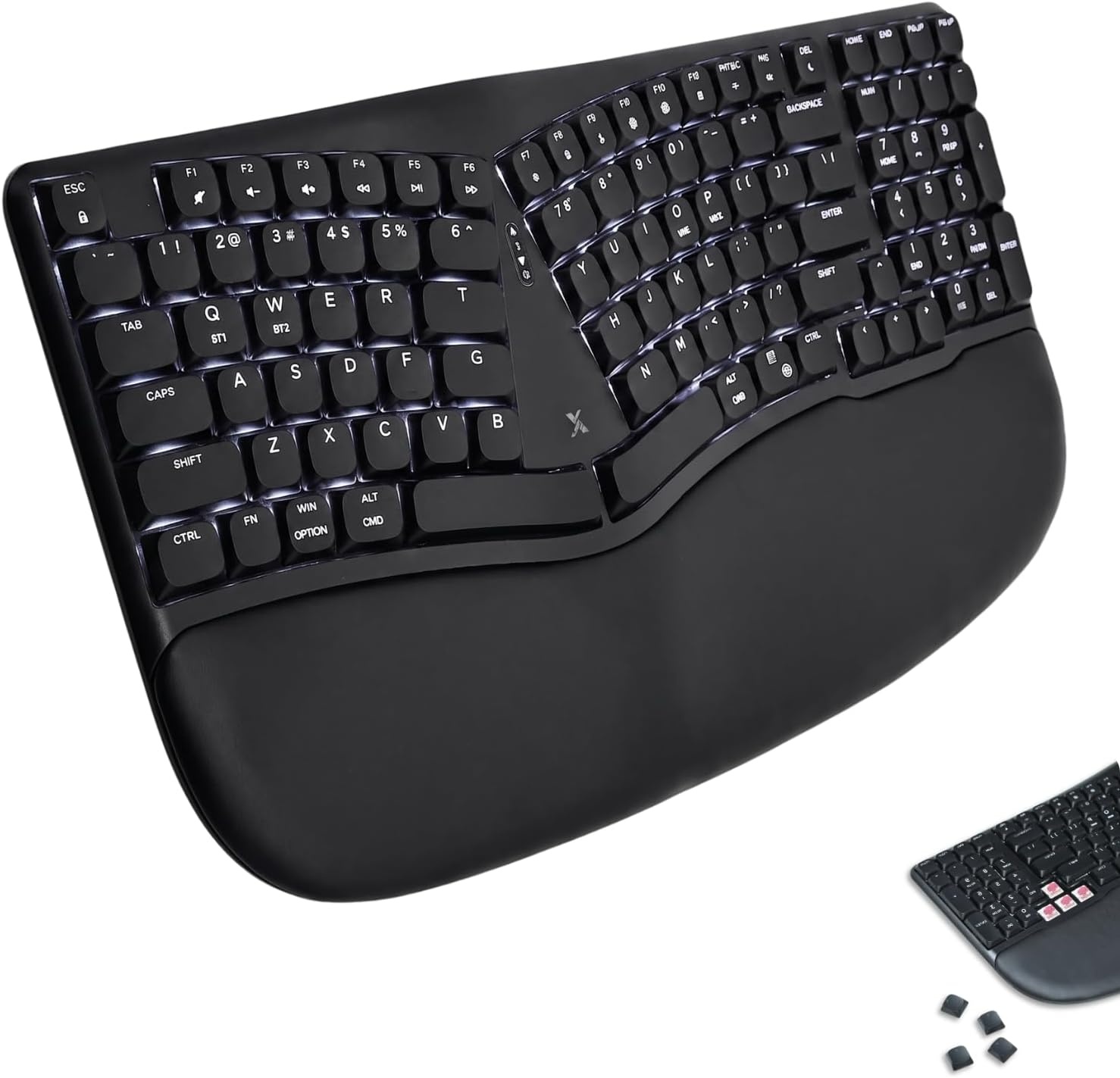
X9 Performance Wireless Mechanical Ergonomic Keyboard - (BT + 2.4G + Wired) - Wireless Mechanical Split Ergonomic Keyboard - Built-in Wrist Cushion, Pink Switch, Backlit, Rechargeable - for PC/Mac
Check current Amazon price
A split ergonomic wireless board with Bluetooth, 2.4G, and wired modes, a built-in wrist cushion, pink switches, backlighting, and a rechargeable battery, listed for both PC and Mac.
Visit on Amazon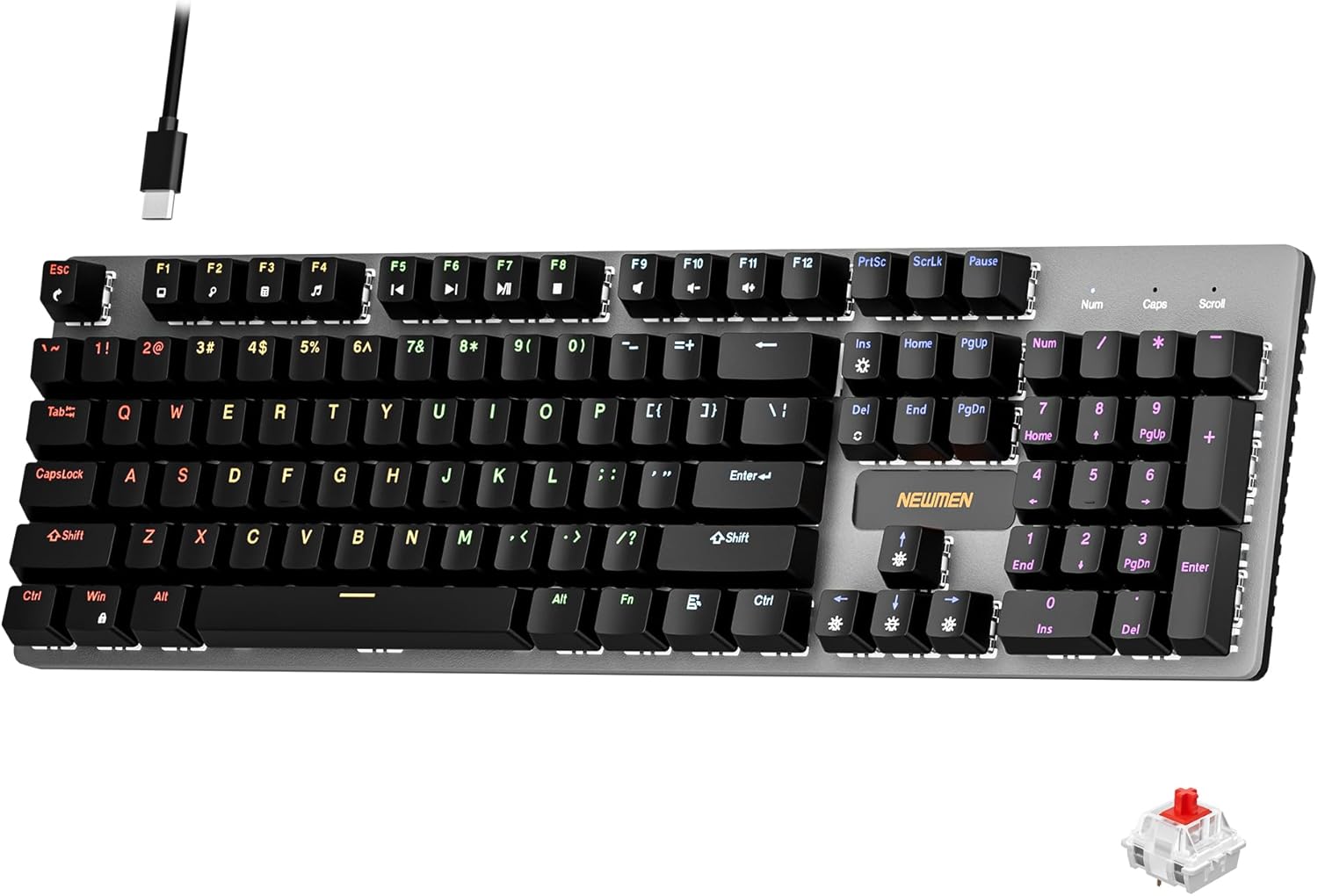
Newmen GM325Pro Mechanical Keyboard,Gaming Keyboard 104 Keys Red Switches
A full-size 104-key wired board with red switches, aimed at a straightforward desktop setup with a dedicated number pad.
Visit on AmazonPrices and availability may change. Check the retailer for current details.
How these products were compared
This guide compares layout and footprint, switch type and sound character, connectivity, programmability and hot-swap support, and mounting and keycap material. Product names, images, and retailer links are matched by product identifier so that every card points to the product shown.
The comparison is built from published product specifications and manufacturer descriptions rather than from hands-on testing of these five boards. That distinction matters, because a spec sheet can tell you that a board has a gasket mount, MDA profile PBT keycaps, or QMK/VIA support, but it cannot tell you how the spacebar sounds on your desk. Treat the specs as the filter and your own return window as the final test.
How to choose the right mechanical keyboard
Start with layout, because it is the one thing you cannot change later. A 75% board such as the E-YOOSO keeps the arrow keys and function row but drops the number pad, which frees up desk space and shortens the reach to your mouse. A 96% board such as the RK ROYAL KLUDGE R98 Pro squeezes a number pad and a volume knob into a footprint that is narrower than full size, which is the usual compromise for people who type numbers all day and still want room for a trackpad. A 104-key board such as the Newmen GM325Pro gives you a conventional full-size layout with no compromises on key count, at the cost of width.
Switches come next, and for coding the practical question is linear versus tactile rather than brand versus brand. Linear switches, including the red switches in the Newmen and the pre-lubed linear switches in the R98 Pro, travel smoothly with no bump, which many people find easier on the fingers across a long session. Pre-lubed switches arrive with lubricant applied at the factory, which usually means a smoother, lower-pitched sound than the same switch dry. Sound character is a tuning choice, not a quality ranking: a creamy profile is simply a deeper, more rounded bottom-out, and it is worth remembering that sound is affected as much by the case, the plate, and the keycap material as by the switch itself.
Connectivity is the third decision. Wired boards like the R98 Pro, the E-YOOSO, and the Newmen have nothing to charge and nothing to drop, which is why they remain the default for a desk that never moves. If you switch between machines or want a clean desk, a wireless board is the better answer, and the KEMOVE K94 covers wireless with QMK/VIA remapping. The X9 Performance goes further and offers Bluetooth, 2.4G, and wired modes in one board, so you can fall back to a cable when the battery is low. When you compare wireless boards, look at which modes are listed and whether the board is rechargeable, because those two details determine how the board behaves in week six, not week one.
Programmability deserves its own line item. QMK and VIA are open firmware and configuration tools that let you remap keys and build layers in a browser, and support for them is listed explicitly on the KEMOVE K94. Boards without that support usually depend on the manufacturer's own software, which may or may not let you do what you want. If you have ever wanted Caps Lock to act as Escape, or a layer that turns the number row into symbols for a terminal, this is the spec that decides whether that is possible.
Finally, consider how the board is put together. A gasket mount, as listed on the R98 Pro, suspends the plate on flexible material so the case absorbs less vibration from each keystroke, which generally produces a softer feel and a less hollow sound. Hot-swappable sockets let you pull a switch with a tool instead of a soldering iron, which is the difference between a board you can retune and a board you are stuck with. Keycap material matters too: PBT, listed on the R98 Pro in the MDA profile, is generally chosen for a more textured surface and better resistance to the shiny wear that shows up on heavily used keys.
If you spend the whole day in front of the board and your wrists complain, a split ergonomic design is worth a look before you buy anything else. The X9 Performance separates the halves and includes a built-in wrist cushion, which changes your shoulder and wrist angles in a way that no switch upgrade can.
RK ROYAL KLUDGE R98 Pro Wired Mechanical Keyboard
The R98 Pro earns the top spot on specifications rather than hype. It is a wired 96% board with a number pad and a volume knob, so the keys most programmers reach for constantly are present without the width of a full-size chassis. The gasket mount and the MDA profile PBT keycaps address the two things that most often make a budget board feel cheap: a hollow, rattly case and keycaps that shine within months. RGB backlighting is included, and the hot-swappable pre-lubed linear switches mean the board can be retuned later without soldering.
The trade-off is straightforward. This is a wired board, so there is no Bluetooth or 2.4G mode and no battery to manage, and QMK/VIA support is not listed, which means remapping depends on the manufacturer's own software. If you need a cable-free desk or browser-based firmware, the KEMOVE K94 is the better starting point. If your priority is a number pad, a knob, and a mounting style usually reserved for more expensive boards, the R98 Pro is the one to check first.
Alternatives to consider
The KEMOVE K94 Wireless Mechanical Keyboard is better suited to a multi-machine desk or anyone who wants QMK/VIA remapping, since it pairs wireless operation with an LCD screen and a metal knob. The E-YOOSO 75% Wired Mechanical Gaming Keyboard is a stronger fit when desk space is tight and you want a compact wired board with a creamy sound character and no number pad to work around.
The X9 Performance Wireless Mechanical Ergonomic Keyboard, the Newmen GM325Pro Mechanical Keyboard, and the RK ROYAL KLUDGE R98 Pro cover three different priorities. The X9 Performance is the pick for split ergonomics, with Bluetooth, 2.4G, and wired modes, a built-in wrist cushion, backlighting, and a rechargeable battery listed for PC and Mac. The Newmen GM325Pro is the conventional full-size choice with 104 keys and red switches for anyone who wants a standard layout and nothing unusual. The R98 Pro sits between them, offering the number pad of a full-size board in a 96% footprint.
Day-to-day use and maintenance
Mechanical boards reward a small amount of routine care. Dust and crumbs are the main long-term threat to switch feel, so a soft brush or a can of compressed air across the keycaps every few weeks keeps debris out of the gaps. Keycaps on heavily used keys, particularly the WASD cluster and the spacebar, will eventually develop a shine; PBT keycaps resist this better than ABS, which is one reason the R98 Pro lists MDA profile PBT. If a keycap does wear or crack, replacements are widely available for standard layouts, and hot-swappable sockets mean a failing switch can be swapped rather than soldered.
Wireless boards add a maintenance item: charging. A rechargeable board such as the X9 Performance should be topped up on a schedule you actually remember, and if it supports a wired mode, using it while charging avoids an interruption in the middle of a long session. The built-in wrist cushion on that model is worth keeping clean as well, since a cushion that collects hand oils is unpleasant to rest on.
Before you buy, confirm the return window and keep the packaging until you have typed on the board for a few days. Specs narrow the field, but only your own fingers can tell you whether a layout and a switch weight suit you.
Buying checklist
- Measure the width your desk can spare, because a 104-key board takes noticeably more room than a 75% one.
- Decide whether you need a number pad before you fall in love with a compact layout.
- Confirm the switch type, and check whether the board lists hot-swappable sockets if you plan to change switches later.
- Verify the connectivity modes you actually need, whether that is wired only, Bluetooth, 2.4G, or a combination.
- Check for QMK/VIA or manufacturer software support if remapping matters to you.
- Read the cleaning and maintenance instructions, and verify current price, availability, and return terms at the retailer.
Final recommendation
Choose the RK ROYAL KLUDGE R98 Pro Wired Mechanical Keyboard when you want a number pad and a volume knob in a compact footprint, along with a gasket mount, PBT keycaps, and hot-swappable switches that let you change the feel later. Choose the KEMOVE K94 Wireless Mechanical Keyboard when you need a wireless board with QMK/VIA remapping and do not want to give up the knob.
If neither fits, the alternatives above are not filler. The E-YOOSO covers small desks, the Newmen GM325Pro covers a standard full-size layout, and the X9 Performance covers split ergonomics and multi-mode wireless. Match the layout to your desk first, then the switches to your fingers, and let the return window settle anything the specifications cannot.