Shopping for a wireless mechanical keyboard in 2026 means sorting through three product categories that all borrow the same vocabulary. There are budget tri-mode boards that cover Bluetooth, 2.4GHz, and USB-C; aluminum enthusiast boards built around open-source firmware; and gaming keyboards where the vendor's software suite matters as much as the switches. Listings rarely make the distinctions easy to spot, because the spec sheets tend to advertise a feeling rather than a socket, a layout, or a firmware platform. This guide compares six wireless mechanical keyboards that are sold through Amazon, ranging from compact 75% layouts with rotary knobs to full-size boards with number pads, and it separates the details that actually change how a keyboard behaves after the first week from the details that only matter in a product photo.
Related: Hot-Swap Sockets Explained: What Fits and What Does Not
Quick answer
The Keychron Q1 Pro Wireless Custom Mechanical Keyboard is the strongest fit for programmers and long-session typists because it pairs a 75% layout and a full aluminum case with QMK/VIA programmability, hot-swappable Keychron K Pro Brown switches, and both Bluetooth and wired operation. Choose the Keychron K10 Max QMK Wireless Custom Mechanical Full-Size Keyboard instead when a number pad and the full key set matter more than a compact footprint.
Wireless mechanical keyboards worth comparing
The six boards below split cleanly along four lines: layout size, connection modes, whether the switches can be replaced without soldering, and whether the firmware is open and remappable. Two of them are Keychron boards built around QMK, one is a 96% gaming board from ASUS with tri-mode connectivity, two are AULA models aimed at the budget end of the tri-mode market, and one is a corded Logitech board that anchors the low-cost wired option. Those differences, not the marketing copy, are what determine whether a keyboard still fits your desk and your fingers a year from now.
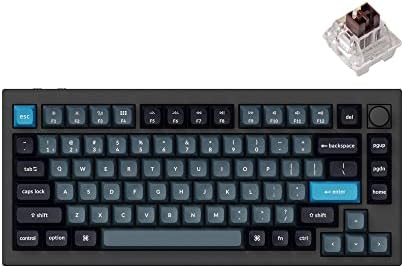
Keychron Q1 Pro Wireless Custom Mechanical Keyboard, QMK/VIA Programmable Full Aluminum 75% Layout Bluetooth/Wired RGB with Hot-swappable Keychron K Pro Brown Switch Compatible with Mac Windows Linux
A 75% layout board with a full aluminum case, Bluetooth and wired connection, RGB backlighting, QMK/VIA programmability, and hot-swappable Keychron K Pro Brown switches. The listed compatibility covers Mac, Windows, and Linux.
Visit on Amazon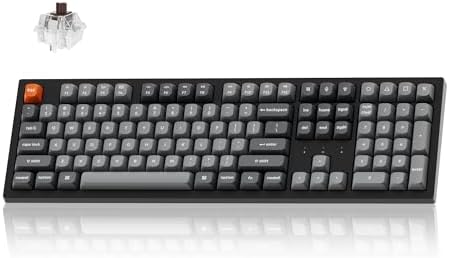
Keychron K10 Max QMK Wireless Custom Mechanical Full-Size Keyboard
A full-size wireless custom mechanical keyboard running QMK, aimed at typists who want the complete key set including a number pad without giving up a cable-free desk.
Visit on Amazon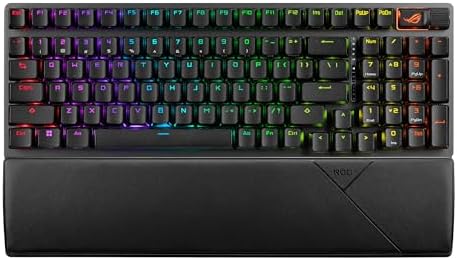
ASUS ROG Strix Scope II 96 Wireless Mechanical Gaming Keyboard, 96% Full-Size, Tri-Mode Connectivity, Hot Swappable Pre-lubed ROG NX Snow Linear Switches, PBT Keycaps, RGB, PC/Mac Support-Black
A 96% full-size board with tri-mode connectivity, hot-swappable pre-lubed ROG NX Snow linear switches, PBT keycaps, RGB lighting, and listed PC and Mac support in a black finish.
Visit on Amazon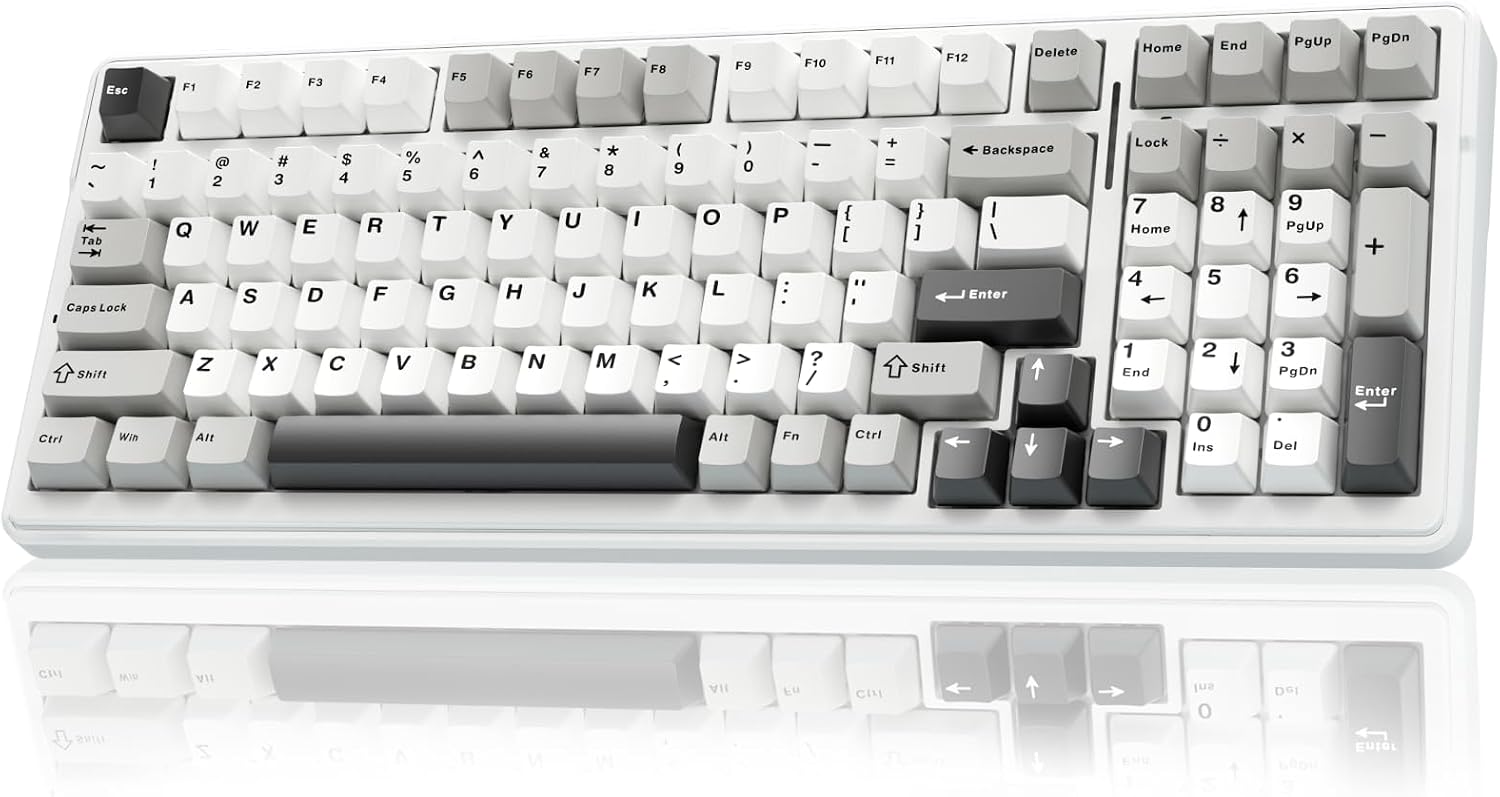
AULA F99 Wireless Mechanical Keyboard,Tri-Mode BT5.0/2.4GHz/USB-C Hot Swappable Custom Keyboard,Pre-lubed Linear Switches,RGB Backlit Computer Gaming Keyboards for PC/Tablet/PS/Xbox
A tri-mode board covering Bluetooth 5.0, 2.4GHz, and USB-C, with hot-swappable pre-lubed linear switches, RGB backlighting, and compatibility listed for PC, tablet, PlayStation, and Xbox.
Visit on Amazon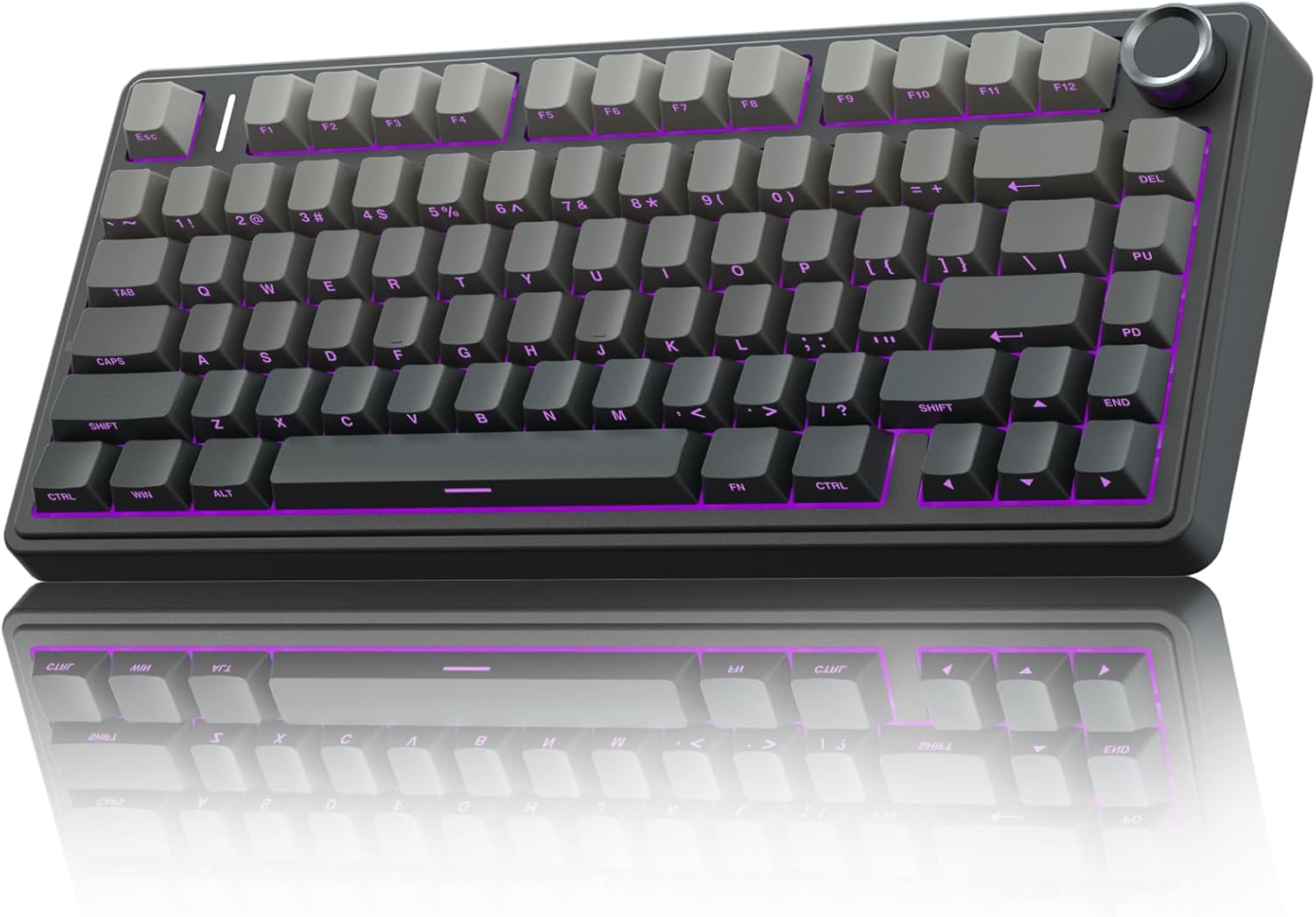
AULA F75 Pro Wireless Mechanical Keyboard,75% Hot Swappable Custom Keyboard with Knob,RGB Backlit,Pre-lubed Reaper Switches,Side Printed PBT Keycaps,2.4GHz/USB-C/BT5.0 Mechanical Gaming Keyboards
Check current Amazon price
A 75% board with a control knob, hot-swap sockets, pre-lubed Reaper switches, side-printed PBT keycaps, RGB backlighting, and 2.4GHz, USB-C, and Bluetooth 5.0 connection options.
Visit on Amazon
Logitech G413 SE Full-Size Mechanical Gaming Keyboard - Black
A full-size mechanical gaming keyboard and the corded option in this roundup. Its listed description covers a wired full-size layout, with no wireless modes listed.
Visit on AmazonPrices and availability may change. Check the retailer for current details.
How these products were compared
This guide compares layout and desk footprint, connection modes, hot-swap socket support and switch type, firmware and remapping options, and keycap material and case construction. Product names, images, and retailer links are matched by product identifier so that every card points to the product shown.
Those five criteria are the ones that stay relevant after the unboxing. Layout determines whether your mouse hand has room and whether you get a number pad. Connection modes determine whether the board works on a laptop, a tablet, a console, or all three, and whether the wireless link is Bluetooth, a 2.4GHz dongle, or both. Hot-swap support determines whether a failed or disliked switch costs you five dollars and a puller or an evening with a soldering iron. Firmware determines whether you can remap a key without installing a vendor utility that wants an account. Keycap material and case construction determine how the board looks and sounds after a year of skin oils and dust.
What this comparison does not do is assign a sound score, a feel score, or a durability verdict. Those claims require a board in hand, measured over weeks, and nothing in the product data supports a number for any of the six. Treat what follows as a decision framework built from published specifications, and confirm the details that matter most to you on the product page before you buy.
How to choose the right mechanical keyboard
Start with layout, because it is the one decision you cannot change later. A 75% board keeps the function row and arrow cluster while dropping the number pad and most of the navigation cluster, which frees several inches of desk space and keeps your mouse closer to your shoulder line. A 96% board like the ASUS ROG Strix Scope II 96 compresses nearly a full key set into a narrower chassis, which is the compromise to pick when you use a number pad daily but still want the mouse closer than a traditional full-size board allows. A true full-size board, which is what the Keychron K10 Max and the Logitech G413 SE offer, is the right answer if you live in a spreadsheet or an IDE with heavy numeric entry.
Second, decide how much you care about repairability. Hot-swap sockets, which let you pull a switch with a tool instead of desoldering it, are the single most useful feature on this list, and four of the six boards advertise them. A board with hot-swap support can change personality later: swap the linear switches for tactile ones, replace a dead switch in a minute, or try a different spring weight without buying a new keyboard. If you plan to keep the board for years, treat hot-swap as a requirement rather than a bonus. Our guide to hot-swap sockets and switch compatibility covers what fits and what does not.
Third, look at firmware and connection modes together, because they are usually described in the same paragraph and matter for different reasons. QMK and VIA are open firmware platforms that let you remap keys and layers, and a board built on them tends to stay useful even if the manufacturer stops updating a companion app. Tri-mode connectivity, meaning Bluetooth plus a 2.4GHz dongle plus USB-C, is the most flexible arrangement for people who move between a desktop, a laptop, and a console. If you only ever plug into one machine, wired USB-C is simpler and removes battery management from your life entirely.
Finally, check the details that listings bury: keycap material and profile, whether the switches are factory-lubed, and what the board ships with. PBT keycaps, listed on the ASUS and both AULA boards here, resist the shine that ABS keycaps develop with heavy use. Factory lube, listed on the ASUS and AULA models, affects how a switch sounds and feels out of the box. Neither detail changes whether the keyboard works, but both change whether you still like it in month six.
Keychron Q1 Pro Wireless Custom Mechanical Keyboard
The Keychron Q1 Pro is the board in this group that combines the most features that cannot be added later. It has a full aluminum case, which is a construction choice rather than a coating, and it uses a 75% layout with both Bluetooth and wired connectivity. It runs QMK and VIA, so remapping keys and building layers happens in open firmware rather than a proprietary utility, and the listed compatibility covers Mac, Windows, and Linux, which matters if you split your day between operating systems.
The Q1 Pro also ships with hot-swappable sockets and Keychron K Pro Brown switches, which are tactile, so you get a board you can change switches on later without any soldering. The trade-off is straightforward: an aluminum case makes this the heaviest and least portable option in the roundup, and a 75% layout means no number pad. If your work involves constant numeric entry, the compact footprint stops being a benefit and starts being a daily annoyance.
Alternatives to consider
The Keychron K10 Max QMK Wireless Custom Mechanical Full-Size Keyboard is better suited to typists who want a number pad and the complete key set while keeping open firmware, because it is the full-size counterpart to the Q1 Pro's philosophy. The ASUS ROG Strix Scope II 96 Wireless Mechanical Gaming Keyboard is a stronger fit when you want a near-full key set in a narrower chassis, with tri-mode connectivity, hot-swappable pre-lubed ROG NX Snow linear switches, PBT keycaps, and listed PC and Mac support.
The AULA F99 Wireless Mechanical Keyboard, the AULA F75 Pro Wireless Mechanical Keyboard, and the Logitech G413 SE Full-Size Mechanical Gaming Keyboard cover the value end of the list. Both AULA boards offer tri-mode connectivity, hot-swap sockets, and pre-lubed linear switches, with the F75 Pro adding a 75% layout, a control knob, and side-printed PBT keycaps. The Logitech G413 SE is the wired option, a full-size mechanical gaming keyboard with no wireless modes listed, which makes it the pick for someone who wants a corded board and does not care about batteries or Bluetooth.
Day-to-day use and maintenance
Wireless boards add two maintenance chores that wired keyboards do not have: charging and cleaning. Charge the board fully before the first long session and keep the cable somewhere reachable, because a wireless keyboard that dies mid-afternoon is more disruptive than a cable you stopped noticing. If your board supports a 2.4GHz dongle as well as Bluetooth, keep the dongle in a labeled spot rather than loose in a bag. Bluetooth pairing is convenient across devices, while a dedicated dongle tends to be the more predictable option when several wireless devices share a desk.
On the mechanical side, the routine is the same whether the board is wired or wireless. Dust and skin oils are the real enemies: a soft brush or a can of compressed air once a month keeps the plate and the switch stems clear, and pulling keycaps for a deeper clean is easier on hot-swap boards because you can inspect the sockets at the same time. If a keycap set uses a tall profile, confirm it does not collide with the board's north-facing lighting before committing to it. And if the stabilizers rattle, remember that this is a tuning issue rather than a defect, and one that a little lubricant and patience usually addresses.
Buying checklist
- Measure your desk depth and mouse space before choosing between a 75%, a 96%, and a full-size layout.
- Choose your switch type based on normal use rather than an occasional edge case, and prefer a hot-swap board if you are unsure.
- Confirm that the exact model includes the feature you care about, whether that is a number pad, a knob, tri-mode connectivity, or QMK/VIA support.
- Read the cleaning and maintenance instructions, and check what keycap material and profile the board ships with.
- Verify the current retailer price, availability, battery details, and return terms before you order.
Final recommendation
Choose the Keychron Q1 Pro Wireless Custom Mechanical Keyboard when you want a compact aluminum board with open firmware, Bluetooth and wired connection, and hot-swappable switches, and you do not need a number pad. Choose the Keychron K10 Max QMK Wireless Custom Mechanical Full-Size Keyboard when the full key set and a number pad matter more than a small footprint. If budget and tri-mode connectivity are the priorities, either AULA model covers that ground, and if you simply want a corded full-size board, the Logitech G413 SE is the one option here that skips wireless entirely.