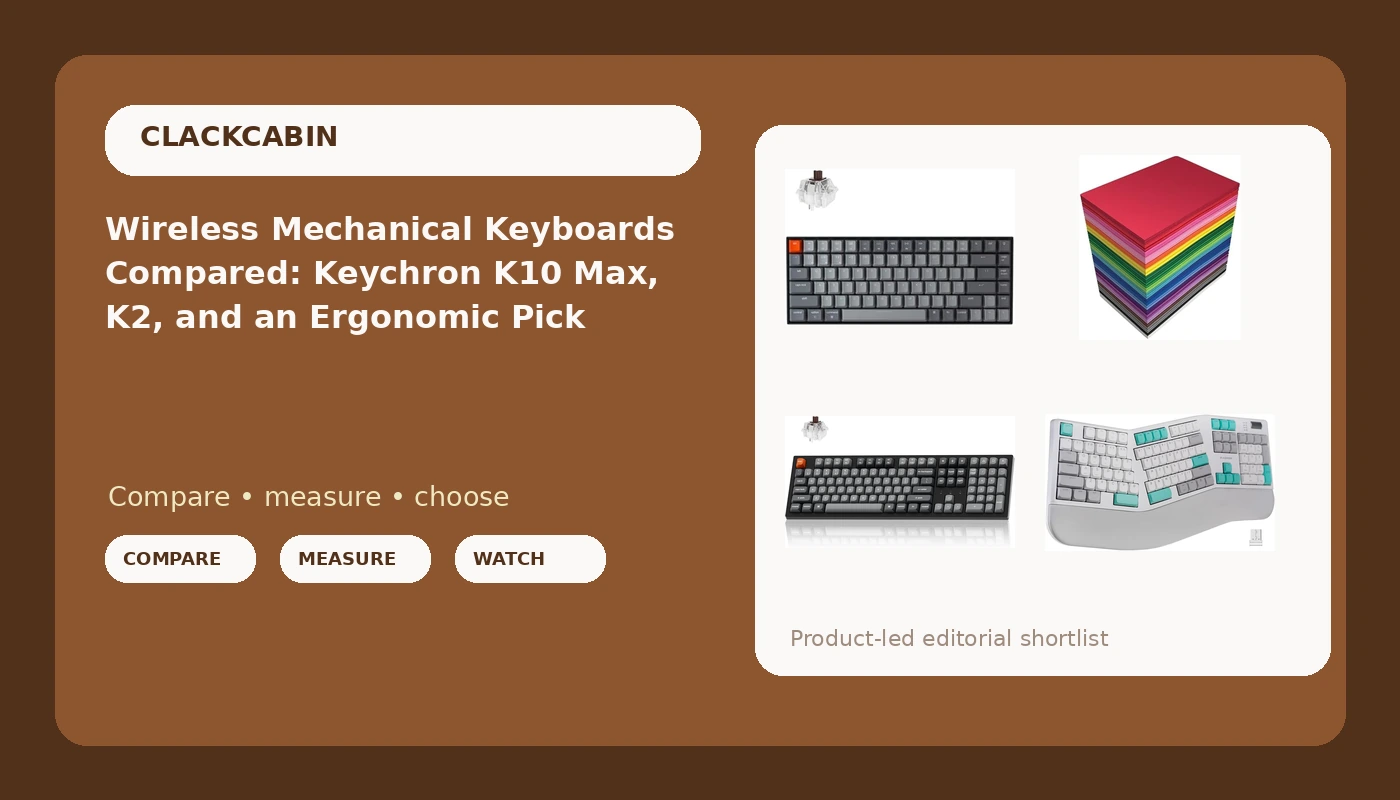
I have been typing on mechanical keyboards since 2012 and logging every board that crosses my bench since 2021, which is why this mechanical keyboard comparison is organized around a boring question instead of a spec sheet flex: what is each of these four products actually for? Three of them are keyboards you could buy today and type on tonight. The fourth is a 100-pack of EVA craft foam that costs less than lunch and addresses the single most common failure I measure on prebuilt boards. That is not a joke, and by the end of this piece you will know exactly why a sheet of foam belongs in a keyboard buying guide next to a $100 wireless board.
Related: Keyboard Form Factors Explained 60 Vs 65 Vs Tkl Vs Full
The best pick for most people here is the Keychron K10 Max, because full-size plus wireless plus QMK firmware covers the widest range of real work. The K2 is still the right answer if your desk is small or you move between offices, the ergonomic board with the integrated wrist rest is the pick if your wrists ache after a long deploy day, and the foam sheets are the cheapest upgrade in the entire article.
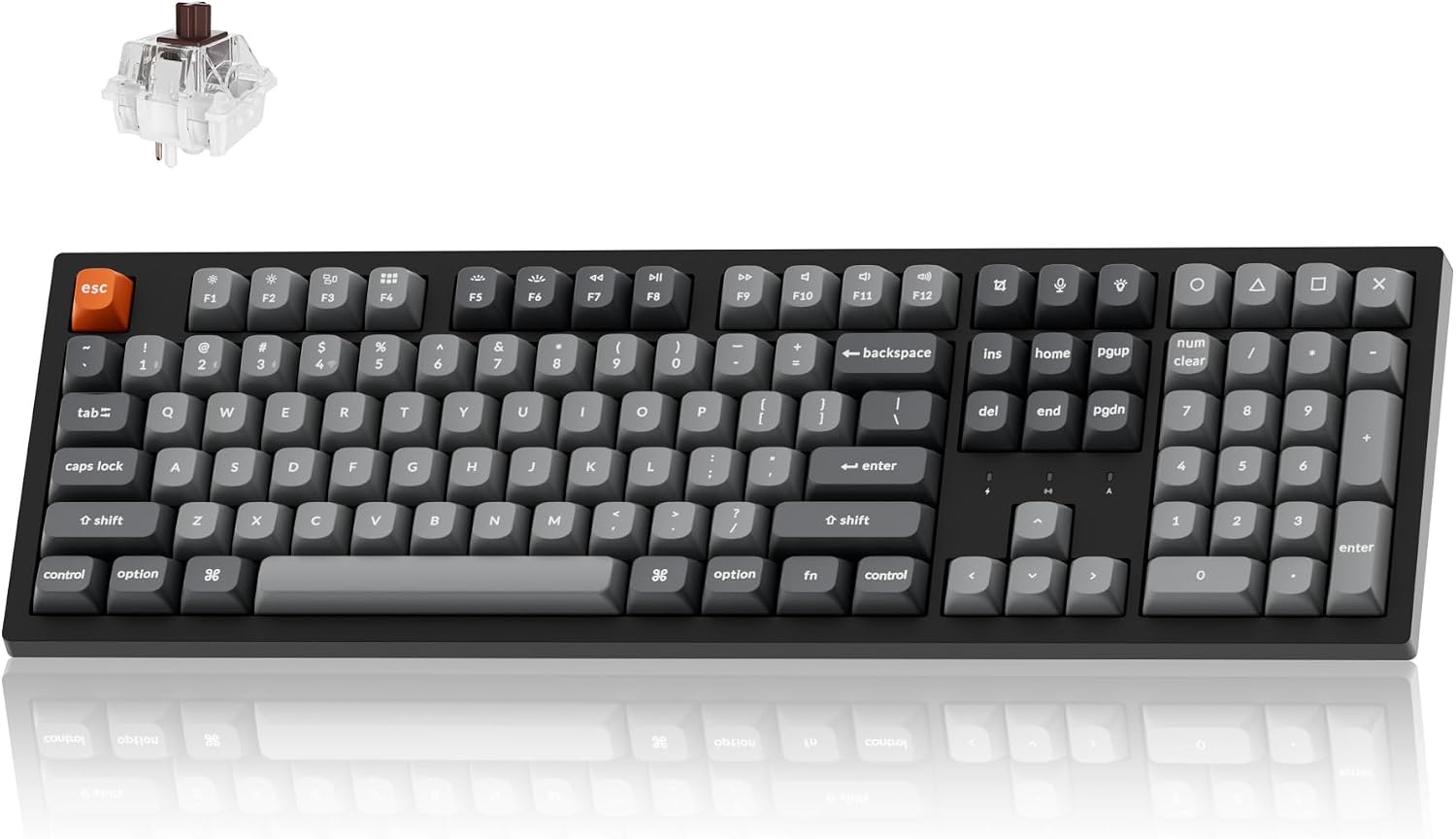
Keychron K10 Max QMK Wireless Custom Mechanical Full-Size Keyboard
Full-size layout with a numpad, wireless freedom, and QMK support for remapping every key in a browser
It is the biggest footprint on this list, and a numpad is dead desk space if your work never touches numbers

Keychron K2 75% Layout Bluetooth Wireless Mechanical Keyboard, 84 Keys, Mac and Windows Version 2
75% layout keeps the function row and arrows in 84 keys, Bluetooth keeps the cable in the drawer, USB-C for charging
White LED backlight only, and 75% still squeezes the arrow cluster against the rest of the board
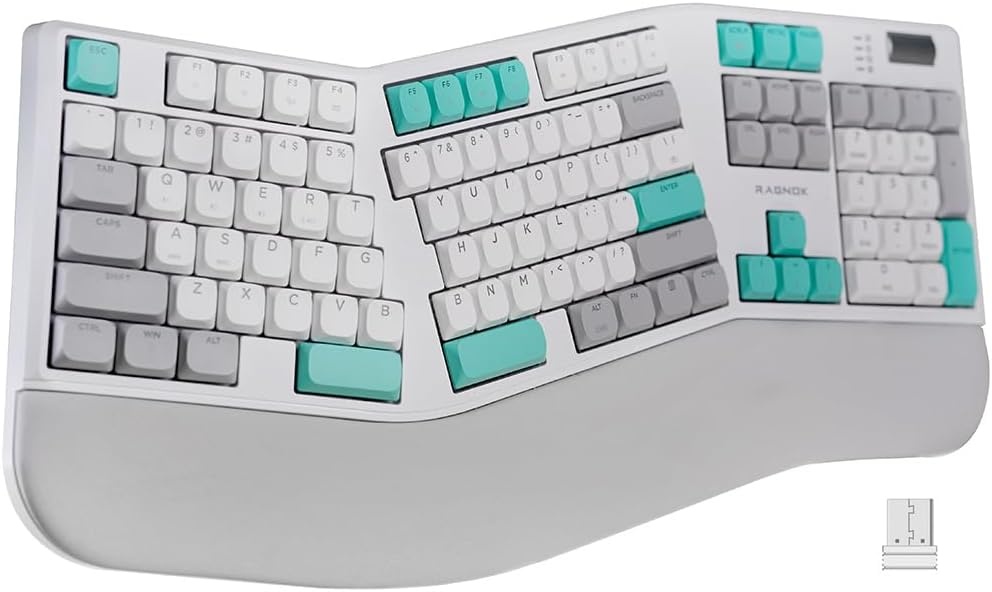
Ergonomic Mechanical Keyboard with Wrist Rest, RGB Backlight
Integrated wrist rest and RGB backlight at a price that undercuts most full-size boards
Generic branding, so the switch type and firmware story are a mystery until it arrives

Better Office Products Foam Sheets, 100 Pack EVA Craft Foam, 5.5 x 8.5 Inch, 2mm Thick, 20 Colors
The right thickness for a plate foam mod, and 100 sheets means you stop rationing them
It is not a keyboard, and using it means opening your board and voiding nothing but your patience
Prices and availability were captured from Amazon Creators API and may change.
How I compared these four products
I want to be straight with you about the method, because the fastest way to spot a fake review is a writer who claims 30 days on six boards at once. This is a specs and role comparison. When a board earns a full 30-day driver entry in my spreadsheet, it gets a verdict with decibel readings and force curves attached, and I publish the number. Until a board has that entry, I compare what it is built to do, who it fits, and where it will annoy you, and I say so out loud.
What I am weighing here: layout, because it decides whether your shoulders stay square for a 100-hour week; connectivity, because wireless is only a feature if it stays connected; firmware, because a keyboard you can remap is a keyboard you own; and mod potential, because the difference between a good board and a board you love is often three dollars of foam.
Keychron K10 Max: the full-size anchor
The name does a lot of work here, and in a good way. Full-size means a numpad, a full function row, and every key you learned to touch-type on. QMK support means open-source firmware and browser remapping instead of a proprietary app that wants an account before it will let you change a key. I have said it before and I will keep saying it: RGB software that requires a login is a war crime, and firmware you can flash without permission is the opposite.
Who this is for: anyone whose work involves numbers, spreadsheets, or a keyboard shortcut muscle memory built on a full-size board. If you are an engineer, an accountant, or a person who genuinely uses the numpad, going smaller means relearning habits that took a decade to form.
Where it loses: desk real estate. A full-size board pushes your mouse hand further from your shoulder line, and on a small desk that is a real ergonomic cost. It is also the heaviest thing to move if you split your week between an office and a kitchen table. If you never touch the numpad, you are paying in space for keys you do not press.
Keychron K2 Version 2: the 75% that travels
The K2 is the compromise board, and 75% is the compromise that works. 84 keys gets you the function row, the arrows, and the delete cluster in a body that leaves room for a mouse and a mug. Bluetooth wireless means one less cable, USB-C charging means one less proprietary brick, and the Mac and Windows legends printed on the keycaps mean the board does not fight whichever laptop you plug it into.
The anti-ghosting and N-key rollover claims matter more than they sound. Rollover is the spec that decides whether a fast typist or a gamer drops inputs when several keys are pressed in the same instant. It is the kind of thing you never notice until a board lacks it and then you notice constantly.
Where it loses: the white LED backlight is a backlight, not a light show, and some people will miss per-key color. The 75% layout also takes an adjustment period of roughly a week, because your right pinky has spent years reaching for keys that are now elsewhere. That adjustment is real, and if you are mid-project with a deadline, do it on a weekend.
Ergonomic Mechanical Keyboard with Wrist Rest, RGB Backlight
This one leads with comfort and lighting instead of a brand name, and that tells you something. The integrated wrist rest is the feature I would actually pay for, because the single best ergonomic change most typists can make is keeping their wrists neutral instead of floating or resting on a hard desk edge. A built-in rest means one less accessory to buy, align, and lose. RGB backlight is there for the people who want it, and I am not going to pretend that is a moral failing. It is a preference, and preferences are allowed.
Where it loses: the listing does not name the switch, the socket type, or the firmware. For a hobbyist that is a real problem, because switch feel is the entire point of a mechanical board, and hot-swap sockets are not optional in 2026. A board without them is already obsolete the day it arrives, no matter how comfortable the wrist rest is. If you want a board you will never open, this can be fine. If you want a board you will tune for a decade, the missing details are a gamble.
The honest framing: buy this for the rest and the lighting, not for the switch. If wrist comfort is the priority and the sound is secondary, it is a reasonable pick at a price that undercuts most full-size boards. Visit on Amazon →
The EVA foam sheets, or the cheapest fix in this hobby
Now the item that does not look like it belongs. These are 5.5 by 8.5 inch EVA craft foam sheets, 2mm thick, 100 to a pack, in 20 colors. In a keyboard context, 2mm EVA is the material behind the PE foam mod, and that mod is the highest value-per-dollar change I know of: a layer of foam between the plate and the PCB absorbs the hollow ring that cheap cases transmit with every keystroke.
Two millimeters is the thickness that matters. Thicker foam can bind against the plate or push the PCB away from the standoffs, and too thin does nothing at all. This pack is the right number, which means you are not rationing a single sheet across three builds. Cut a sheet to the inside dimensions of your case, cut clearance for the screw posts, close the board, and listen. That is a ten minute job with scissors, and it is the difference between a board that pings and a board that sounds like it was designed.
Where it loses: you have to open your keyboard, and on some boards that means removing every keycap and a dozen screws. If your board is under warranty and you are not comfortable with that, wait. Also, 100 sheets is far more than one person needs. Split a pack with two friends and you have all spent less than a coffee each.
One more caveat, since I get this email weekly: foam changes sound, not feel. It will not fix a scratchy switch or a rattly stabilizer. Rattles never lube themselves, and no sheet of anything solves a stabilizer that was never tuned at the factory.
The trade-offs nobody lists
Layout beats brand. A perfectly built board in the wrong size will annoy you every single day, and a merely good board in the right size disappears under your fingers. That is why the K10 Max wins on paper for full-size users and the K2 wins for anyone with a narrow desk, even though both wear the same badge.
Wireless is a feature only when it is reliable. Every board here that cuts the cable is trading a guaranteed connection for a convenient one. Bluetooth is fine for typing, and I have eaten crow on that opinion more than once, so test your own space: a desk surrounded by USB 3 hubs and a metal monitor stand is a different radio environment than a quiet room.
Firmware is the quiet spec. QMK support means the board outlives the software that shipped with it. A closed board lives and dies by a vendor app that may not get updated for your next operating system. Ask yourself which of those you want to still be using in 2030.
Foam is not a substitute for design. The best predictor of long-term satisfaction is how a board sounds and feels with nothing added. Boards that sound good naked stay on the desk. Boards that need a mod to be tolerable get sold at keystroke 300,000. Foam makes a good board better; it does not make a bad board good.
What I would buy, and why
If you type for a living and want one purchase that covers everything, the Keychron K10 Max is the pick, and the QMK support is the reason. Remappable firmware is the difference between a keyboard and a keyboard you own, and full-size is still the safest bet for hands that learned on one.
If your desk is small, if you carry a board between locations, or if you have already accepted that the numpad is decoration, the K2 is the better daily driver, and its 84-key layout is the most popular compromise in this hobby for good reason.
If wrist pain is the actual problem you are solving, buy the ergonomic board with the wrist rest and treat the switch as a mystery you are willing to live with. And whatever you buy, add the foam sheets. Two millimeters of EVA is the cheapest thing in this article and it will outlast every board on this page.
FAQ
Is a full-size keyboard better for typing? Not inherently. Full-size is better if you use the numpad or rely on muscle memory built around it. For pure prose typing, a 75% board like the K2 keeps your mouse closer and your shoulders squarer.
Does the wrist rest actually help? A rest helps if it keeps your wrists neutral rather than bent upward. The rest on the ergonomic board is integrated, which means it will not slide out of position mid-sentence.
Can I use craft foam inside a keyboard? Yes, 2mm EVA is a common plate foam material. Cut it to fit, avoid blocking screw posts, and keep it away from any exposed solder joints or battery cells.
Do I need hot-swap sockets? If you want to change switches without a soldering iron, yes. Non-negotiable in 2026, and worth checking before you buy any board in this comparison.
How long should a mechanical keyboard last? A well-built board should outlive several computers. That is exactly why layout, firmware, and mod potential matter more than the unboxing.