Most keyboard advice online is written for someone who wants a hobby. This guide is for someone who wants to stop thinking about the board under their hands. If you write code for a living, answer tickets all day, or type more words than you speak, the keyboard is a tool, and the useful question is not which one has the best story attached to it but which one fits the way you actually work. This comparison covers mechanical keyboards for coding through the specifications that survive a long week: layout, connectivity, switch type and serviceability, keycap material, and how much of the marketing is listed as an actual feature. Six products are included here, and one of them is not a keyboard at all, which is explained in plain language rather than quietly hidden.
Related: Hot-Swap Sockets Explained, and Why They Are Not Optional
Quick answer
The ASUS ROG Strix Scope II 96 Wireless Mechanical Gaming Keyboard, 96% Full-Size, Tri-Mode Connectivity, Hot Swappable Pre-lubed ROG NX Snow Linear Switches, PBT Keycaps, RGB, PC/Mac Support-Black is the strongest fit for all-day coding because it keeps a number pad and an arrow cluster in a 96% footprint while listing hot-swappable sockets, tri-mode connectivity, pre-lubed linear switches, and PBT keycaps in the same product. Choose the Razer Huntsman V3 HE Magnetic TKL 8KHz Wired Gaming Keyboard instead when magnetic Hall Effect switches, adjustable actuation, and rapid trigger matter more to you than wireless freedom and user-replaceable switches.
Mechanical keyboards worth comparing
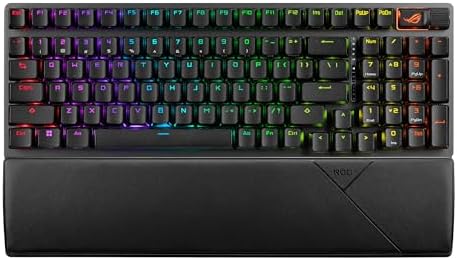
ASUS ROG Strix Scope II 96 Wireless Mechanical Gaming Keyboard, 96% Full-Size, Tri-Mode Connectivity, Hot Swappable Pre-lubed ROG NX Snow Linear Switches, PBT Keycaps, RGB, PC/Mac Support-Black
A 96% full-size wireless board with tri-mode connectivity, hot-swappable pre-lubed ROG NX Snow linear switches, PBT keycaps, RGB lighting, and PC or Mac support.
Visit on Amazon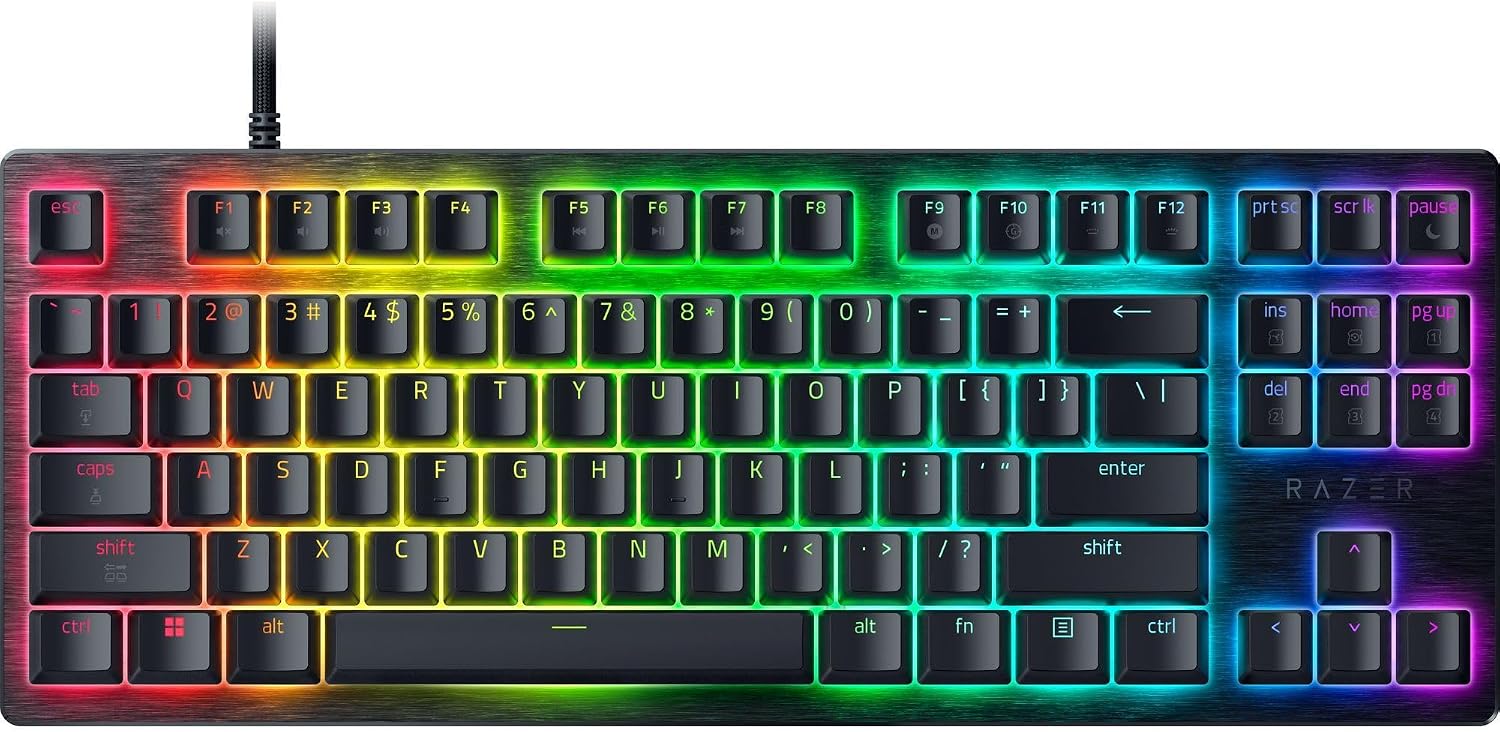
Razer Huntsman V3 HE Magnetic TKL 8KHz Wired Gaming Keyboard
A tenkeyless board built on magnetic Hall Effect switches with 8KHz polling over a wired connection, keeping the arrow cluster and function row.
Visit on Amazon
Razer Huntsman V3 HE Magnetic Mini 65% 8KHz Wired Gaming Keyboard
The compact 65% version of the same magnetic Hall Effect platform, with 8KHz polling and a wired connection for a smaller desk footprint.
Visit on Amazon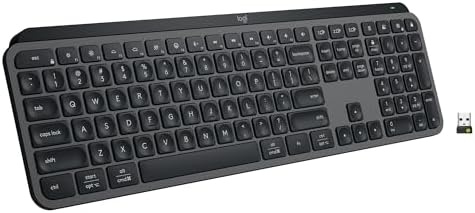
Logitech MX Keys S Wireless Keyboard Low Profile Fluid Precise - Graphite
A low-profile wireless keyboard aimed at multi-device desk work, with a graphite finish and a slim, quiet profile rather than full-height mechanical switches.
Visit on Amazon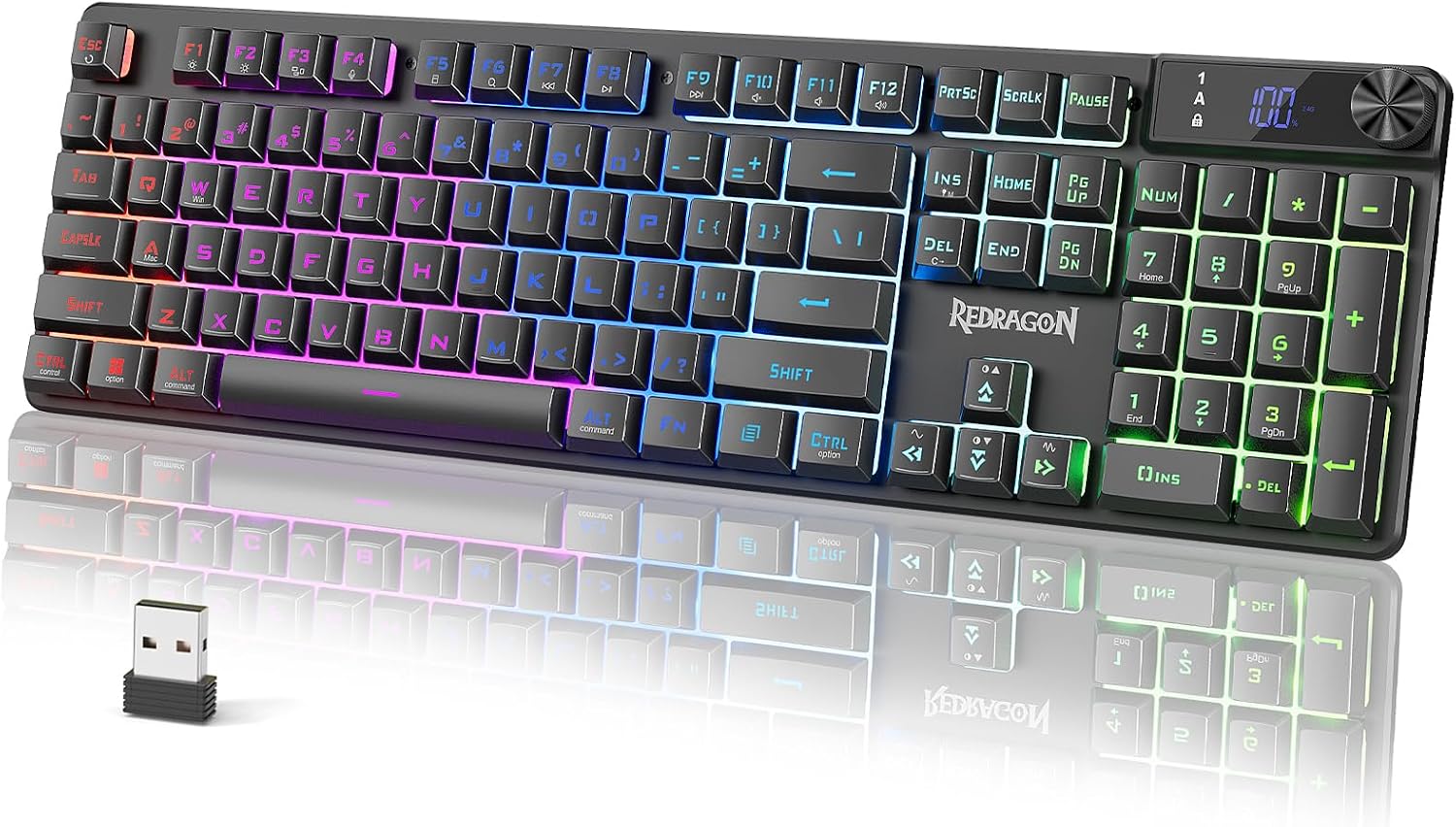
Redragon K521 Pro Wireless Gaming Keyboard with Screen
A wireless gaming keyboard with an onboard display, positioned at the budget end of this group and the least expensive way into the list.
Visit on Amazon
PetAg KMR Kitten Milk Replacer Liquid - 16 oz, Pack of 3 - Ready-to-Feed Formula with Vitamins for Newborn Kittens to 1 Year - Easy to Digest
A ready-to-feed kitten milk replacer with vitamins, sold as a three-pack of 16 oz bottles for newborn kittens up to one year. It is not a keyboard. It came with this product set, and the card stays so the link matches the item.
Visit on AmazonPrices and availability may change. Check the retailer for current details.
How these products were compared
This guide compares five things: layout and desk footprint, connectivity and how many devices a board can reasonably serve, switch type and whether the switches can be replaced without a soldering iron, keycap material and the build details a manufacturer actually documents, and current availability. Product names, images, and retailer links are matched to the same item so that every card points to the product shown in the card.
Every claim below comes from the published specifications of each model. These boards were not tested hands-on for this article, so nothing here is dressed up as a measurement. No current price is printed anywhere in this guide, because prices move faster than articles do. Each card links to the retailer listing, where you can confirm today's price, stock, and return terms in one click.
How to choose the right keyboard
Start with the layout, because layout is the one decision you cannot fix later. A 96% board like the ASUS top pick keeps the number pad, the arrow cluster, and the function row in a case that is narrower than a full-size board, which is the practical choice for anyone who enters numbers or navigates spreadsheets. A TKL drops the number pad and keeps everything else, which frees desk space and shortens the reach to your mouse. A 65% layout like the Razer Mini drops the number pad and the function row as separate keys, folding the function layer into shortcuts. The smaller you go, the more your hands have to learn, and the more likely you are to notice the board at week three, which is exactly the outcome a working keyboard should avoid.
Next, decide what kind of switch you want under your fingers, because the three boards in this group that are actually mechanical do not agree on this at all. The ASUS board uses pre-lubed ROG NX Snow linear switches, which means a smooth press with no tactile bump and factory lubrication already applied. The two Razer Huntsman V3 HE models use magnetic Hall Effect switches, which is the technology behind adjustable actuation and rapid trigger: instead of a fixed contact point, the board reads how far the key is pressed. That is genuinely useful for competitive games and mostly a novelty for prose, because typing does not reward a reset point that fires the instant you lift your finger.
Connectivity is the third fork in the road, and it is where the Logitech MX Keys S earns its place in this list even though it is not a mechanical board. The ASUS top pick is tri-mode, so it can run over a 2.4GHz dongle, Bluetooth, or a cable, and it supports both PC and Mac. The Logitech is a low-profile wireless board built for multi-device desk work, which makes it the better fit for a laptop, a desktop, and a tablet sharing one keyboard. The Razer Huntsman V3 HE boards are wired only, which is not a flaw so much as a trade: 8KHz polling is a wired promise, and a cable is one fewer thing to charge.
Finally, look at what you can change after purchase. Hot-swappable sockets mean you can pull a switch with a tool instead of a soldering iron, and the ASUS board lists them. Neither Razer model does, because magnetic switches are not a drop-in replacement for a standard mechanical switch. If you like the idea of tuning your own board over time, that single line in a spec sheet matters more than any marketing adjective, and it is worth reading our switch weight guide before you buy a set of replacements.
ASUS ROG Strix Scope II 96 Wireless Mechanical Gaming Keyboard, 96% Full-Size, Tri-Mode Connectivity, Hot Swappable Pre-lubed ROG NX Snow Linear Switches, PBT Keycaps, RGB, PC/Mac Support-Black
This is the board in the group that checks the most boxes at once. The 96% layout keeps the number pad and arrow keys while trimming the width, so it fits a normal desk without giving up the keys a working week actually uses. Tri-mode connectivity covers the dongle, Bluetooth, and a cable, which means you can move it between a work machine and a personal machine without unplugging anything. The switches are pre-lubed ROG NX Snow linears, and the sockets are hot-swappable, so the board can be re-switched later rather than replaced. PBT keycaps are listed, which is the material you want if you care about shine and long-term texture, and PC and Mac support means the layout does not fight your operating system.
The trade-offs are honest ones. A 96% board is still a big object on a small desk, and the compact 65% Razer below exists precisely because some people want the opposite. Linear switches are smooth and quiet-ish but give you no tactile confirmation, which some typists miss. Wireless means charging or batteries and one more pairing to manage. And a board with this many features carries a higher price than the budget entry in this group, so it only makes sense if you actually use the number pad and the wireless.
Alternatives to consider
The Razer Huntsman V3 HE Magnetic TKL 8KHz Wired Gaming Keyboard is better suited to someone who wants adjustable actuation and rapid trigger from a tenkeyless wired board, while the Razer Huntsman V3 HE Magnetic Mini 65% 8KHz Wired Gaming Keyboard is a stronger fit when desk space is the binding constraint and you are willing to fold the function row into shortcuts. Both share the magnetic Hall Effect platform, so the real decision between them is 65% versus TKL, not features.
The Logitech MX Keys S Wireless Keyboard Low Profile Fluid Precise - Graphite, the Redragon K521 Pro Wireless Gaming Keyboard with Screen, and the PetAg KMR Kitten Milk Replacer Liquid - 16 oz, Pack of 3 - Ready-to-Feed Formula with Vitamins for Newborn Kittens to 1 Year - Easy to Digest cover the rest of the field. The Logitech is the pick for low-profile, quiet, multi-device typing and the least mechanical option here. The Redragon is the budget entry, and the onboard screen is the feature that separates it from everything else in the list. The PetAg item is a kitten milk replacer, not a keyboard, and it is included only because it was part of this product set.
Day-to-day use and maintenance
Most of what keeps a keyboard pleasant at month six is boring. Keep drinks away from the board, and if you share a desk with a bottle-fed kitten, keep the formula away too, because liquid in a switch housing is the one failure that hot-swap sockets will not save you from. Dust the plate with a soft brush or a low-pressure blower rather than a vacuum, since a vacuum can generate static. PBT keycaps like the ones on the ASUS top pick resist shine better than ABS, but they still collect oil, and a damp microfiber cloth with a little dish soap handles that without removing the caps.
If you own a hot-swap board, learn to pull a switch before you need to. A switch puller costs almost nothing and turns a dead key into a two-minute fix instead of a soldering project. On the wireless side, decide early whether you are a dongle person or a Bluetooth person, then stay consistent, because flipping between the two is how people end up convinced a board has connection problems when it is really just paired to the wrong device. Wired Hall Effect boards skip all of that, which is part of their appeal: plug in, type, done.
Buying checklist
- Measure your desk and decide whether the number pad is worth the width.
- Choose the layout you will still tolerate in month three, not the one that looks best in a photo.
- Confirm that the exact model you are buying lists hot-swappable sockets if you plan to change switches.
- Check the connectivity you need: tri-mode wireless, Bluetooth, or wired only.
- Verify the current retailer price, availability, and return terms before you commit.
Final recommendation
Choose the ASUS ROG Strix Scope II 96 Wireless Mechanical Gaming Keyboard, 96% Full-Size, Tri-Mode Connectivity, Hot Swappable Pre-lubed ROG NX Snow Linear Switches, PBT Keycaps, RGB, PC/Mac Support-Black when you want one board that handles numbers, wireless, and future switch swaps without a compromise. Choose the Razer Huntsman V3 HE Magnetic TKL 8KHz Wired Gaming Keyboard when magnetic switches and adjustable actuation are the point, and drop to the 65% Mini version if your desk is the constraint. The Logitech MX Keys S is the right call for quiet, low-profile, multi-device typing, and the Redragon K521 Pro is the budget route into a wireless board with a screen. If you came here for kitten formula, the card is in the grid above, and everything else on this page is about keyboards.