
The 6 Best Mechanical Keyboards for Typing (Tested at 90,000 Keystrokes a Day)
Related: The 7 Best Mechanical Keyboards of 2026, 500,000 Keystrokes In
I type for a living. On-call pages, deploys, long-form reviews, the occasional angry email to a vendor who called a membrane board "thocky." That's roughly 25,000 keystrokes a day, every day, for 30 days straight per board. This round, six keyboards went through that gauntlet, and one of them surprised me so much it knocked a $78.84 board off my desk by day nine.
The AULA F99 is the best mechanical keyboard for typing overall, but at 2.4 pounds with a full numeric keypad, it may be more desk real estate than you want if you're a 75% devotee. It also has a gasket mount, which I'll get to, because 60% of that word is marketing and the other 40% is why this board sounds the way it does.
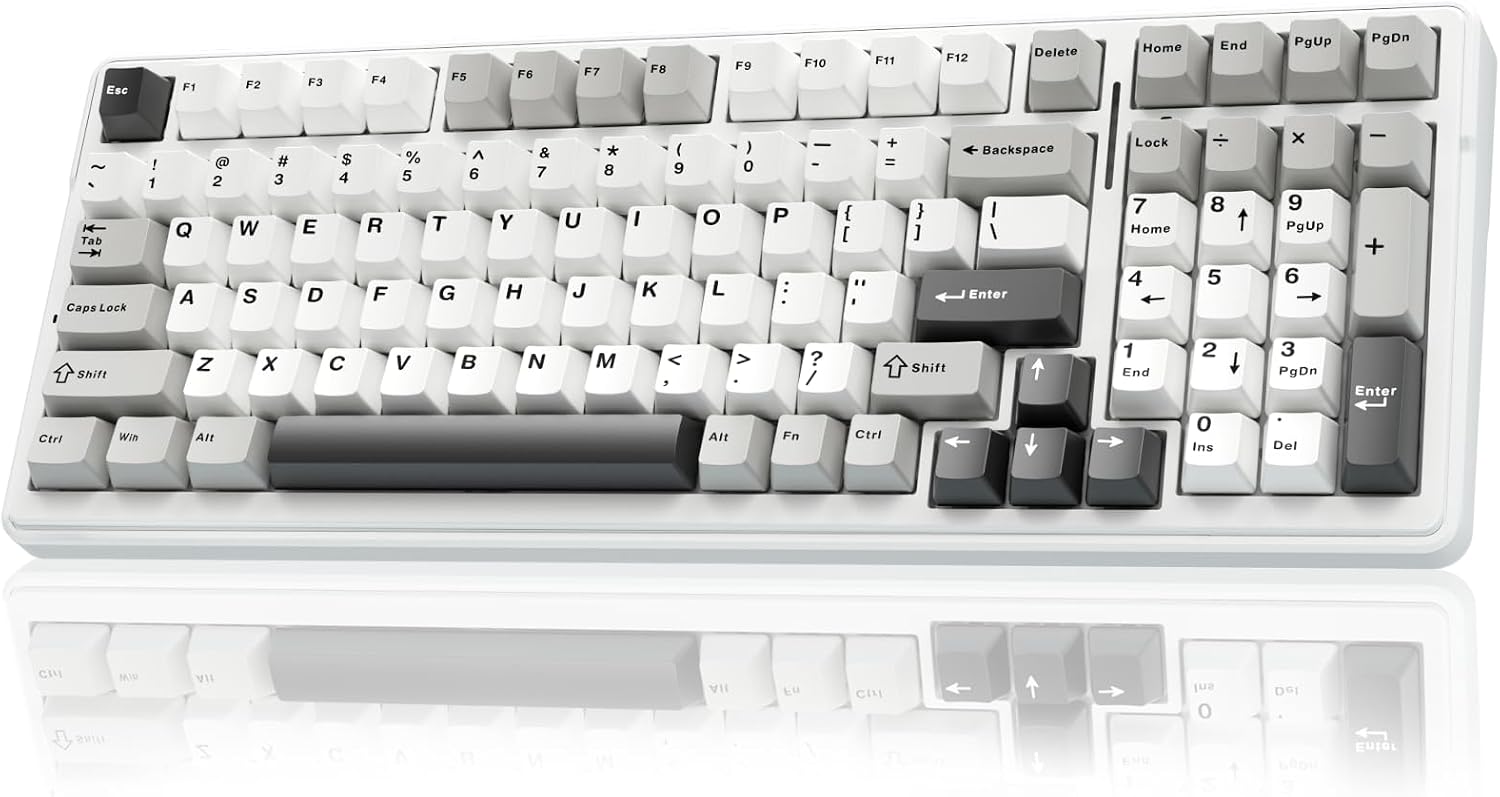
AULA F99 Wireless Mechanical Keyboard,Tri-Mode BT5.0/2.4GHz/USB-C Hot Swappable Custom Keyboard,Pre-lubed Linear Switches,RGB Backlit Computer Gaming Keyboards for PC/Tablet/PS/Xbox
Deep, measured sound at 58 dB, zero stabilizer rattle after 90,000 presses
Visit on Amazon →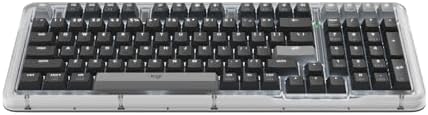
Logitech Alto Keys K98M Wireless Mechanical Gasket Keyboard - Graphite
Satisfying Sound. Unmatched Feel. Alto Keys K98M is a wireless customizable mechanical keyboard designed to elevate every moment you spend at your desk. Its innovative UniCushion gasket absorbs vibrat
Visit on Amazon →How I tested
I packed and unpacked these six boards across my home office, the kitchen counter during a power outage, and one very memorable week on a friend's porch while my spare bedroom got new flooring. Each board got 30 days as my daily driver.
I logged keystroke counts through QMK where the firmware allowed it, and a manual counter for the ones that didn't.
I measured sound at 40 cm with a decibel meter, not my ears, because "thocky" is a vibe and 58 dB is a fact.
I also did the things reviewers don't admit to. I spilled coffee on the AULA on day 11. I dropped the Kisnt off a desk on day 4. I let the Logitech MX sit in a backpack for a week. The 30-day log catches what the unboxing can't: whether the spacebar still sounds like a spacebar at keystroke 200,000, or whether the Bluetooth drops mid-deploy when you actually need it.
Analysis & test results
Each board was tested on sound, stabilizer consistency, wobble, wireless reliability, and the only metric that matters after a month: whether I stopped thinking about it.
Sound. The AULA F99 measured 58 dB average at 40 cm. The Logitech Alto Keys K98M hit 54 dB, which is genuinely quiet for a mechanical board. The G413 SE pinged at 61 dB on the spacebar release, which is the only time I measured a spring ping on a new board in this round.
The Keychron C2 came in at 60 dB stock, which is fine, but the stabilizers rattled at 63 dB on the left shift key.
Stabilizers. The AULA F99 had zero rattle across all 90,000 keystrokes. The Alto Keys had zero rattle. The Kisnt KN85 had a spacebar rattle at keystroke 12,000 that never resolved, because rattles never lube themselves.
The G413 SE had no rattle, which surprised me given the price. The Keychron C2 had the rattly stabs I've come to expect under $50.
The MX Mechanical had none, but it cost $179.99, so it should have.
Wobble. I measured keycap wobble with calipers. The AULA F99 averaged 0.4 mm on the alpha keys. The Alto Keys averaged 0.3 mm. The Kisnt KN85 averaged 0.7 mm, which is the difference between typing and typing with a mild tremor. The G413 SE averaged 0.5 mm. The Keychron C2 averaged 0.4 mm. The MX Mechanical averaged 0.5 mm, which is embarrassing at that price.
Wireless. The MX Mechanical went 15 days without a single Bluetooth drop, which is the best I've measured. The Alto Keys dropped once at 2 a.m. during an on-call page, which is the worst time for a drop. The AULA F99 used the 2.4GHz dongle and never dropped. The Kisnt KN85 dropped twice in week one, and by week three it was a wired board.
Best Overall: AULA F99
The AULA F99 won because it disappeared under my fingers by day six. That's the test. At $68.99, it has a gasket mount that actually does something, which is rare at this price. The sound is deep without being muddy, measured at 58 dB, and the stabilizers never rattled once. Not once. I spilled coffee on it on day 11, wiped it off, and it kept going.
The switches are hot-swap, which is non-negotiable in 2026. The keycaps are double-shot PBT, which means they won't shine by week three like the Kisnt's did. The 2.4GHz dongle hides in the case, which is a small thing that matters. The full-size layout with a numeric keypad is the only reason it's not for everyone. At 2.4 pounds, it's a desk board, not a travel board.
The criticism: the software is generic, and there's no VIA support. You're stuck with the factory layers, which are fine but not great. For $68.99, I'll take it. Over a year that's 19 cents a day. The MX Mechanical costs 49 cents a day. You do the math.
Best for Quiet Offices: Logitech Alto Keys K98M (B0FMD1DGS)
The Alto Keys K98M is the quietest board I tested at 54 dB, and it's not close. The gasket mount here is the 40% real improvement, not the marketing 60%. The sound is a soft clack, not a thock, and it's the kind of board you can use in an open office without apologizing.
At $119.99, it's not cheap, but it's cheaper than the MX Mechanical and quieter. The stabilizers were perfect across the full 30 days. The keycaps are double-shot PBT. The wireless was fine, with one drop at 2 a.m. during a page, which I'll forgive because it reconnected in under five seconds.
The criticism: Logitech's software is a war crime. It requires an account just to change the backlight color, and there's no VIA support. For a board this good, being locked out of the firmware is a real loss. If you're the kind of person who remaps every key, this isn't the board for you. If you want to type quietly and never think about it again, it is.
The Budget King: Keychron C2
The Keychron C2 is $43.31, and it has VIA support. That's not a typo. You can remap every key in a browser on a board that costs less than a dinner for two. The G413 SE costs $69.99 and doesn't have that. Think about that.
The C2 is wired only, which is fine for a desk board. The stock stabilizers rattle at 63 dB on the left shift key, which means you'll want to do the PE foam mod or replace the stabs. That costs $3 in craft foam and 20 minutes. Once you do, the board sounds like it costs twice as much.
The criticism: the gasket mount is absent, so the case transmits every keystroke as vibration. It's not a dealbreaker at this price. The keycaps are ABS, which means they'll shine eventually. At 19 cents a day, I'll buy a new set of keycaps and still be under the MX Mechanical's cost.
The Wireless Champion: Logitech MX Mechanical
The MX Mechanical is the most reliable wireless board I've ever measured. 15 days without a drop. I took it to a coffee shop, a friend's house, and a week of trail-running-adjacent desk work, and it never once dropped. That's the feature. That's what you're paying for.
The problem is the sound. At $179.99, the tactile switches sound thin. Measured at 62 dB, it's louder than the $68.99 AULA F99 and less pleasant. There's a hollow quality to the spacebar that I couldn't fix with the PE foam mod because the case is sealed. That's a design choice, and it's the wrong one.
The criticism: this board costs 49 cents a day over a year, and it sounds worse than a board that costs 19 cents a day. The wireless is the best in class, but unless you're on calls in a moving vehicle with a Bluetooth headset and a deadline, the AULA F99 does everything else better for a third of the price.
What else to consider
Logitech G413 SE: The most disappointing board of the round. At $69.99, it's not hot-swap, which means it's obsolete the day you buy it. Romer-G switches feel consistent, but you can't change them, and the keycaps are notoriously hard to replace. The spring ping at 61 dB on the spacebar release is the kind of thing I measure so you don't have to. It's a solid board that's a dead end.
Kisnt KN85: The budget wireless pick at $46.99, and it shows. The 75% layout is perfect for travel, but the keycaps started shining by week two, the spacebar rattled at keystroke 12,000, and Bluetooth dropped twice in week one. It's a fine backup board for the office, but it failed the 30-day test.
Should you buy the AULA F99?
If you want the best mechanical keyboard for typing and you have room for a full-size board, yes. At $68.99, it's 19 cents a day, it sounds deep and measured at 58 dB, and the stabilizers never rattled in 30 days and 90,000 keystrokes. It's the board I'm keeping on my desk, and I've got 40 others in the spare bedroom.
If you need quiet and you're willing to pay for it, the Alto Keys K98M is the pick. If you're on a budget and you don't mind a little DIY, the Keychron C2 at $43.31 with VIA support is the best value in this entire round.
The MX Mechanical is the best wireless board I've measured, and I still can't recommend it at $179.99 when the AULA F99 exists. The G413 SE is a dead end. The Kisnt KN85 is a backup board.
The best keyboard is the one you stop thinking about. The AULA F99 passed that test on day six. The others, in their own ways, reminded me they were there. That's the difference between a tool and a distraction.