
Most people who go looking for mechanical keyboards for coding start in the same place and hit the same wall. Every board is described as premium, every switch is described as thocky, and almost nothing on the product page tells you whether the thing will still feel right at keystroke 300,000. The useful differences are boring and specific. Layout decides how much desk space you give up and whether you keep a number pad. Connection type decides whether you live with a cable, a dongle, or both. Switches decide the feel and the noise. Firmware decides whether you can remap a key without installing a vendor utility that wants an account.
This guide compares six products that cover that range: a 75% wireless board with QMK support, a larger wireless board with a display and a knob, a wireless keyboard bundled with a gaming mouse, a compact 60% wired board, a 90-piece set of linear switches, and a full-size wired gaming keyboard. Four are complete boards, one is a bundle, and one is an upgrade path for a keyboard you already own. No prices are printed here because they move constantly, so use the retailer links to check current pricing and availability before you commit.
Related: QMK and VIA Explained: What Open-Source Firmware Actually Changes
Quick answer
The Keychron V1 Max QMK Wireless Mechanical Keyboard, 75% Layout Custom Knob is the strongest fit for most people who type for a living because it combines a 75% layout, wireless connectivity, and QMK support in a single board that keeps the arrow keys and function row while cutting the number pad. Choose the RK ROYAL KLUDGE S98 Wireless Mechanical Keyboard w/Smart Display & Knob instead when you want a larger wireless board with on-board hardware controls for volume and settings.
Mechanical keyboards worth comparing
The six products below split into three groups: complete keyboards you can use immediately, one keyboard-and-mouse bundle, and one set of replacement switches. That split matters more than the marketing language, because a switch set only makes sense if you already own a board with removable switches.
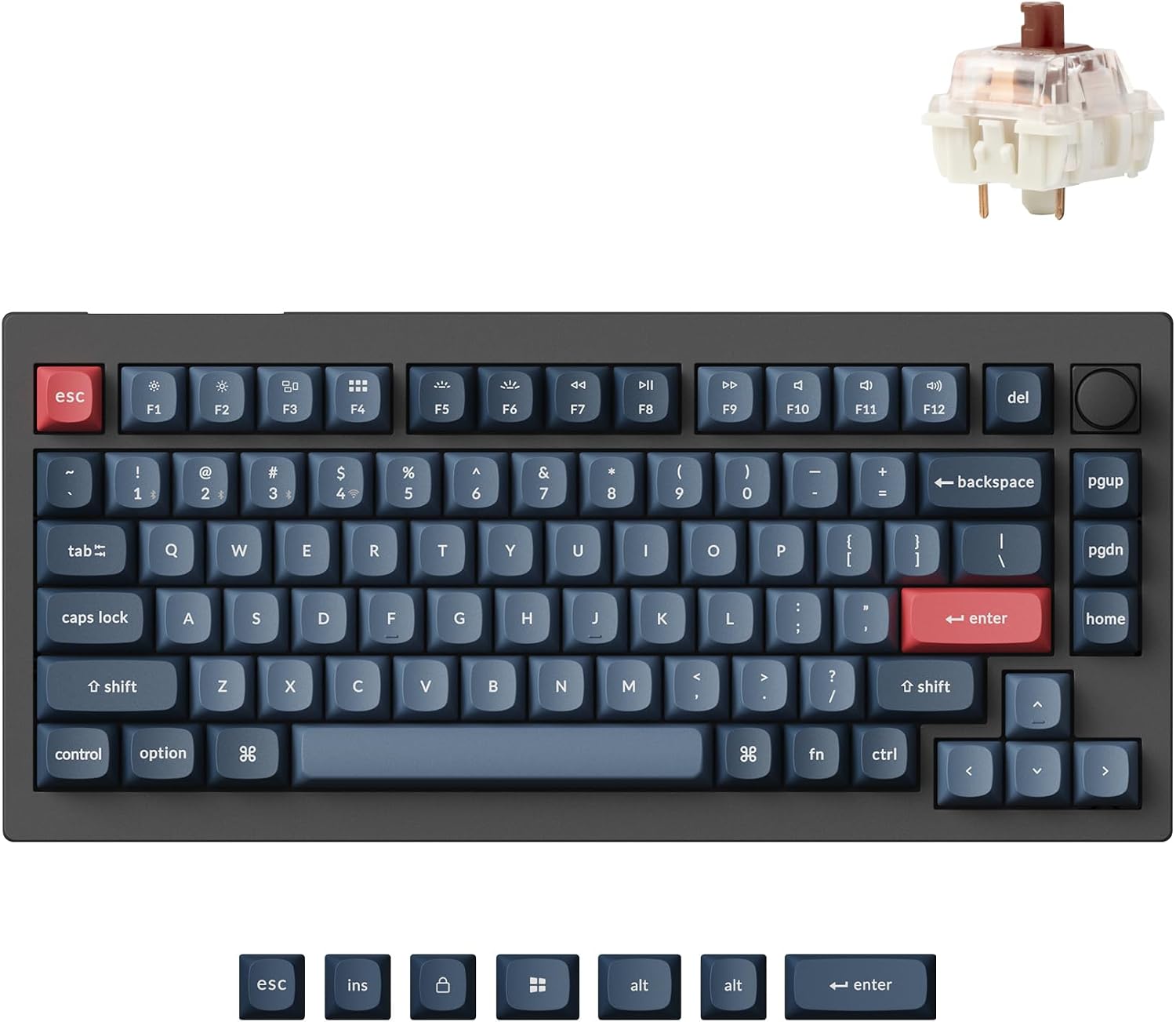
Keychron V1 Max QMK Wireless Mechanical Keyboard, 75% Layout Custom Knob
Check current Amazon price
A 75% wireless mechanical keyboard with a custom knob and QMK support, aimed at typists who want arrow keys and a function row without a number pad taking up desk space.
Visit on Amazon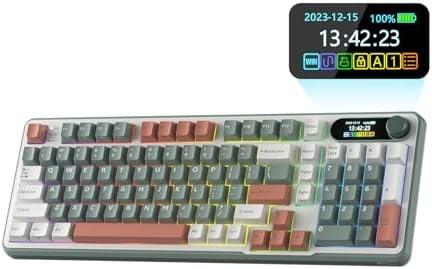
RK ROYAL KLUDGE S98 Wireless Mechanical Keyboard w/Smart Display & Knob
A wireless mechanical keyboard with a smart display and a rotary knob, built for people who want hardware controls and a bigger footprint than a compact board.
Visit on Amazon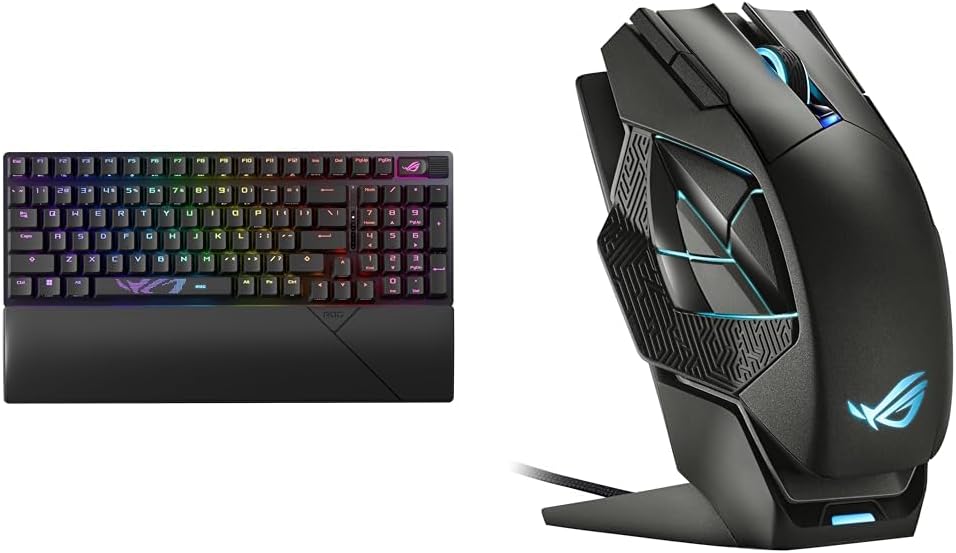
ASUS ROG Strix Scope II 96 Wireless Gaming Keyboard & ROG Spatha X Wireless Gaming Mouse (Magnetic Charging Stand
A two-piece bundle pairing the ROG Strix Scope II 96 wireless gaming keyboard with the ROG Spatha X wireless gaming mouse and its magnetic charging stand.
Visit on Amazon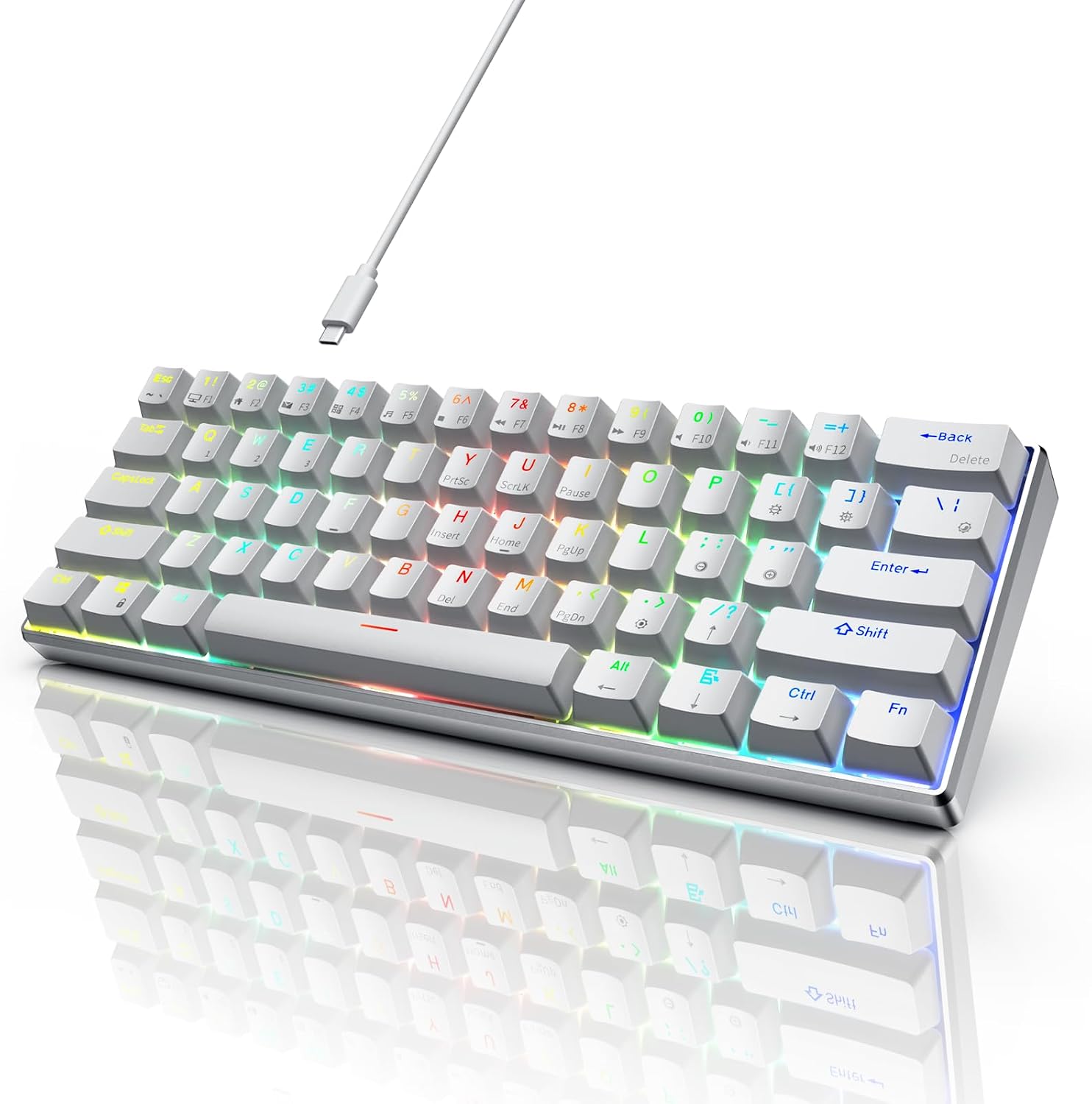
RK ROYAL KLUDGE 60% Mechanical Keyboard RK61 Pro, Wired Gaming Keyboard Aluminum Frame, Programmable RGB Backlit 61 Keys Ultra-Compact, Gateron Brown Switch, White
A wired 60% board with an aluminum frame, programmable RGB backlighting, 61 keys, and Gateron Brown switches in a white finish, sized for small desks and travel.
Visit on Amazon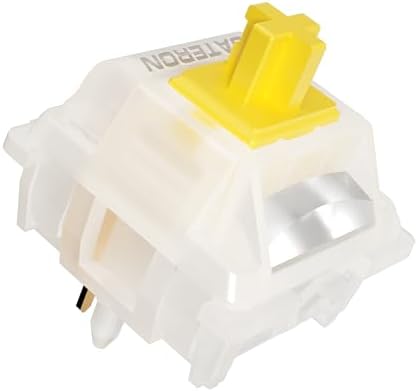
Gateron Milky Yellow Pro V2 Linear Switches,90PCS
A 90-piece set of linear switches for boards with removable sockets, the cheaper route to changing how an existing keyboard feels.
Visit on Amazon
Razer BlackWidow V4 Pro Wired Mechanical Gaming Keyboard, Orange Switches
A wired mechanical gaming keyboard built around Razer Orange switches, for gamers who prefer a fixed cable over charging and pairing.
Visit on AmazonPrices and availability may change. Check the retailer for current details.
How these products were compared
This guide compares layout and footprint, connection type, switch type and whether switches can be replaced, firmware and remapping support, and what is actually in the box. Those five criteria separate a board you keep for years from one you resell within a month. Product names, images, and retailer links are matched to the same product record so that every card points to the product shown.
Nothing here is presented as hands-on testing. The claims come from the product names and the specifications the manufacturer publishes, which means anything you cannot verify on the product page should be treated as unconfirmed until you check it yourself. Two details are worth verifying before any purchase in this category: the exact switch variant a board ships with, and whether the sockets accept third-party switches. No current price is printed in this article, so use the link on each card to confirm price and availability.
How to choose the right mechanical keyboard
Start with layout, because it is the one decision you cannot undo. A 60% board like the RK61 Pro trims the number pad, the arrow cluster, and the dedicated function row, which buys a lot of desk space but pushes arrows and function keys onto layers. A 75% board like the Keychron V1 Max keeps the arrows and the function row and drops only the number pad, which is the compromise most people who write code end up preferring. A larger wireless board such as the S98 gives you more keys plus physical controls on the case itself. The Razer BlackWidow V4 Pro sits at the other end of the size spectrum, a full-size wired gaming board for someone who wants every key present and no interest in pairing.
Connection type is the second decision, and it is less about preference than about consequences. Wired boards never need charging, never drop a connection, and never ask you to manage a dongle. Wireless boards clear the desk and let you move the keyboard out of the way without unplugging anything, but the details matter: check whether the exact model uses a 2.4GHz dongle, Bluetooth, or both, how many devices it can pair with, and whether it can run from a cable while charging. If you take calls all day and share a desk, the difference between a drop-free week and a keyboard that reconnects mid-sentence is the entire experience.
Switches are the third decision, and they are the easiest to get wrong because the vocabulary is opaque. Linear switches, like the Gateron Milky Yellow Pro V2 set, travel smoothly with no bump. Tactile switches, like the Gateron Brown switches in the RK61 Pro, have a bump you can feel at the actuation point. Neither is better; they are different tools. If you already own a keyboard with removable sockets, a 90-piece switch set is the cheapest way to change how it feels, and it costs far less than a new board. Confirm socket compatibility before ordering, because pin count varies between switch designs and forcing a switch into the wrong socket bends pins.
Firmware is the last decision and the one most buyers ignore until they want to remap Caps Lock. A board that supports QMK is a board you configure at the firmware level rather than through a vendor utility, which is why the V1 Max leads this guide. If remapping is the feature you care about most, our QMK and VIA explainer covers what open-source firmware actually changes in daily use. A board with programmable RGB but no open firmware is still a fine keyboard; it is just a keyboard you rent from the software team.
Finally, match the product to the job. If you want one purchase that covers work and occasional gaming, buy a complete board. If you are building out a desk, a keyboard-and-mouse bundle saves a decision. If you already have a board you like and only want a different feel, buy switches.
Keychron V1 Max QMK Wireless Mechanical Keyboard, 75% Layout Custom Knob
The Keychron V1 Max covers the most ground for the fewest compromises. It is a 75% layout, so it keeps the arrow keys and the function row that a 60% board makes you reach for while dropping the number pad that most coders touch a few times a week at most. It is wireless, so the desk stays clear and the board can move out of the way for a notebook or a second monitor. It supports QMK, which is the difference between a keyboard you configure and a keyboard a vendor utility lets you configure. The custom knob is a physical control that works without software running in the background, which is exactly what you want for volume during a call.
The trade-offs are real and worth stating. It is not the cheapest option in this group, and the 75% layout is still a compromise if you live in spreadsheets and want a number pad, in which case a larger board or a separate pad covers the gap. Switch choice also matters more than the model number: the board name does not tell you which switch variant is installed, so check the option on the product page before ordering if you have a strong preference between linear, tactile, and clicky.
Alternatives to consider
The RK ROYAL KLUDGE S98 Wireless Mechanical Keyboard w/Smart Display & Knob is better suited to someone who wants a larger wireless board with hardware controls and a display on the case, while the ASUS ROG Strix Scope II 96 Wireless Gaming Keyboard & ROG Spatha X Wireless Gaming Mouse (Magnetic Charging Stand) is a stronger fit when you need a mouse as well and would rather buy a matched wireless pair than shop twice.
The RK ROYAL KLUDGE 60% Mechanical Keyboard RK61 Pro, the Gateron Milky Yellow Pro V2 Linear Switches,90PCS, and the Razer BlackWidow V4 Pro Wired Mechanical Gaming Keyboard, Orange Switches cover three different jobs. The RK61 Pro is the compact wired option for small desks and travel, with an aluminum frame, 61 keys, programmable RGB, and Gateron Brown switches. The Gateron set is the upgrade path for a board you already own with removable sockets. The BlackWidow V4 Pro is the full-size wired gaming board with Razer Orange switches for anyone who wants a cable and no charging routine.
Day-to-day use and maintenance
A mechanical keyboard lasts longer than most peripherals, but only if you treat two parts with care. Keycaps come off with a wire puller, straight up and evenly, and they can be washed in lukewarm water with a drop of mild soap. Let them dry completely before reseating them, because moisture trapped around a switch is one of the few ways a working board dies. Switches in hot-swap sockets should also be pulled straight up with a switch puller and never at an angle; bent pins are the most common self-inflicted failure in this hobby. Loose switch sets like the Gateron Milky Yellow Pro V2 should stay in a dry container, sorted, so you are not guessing which switch is which six months later.
Wireless boards need one habit that wired boards do not: keep the dongle out of a crowded hub. Front-panel ports and short USB extension cables reduce interference from the metal case and from other wireless receivers on the same desk. Charge with the cable the manufacturer specifies rather than a random fast charger, and update firmware only through the manufacturer's own tool or documented process, since a failed flash mid-update can leave a board unusable.
The safety caveat is liquid. If anything spills into a keyboard, unplug it immediately, do not test whether it still works, and let it dry fully before applying power. Liquid damage is the most common way a mechanical keyboard ends up in a drawer, and powering on a wet board is what turns a spill into a replacement.
Buying checklist
- Measure your desk space and decide whether you can live without a number pad before choosing between a 60%, 75%, and full-size layout.
- Choose the switch type based on your normal work rather than an occasional game session, and confirm the exact variant installed on the model you order.
- Confirm that the board supports the features you actually need, such as QMK support, hot-swap sockets, or a physical knob.
- If you plan to swap switches, verify socket compatibility with the switch set you intend to buy.
- Read the cleaning and maintenance instructions, and keep the original cable for charging.
- Verify the current retailer price, availability, and return terms before you order.
Final recommendation
Choose the Keychron V1 Max QMK Wireless Mechanical Keyboard, 75% Layout Custom Knob when you want one board that handles a full work week, keeps the keys you actually use, and lets you remap it without a vendor account. Choose the RK ROYAL KLUDGE S98 Wireless Mechanical Keyboard w/Smart Display & Knob when a larger wireless board with on-board controls fits your desk better. Choose the compact RK61 Pro if desk space is the constraint, the Gateron switch set if you already own a board worth upgrading, the ASUS bundle if you need a mouse too, and the BlackWidow V4 Pro if you want a full-size wired gaming board and no battery to think about.