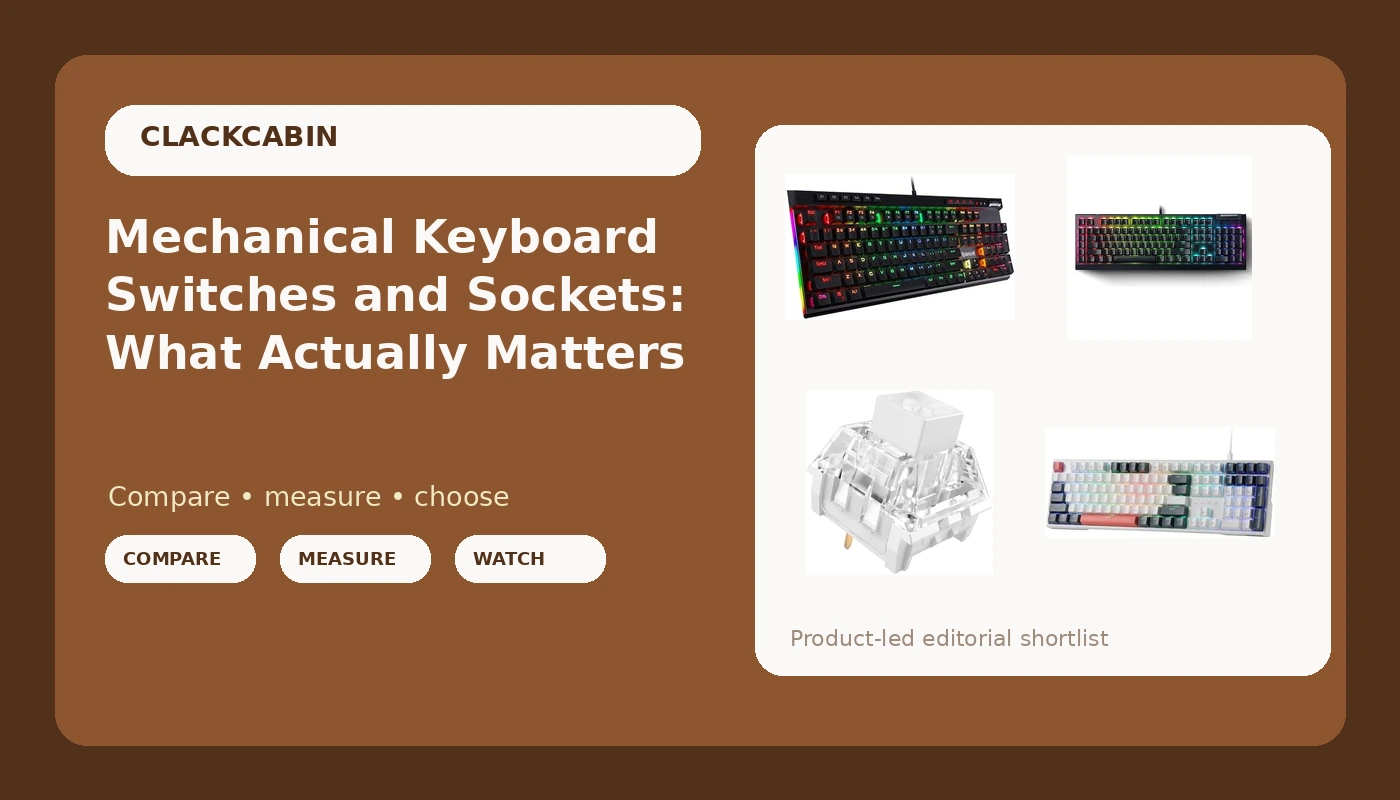
Most people shopping for a keyboard start with the board and finish with the switches, which is backwards. Mechanical keyboard switches are the part you touch ten thousand times a day, and they decide whether a board feels crisp, heavy, or just loud. Sockets decide whether you are stuck with that decision forever. Layout decides how much desk space you pay for it. Get those three in the right order and the shortlist shrinks fast. Get them in the wrong order and you buy a second keyboard within a year, usually one you could have bought first.
This explainer walks through four options that cover the main starting points: two wired full-size Redragon boards, one mainstream Razer gaming keyboard, and a 108-piece pack of Kailh clicky switches for anyone who already owns a board with sockets and wants to change how it sounds and feels.
Related: Hot-Swap vs Soldered Sockets: Which One Lasts →
Quick answer
Decide the switch type first, the socket type second, and the layout third. If you want a full-size board you can re-switch later without touching a soldering iron, the Redragon K668 lists hot-swap sockets across its 108 keys. If you already own a socketed board and want a different feel, the Kailh Box White pack is the component purchase. If you want dedicated macro controls and a media wheel on a wired board, the Redragon K580 is built around that. If you want a Razer board with the Yellow switch option and a black finish, the BlackWidow V4 X is the one here. Each of these is a different starting point rather than a single answer.
4 useful options
| Model | Best fit | What stands out |
|---|---|---|
| Redragon K580 Wired RGB Mechanical Gaming Keyboard, Macro Key & Media Wheel | Macro shortcuts and on-board media control | A dedicated macro key and an integrated media wheel |
| Razer BlackWidow V4 X Mechanical Gaming Keyboard, Yellow Switches, Black | A mainstream gaming board with Razer's Yellow switch variant | Razer Yellow switches in a black chassis |
| Kailh Box White Mechanical Keyboard Switches, 3-Pin 45gf Clicky (108Pcs) | Changing how an existing socketed board feels | 3-pin mounting, 45gf rating, 108 pieces |
| Redragon K668 108-Key Hot-Swap Wired RGB Gaming Keyboard, Extra 4 Hotkeys | A full-size board you can re-switch later | Hot-swap sockets plus four extra hotkeys |
The macro and media pick: Redragon K580 Wired RGB Mechanical Gaming Keyboard, Macro Key & Media Wheel
The case for a board like this has nothing to do with gaming and everything to do with repeated actions. A media wheel is a analog control where most keyboards give you a key you have to press three times, and a macro key is a place to park a string of keystrokes you type every day. For anyone who spends a workday in an editor, a terminal, or a ticketing system, that is the difference between a keyboard with features and a keyboard with a small control surface.
The trade-off is that the K580's supplied description covers wiring, lighting, macros, and media control, and that is it. It does not list hot-swap sockets, so if the ability to change switches later is a hard requirement, treat that as the detail to confirm before buying rather than something to assume. The same goes for switch type: the name tells you it is a mechanical gaming keyboard, not which switch family is installed. If you care, check the listing's switch option selector.
The Razer option: Razer BlackWidow V4 X Mechanical Gaming Keyboard, Yellow Switches, Black
Buying a Razer board is usually less about the switch and more about the surrounding system. Synapse handles lighting, profiles, and per-key mapping, and if your mouse, headset, and mousepad are already in that ecosystem, one more device that shows up in the same software is worth real convenience. That is a workflow argument, not a sound argument, and it is the honest reason most people end up here.
What the supplied description does not tell you matters just as much. It names the switch family, the color, and the product line, and stops there. It does not state socket type, so a swap-later plan needs verification on the product page. It does not state switch feel, and "Yellow" means a specific factory option rather than a universal standard across every brand that uses that color name. If your decision hinges on something the listing does not say, that is a question for the spec sheet, not for a review headline.
The switch upgrade: Kailh Box White Mechanical Keyboard Switches, 3-Pin 45gf Clicky (108Pcs)
Switch packs are the highest-leverage purchase in this entire hobby, because they change a keyboard you already own rather than adding a fifth board to a shelf. The spec line on this one is refreshingly concrete: 3-pin, 45gf, clicky, 108 pieces. A 108-piece count lines up with a standard full-size layout, which is the number to check if you are outfitting a number pad rather than a compact board.
Two warnings worth stating plainly. First, 3-pin switches fit boards that accept 3-pin switches; boards built for 5-pin switches will take them too, but the reverse is not true, so confirm what your board's sockets accept before ordering. Second, clicky means audible, and no amount of marketing copy changes that. Clicky switches are wonderful in a room by yourself and a genuine problem in an open office or on a call with a hot mic. That is not a defect, it is the trade you are making, and it is better to make it consciously than to discover it at 9 a.m. on a Tuesday.
The full-size hot-swap pick: Redragon K668 108-Key Hot-Swap Wired RGB Gaming Keyboard, Extra 4 Hotkeys
This is the intersection point of the whole article. A board with stated hot-swap sockets plus a pack of clicky switches is a two-purchase path to a keyboard that feels completely different from what shipped in the box, with no soldering iron involved. Add the fact that the K668 is full-size with four extra hotkeys, and you get a board that does not ask you to give up the number pad or the extra keys to get the flexibility.
The trade-offs are the usual ones for a full-size wired board: it takes up desk real estate, the cable stays on the desk, and four extra hotkeys are only useful if you assign them something. The specific thing to verify is socket compatibility. Hot-swap sockets come in variants that accept 3-pin switches, 5-pin switches, or both, and the listing text here does not spell out which. Since the Kailh pack above is 3-pin, that is the exact detail worth confirming before you buy both together.
Prices and availability may change. Product images, names, and retailer links must be matched by verified ASIN. Do not state a current price, rating, stock status, or measured result without current evidence.
What hot-swap sockets actually change
A hot-swap socket is a small metal receptacle soldered to the circuit board that grips a switch's pins instead of the pins being soldered directly. In practice it means a switch can be pulled straight out with a small extraction tool and a new one pushed in, one key at a time, in a few minutes.
That single change ripples through everything else about owning a keyboard. It means a switch you dislike is a two-dollar mistake instead of a ruined evening with a soldering iron. It means you can swap the alphas to a different weight and leave the modifiers alone, or run clicky switches on the typing keys and something else on the spacebar. It means a board that feels wrong on day one can be fixed on day thirty instead of returned.
It also changes what you should look for at purchase time. A hot-swap board is only as useful as its socket compatibility, and compatibility is usually expressed as 3-pin, 5-pin, or both. Boards described as supporting 5-pin generally accept 3-pin switches as well, because the two extra plastic legs on a 5-pin switch go through the plate for stability rather than carrying current. A board that only accepts 3-pin will not take a 5-pin switch without clipping the legs, which is a small job but an unnecessary one.
Soldered boards are not automatically worse. A soldered connection is mechanically simpler, and plenty of people happily type on the same switches for years. The question is whether you already know exactly what you want. If you do, soldered is fine. If you are still figuring out whether you prefer clicky, tactile, or smooth, sockets are how you find out without buying three keyboards.
How to read a switch spec line
The Kailh listing is a good template because it names the four things that matter. Mounting type comes first: 3-pin tells you which sockets it fits. Actuation force comes second: 45gf is a light-to-moderate figure, and lighter switches generally mean less finger fatigue over a long day, while heavier switches resist accidental presses. Switch character comes third: clicky means an audible click at the actuation point, which some people find indispensable for typing rhythm and everyone around them finds noticeable. Construction details come last: a box-style housing with a waterproof rating is a durability detail, not a feel detail.
What a spec line usually will not tell you is how a switch sounds in your specific case, with your specific keycaps, on your specific desk. Sound is a product of the whole assembly: switch, housing, plate material, case material, and whatever is between the plate and the board. That is why two people can install the same switch pack and get genuinely different results, and why anyone claiming a universal sound profile is describing their desk, not yours.
The practical move is to treat the spec line as a filter rather than a verdict. Use it to rule out switches that are the wrong weight or the wrong mounting type, then accept that the last ten percent of the decision happens after installation.
A five-step way to choose
- Decide whether you want audible feedback. Clicky switches like the Kailh Box White make noise by design. If you share a room or take calls all day, that is a filter, not a preference.
- Check your mounting type. 3-pin, 5-pin, or both. The Kailh pack is 3-pin, so confirm what the board's sockets accept before ordering a set.
- Decide on layout before anything else. A 108-key board with a number pad and four extra hotkeys is a different desk commitment than a compact board.
- Decide whether you need dedicated controls. A media wheel and a macro key, as on the Redragon K580, are worth it only if you would actually assign them.
- Decide whether you want to change switches later. If the answer is yes, buy a board that states hot-swap support in its own description, like the K668, instead of assuming it.
Practical guidance for buying
- Buy the switch and the board as one plan, not two separate orders. A 3-pin pack and a board with unknown socket support is how people end up with switches in a drawer.
- Treat the product name as the reliable spec sheet. Hot-swap, 3-pin, 45gf, 108-key: if a detail is not named there, confirm it on the listing before you commit.
- Do not pay for features you will not map. Extra hotkeys and a media wheel are useful only if you assign them in the first week.
- Assume clicky switches are loud, because they are. If noise is a constraint, that constraint outranks every other spec on this page.
- Keep the box and the receipt for the first month. A keyboard that feels wrong at week one rarely fixes itself by week four.
Which option should you choose?
Choose the Redragon K668 108-Key Hot-Swap Wired RGB Gaming Keyboard, Extra 4 Hotkeys when you want a full-size board and you want the freedom to change switches later, since hot-swap support is stated in the product description itself. Choose the Kailh Box White Mechanical Keyboard Switches when you already own a board with compatible sockets, or you are building one, and you want to change how it feels and sounds. Choose the Redragon K580 Wired RGB Mechanical Gaming Keyboard when dedicated macro and media controls are the reason you are buying, not an afterthought. Choose the Razer BlackWidow V4 X Mechanical Gaming Keyboard when you are already invested in Razer's software ecosystem and want the Yellow switch variant in a black board.
One caveat applies across all four. The supplied product descriptions name layouts, switch families, mounting types, and control hardware, but they do not establish sound levels, durability over hundreds of thousands of keystrokes, or socket compatibility beyond what is written. Any claim beyond that belongs to the listing page or to your own hands, not to this article.
The bottom line
The cheapest way to change how a keyboard feels is usually not a new keyboard. It is a $30-ish set of switches and a board that lets you install them, which is why hot-swap support and switch mounting type are the two specifications worth reading twice. Start with the switch: clicky, the weight you want, and the pin count your board accepts. Then pick the board around it, whether that is a full-size hot-swap model like the Redragon K668, a macro-and-media board like the K580, or a name-brand gaming keyboard like the Razer BlackWidow V4 X. Get those two decisions aligned and the rest of the spec sheet becomes a list of preferences instead of a source of regret.