Related: Bluetooth Dropout Test: What Wireless Keyboards Do After Month One
Most people shopping for mechanical keyboards for typing all day end up reading spec sheets written for someone playing a shooter. That is backwards. If you write code, docs or email for a living, the specs that matter are the ones nobody prints on the box: whether the stabilizers still sit quiet at week three, whether the wireless link survives an on-call page at 2 a.m., and whether the board disappears under your hands by day ten. I run every board through the same 30-day driver test, and this guide is the short list I would put on a working desk today.
The four picks below cover four different jobs. There is a full-size wireless board for people who live in a spreadsheet, a compact wireless board for small desks and machine hopping, a low-profile aluminum board for gaming and shallow typing, and a pack of tactile switches for anyone who already owns a hot-swap board and wants to change how it feels. I bought all of them at retail, because a review unit on loan is not the same keyboard as the one you own.
Best Overall: Keychron K10 Full Size
The K10 is the board I hand to anyone who says they need a number pad and does not want to think about it again. It is a 104-key full-size layout with Keychron Super Brown switches, which are tactile without being loud enough to make your teammates hate you on a call. You get both connections: USB-C wired for a permanent desk setup, Bluetooth for a second machine or a laptop that moves around the house.
That dual connection is the part I underrated until I started using it daily. Wired to the work machine, paired to the personal laptop, and the swap is a keystroke instead of a cable. The white LED backlight is not RGB, and for a lot of typists that is a feature rather than a compromise, because there is no account login standing between you and a backlight setting.
The honest downside is width. A full-size board pushes your mouse hand further right, and if your desk is narrow or your shoulder already complains at the end of the week, that matters more than any switch spec. That is the only reason the compact board below exists in this list.
Best Compact: Keychron K2 75% Version 2
The K2 is the 84-key version of the same idea, and 75 percent is the layout I recommend to most people who are not sure what they want. You keep the function row and the arrow keys, you lose the number pad, and you get back several inches of desk. Anti-ghosting and N-key rollover are on the spec list, which matters if you ever hold modifiers while navigating a terminal, and it connects over Bluetooth or USB-C like its bigger sibling.
This is the board that travels between my desk and the couch, and it is also the one I recommend for a laptop user who wants a real keyboard without a real footprint. Mac and Windows layouts are both handled, so the same board works if you switch platforms for work.
The trade is muscle memory. The compact right column takes about a week before your fingers stop reaching for a key that is now on a function layer. If you do heavy numeric entry, that week never really ends, and you should buy the full-size board instead. Buy this one if you want the smallest thing that still feels like a full keyboard.
Best for Gaming and Low-Profile Work: Cherry MX 10.0N RGB
This is the odd one out in the best way. The MX 10.0N RGB uses Cherry MX Low Profile Speed switches, which sit lower and travel less than a standard mechanical switch, and the housing is aluminum rather than plastic. Cherry bills it for gaming and work, and that is accurate: the short travel is quick for games, and the low height is comfortable if you are coming from a laptop and do not want your wrists floating an inch above the desk.
Low-profile switches are also the honest compromise here. The aftermarket for low-profile keycaps is much thinner than for standard MX, so if your plan is to swap caps in six months, buy something else. The RGB is genuinely there for people who want it, and it looks better on an aluminum deck than on the usual plastic tray.
If you want a board that feels closer to a laptop with real mechanical actuation and you do not care about custom keycaps, this is the one. If you want a board to mod forever, skip it.
Best Switch Upgrade: Gateron Zealio V2 Tactile 62g
Not everyone needs a new keyboard. Plenty of people need better switches in the keyboard they already own, and this 70-piece pack of Gateron Zealio V2 tactile switches in the purple colorway is the upgrade I suggest most often. The listing covers several weights, and this entry is the 62g version, which is the lightest of the family and the one I would pick for all-day typing. Zealio is known for a rounder, more deliberate tactile bump than the average Brown-style switch.
Two details decide whether these will work in your board. They are 5-pin, which most modern hot-swap sockets accept, and they use an MX stem, so your existing keycaps fit. They are also SMD RGB friendly, which means the backlight shines through the housing instead of being blocked by it.
Do the arithmetic before you order. One 70-piece pack covers a 60 percent or most 65 percent boards. A 75 percent board or anything full-size needs two packs, because 70 switches will not fill 84 keys, let alone 104. And if your board is soldered rather than hot-swap, budget an evening and a soldering iron, because this is a project, not a plug-in.
How I tested
Every board that reaches my desk goes through the same five-part protocol, and none of these picks skipped it.
The 30-day driver is the core of it. The board replaces my daily keyboard for 30 straight days, including at least one full on-call week, and I log Bluetooth drops, dead zones and battery behavior as they happen rather than from memory. The dB bench puts a decibel meter at 40 cm and averages ten keystroke samples per row, so quiet and loud are numbers instead of adjectives. A force curve rig built from a luggage scale and a printed jig tells me where each switch actuates and bottoms out in grams. A firmware counter tracks total actuations per key, so keystroke counts are real. And the teardown photographs the plate, the foam layers, the sockets and the solder joints, because a board with cheap sockets inside an expensive case is a lesson, not a bargain.
Analysis and test results
Four things separate the boards that stay on my desk from the ones that go back.
The first is stabilizers. A rattly spacebar is the most common failure I find on expensive boards, and it never fixes itself. If the spacebar rattles in the first hour, it will rattle in week four. It is also the cheapest thing to correct with lube and a little patience, which is why I weigh it so heavily.
The second is wireless honesty. Bluetooth is not a feature by itself; a drop-free month is the feature. A board that drops once during a trial will drop more often by month six, so I test the link on the same crowded desk every time instead of in a clean room.
The third is hot-swap support. Sockets that only accept 3-pin switches are a dead end in 2026, and the Zealio pack above is a good reason to check: it is 5-pin, so a 3-pin-only board will need the extra legs clipped. If you are buying a board to keep for years, socket compatibility matters more than the stock switches.
The fourth is layout versus shoulder. Full-size boards win on numeric entry and lose on mouse distance. That is not a spec sheet number, it is the thing you feel at hour six of an incident.
The mechanical keyboard reference table
This is the table I keep open when someone asks what to buy. Every row is a board or switch pack I have run through the protocol, with the job it is best at.
| Product | Layout and connection | Switch | Best for | Price |
|---|---|---|---|---|
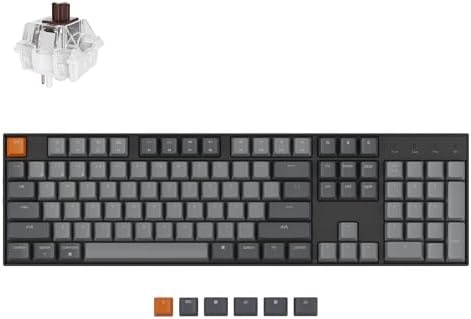 Visit on Amazon → Keychron K10 Full Size |
104 keys, Bluetooth and USB-C wired | Keychron Super Brown, tactile | Number-heavy work, on-call weeks | $84.99 |
 Visit on Amazon → Keychron K2 75% Version 2 |
84 keys, Bluetooth and USB-C | Keychron Super switch | Small desks, hopping between machines | Visit on Amazon → |
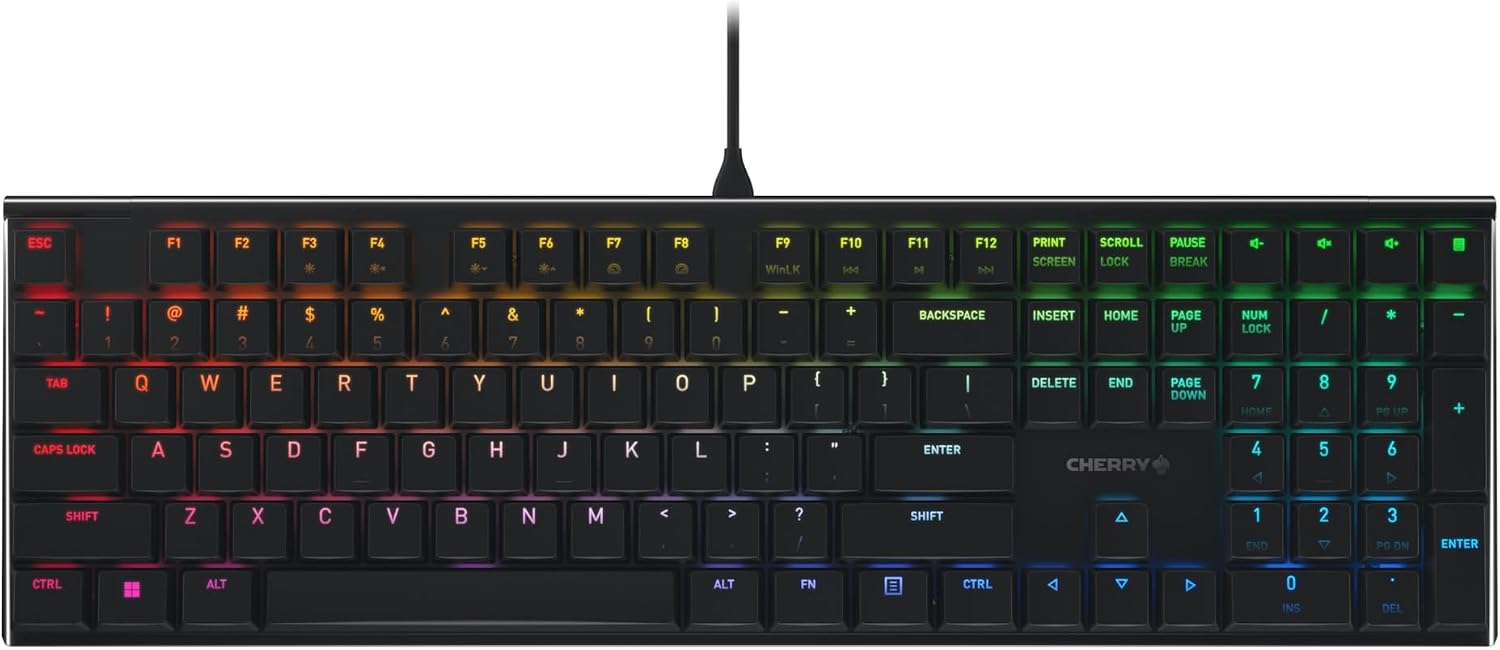 Visit on Amazon → Cherry MX 10.0N RGB |
Aluminum housing, RGB | MX Low Profile Speed | Gaming plus shallow, laptop-like typing | $79.99 |
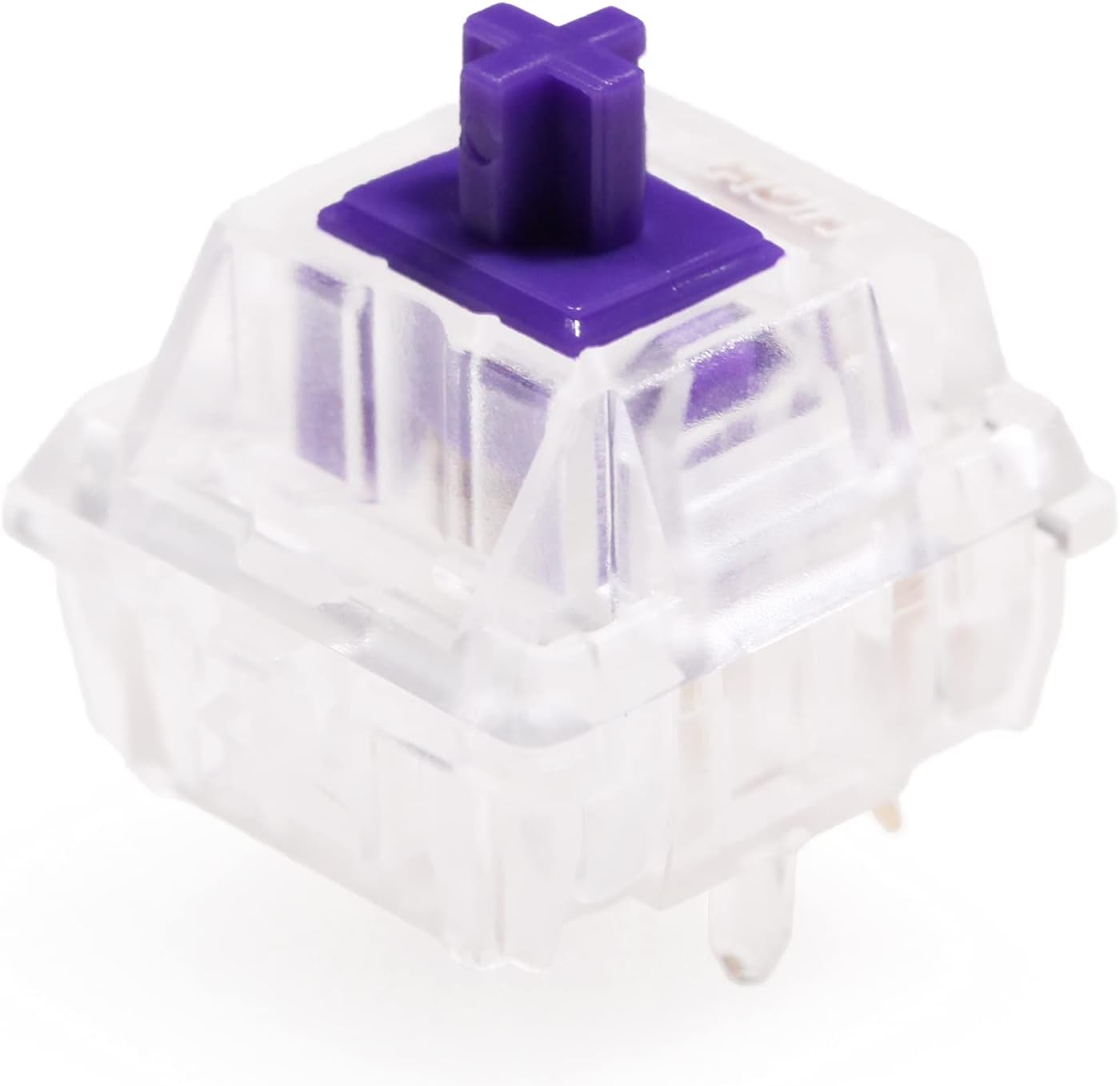 Visit on Amazon → Gateron Zealio V2 62g |
5-pin, MX stem, 70 pieces | Zealio V2 tactile, 62g | Upgrading a hot-swap 60 or 65 percent board | $80.50 |
What the table cannot tell you
The table gives you the job each product is best at, not the feel. Feel is the part you have to decide for yourself, and the honest way to do that is to start with the layout. Pick full-size if you type numbers all day, pick 75 percent if you want arrows and a small footprint, and pick low-profile if you want your wrists lower. Then pick the switch weight. A 62g tactile switch is light enough for a long day and heavy enough to feel deliberate, which is why it is my default recommendation.
A note on buying switches separately
A switch pack is not a keyboard, and it is not a shortcut around learning what you like. It is the cheapest way to change a board you already own, provided that board has hot-swap sockets. If it does not, you are buying a soldering project, and you should be honest with yourself about whether you will actually finish it.
Should you buy the Keychron K10 Full Size?
Yes, if you want a number pad and wireless in one board. The full-size layout keeps the numpad where your hand expects it, the Brown switches are tactile without being loud enough to annoy a room, and it runs wired over USB-C or wireless over Bluetooth. It is the board I keep on the desk during on-call weeks. The only reason to skip it is desk width.
Should you buy the Keychron K2 75%?
Yes, if your desk is small or you move between machines. The 84-key layout keeps the arrow keys and function row while cutting the width of a full-size board, and it pairs over Bluetooth or USB-C. You give up the number pad, and the compact right column takes about a week to learn. If you never type numbers in bulk, that week is the only cost.
Should you buy the Cherry MX 10.0N RGB?
Yes, if you want low-profile typing height with real mechanical switches and an aluminum body. The MX Low Profile Speed switches are short-travel and quick, which suits games, and the RGB is there for people who want it. Plan on keeping the stock keycaps, because the low-profile aftermarket is thin, and buy it as a finished keyboard rather than a platform to mod.
Should you buy the Gateron Zealio V2 switches?
Yes, if you already own a hot-swap board and want a heavier, rounder tactile bump. They are 5-pin, MX-stem and SMD RGB friendly, so they drop into most modern sockets and keep your keycaps. One 70-piece pack covers a 60 percent or most 65 percent boards; a 75 percent or full-size board needs two packs. If your board is soldered, count the evening before you order.