Mechanical keyboards for typing and gaming used to be two separate shopping lists, and that split has mostly collapsed. The board that makes a 90,000-keystroke workday comfortable is now usually the same board people keep plugged in for games: smaller than a full-size deck, easier to change, and cheap enough that you stop treating it like jewelry. The features that matter overlap almost completely.
That overlap is why the six products below are hard to tell apart in a spec table. One is a 60 percent wired board with linear red switches. One is a full 108-key hot-swap deck. One is a compact wireless board with a gasket-mounted plate and a scroll knob. One is a gaming-brand board built around yellow switches. And one entry is not a keyboard at all: it is a 108-piece set of 3-pin, 45gf Kailh Box White clicky switches, which only makes sense if you already own a hot-swap board and would rather change how it feels than replace it.
This guide compares what is actually different across the group: key count and layout, switch type, wired versus wireless, hot-swap and mounting construction, and keycap and lighting details. Everything below comes from the manufacturers' listed specifications, not from a bench session I did not run, and no prices are printed because they move. Use the link on each card to confirm today's price and availability.
Related: Switch Weight, Explained: How Many Grams You Actually Want
Quick answer
The Redragon K673 PRO Wireless 81-Key RGB Gasket Gaming Keyboard, Scroll Knob is the strongest fit for most desks because it puts an 81-key layout, wireless operation, RGB lighting, gasket construction, and a scroll knob in one board, which covers long typing sessions and games without the footprint of a full-size deck. Choose the Redragon K668 108-Key Hot-Swap Wired RGB Gaming Keyboard, Extra 4 Hotkeys instead when you need a number pad and want the option to change switches.
Mechanical keyboards worth comparing
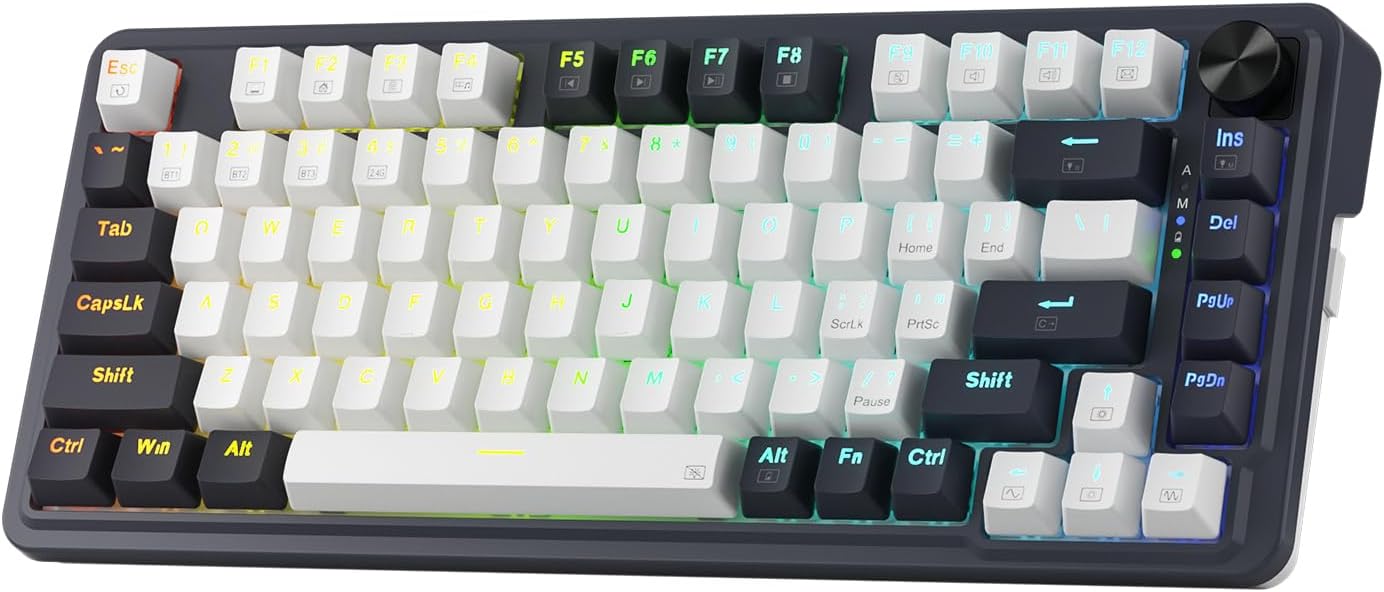
Redragon K673 PRO Wireless 81-Key RGB Gasket Gaming Keyboard, Scroll Knob
An 81-key wireless board with RGB backlighting, gasket construction, and a scroll knob, aimed at desks that need typing room and a smaller footprint than a full-size deck.
Visit on Amazon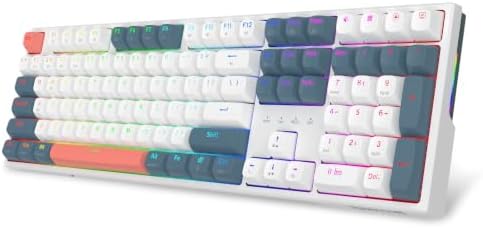
Redragon K668 108-Key Hot-Swap Wired RGB Gaming Keyboard, Extra 4 Hotkeys
A full 108-key wired board with hot-swap sockets, RGB lighting, and four extra hotkeys for shortcuts, macros, or anything you press constantly.
Visit on Amazon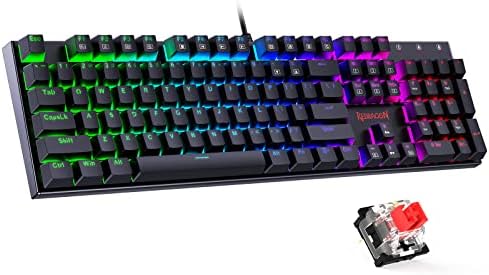
Redragon Mechanical Gaming Keyboard Wired, 11 Programmable Backlit Modes, Hot-Swappable Red Switch, Anti-Ghosting, Double-Shot PBT Keycaps, Light Up Keyboard for PC Mac
A wired board with 11 programmable backlight modes, hot-swappable red switches, anti-ghosting, and double-shot PBT keycaps, listed for both PC and Mac.
Visit on Amazon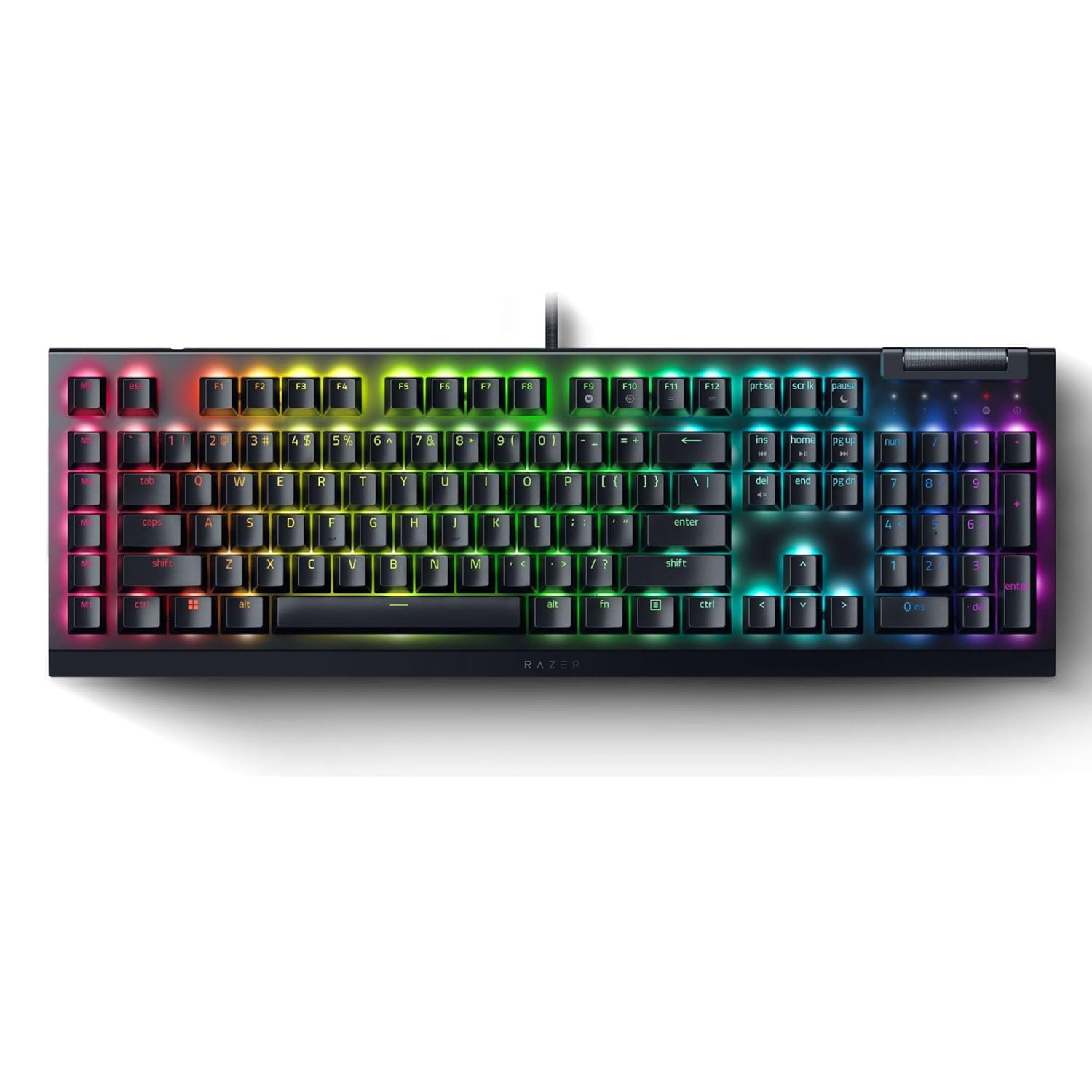
Razer V4 X Mechanical Gaming Keyboard, Yellow Switches, Black
A black mechanical gaming keyboard built around Razer's yellow switch option, aimed at buyers who want a factory-built board rather than a build project.
Visit on Amazon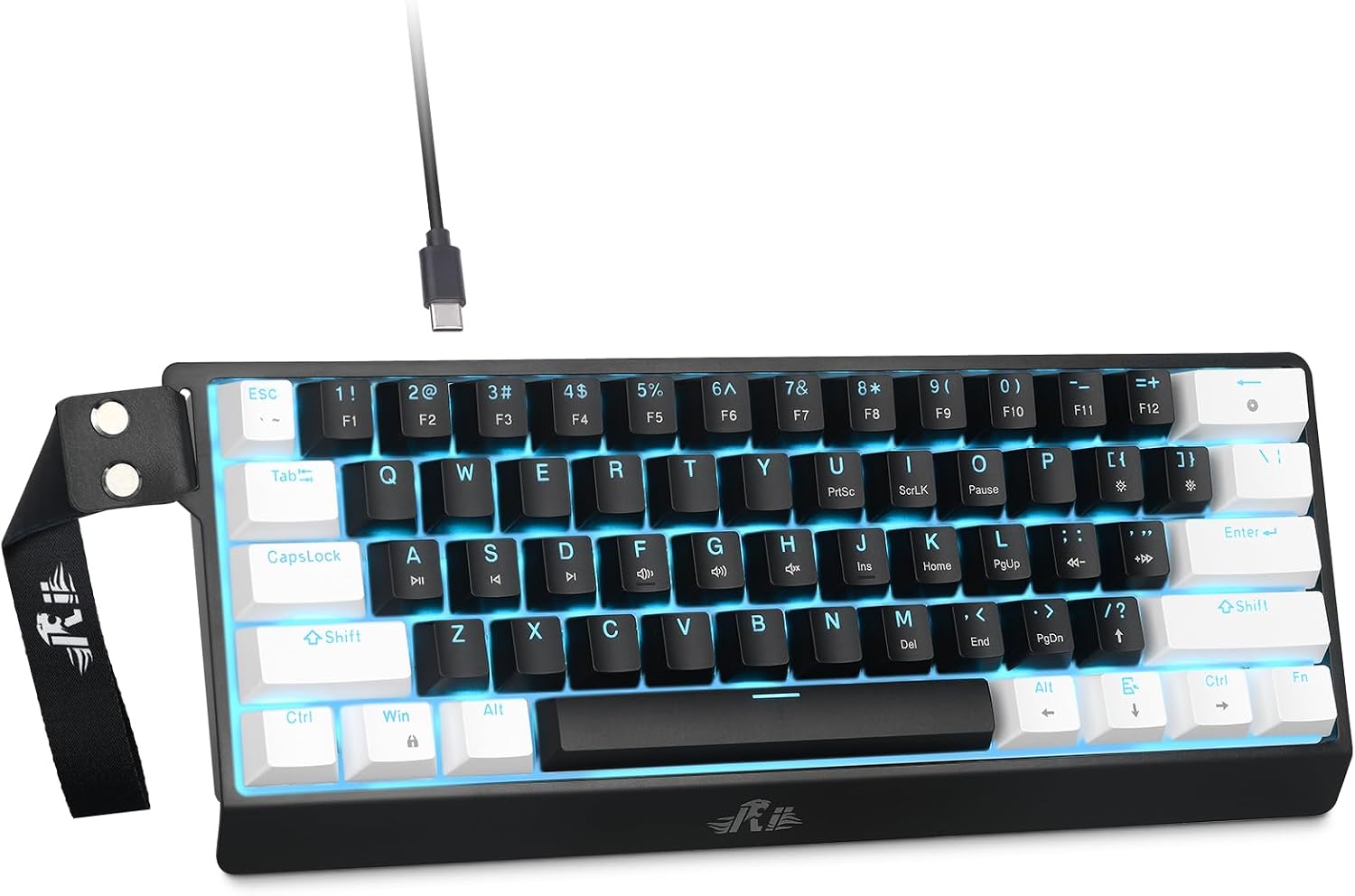
Rii 60% Wired Mechanical Keyboard, Linear Red Switch for Office, Gaming
A 60 percent wired board with linear red switches, positioned for office work and gaming, and the smallest footprint in this group.
Visit on Amazon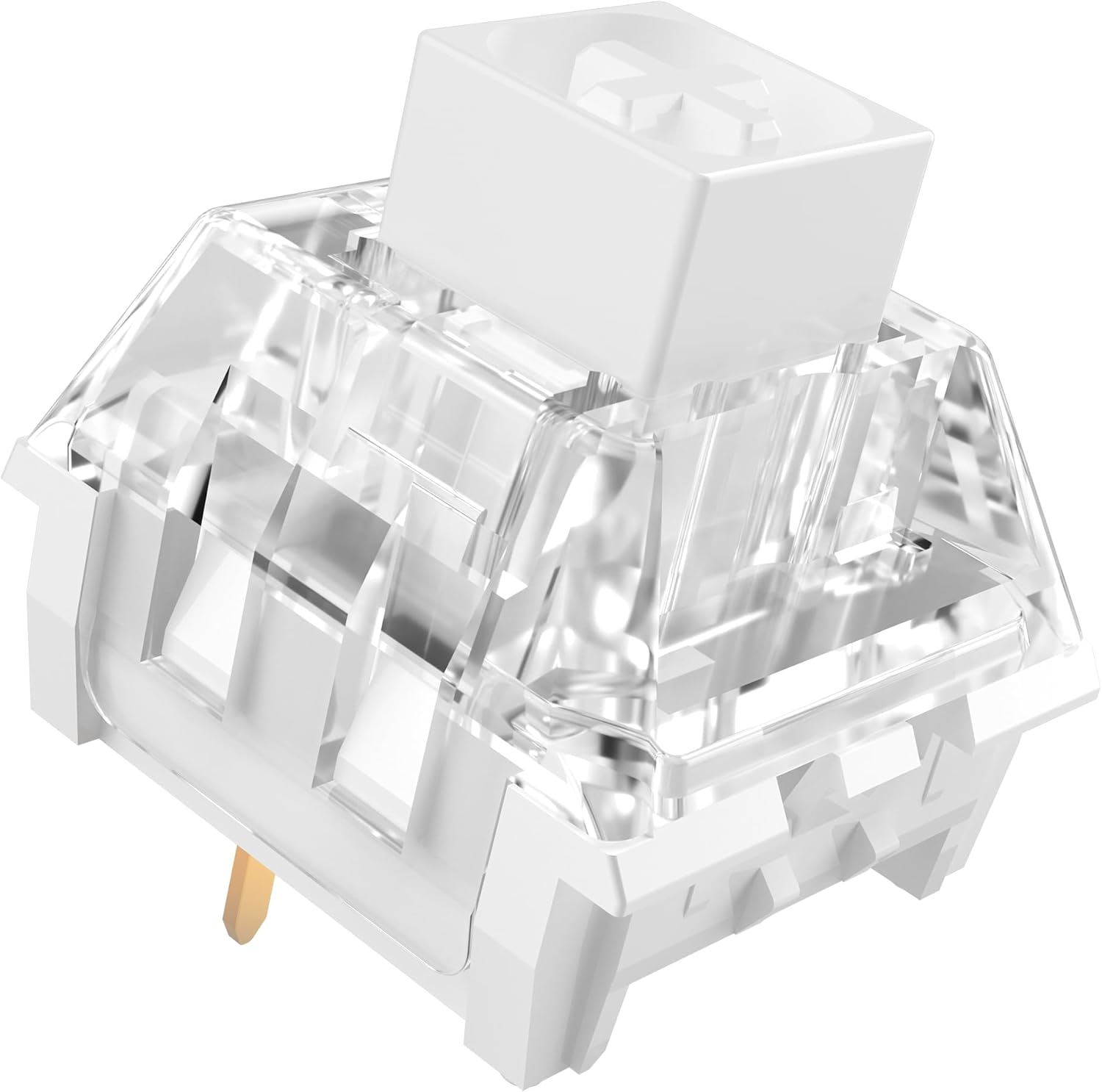
Kailh Box White Mechanical Keyboard Switches,3-Pin 45gf Clicky/Speed Typing/Gaming/Waterproof Switches(108Pcs,Kailh Box White)
A 108-piece set of 3-pin, 45gf clicky Kailh Box White switches, sold as an upgrade for compatible hot-swap boards and listed as waterproof.
Visit on AmazonPrices and availability may change. Check the retailer for current details.
How these products were compared
This guide compares key count and physical layout, switch type and listed weight where the manufacturer provides it, wired versus wireless connectivity, hot-swap capability, mounting construction, keycap material, backlighting, and platform support. Product names, images, and retailer links are matched by product identifier so that every card points to the product shown.
Nothing here is presented as hands-on testing. Where a listing leaves a question open, such as whether a socket accepts three-pin or five-pin switches, that gets flagged as something to verify before you order. Current prices are deliberately left out; confirm price, stock, and return terms through the retailer link on the card you care about.
How to choose the right mechanical keyboard
Key count is the decision most people get wrong. A 60 percent board such as the Rii drops the number pad, the arrow cluster, and the function row to keep the footprint small. It is excellent on a cramped desk and mildly infuriating the first time you need to nudge a spreadsheet cell without a modifier. An 81-key board like the Redragon K673 PRO keeps arrows and the function row while skipping the number pad, which is the sweet spot for most writers and most coders. A 108-key board such as the Redragon K668 adds the number pad plus four extra hotkeys, and that width is worth it if you type numbers all day or want spare keys for macros.
Switch type decides how the board feels and how much your coworkers like you. Linear switches, such as the red switches listed on the Rii board and the Redragon board with double-shot PBT keycaps, travel smoothly with no tactile bump and no click. Clicky switches like the Kailh Box White set announce every keystroke at 45gf, which is delightful in a home office and a genuine problem in an open floor plan or on a call with a live microphone. A listed weight is only half the story, though, since how a spring ramps toward bottom-out matters as much as the actuation figure, which is why I track force curves instead of single numbers.
Hot-swap is the feature that keeps a board relevant. The Redragon K668 and the Redragon board with PBT keycaps both list hot-swappable sockets, so a cheap switch puller gets you a different feel instead of a soldering project. If a listing does not mention hot-swap, assume the switches are soldered. Mounting construction is a smaller factor: gasket construction, listed on the Redragon K673 PRO, changes how the case transmits vibration rather than fixing a switch you already dislike.
Wired versus wireless is a logistics question more than a performance one. A wired board never needs charging, never needs a dongle, and never drops; a wireless board like the Redragon K673 PRO buys you a cleaner desk and one more device to keep topped up. If a wireless listing does not state battery life or a low-latency mode, treat both as unknown until you read the current product page. Keycaps and lighting are the last filter. Double-shot PBT, listed on one of the Redragon boards here, resists the shine cheap keycaps develop after a few months of heavy typing, and 11 programmable backlight modes plus a scroll knob are conveniences you will either use weekly or ignore completely.
Redragon K673 PRO Wireless 81-Key RGB Gasket Gaming Keyboard, Scroll Knob
The Redragon K673 PRO Wireless 81-Key RGB Gasket Gaming Keyboard, Scroll Knob is the board I would point most people to first, because it optimizes for the desk rather than the spec sheet. An 81-key layout keeps the arrow cluster and the function row while dropping the number pad, which hands your mouse arm some space back. Wireless operation removes a cable. RGB lighting covers the dark-room work. Gasket construction softens how the case responds to a hard bottom-out. And the scroll knob is the kind of small addition that earns its place once you have it, whether you use it for volume, scrolling, or zoom without leaving the home row.
The trade-offs are real. There is no number pad, so if you enter figures all day this is the wrong shape. The listing does not name a specific switch model, which means the feel depends on the variant you order, and hot-swap support is not stated, so socket compatibility stays unconfirmed until you check the product page. The knob also raises the top-right corner above a flat deck, which is worth knowing if you slide your board under a monitor stand.
Alternatives to consider
The Redragon K668 108-Key Hot-Swap Wired RGB Gaming Keyboard, Extra 4 Hotkeys is better suited to anyone who wants a full-size layout, a wired connection, and hot-swap sockets in the same board. The four extra hotkeys are the part a spec table undersells, since mapping them to a build command, a mute toggle, or a screenshot is how a full-size board earns its extra width.
The Redragon Mechanical Gaming Keyboard Wired, 11 Programmable Backlit Modes, Hot-Swappable Red Switch, Anti-Ghosting, Double-Shot PBT Keycaps, Light Up Keyboard for PC Mac is a stronger fit when you want hot-swappable red switches, double-shot PBT keycaps, and a listing that explicitly covers both Windows and Mac. Anti-ghosting matters more here than the marketing implies if you game with one hand on WASD and the other holding modifiers.
The Razer V4 X Mechanical Gaming Keyboard, Yellow Switches, Black, the Rii 60% Wired Mechanical Keyboard, Linear Red Switch for Office, Gaming, and the Kailh Box White Mechanical Keyboard Switches cover the rest of the range. The Razer is the factory-built gaming option, sold in black with yellow switches. The Rii is the smallest and simplest entry, a 60 percent wired board with linear red switches for office work and gaming. The Kailh Box White set is the outlier: a 108-piece pack of 3-pin, 45gf clicky switches for readers who already own a compatible hot-swap board and want to change its character rather than its footprint.
Day-to-day use and maintenance
A mechanical keyboard needs very little maintenance, which is fortunate because most of what people do to them causes damage. Unplug the board before cleaning. Use a keycap puller rather than a screwdriver, since prying with metal scratches stems and cracks caps. Compressed air held at an angle clears loose debris, and a barely damp cloth handles residue on the case. Follow the manufacturer's cleaning guidance before reaching for any solvent, and never soak a board or put it in a dishwasher, whatever a forum thread claims.
If the board has hot-swappable sockets, a switch change is the one modification worth learning: unplug, pull the keycap, pull the switch straight up with a proper puller, line up the new switch's pins with the socket, and press until it seats. Do not force a switch that resists, because a bent pin is how a socket gets ruined. Confirm whether your board takes 3-pin, 5-pin, or both before buying a set such as the Kailh Box Whites, since the two pin counts are not universally interchangeable.
For a wireless board, pick a charging habit now instead of discovering the problem mid-week. If the dongle would sit behind a metal riser or a full case, use a short extension cable to bring it into line of sight. Cables are the other wear point: a USB-C board with a USB-A-only cable gets annoying in a laptop bag, so check the connector before you travel with it.
Buying checklist
- Measure the space your current board occupies and decide whether you can give up the number pad, the arrow cluster, or both.
- Choose the switch type for your normal day, not your occasional game: linear in shared spaces, clicky only where you are alone.
- Confirm the exact model lists hot-swap sockets if you plan to change switches later, and check whether it accepts 3-pin, 5-pin, or both.
- Check keycap material and legend construction if you want the board to look in year three the way it looked in month one.
- Verify connection type, cable connector, and supported platforms before ordering.
- Read the cleaning and maintenance instructions, and confirm current price, availability, and return terms through the retailer link.
Final recommendation
Choose the Redragon K673 PRO Wireless 81-Key RGB Gasket Gaming Keyboard, Scroll Knob when you want a compact wireless daily driver with a knob and a cushioned case, and you can live without a number pad. Choose the Redragon K668 108-Key Hot-Swap Wired RGB Gaming Keyboard, Extra 4 Hotkeys when a full-size wired layout and socket swapping matter more than wireless. Step down to the Rii 60% Wired Mechanical Keyboard, Linear Red Switch for Office, Gaming if desk space is the binding constraint, and add the Kailh Box White Mechanical Keyboard Switches only if you already own a compatible hot-swap board and want clicky 45gf switches in it.
Product data changes and prices move faster than any guide can track, so treat everything here as a starting filter rather than a verdict you cannot revisit.