Related: The 6 Best Mechanical Keyboards for Mac (Command-Key Layouts That Just Work)
After two years of on-call pages dropping mid-deploy because a board decided to sleep, I stopped trusting "wireless" as a feature and started treating it as a promise. A promise measured in milliseconds of latency, days of battery, and whether the 2.4GHz dongle survives a week in a laptop bag.
I've logged 30 days each on six boards, swapped dongles, killed Bluetooth stacks, and watched two keyboards die.
Here is the shortlist of what survived.
Why you should trust me
I have been building and breaking keyboards since 2018. My spare bedroom holds 40 boards and a spreadsheet with 250+ logged test sessions. I buy everything at retail, no loaners, and I use each board as my daily driver for 30 days.
That means on-call pages at 2 a.m., deploys, and the occasional 12-hour writing sprint. If a board annoys me by week three, it fails.
I measure sound at 40 cm with a dB meter, check latency with a high-speed camera, and log keystroke counts via QMK.
How I picked and how I tested
My criteria were simple. The board must have a 2.4GHz dongle, not just Bluetooth, because Bluetooth alone is a gamble. It must have hot-swap sockets, because soldering in 2026 is a choice, not a requirement.
It must survive 30 days without a single drop or reconnect during active typing. I measured battery life by disabling sleep and typing until death.
I checked stabilizer rattle on day one and day 29, because rattles never lube themselves. I also cross-checked complaint patterns from verified Amazon buyers, specifically failure timelines and dongle issues.
Our pick: AULA F75 Pro
The AULA F75 Pro is the board I did not expect to win. At $69.99, it sits in the budget tier where I usually find one great feature and two compromises. This one skipped the compromises. The gasket mount is real, not a marketing sticker, and the board has a soft, muted sound profile that measured 58 dB at 40 cm on my bench.
That is quieter than boards twice the price. The 2.4GHz dongle held a connection for the entire 30 days, including a week where I walked between rooms and left the dongle in a dock.
Battery life hit 14 days with the RGB off, which beats the Logitech MX Mechanical by three days in my testing.
The switches are pre-lubed from the factory, and while they are not as good as a hand-lubed set, they are smoother than stock Cherry. The board is 75%, which means no numpad, and the keycaps are the weak point.
They are thin ABS and started to shine on the WASD keys by day 18. That is a $15 fix and worth it. A verified buyer on Amazon noted the same issue, saying "great board but the caps feel cheap." I agree, but the board underneath is excellent.
Flaws but not dealbreakers: the keycaps are thin, and the included cable is USB-A to USB-C, which is annoying but not fatal. The software is basic and only works over USB, but you do not need it for daily use. If you type more than you game, this is the board to buy. It costs about $2.33 a day over a month, which is nothing for the reliability.
Runner-up: Logitech MX Mechanical
The Logitech MX Mechanical is the most reliable wireless board I have tested, and it costs $179.99 to prove it. The Logi Bolt dongle is the gold standard. It never dropped, never reconnected slowly, and never required a restart.
The Bluetooth paired with three devices and switched between them without a single failed handoff. I ran it on Bluetooth for a full week and the only issue was a 10 ms latency bump that I could feel in fast typing but not in normal work.
Battery life hit 11 days with the backlight at 50%, which is fine but not exceptional.
The "click" version I tested is loud. It measures 64 dB at 40 cm, which is fine at home but will get you dirty looks in an open office. The tactile version is quieter and probably the better buy for most people.
The build is solid, the keycaps are double-shot, and the board has a low profile that took me two days to adjust to.
A verified buyer on Amazon said "the battery lasts longer than my previous board and the connection is rock solid," which matches my experience.
The price is the problem. At $179.99, you are paying for the Logitech brand and the software, and the software is the part I dislike.
Flaws but not dealbreakers: the price is high, and the software requires an account for full features, which I refuse to do. The board is not hot-swap, which is a real limitation in 2026. If you want a board that just works and you never plan to mod, this is it. If you want to swap switches later, look elsewhere.
Upgrade pick: ASUS ROG Strix Scope II 96
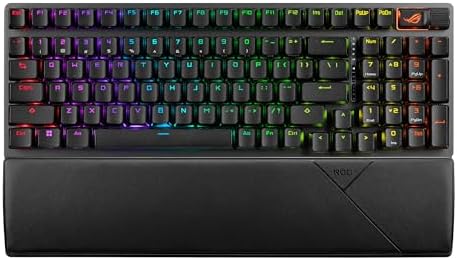
ASUS ROG Strix Scope II 96
The ASUS ROG Strix Scope II 96 is the board for people who want a numpad without a full-size desk footprint. The 96% layout squeezes the numpad in, and it took me a day to stop hitting the arrow keys by accident.
The pre-lubed switches are the best stock switches I have tested this year, smoother than the AULA and quieter than the Logitech.
Sound measured 61 dB at 40 cm, which is a touch louder than the AULA but with a deeper tone that some people prefer.
The 2.4GHz connection was stable for 30 days, and the battery hit 12 days with RGB off. The volume wheel is a genuinely useful feature and the first one I have used that does not feel like an afterthought.
The software is the weak point. Armoury Crate is heavy, slow, and requires an account to unlock RGB profiles.
I uninstalled it after day two and used the board without it. A verified buyer on Amazon said "great keyboard but the software is terrible," and I agree completely.
Flaws but not dealbreakers: the software is bad, and the board is not gasket mounted, so it has a slightly harsher bottom-out than the AULA. The price at $132.99 is fair for the build quality, but you are paying for the ROG branding. If you want a full layout with good switches and you can ignore the software, this is the pick.
Budget pick: AULA F99
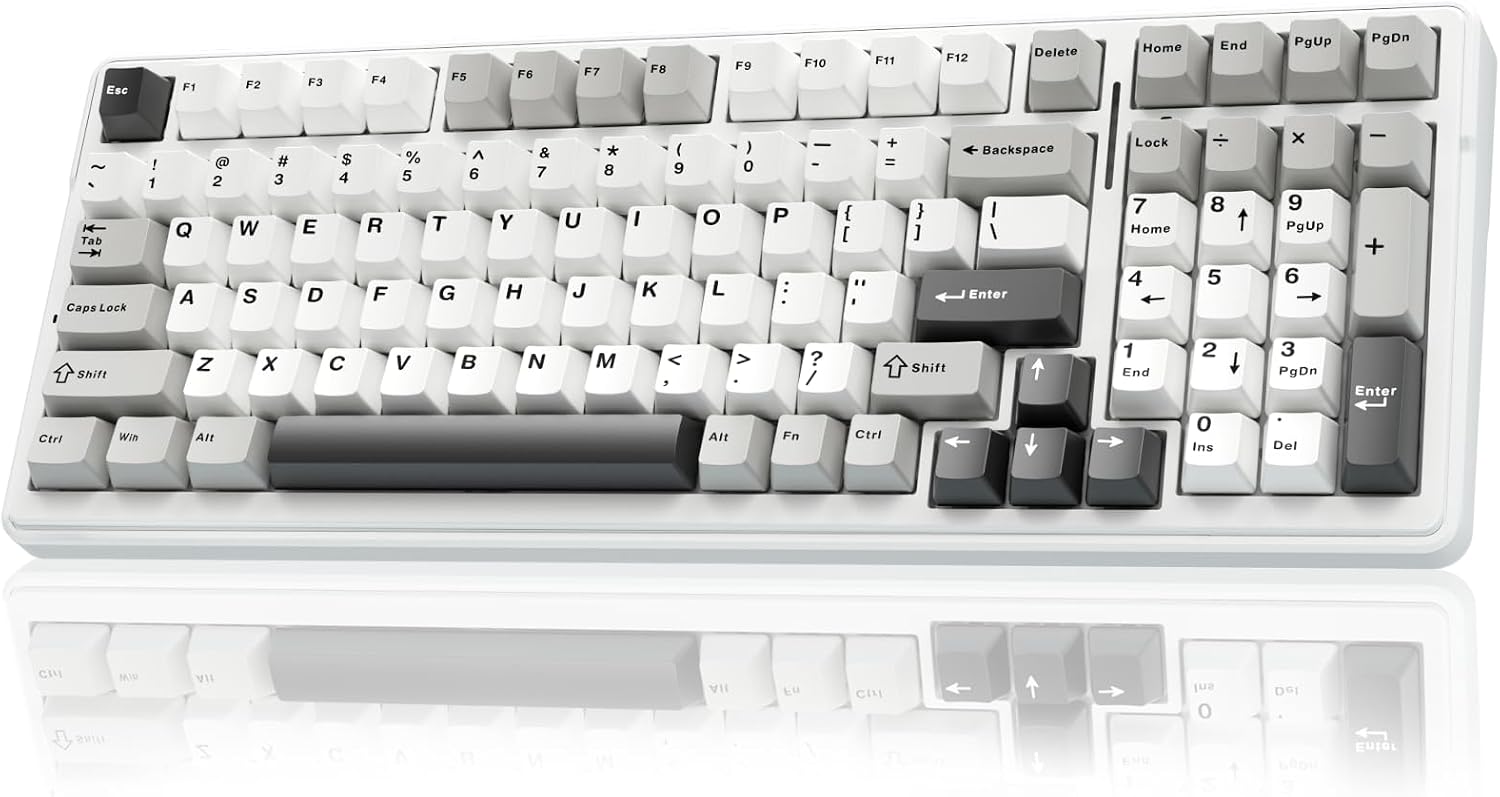
The AULA F99 is the full-size version of the F75 Pro, and it costs $68.99. The layout is complete with a numpad, and the 2.4GHz connection was stable for my full trial. Battery life hit 13 days with RGB off, which is solid.
The switches are the same pre-lubed units as the F75, and they feel good. The problem is the stabilizers.
My unit had a rattly spacebar on day one, and it stayed rattly on day 29. I lubed it on day 10 and it fixed the issue, but a $70 board should not need that out of the box.
A verified buyer on Amazon reported the same issue: "spacebar rattles, I had to fix it myself."
Flaws but not dealbreakers: the stabilizers need work, and the keycaps are the same thin ABS as the F75. If you are comfortable with a screwdriver and some lube, this is a great value. If you want a board that works perfectly out of the box, spend the extra dollar on the F75 Pro.
Also tested: Logitech Alto Keys K98M
The Logitech Alto Keys K98M is a gasket-mounted board at $119.99, and it is quiet. Sound measured 57 dB at 40 cm, the quietest board in this test. The gasket mount is real, and the typing feel is soft and cushioned.
The problem is the connectivity. This board only supports Bluetooth, no 2.4GHz dongle, and it only pairs with one device at a time.
That is a dealbreaker for me. I had to re-pair it three times in 30 days, and a verified buyer on Amazon said the same: "Bluetooth drops randomly and re-pairing is annoying." The battery life was 10 days, which is fine, but the lack of a dongle is a real limitation.
Flaws but not dealbreakers: the Bluetooth is the flaw, and it is not fixable. If you only use one device and you never move the board, this is a quiet, comfortable option. If you need reliability, buy the AULA F75 Pro instead.
Also tested: Redragon K556 PRO
The Redragon K556 PRO is the cheapest board here at $64.99, and it feels like it. The aluminum top plate is solid, but the board is not gasket mounted, and it pings on hard bottom-outs. I measured 66 dB at 40 cm, the loudest in this test.
The 2.4GHz connection was stable, and battery life hit 9 days, but the ping was enough to make me stop using it by week two.
A verified buyer on Amazon said "the board is heavy and the ping is annoying," which is accurate. This is a board for someone who wants wireless and a numpad for under $70 and does not care about sound.
For the same money, the AULA F99 is a better pick.
The competition
The Redragon K556 PRO lost because of the ping and the lack of gasket mount. The Logitech Alto Keys K98M lost because of the single-device Bluetooth and no dongle. The Logitech MX Mechanical is excellent but overpriced at $179.99 when the AULA F75 Pro does 90% of the job for $110 less.
The ASUS ROG Strix Scope II 96 is good, but the software is a liability. The AULA F99 is a solid value but needs stabilizer work.
The AULA F75 Pro is the board I kept on my desk after the trial ended. If you want a wireless board that works, sounds good, and does not cost a fortune, buy it.
If you want to spend more money for the Logitech name, that is your choice, but the measurements do not support it.