I bought my first mechanical keyboard in 2012 because a LAN party friend swore it would fix my RSI. It didn't, and the board I bought came with clicky switches I could not use on a single work call. What it did do was start a habit that now fills a spare bedroom and a spreadsheet with more than 250 logged test sessions. This mechanical keyboard comparison comes out of that habit, and it is a deliberately odd group of four: two wireless Logitech boards, one compact wired gaming keyboard, and a tub of switch lube.
That last one is not a typo. A big chunk of what makes a board feel expensive happens after you buy it, and a maintenance product belongs in a buying guide about the other three, because it is the cheapest lever you can pull on any of them.
Related: Keyboard Form Factors Explained 60 Vs 65 Vs Tkl Vs Full
The short answer: if you type for a living and want to lose the cable, the Logitech MX Mechanical is the safe pick. If you live on a Mac and want the same idea in a smaller footprint, the MX Mechanical Mini Mac is the one. If you want a compact 65% board built for gaming first, the HyperX Alloy Origins 65 covers that. And the HONKID GPL 205G0 lube is the five dollar insurance policy that keeps whichever board you choose from feeling worse at keystroke 400,000 than it did on day one.
The short answer skips the part that actually matters, which is that each of these four makes a different trade, and the trade you can live with depends on how you spend your keystrokes.
The four products at a glance
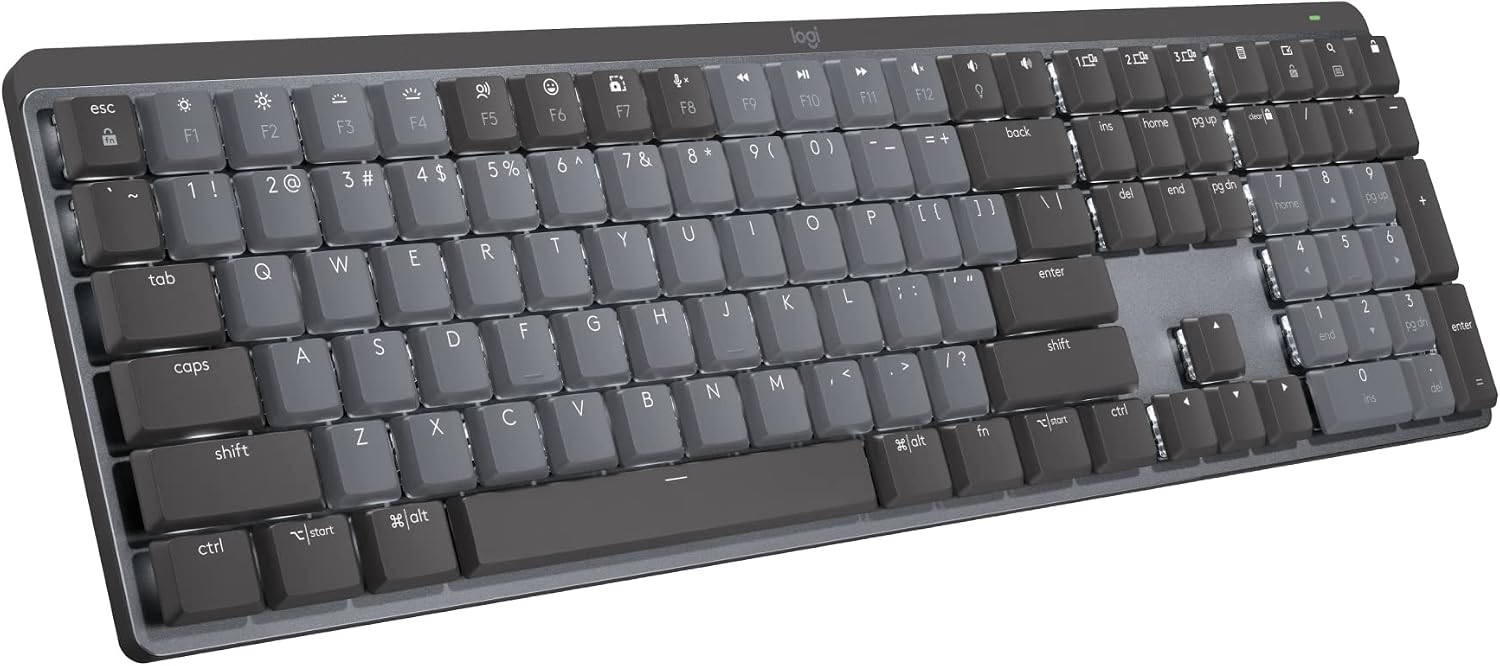
Logitech MX Mechanical Wireless Illuminated Keyboard Tactile - Graphite
Full-size, wireless, backlit and tactile, so it covers code, spreadsheets and a numpad without a cable in the way
The big footprint eats desk space, and the MX Mechanical family is the slim, low-travel side of typing rather than a deep standard-height board
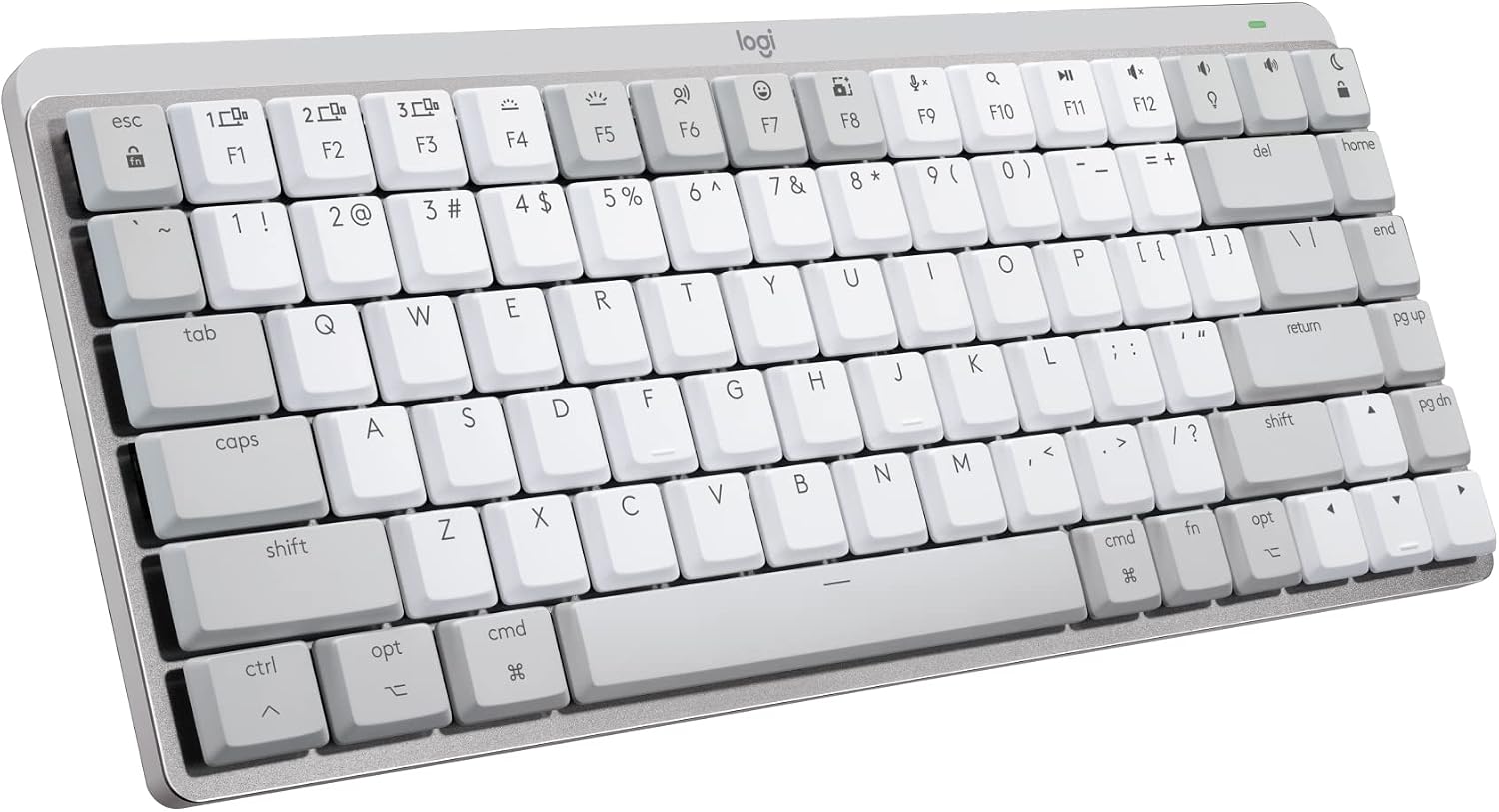
Logitech MX Mechanical Mini Mac Wireless Keyboard Low-Profile - Pale Grey
Mac legends in a compact low-profile body, wireless, and a pale grey finish that hides desk dust better than black
If you are on Windows or you type numbers all day, you are paying for legends and a layout you will not use
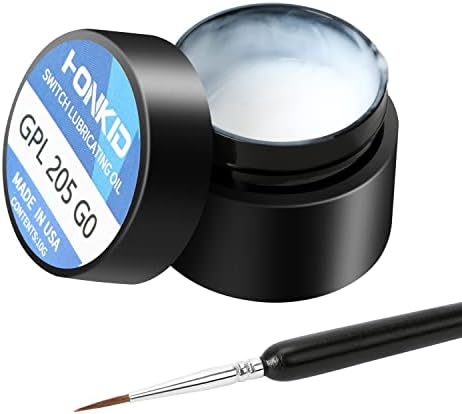
HONKID Keyboard Switch Lube GPL 205G0 0.35 oz
GPL 205G0 is the standard thick grease for stabilizers and switch sliders, and 0.35 oz goes a long way for the money
It only pays off if you are willing to open switches or pull stabilizers, and too much of it turns a snappy board mushy
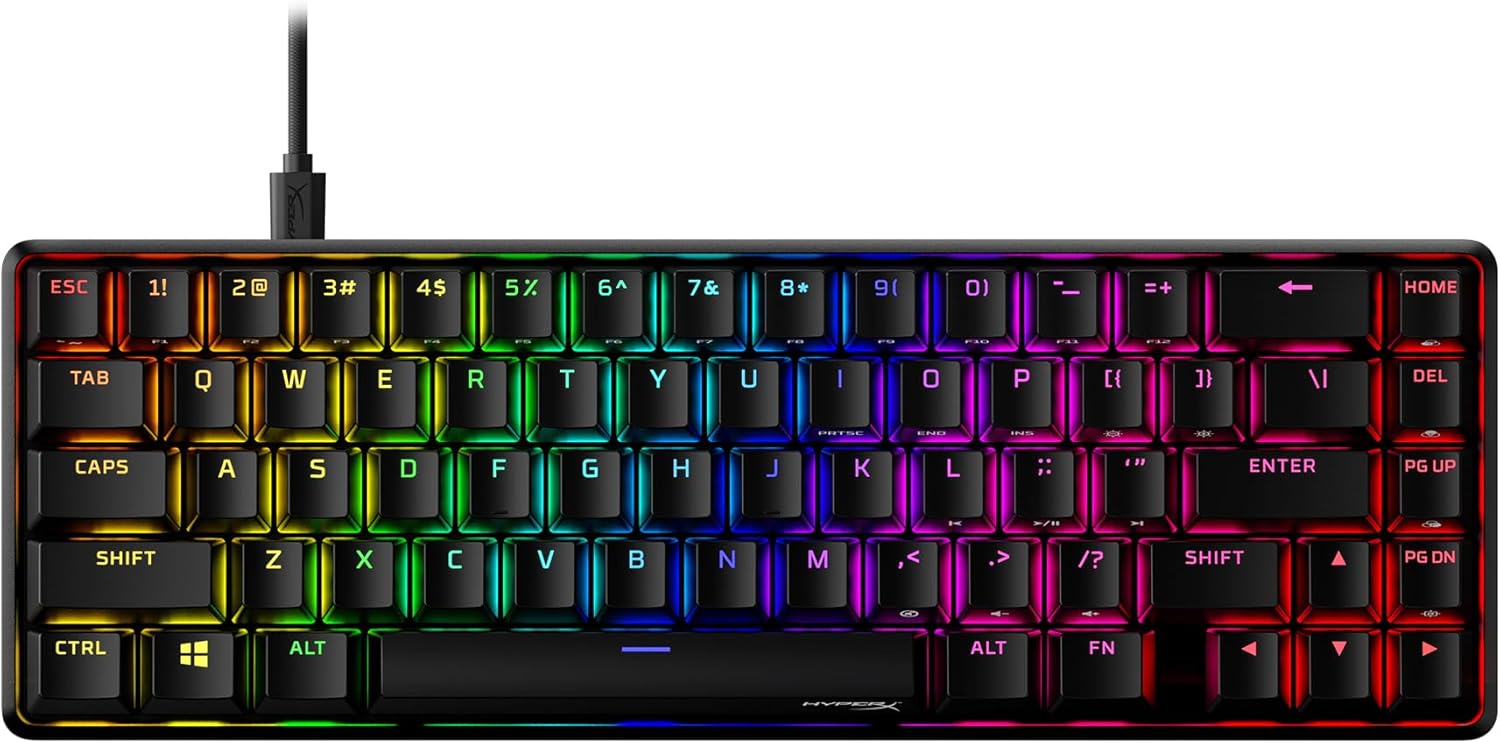
HyperX Alloy Origins 65 - Mechanical Gaming Keyboard, Compact 65% Form Factor, Linear Red Switch, Double Shot PBT Keycaps, RGB
The 65% layout keeps the arrow keys and drops the numpad, linear red switches suit fast repeated presses, and double shot PBT keycaps fight the shine that plagues cheaper caps
You give up the numpad and the function row, and lighting configuration runs through NGENUITY software, which is a real factor if you dislike account-walled tools
Prices and availability were captured from Amazon Creators API and may change.
Logitech MX Mechanical: the full-size wireless typist
The name tells you most of what you need: wireless, illuminated, tactile, graphite. Full-size means a number pad, and in a job where I am reading stack traces and typing IDs, a numpad is not nostalgia, it is a workflow tool. Wireless means one less cable fighting for the last USB-C port on a dock.
The trade is the one every full-size board makes. You are giving up desk space, and you are giving up the low-slung, compact look that makes a small board feel tidy next to a laptop. If your desk is a laptop on a kitchen table, this is a lot of keyboard. If your desk is an actual workstation with a monitor and a dock, the footprint argument mostly evaporates.
The second trade is feel. The MX Mechanical family is the slim side of Logitech's lineup, which is exactly what makes the Mini variant appealing and exactly what some typists bounce off. If you came to mechanical keyboards for long key travel and a deep bottom-out, a low-profile board is a different sensation, and no firmware update changes that.
Logitech MX Mechanical Mini Mac: the same idea, Mac first
The name here says Mac, low-profile, mini, pale grey, wireless. That is four decisions made for you before you open the box, and three of them are good ones for the right buyer.
Mac legends matter more than people admit. If you have spent years reaching for Command and Option by muscle memory, printed Windows legends mean you spend the first week translating in your head, and that is exactly the kind of friction that makes a keyboard fail the "you stop thinking about it" test.
The pale grey finish is a practical choice in a way graphite is not. Dark finishes show every crumb and every fingerprint, which is a small thing until you notice it ten times a day. Low-profile keeps the deck close to the desk and the typing angle flat, which is comfortable for some wrists and cramped for others.
The honest criticism: if you are not on a Mac, the legends are wrong, and if you spend your day in a spreadsheet, the missing numpad is a tax you pay every afternoon. This board rewards a specific person, and that person is on macOS with a compact desk.
HyperX Alloy Origins 65: the compact gaming pick
The Alloy Origins 65 gives you the 65% layout, linear red switches, double shot PBT keycaps, RGB backlighting and NGENUITY software support. That combination is a coherent design instead of a spec sheet: a small board with arrows and a short travel to the press, which is the shape competitive players actually want.
Linear reds are the right switch if you want the press to happen without a bump announcing it. For games that means repeated presses of the same key feel consistent. For prose it means your fingers learn the bottom-out and stop there, and that adjustment takes about a week. Tactile fans sometimes never make it, and that is worth knowing before you buy rather than after.
The 65% layout is the real story. You keep the arrow keys, which I will not give up, and you lose the numpad and the dedicated function row. That is a real productivity cost in spreadsheet work and a real space win on a small desk. Double shot PBT is the sleeper feature: PBT resists the oily shine that turns cheap ABS caps glossy within months, and double shot legends cannot rub off because they go all the way through the cap.
One thing I would verify before buying: check how the lighting software behaves. I have a hard line about RGB tools that require an account login to change a color, because that is a service dependency attached to a keyboard, and it should not be.
HONKID GPL 205G0 lube: the cheapest upgrade in this list
A tub of GPL 205G0 at 0.35 oz will set you back less than a set of keycaps and will change how a board sounds more than most of the mods people talk about online. GPL 205G0 is a thick grease, which is why it is the standard choice for stabilizer housings and wires, and why it also works on switch sliders when applied thin.
The reason it belongs in this comparison is that it is the only item here that fights the slow decline every mechanical keyboard experiences. Springs ping. Stabilizers rattle. Factory lube, when there is any, is applied unevenly. A light coat on stabilizer wires is the single most reliable fix for the spacebar rattle that ruins the sound of otherwise good boards.
The criticism is that this is not a product for everyone. It requires you to open the board, and on stabilizers it requires you to be patient with a brush. Over-lubing is a real failure mode: too much grease makes a switch feel sluggish and muted in the bad way, and there is no undo except cleaning it out. If you want zero maintenance, buy the Logitech and never think about lube. If you are willing to spend one afternoon, this is the best value on the list.
The trade-offs that actually decide this
Four decisions separate these products, and none of them is about brand loyalty.
Wireless or wired. The two Logitech boards cut the cable, which matters on a laptop dock with one free port. The HyperX is a wired board, which matters for a different reason: wired is one fewer thing to think about. Wireless is not a feature by itself. Latency, battery honesty and drop-free weeks are the features, and every marketing page will tell you it is fine.
Full-size or 65%. A numpad is either part of your job or clutter. Be honest about which. The 65% layout trades the numpad and function row for desk space and a shorter reach to the mouse, and for a lot of people that is a straight upgrade.
Low-profile or standard height. The MX Mechanical line is the slim option. The HyperX is the traditional-height option. This is the difference you feel in the first ten minutes and the one you cannot fix later.
Finished product or project. The Logitech boards are products you use. The HyperX plus a tub of lube is a small project you maintain. Both are legitimate; they just ask different things of you.
What I would put these through before ranking them
If these four landed on my bench tomorrow, they would get the same five checks every board gets, because a ranking without a measurement behind it is just a preference.
- The 30-day driver. The board replaces my daily keyboard for 30 consecutive days, including one full on-call week. Bluetooth drops, dead zones and battery surprises get logged the moment they happen, not reconstructed from memory later.
- The dB bench. A decibel meter at 40 cm, ten keystroke samples per row, averaged. Quiet, loud and "what were they thinking" become numbers, and numbers are comparable across boards.
- The force curve. A spring scale and a printed jig pulling each switch type, plotting actuation against bottom-out in grams. This is how you find out whether a "tactile" switch has a bump you can actually feel or one you have to imagine.
- The keystroke counter. Firmware logging total actuations per key, so "it held up" becomes a number instead of a feeling.
- The teardown. Plate material, foam layers, socket brand and solder joints, photographed. A $200 board with cheap sockets is a $200 lesson.
Two of these checks matter more for this particular group. For the wireless Logitech boards, the 30-day driver is the whole review, because wireless reliability is a time-based claim. For the HyperX, the force curve and the cap material are the interesting part, since linear switches live or die on consistency and PBT caps either hold up or they do not.
What I will not compromise on
Every board I recommend has to survive the same non-negotiables, and these matter more than any spec sheet line.
Hot-swap sockets, because a board without them is obsolete the day it arrives. Open firmware, because being able to remap every key in a browser is the difference between a keyboard and a keyboard you own. No rattly stabilizers on an expensive board, because a rattle means nobody at the factory pressed the spacebar twice. And no software that demands an account before it will change a light color.
If you are not sure which of these four fits, the honest test is not reading another review. Buy the one whose trade-offs you can live with, live with it for a month, and see whether you still notice the board in week three. The best keyboard is the one you stop thinking about.