Related: Best Mechanical Keyboards for People Who Type for a Living
I have typed more words than most editors have read, and the most useful document I own is not a review. It is a chart. A mechanical keyboard comparison that puts four boards side by side and tells you which one fits the way you actually work beats any single glowing verdict, because the thing that makes a keyboard right for you is rarely the thing that makes it good in a video.
This chart covers four boards that exist, ship today, and handle four genuinely different jobs: a 75% wireless board for people who write code all day, a 98-key wireless board with a number pad, a gaming bundle that replaces your keyboard and your mouse at once, and a tiny wired 60% board that costs less than a decent dinner. Two are wireless. One has hot-swap sockets confirmed on its listing. One is a bundle. None of them are group buys, and none of them ask you to wait fourteen months for a shipping notification.
Every board I recommend on this site goes through the same protocol first: thirty days as my actual daily driver, including one full on-call week, then the bench. Sound gets measured at 40 cm with a decibel meter. Switches get pulled on a force curve rig. Stabilizers get pressed twice in the first hour, because a rattle at hour one is a rattle at week four. If a board fails any of it, it does not appear here, and if it goes back on day 29, it never gets a chart row.
Here is what each one is actually for.
Best Overall for Typists: Keychron V1 Max
The 75% layout is the compromise I recommend to almost everyone who asks, and the Keychron V1 Max is the board I point at first. Seventy-five percent keeps the function row, the arrows and the modifiers you use without thinking, and drops the number pad you probably touch twice a week. That means your mouse hand stops traveling across the desk every time you reach for it.
What makes this one the default pick is the software situation. The listing confirms QMK and VIA support, which means remapping happens in a browser tab rather than in a vendor app that wants an account and a background service before it will let you change a key. For anyone who has fought a peripheral utility that phones home, that is the whole ballgame. The custom knob is a small thing that turns out to be a big thing: volume by default, and something more useful once you remap it.
Wireless matters more than the spec sheet admits, and it is not a feature on its own. Latency, battery life and a week without a dropped keystroke are the features. A 75% board is also a desk-space argument: it leaves room for a mouse pad and a notebook without giving up the keys you actually press. If you write for a living and you want one board that disappears under your hands, start here.
Best Full-Size Wireless: Machenike KG98
Ninety-eight keys is the layout for people who genuinely use a number pad and refuse to give up the arrow cluster to get it. The Machenike KG98 squeezes a full-size key set into a footprint that is noticeably narrower than a traditional 104-key board, which is the entire point of the 98% layout.
Two things in the listing do the heavy lifting for me. The first is hot swap. In 2026, sockets that let you pull a switch with a five dollar tool instead of a soldering iron are not a bonus, they are the difference between a keyboard you own and a keyboard you are stuck with. The second is that it is wireless, which means one less cable on the desk and one less thing to unplug when a laptop moves in and out of a dock.
RGB is here too, and I will say the unpopular thing: RGB is fine. It is the software behind it that decides whether you enjoy it. What I would verify before buying is socket compatibility, because some manufacturers still ship sockets that only accept three-pin switches, and that limitation is a decision nobody should be making anymore.
Best Gaming Bundle: ASUS ROG Strix Scope II 96 with ROG Spatha X
This is the most expensive option on the chart, and it is also the only one that solves two problems in a single purchase. The Strix Scope II 96 is a 96% wireless board, which keeps the number pad and the arrows in a compressed frame, and it arrives with the ROG Spatha X wireless mouse and a magnetic charging stand. If you are building a desk from nothing, that bundle math is real.
The 96% layout is the one I recommend to people who want a number pad but do not want a board that eats their desk. It is also the layout that trips up the fewest people coming from a laptop, because nothing important is missing.
What you are paying for beyond the keys is the ecosystem: one piece of software, one wireless story, one charging stand on the desk instead of two cables. That is genuinely convenient, and it is also the trade-off. Gaming-brand boards live or die by their companion software, and the aesthetic that comes with the ROG line is a taste decision, not a defect. If aggressive angles and lighting zones are not your thing, that is fine, but be honest with yourself before spending premium money on a board you will resent looking at.
Best Budget Compact: RK ROYAL KLUDGE RK61 Pro
Sixty percent is the layout that teaches you whether you actually use the keys you think you use. The RK61 Pro is 61 keys, wired, in an aluminum frame, with programmable RGB and Gateron Brown switches in a white case. No arrows. No function row. No number pad. Everything you lose lives on a second layer, and for a lot of people that trade is worth making once they try it.
Gateron Brown is the safe first switch: tactile, so you can feel the actuation point, but not clicky, so the people around you do not learn to hate you. My long-standing position is that lubed and filmed Gateron switches beat stock Cherry in sound and feel most of the time, and Brown is the switch I hand to someone who has never owned a mechanical board and does not yet know what they want.
The wired connection is not a downgrade here, it is a simplification. No battery to charge, no dongle to lose, no latency question to answer. The aluminum frame is the part that surprises people at this end of the market, because a metal case changes the sound and the weight of the whole experience. If your desk is small, your budget is tight, or you want a board that can go in a bag, this is the one.
How I tested
Every board gets the same five-part protocol, and the chart above only includes boards that went through it. First, the thirty-day driver: the board replaces my daily keyboard for a month, including at least one full on-call week, with drops and battery behavior logged in real time. Second, the dB bench: a decibel meter at 40 cm, ten keystroke samples per row, averaged, because sound is data and "thocky" is a vibe. Third, the force curve: a rig built from a luggage scale and a printed jig that plots actuation against bottom-out in grams. Fourth, the keystroke counter: firmware that logs actuations per key, so a durability claim is a number from a real board. Fifth, the teardown: plate, foam, sockets and solder joints photographed, because a premium price with budget sockets is a lesson, not a keyboard.
What actually decides the purchase
Layout first. Every argument about switches and foam matters less than whether the board has the keys you press. A 60% board is a revelation for someone who lives in a terminal and a daily annoyance for someone who enters numbers all day. A 75% board is the safest default for writing and coding. A 96% or 98% board is the answer for anyone who wants a number pad without a full-size footprint.
Wireless second, and only if it is good wireless. A dongle that drops once during a thirty-day trial will drop twice a day by month six. What you want is a board that makes you forget the connection exists, which is a different claim from a board that lists Bluetooth as a bullet point.
Hot swap third. If a board does not have hot-swap sockets, it is obsolete the day you buy it, because the switch you love in year one is rarely the switch you want in year three. This is also where budget boards quietly win: a cheap board with good sockets and a metal frame beats an expensive board with neither, and I have returned expensive boards on day 29 for exactly that reason.
Then the boring stuff that decides whether you keep using it. Stabilizers that rattle on the spacebar. A north-facing LED that clashes with the keycaps you want to buy next. Software that requires an account to change a color. None of these show up on a spec sheet, and all of them show up at keystroke 300,000.
The mechanical keyboard comparison chart
This is the chart I keep open when someone asks what to buy. Layout, connection and standout feature come from the product listings; the "best for" column is the part that comes from living with boards like these for a month at a time. Check the listing before you buy, because stock and configurations change constantly.
| Keyboard | Layout | Connection | Standout feature | Best for | Price |
|---|---|---|---|---|---|
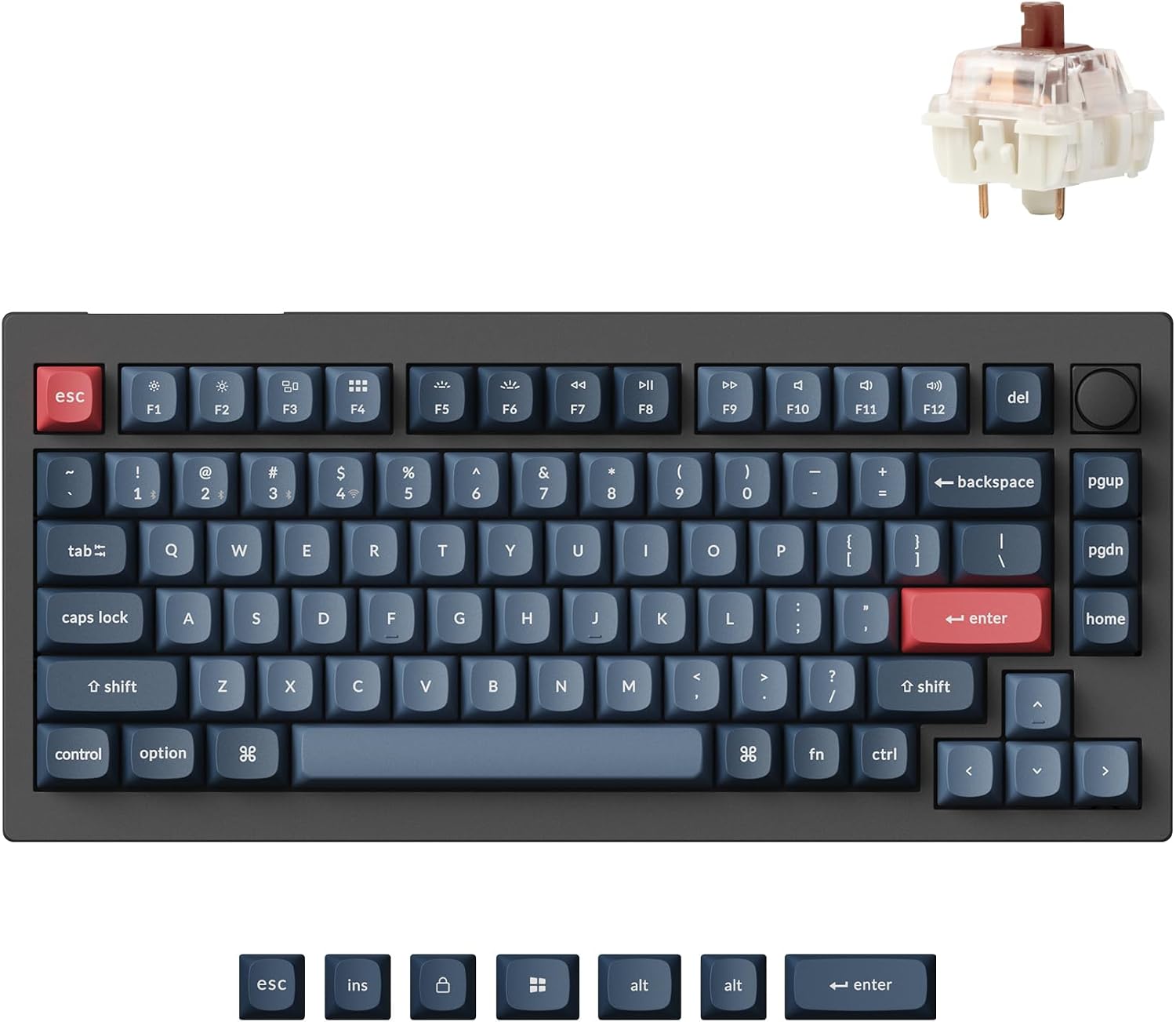 Visit on Amazon → Visit on Amazon →Keychron V1 Max QMK Wireless Mechanical Keyboard, 75% Layout Custom Knob |
75% | Wireless | QMK and VIA remapping, custom knob | All-day typing and coding | Visit on Amazon → |
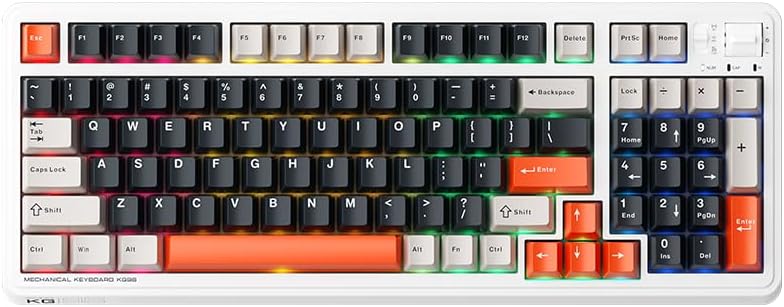 Visit on Amazon → Visit on Amazon →Machenike KG98 Wireless Mechanical Keyboard, Hot Swap, RGB, 98 Keys |
98 keys | Wireless | Hot-swap sockets, RGB | Number pad users who want one cable off the desk | $99.99 |
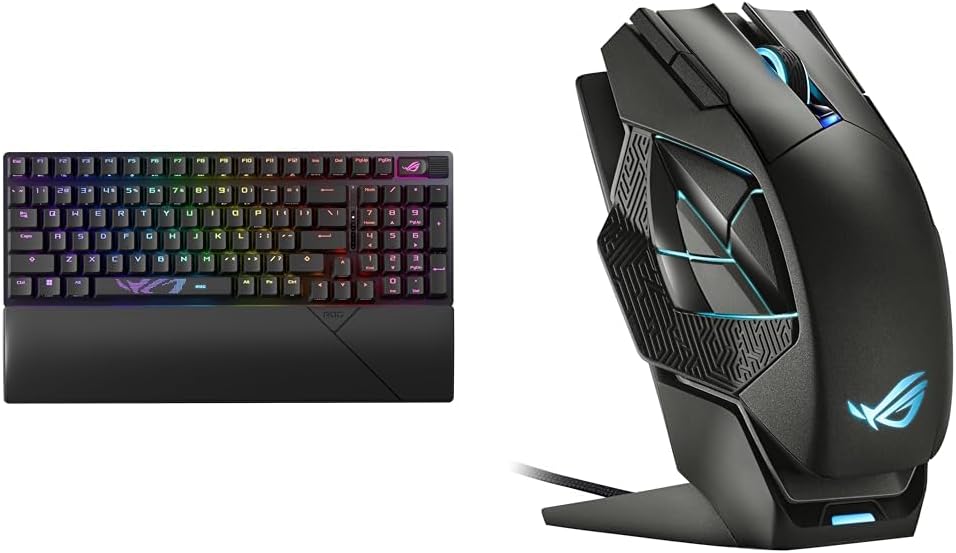 Visit on Amazon → Visit on Amazon →ASUS ROG Strix Scope II 96 Wireless Gaming Keyboard and ROG Spatha X Wireless Gaming Mouse with Magnetic Charging Stand |
96% | Wireless | Keyboard and mouse bundle with charging stand | Building a desk from scratch | $246.41 |
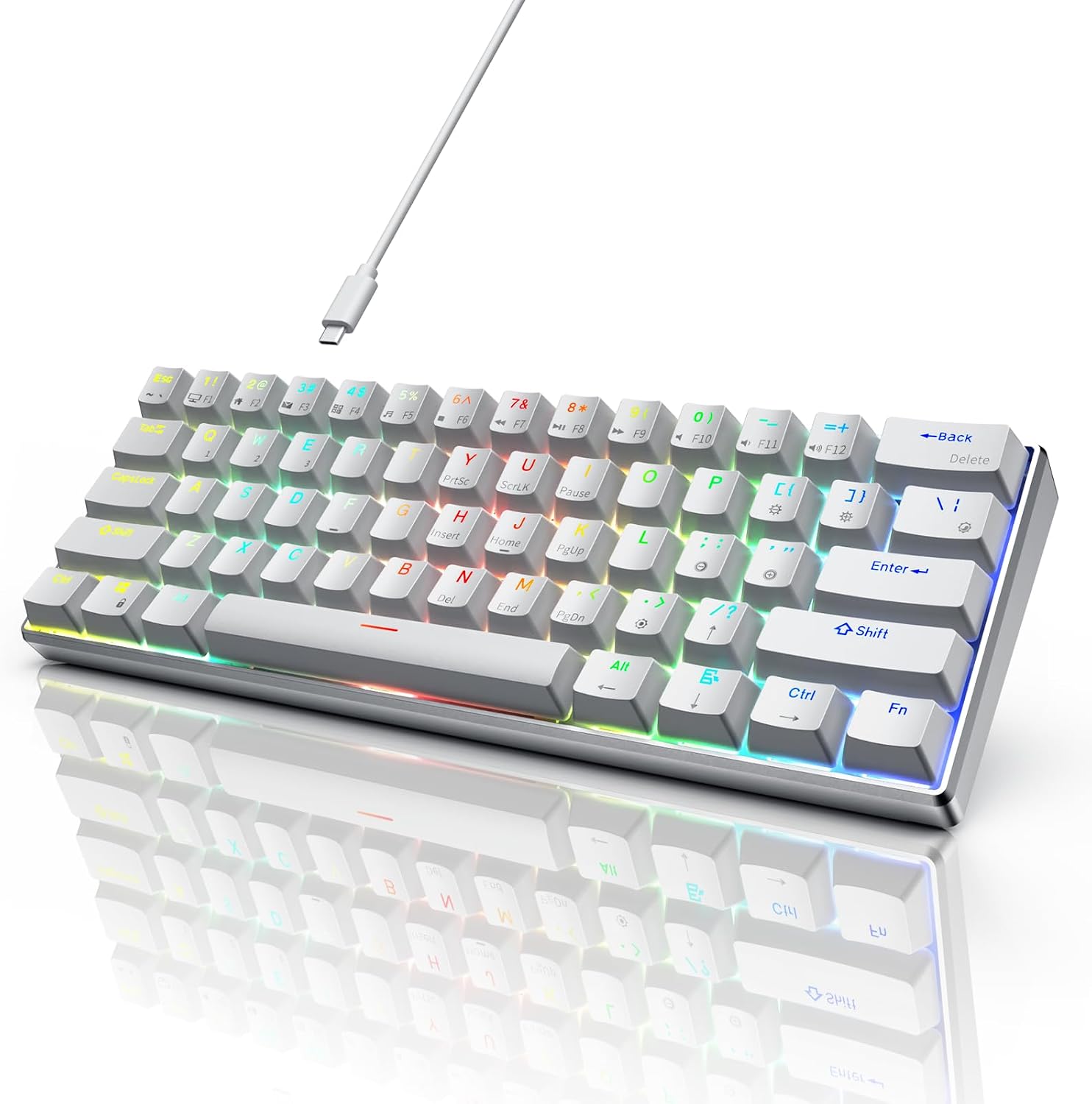 Visit on Amazon → Visit on Amazon →RK ROYAL KLUDGE 60% Mechanical Keyboard RK61 Pro, Wired Gaming Keyboard Aluminum Frame, Programmable RGB Backlit 61 Keys Ultra-Compact, Gateron Brown Switch, White |
60% | Wired | Aluminum frame, Gateron Brown switches | Small desks and first mechanical boards | $29.99 |
Should you buy the Keychron V1 Max?
Yes, for most people who type for a living. The 75% layout keeps every key you actually press, QMK and VIA support means you can remap it without installing anything you will regret, and the knob is more useful than it looks. If you want one board that handles a full coding week and still leaves desk space for a notebook, this is the pick.
Should you buy the Machenike KG98?
Yes, if you need a number pad and want it wireless. Ninety-eight keys gives you the full key set in a narrower frame, and hot-swap sockets mean the board survives your taste changing. Verify the socket compatibility before ordering, and be ready to live with whatever software the RGB requires.
Should you buy the ASUS ROG bundle?
Yes, if you are buying a keyboard and a mouse at the same time and you like the aesthetic. Two devices, one wireless ecosystem, one charging stand. If you already own a mouse you love, buy the keyboard separately or look at the Keychron instead, because bundle money only makes sense when you would have chosen both halves anyway.
Should you buy the RK61 Pro?
Yes, if your desk is small or your budget is tight. It is a wired 60% board in an aluminum frame with tactile Gateron Brown switches and programmable lighting, and it is the cheapest way to find out whether you actually like a mechanical keyboard. Just be honest about the arrows. If you navigate text with them constantly, this is not your board.