Hall Effect mechanical keyboards have gone from a niche gaming curiosity to a mainstream option in about two years, and the spec sheets have not gotten any easier to read. Magnetic switches promise adjustable actuation and fast trigger modes, but the board wrapped around those switches still decides whether you enjoy typing on it: key count, case size, connection type, and whether the switches can be replaced at all. This guide compares six products listed at retail, from compact 60% boards to tenkeyless options to a pack of loose switches for a board you already own, so you can match the hardware to the way you actually work.
None of these are borrowed samples or pre-release units. Each product is described from its own manufacturer listing, and every card below points to the exact product it names.
Related: Hall Effect vs Mechanical Switches: What Actually Changes at the Desk
Quick answer
The AULA WIN68 HE is the strongest fit for a first Hall Effect mechanical keyboard because it pairs magnetic switches with adjustable actuation, a fast trigger mode, an 8000Hz polling rate, and RGB backlighting in a compact 60% wired layout. Choose the Razer Huntsman V3 HE Magnetic TKL instead when you want a function row and dedicated arrow keys, or the Razer Huntsman V3 HE Magnetic Mini 65% when you want most of that layout in a smaller footprint.
What is worth comparing in a Hall Effect keyboard
Five differences separate the products in this guide, and only one of them is the switch.
Layout and key count. The AULA WIN68 HE is a 60% board, which means no dedicated arrow keys and no separate function row. The Razer Huntsman V3 HE Magnetic Mini is a 65% board, which keeps a compact footprint while adding a few keys back. The Razer Huntsman V3 HE Magnetic TKL is tenkeyless, so you get arrows and a function row but no number pad. Layout is the decision you cannot undo later, so make it first.
Switch technology. Three of these boards use magnetic Hall Effect switches, which register a press by measuring magnet position rather than by closing a metal contact. The other products here use traditional MX-style mechanical switches. The two families feel different, and the difference matters more for fast trigger behavior than for typing comfort.
Actuation and trigger features. The AULA listing specifies adjustable actuation and a fast trigger mode, which is the whole point of a magnetic board. If those two features are not on the listing, treat the board as a standard mechanical keyboard that happens to be quiet about it.
Polling rate and connection. The AULA and both Razer boards list an 8000Hz polling rate over a wired connection. The Redragon K521 Pro is wireless, which is the trade you make when you want a clean desk more than you want the highest listed polling figure.
Compatibility and extras. The Cherry MX switch pack is a three-pin, 24-piece set, so it only makes sense if your board has hot-swap sockets that accept three-pin switches or you plan to solder. The Redragon adds a built-in screen. Confirm the small details before you buy, because none of them can be added afterward.
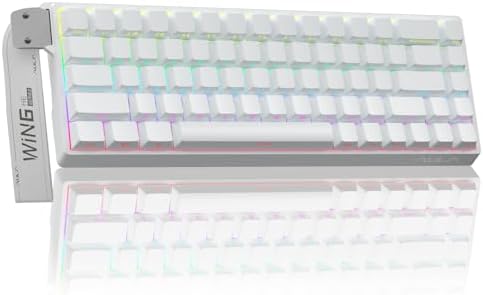
AULA WIN68 HE Mechanical Gaming Keyboard 60%, Hall Effect Magnetic Switch, Fast Trigger Mode Adjustable Actuation, 8000Hz Polling Rate, RGB Backlit, Wired Black Keyboard for Laptop/PC Gamer
A 60% wired board built around Hall Effect magnetic switches, with adjustable actuation, a fast trigger mode, an 8000Hz polling rate, and RGB backlighting in a black case for laptop or desktop use.
Visit on Amazon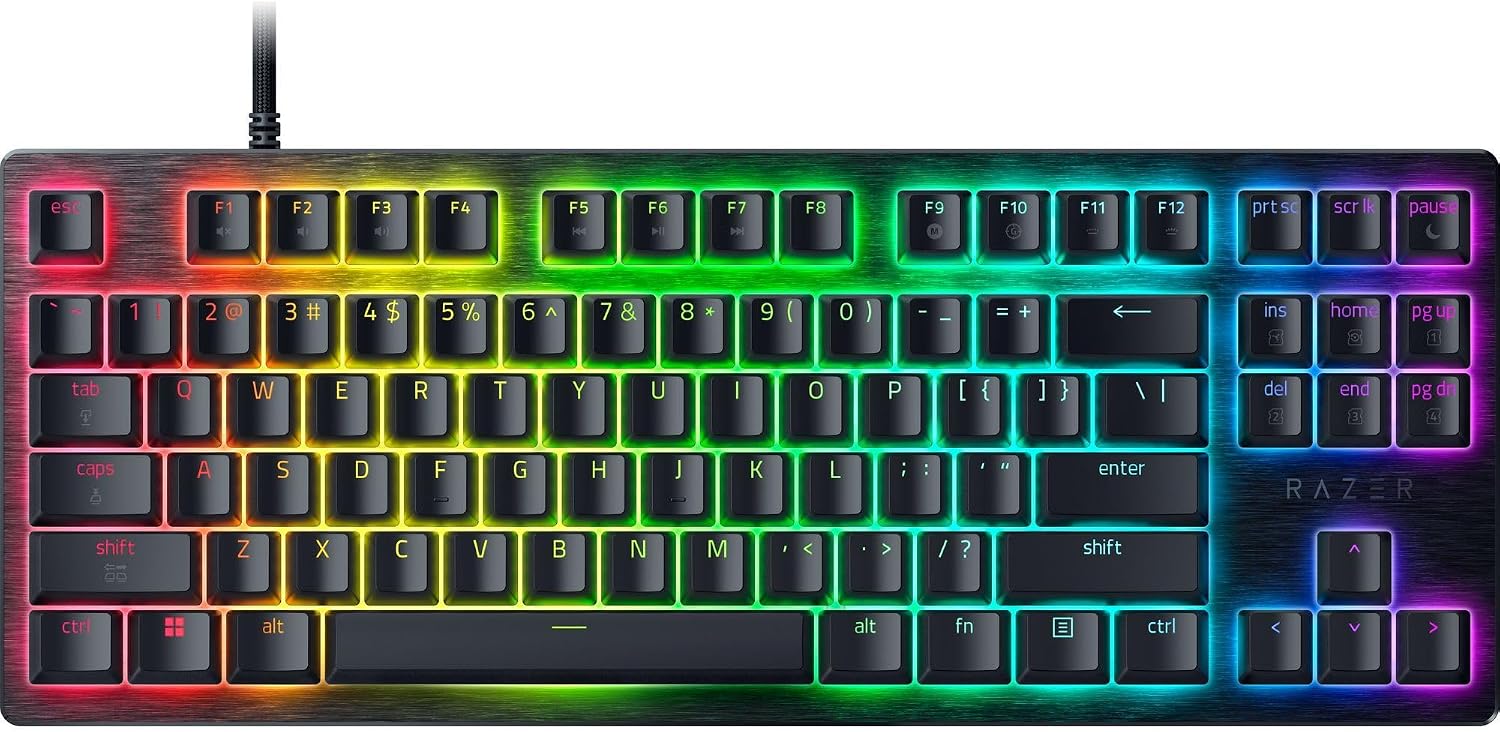
Razer Huntsman V3 HE Magnetic TKL 8KHz Wired Gaming Keyboard
A tenkeyless wired keyboard with magnetic Hall Effect switches and an 8KHz polling rate, aimed at buyers who want arrow keys and a function row without a number pad.
Visit on Amazon
Razer Huntsman V3 HE Magnetic Mini 65% 8KHz Wired Gaming Keyboard
The 65% version of the same magnetic switch design: wired, listed at an 8KHz polling rate, and sized between a 60% board and a tenkeyless one.
Visit on Amazon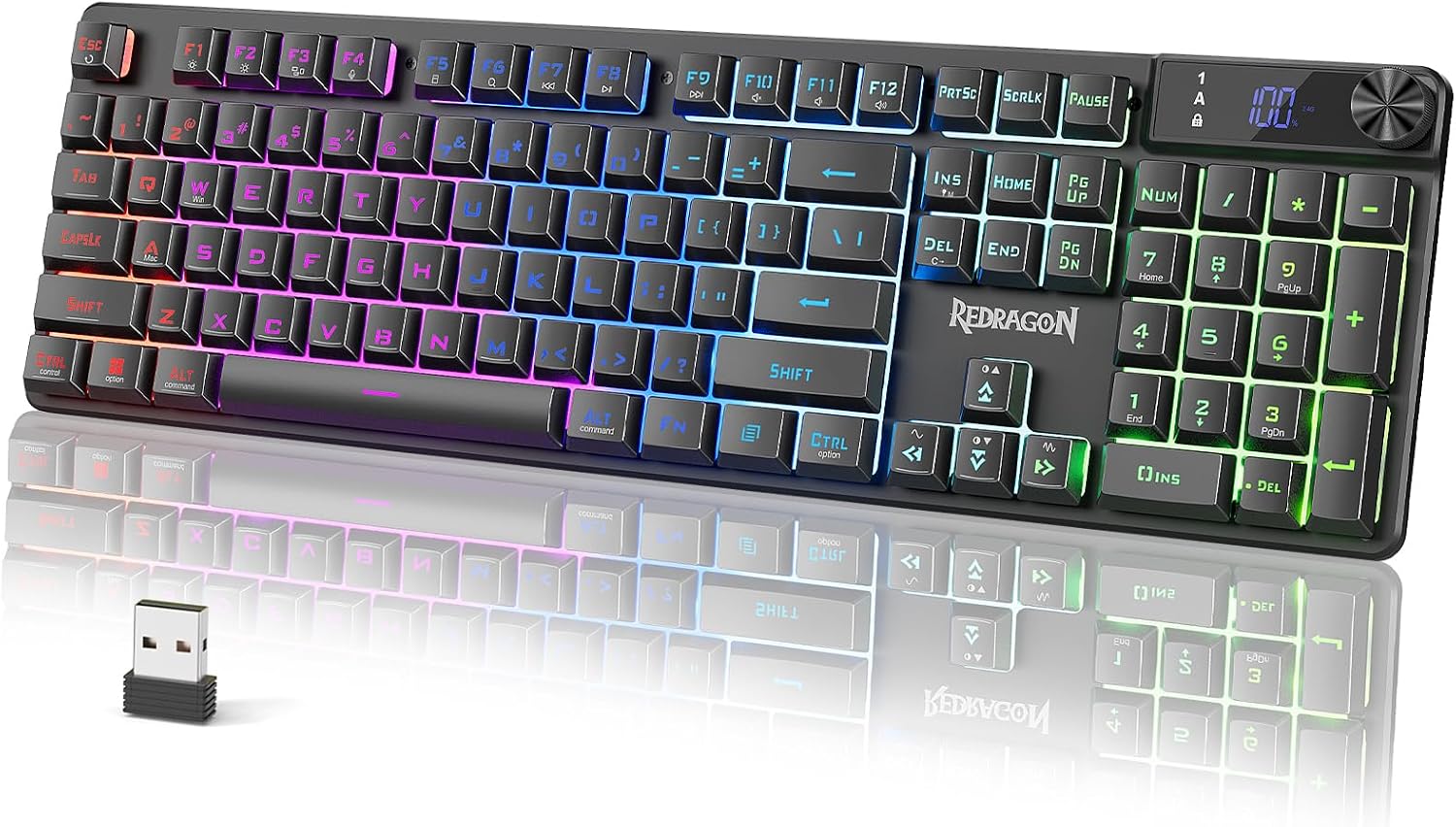
Redragon K521 Pro Wireless Gaming Keyboard with Screen
A wireless gaming keyboard with a built-in screen, for desks where a cable is the thing you notice most. Check the listing for the screen's functions and the wireless details.
Visit on Amazon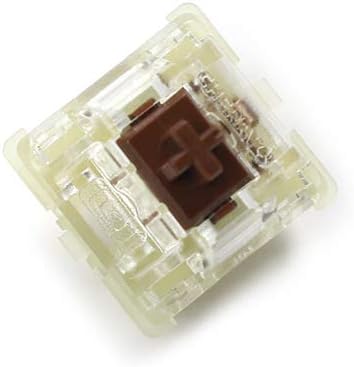
Wholesales Authentic SMD RGB Cherry mx Switch 3 pin Mechanical Keyboard Speed Silver Silent red Blue Pink Switches (Brown 3 pin, 24 pcs)
A 24-piece pack of three-pin Cherry MX Brown switches, listed as SMD RGB compatible. This is a replacement or spares purchase, not a keyboard, and it requires hot-swap sockets that take three-pin switches or a soldering iron.
Visit on Amazon
PetAg KMR Kitten Milk Replacer Liquid - 16 oz, Pack of 3 - Ready-to-Feed Formula with Vitamins for Newborn Kittens to 1 Year - Easy to Digest
A ready-to-feed kitten milk replacer with vitamins, sold as three 16 oz bottles and intended for newborn kittens up to one year. This is not a keyboard and is not part of the typing recommendation in this guide.
Visit on AmazonPrices and availability may change. Check the retailer for current details.
How these products were compared
This guide compares key count and layout, switch technology, the actuation and trigger features a listing actually states, polling rate and connection type, and switch compatibility for buyers who are shopping for loose switches rather than a whole board. Product names, images, and retailer links are matched by listing so that every card points to the product shown.
Nothing in this guide is presented as hands-on bench testing. Where a figure appears, it comes from the product listing itself, and where a listing is silent, this article says so instead of filling the gap. That is deliberate: magnetic switch boards are marketed with a lot of numbers, and the only ones worth trusting in a buying decision are the ones you can verify on the page before you pay.
How to choose the right keyboard
Start with key count, not switches. If you use arrow keys constantly while writing, editing, or navigating a spreadsheet, a 60% board will cost you more in daily friction than any switch upgrade can repay. A 65% layout keeps the arrow cluster in a smaller frame, which is why it is the compromise most people land on. Tenkeyless is the safe pick if you want a function row and you never touch a number pad, and it is the layout with the fewest surprises.
Then decide whether you actually need magnetic switches. Hall Effect boards exist to give you adjustable actuation and fast trigger behavior, and both features are aimed at games where the moment you release a key matters as much as the moment you press it. If you type prose and code all day and never play competitively, a standard mechanical board does the same job, and a pack of good switches will change your typing feel more than a polling rate will.
Connection is the next fork. Three boards here are wired, which is the simplest path to a consistent 8000Hz polling rate and one fewer thing to charge. The Redragon K521 Pro is the wireless option in this group, and it also carries a built-in screen, so it suits a desk where cable clutter is the real complaint. If you split time between a laptop and a desktop, decide now whether you are willing to carry a cable.
Finally, read the switch listing before you buy loose switches. Three-pin and five-pin sockets are not the same thing, and a 24-piece pack will not fill a full-size board. If you are weighing layouts before you buy anything, our layout comparison walks through what each size costs you in keys.
AULA WIN68 HE
The AULA WIN68 HE is the pick here because it bundles the full Hall Effect feature set into a single compact board: magnetic switches, adjustable actuation, a fast trigger mode, an 8000Hz polling rate, and RGB backlighting, all in a 60% wired frame listed for laptop and PC use. For a first magnetic board, that combination covers the features people actually go looking for without forcing a second purchase.
The trade-off is the layout. A 60% board drops the arrow cluster and the function row, so every one of those keys has to come from a layer, and the board is wired only. If you have never used a 60% keyboard, expect an adjustment period measured in days rather than minutes, and check whether your workflow depends on arrow keys before you commit. The listing also does not state switch socket type, so if you plan to swap switches later, confirm that detail with the seller first.
Alternatives to consider
The Razer Huntsman V3 HE Magnetic TKL is better suited to a desk where arrow keys and a function row are non-negotiable, while the Razer Huntsman V3 HE Magnetic Mini 65% is a stronger fit when you want a compact board but are not ready to give up the arrow cluster entirely. Both are wired and both list an 8KHz polling rate.
The Redragon K521 Pro Wireless Gaming Keyboard with Screen covers the cable-free case, and the screen is the differentiator if you like status readouts on the board itself. The Cherry MX three-pin switch pack covers the buyer who already owns a hot-swap board and wants a different switch feel without buying a whole keyboard, and it is the only product here that requires you to open something up. One card in the grid above is not a keyboard at all: the PetAg KMR Kitten Milk Replacer is a ready-to-feed formula for newborn kittens, listed for completeness rather than as a typing recommendation.
Day-to-day use and maintenance
A keyboard is a tool you touch thousands of times a day, so most of the maintenance is unglamorous. Keep drinks away from the board, dust the plate and the gaps between keycaps regularly, and use a soft brush rather than a wet cloth. If your board uses magnetic switches with adjustable actuation, check the manufacturer's software or driver page periodically, because those settings live in firmware and can be changed after purchase. Wired boards only need the cable treated with some care: avoid tight bends at the connector, and use a strain relief if the cable runs off the back of a desk.
If you buy the loose switch pack, keep the spares in a dry container and away from direct sun, and confirm the socket type before you start pulling switches. Never force a switch into a socket; three-pin switches in a five-pin-only socket, or the reverse, is a fast way to damage a board. For the kitten formula, follow the storage and feeding instructions printed on the label, and treat it as a completely separate purchase from anything keyboard related.
Buying checklist
- Measure your desk space and decide whether you need arrow keys and a function row.
- Choose 60%, 65%, or tenkeyless based on daily typing rather than an occasional edge case.
- Decide between wired and wireless before you fall in love with a feature list.
- Confirm the exact model includes the feature you care about, such as adjustable actuation or a screen.
- Check switch socket type and pin count before buying a switch pack.
- Verify the current retailer price, availability, and return terms before you order.
Final recommendation
Choose the AULA WIN68 HE when you want a first Hall Effect mechanical keyboard with adjustable actuation, a fast trigger mode, and an 8000Hz wired connection in a small frame, and you are comfortable living without arrow keys on their own layer. Choose the Razer Huntsman V3 HE Magnetic TKL when you want the same magnetic switch approach with a function row and arrow keys in the layout, or the Razer Huntsman V3 HE Magnetic Mini 65% when the smaller 65% footprint matters more. If a cable is the problem, the Redragon K521 Pro is the wireless option here, and if you already own a hot-swap board, the switch pack is the cheaper way to change how it feels.