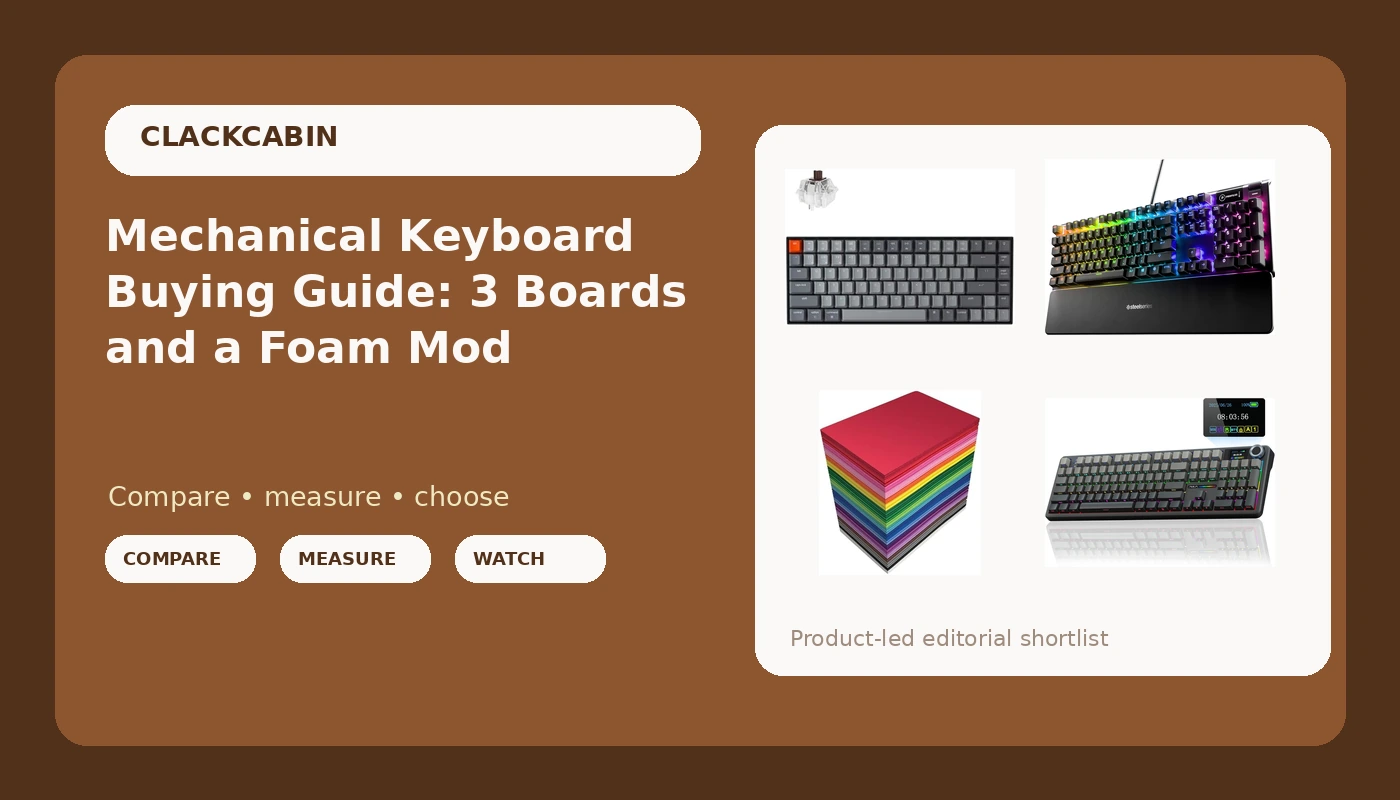
Most mechanical keyboard roundups sort boards by price and call it a day, which is how people end up with a keyboard that felt fine in the store and annoys them by month two. This mechanical keyboard buying guide does it differently: three keyboards, three genuinely different jobs, and one item that is not a keyboard at all. Two of the boards are wireless, one is wired, one is full size, one is a 75 percent layout, and one is a hybrid. The foam is the part most guides leave out, and it is also the cheapest way to change how any of these boards sounds. Nothing here is a group buy, nothing requires a fourteen-month wait, and every item can be bought today.
Related: How to Fix Rattly Stabilizers Without Desoldering →
Quick answer
There is no single best board in this group, because the three keyboards do different jobs. Choose the AULA F108 PRO if you want a full-size wireless keyboard with a screen, a knob, hot-swappable sockets and a large battery. Choose the Keychron K2 if you want a compact 75 percent layout with Bluetooth, USB-C and Mac and Windows support. Choose the SteelSeries Apex 5 if you want a wired hybrid board with per-key RGB and an OLED display. Add the Better Office Products foam sheets if you plan to open a board and damp it.
Four useful options
| Model | Best fit | What stands out |
|---|---|---|
| AULA F108 PRO Wireless Mechanical Keyboard | Full-size desks that want wireless and on-board controls | Screen and knob, 8000mAh battery, hot-swappable sockets |
| Keychron K2 75% Layout Bluetooth Wireless Mechanical Keyboard | Compact Mac and Windows setups | 84-key 75 percent layout, Bluetooth, USB-C |
| SteelSeries USB Apex 5 Hybrid Mechanical Gaming Keyboard | Wired gaming and work desks | Hybrid mechanical switches, per-key RGB, OLED smart display |
| Better Office Products Foam Sheets | Keyboard modding and craft projects | 100 sheets of 2mm EVA foam in 20 colors |
The full-size wireless option: AULA F108 PRO
The trade-offs here are the trade-offs of full size in general. A 100 percent layout eats desk space and pushes your mouse hand further out, which matters more at hour six of a shift than at minute six. The screen and knob are real controls rather than decoration, but they are also two more components that can develop a fault, so buy this board because you want on-board adjustment, not because a display photographs well. Side-printed keycaps put the legends on the front face, which sidesteps the north-facing LED clash that ruins backlighting on tall keycap profiles, and costs you a little legibility at a glance. Pre-lubed means factory lubed, which is not the same as hand lubed: expect an improvement over a dry switch, not a boutique build.
The compact 75 percent option: Keychron K2
The K2 is the board on this list with the longest public track record, and the Version 2 label is the tell. The 75 percent shape keeps the arrows and the function row while cutting the numpad, which is the right compromise for a laptop-first desk and the wrong one if your day is mostly spreadsheets. It is listed for Mac and Windows, which matters if you switch between a work machine and a personal one. The backlight is white, and white is all it is; if you want per-key color, no firmware update will add it. Hot-swap sockets are not part of the K2 name as listed here, so treat a switch swap as a soldering job until you confirm the exact variant you are buying.
The wired hybrid option: SteelSeries Apex 5
Hybrid mechanical is the honest label for what this board is: a switch that gives a mechanical-feeling actuation without being a standard MX-style mechanical switch in the enthusiast sense. That makes it a reasonable pick for someone who wants the typing feel, the lighting and the gaming features, and who does not care about swapping switches later, because hybrid switches are not the part you pull and replace. The OLED smart display is the differentiator, and it earns its keep only if you actually use it for settings and status; otherwise you are paying for a screen you will set once. The aluminum alloy frame is a build-feel upgrade you can judge with your hands, which is more than can be said for the word premium on a spec sheet. Wired USB means no battery to manage and no wireless connection to troubleshoot.
The mod material: Better Office Products Foam Sheets
Foam is where a buying guide stops being about buying and starts being about tuning. The standard use is the foam mod: cut a layer to fit between the plate and the PCB, close the board back up, and listen. At 2mm, EVA craft foam is thick enough to matter and thin enough to fit most tray-mount cases without forcing the two halves apart. Too much foam and the board feels stiff, the case stops closing cleanly, or the layer presses somewhere it should not, so start with a single layer and test before you commit. A 100-sheet pack in 20 colors is far more foam than one keyboard needs, which is fine, because the leftovers are still craft foam. If you have never opened a keyboard, this is the lowest-risk first mod you can attempt.
Prices and availability may change. Product images, names, and retailer links are matched to verified listings. No current price, rating, stock status, or measured result is stated here without current evidence.
Layout, switches, and what the spec sheet will not tell you
Layout is the first decision and the one people regret most. Full size gives you a numpad and the widest footprint. Tenkeyless and 75 percent cut the numpad and keep the function row. The Keychron K2 sits at 75 percent with 84 keys, which is the shape most laptop users adapt to fastest. The AULA F108 PRO is full size, which is the right call if you type numbers all day and the wrong call if your desk is narrow.
Switch type is the second decision, and it is the one spec sheets describe worst. Linear switches are smooth with no bump. Tactile switches have a bump you feel at the actuation point. Clicky switches add an audible click that will end a meeting. Hybrid mechanical, as on the SteelSeries Apex 5, is its own category, and you should not buy it expecting to pull switches later the way you would on a standard MX-style board.
Hot-swap sockets decide whether a board is a platform or a purchase. Sockets let you change switches with a tool instead of an iron, and that is the difference between a keyboard you keep for five years and one you replace when you get bored. The AULA F108 PRO lists them. If a listing does not mention them, assume they are absent until you confirm otherwise.
Wireless is a set of claims, not a feature. Look for battery capacity in milliamp hours, the connection types supported, and whether the board runs wired while it charges. An 8000mAh battery is a number you can compare against another number. Long battery life is not.
Finally, check keycap profile against your lighting. North-facing LEDs sit above the switch and can clash with tall Cherry-profile caps, which is why side-printed legends exist. If backlighting matters to you, this detail decides whether you like the result.
A five-step way to choose
- Pick the layout first. Count the keys you press in a normal day. If you use a numpad, buy full size. If you do not, a 75 percent board buys back desk space you will notice.
- Decide wired or wireless based on how the board gets used. A board that never moves can be wired with no downside. A board that travels or gets repositioned benefits from wireless, and then battery capacity becomes the spec that matters.
- Decide whether you will ever change switches. If the answer is maybe, hot-swap sockets are a requirement rather than a nice-to-have, because the alternative is soldering.
- Decide whether you need per-key RGB or will accept single-color backlighting. This is the single fastest way to cut a shortlist in half, and it is a taste question, not a quality question.
- Budget for the mod, not just the board. A foam layer, a switch puller and a keycap puller cost a fraction of a keyboard and change how it sounds and how easy it is to service.
What to check before you buy
- Confirm the exact variant. Boards like the Keychron K2 exist in multiple revisions, and switch options and socket support differ between them.
- Check hot-swap compatibility if you plan to swap. Three-pin and five-pin switches are not interchangeable on every socket.
- Read the connectivity list, not the word wireless. Bluetooth, a 2.4GHz dongle and wired USB are three different experiences.
- Check what is in the box: cable type, keycap sets for Mac and Windows layouts, and any tools included.
- Leave room in the budget for foam, pullers and a spare keycap set. Accessories are where a good board becomes a board you keep.
Which option should you choose?
Choose the AULA F108 PRO Wireless Mechanical Keyboard when you want a full-size wireless board with a screen, a knob, hot-swap sockets and a large listed battery. Choose the Keychron K2 75% Layout Bluetooth Wireless Mechanical Keyboard when you want a compact 75 percent board that works with both Mac and Windows and you do not need per-key color. Choose the SteelSeries USB Apex 5 Hybrid Mechanical Gaming Keyboard when you want a wired hybrid board with an aluminum alloy frame, per-key RGB and an OLED display. Add the Better Office Products Foam Sheets when you plan to open any of them and damp the case.
One caveat worth stating plainly: a buying guide can tell you what a listing says, and it cannot tell you what a board sounds like at 40 centimeters or how it holds up at 300,000 keystrokes. Those numbers come from a bench protocol and a long trial, and they belong in a full review, not in a shortlist. Use this page to narrow the field, then verify the exact variant, the switch type and the socket support before you commit.
The bottom line
Three keyboards, one pack of foam, and four different answers to the same question. The AULA F108 PRO covers the full-size wireless desk with the most configurable feature set. The Keychron K2 covers the compact, cross-platform desk with a layout that has survived multiple revisions. The SteelSeries Apex 5 covers the wired desk that wants lighting and a display. And the foam sheets cover the part nobody puts in a buying guide, which is that most boards get better once you damp the case. Buy the layout you will actually type on, confirm the sockets before you plan a switch swap, and keep a few dollars back for the mod.