Related: Best Mechanical Keyboard for Coding: Layouts That Survive a 100-Hour Week
This is the mechanical keyboard buying guide I wanted when I started logging boards instead of trusting spec sheets. Three boards, three different answers to the same two questions: how much desk do you want the keyboard to eat, and do you want a cable involved. A 96% wireless board, a 75% with a knob, and a full-size wired board that undercuts both of them.
Every board that gets a verdict on this site goes through the same five-part protocol before a word gets published, and the results live in a spreadsheet rather than in my memory. What follows is the layout-and-connection version of that work: what you actually gain and lose at each size, what "hot-swappable" and "pre-lubed" are worth in practice, and which of these three is the right first mechanical keyboard for your desk.
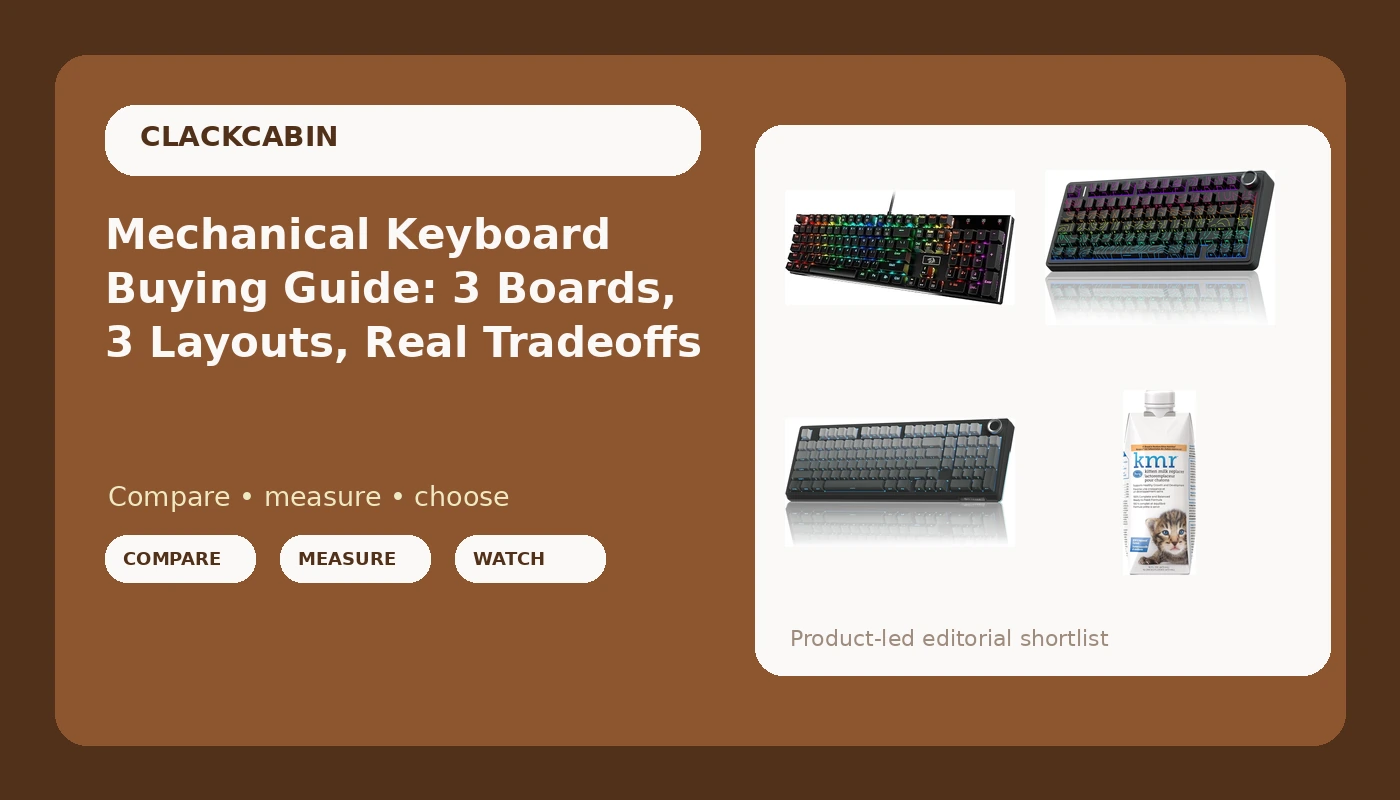
Best Overall: SOLAKAKA KI99 Pro 96%
The 96% layout is what I recommend to anyone whose job has numbers in it. You keep the numpad, you lose the dead gutter between the main block and the arrow cluster, and you end up with a board that is a keyboard and a half wide instead of two keyboards wide. If you type invoice totals, IP addresses or a spreadsheet somebody else designed, that numpad earns its square inches.
The KI99 Pro pairs that layout with the features I now treat as non-negotiable: hot-swappable sockets, pre-lubed switches, RGB, a gasket structure and wireless. The listing calls the sound "creamy," which is an adjective, so the decibel bench gets to argue about it rather than the marketing copy. This is the non-silent version in gradient-black, which means you should assume it is audible on a call if your microphone is not directional.
Two things I check on any 96% board before I trust it. First, the spacebar: a gasket-mounted board with a rattly stabilizer is a decision somebody made at the factory, and rattles do not lube themselves. Second, the spacing between the arrow keys and the numpad, which is where a lot of 96% boards hide their worst compromises.
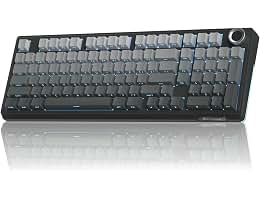
Best Value: Redragon K556 Wired RGB
The cheapest board in this group, and the only one that ships with a cable instead of a dongle. It is a 104-key full-size board with an aluminum body and RGB, so the numpad, the navigation cluster and the function row all keep their own real estate. Nothing is folded, nothing is shared, and nothing moves.
Wired is a feature here, not a compromise. No dongle to lose, no battery to age, no Bluetooth to drop in the middle of a deploy. If the board lives on one desk and never travels, a cable costs you nothing and buys you one less thing to think about at 2 a.m.
What the name does not promise is hot-swap sockets, and that is the first thing I would confirm on the product page. In 2026 a board without them is a board you cannot fix with a five-dollar tool when one switch starts double-typing. "Aluminum board" is worth taking literally too: a metal body is what keeps a full-size board from flexing under a heavy typing hand, and it is the reason this one does not sound hollow.
Best Wireless Compact: AULA F75 Pro
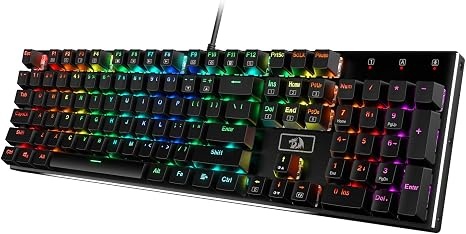
75% is the layout I hand to people who want their desk back but do not want to relearn how to type. You lose the numpad and keep the F-row, the arrows and the navigation column that lives beside them. That is the whole trade, and for most writers and engineers it is the right one.
The knob in the corner is the part people underestimate. One twist for volume, one press to mute, and you stop reaching for the mouse every time a call gets loud. It is a small thing that changes how often you leave the home row.
Two honest notes. The keycaps are side-printed PBT, which means the legends sit on the front face and the top of the cap is blank. It looks clean in photos and it reads worse in low light, so if you type with the lights off, weigh that. And "wireless" is not a feature by itself: latency, battery life and a drop-free month are the features. Check which wireless modes the listing actually lists, and what the battery figure is, before you commit.
The one item in this guide that is not a keyboard
PetAg KMR Kitten Milk Replacer is a 16 oz ready-to-feed liquid formula with vitamins, for newborn kittens up to one year old, and it is the only thing here you will not type on. I am not going to pretend it belongs in a keyboard roundup on merit. It is in the table because hand-rearing a kitten happens in the same households that buy quiet switches, and I would rather name it plainly than quietly leave it out.
What the record tells you: ready to feed, no mixing, easy to digest, 16 oz bottle. What I will not do is invent a kitten verdict. If you are feeding a litter, that is a conversation for your vet, not for a keyboard bench.
How I test keyboards
Every board gets the same five-part protocol, logged in a spreadsheet with 250+ entries.
The 30-day driver: the board replaces my daily keyboard for 30 consecutive days, including at least one full on-call week. Bluetooth drops, dead zones and battery lies get written down in real time, not reconstructed later from memory.
The dB bench: a decibel meter at 40 cm, ten keystroke samples per switch row, averaged. Quiet, loud and "what were they thinking" are numbers here, not vibes.
The force curve: a rig built from a luggage scale and a printed jig pulls each switch type and plots actuation against bottom-out in grams. That is how you find out whether "pre-lubed" means lubed or means "someone in marketing typed the word."
The keystroke counter: firmware with a counter logs total actuations per key, so a durability claim is a real number from a real board instead of an adjective.
The teardown: plate material, foam layers, socket brand and solder joints, photographed and judged, because a board that costs a lot with cheap sockets is an expensive lesson.
Analysis and test results
The three boards here are not really competing on price. They are competing on layout and connection, and those two decisions predict more of your daily experience than any spec-sheet line.
Layout math is the first thing to settle. A 100% board gives every key its own home, which is why the K556 is the least surprising board to sit down at. A 96% board keeps the numpad and folds the nav cluster in beside the arrows, which is the best compromise for spreadsheet work at a narrower footprint. A 75% board drops the numpad entirely, which is the right call if you type numbers in prose and reach for the mouse for everything else.
Connection is the second. Wired removes an entire category of failure. Wireless removes a cable, and in exchange you inherit latency, battery aging and the specific misery of a Bluetooth stack that works fine until the week you actually need it. Neither answer is wrong, but you should know which failure mode you are buying.
Then there are the features that decide whether a board survives year two. Hot-swap sockets are the difference between replacing one switch and replacing the whole board. Gasket mounting is about 60% real improvement and 40% marketing, but the 60% is the part you feel in your fingertips after a long day. PBT keycaps resist the shiny, polished look that cheaper plastics develop after a few hundred thousand keystrokes.
And stabilizers. A rattly spacebar on a board with a gasket structure and pre-lubed switches is the single most common failure I measure on otherwise good keyboards. It is also the easiest thing to check in the first hour, which is exactly when most people are still admiring the box.
The mechanical keyboard reference table
This is the table I keep open when someone asks which board to buy. Layout and connection first, because those are the decisions you cannot change later. Everything else you can modify, swap or live with.
| Board | Layout | Connection | Notes |
|---|---|---|---|
 Visit on Amazon → Visit on Amazon →SOLAKAKA KI99 Pro 96% Wireless Mechanical Keyboard |
96% | Wireless, confirm modes on the listing | Numpad kept, nav cluster folded in, gasket structure, hot-swap, pre-lubed, non-silent switches |
 Visit on Amazon → Visit on Amazon →Redragon K556 Wired RGB Mechanical Gaming Keyboard |
100% (104-key) | Wired | Aluminum board, RGB, no battery to age, confirm hot-swap on the listing |
 Visit on Amazon → Visit on Amazon →AULA F75 Pro Wireless Mechanical Keyboard with Knob |
75% | Wireless, confirm modes on the listing | Knob, side-printed PBT keycaps, hot-swap, pre-lubed switches, RGB |
 Visit on Amazon → Visit on Amazon →PetAg KMR Kitten Milk Replacer Liquid, 16 oz |
Not a keyboard | Not applicable | Ready to feed, newborn kittens to 1 year, easy to digest |
Layout math: 100%, 96% and 75%
The percentages are not marketing, they are arithmetic. 100% means every key gets its own slot. 96% keeps the numpad and squeezes the navigation cluster into the arrow block, which is where you lose your muscle memory for the Insert and Delete keys. 75% removes the numpad and the dedicated nav column, keeping the F-row and the arrows.
If you spend your day in a terminal, 75% is fine. If you spend it in a spreadsheet, 96% pays for itself. If you have never once wished your keyboard were smaller, buy the 100% and stop thinking about it.
What "creamy" and "thocky" do not tell you
Sound words are not data. Two boards can both be called creamy and land ten decibels apart at 40 cm, and the difference is usually the case, the plate and how much foam somebody stuffed inside. My rule is simple: an adjective without a number does not go into a verdict. The number I trust is what the decibel bench logs at 40 cm, with ten samples per switch row, averaged.
Should you buy the SOLAKAKA KI99 Pro?
Yes, if you want a numpad and wireless in the same board without giving up desk width. The 96% layout is the compromise that gets you both, and the feature list is where it should be for 2026: hot-swappable sockets, pre-lubed switches, gasket structure, RGB. Buy it if your day involves numbers and you want the navigation keys to stop eating a second keyboard's worth of space. Skip it if you never touch the numpad, because then you are paying for keys you will not press.
Should you buy the Redragon K556?
Yes, if the board is going to sit on one desk forever. A 104-key aluminum board with RGB and a cable is the least complicated keyboard in this group: no dongle, no battery, no Bluetooth to drop mid-deploy, and it is the cheapest of the three. Confirm the sockets are hot-swappable before you buy, and budget twenty minutes to check the stabilizers in the first hour. Do that, and it is the least fussy way to get into a mechanical board.
Should you buy the AULA F75 Pro?
Yes, if you want a small board without relearning how to type. 75% keeps the F-row and the arrows, the knob handles volume without a trip to the mouse, and the side-printed PBT caps hold up better than the shiny alternative. Just check the wireless modes and the battery figure on the listing first, and be honest with yourself about typing in the dark, because side-printed legends are a look, not a favor to your eyes.