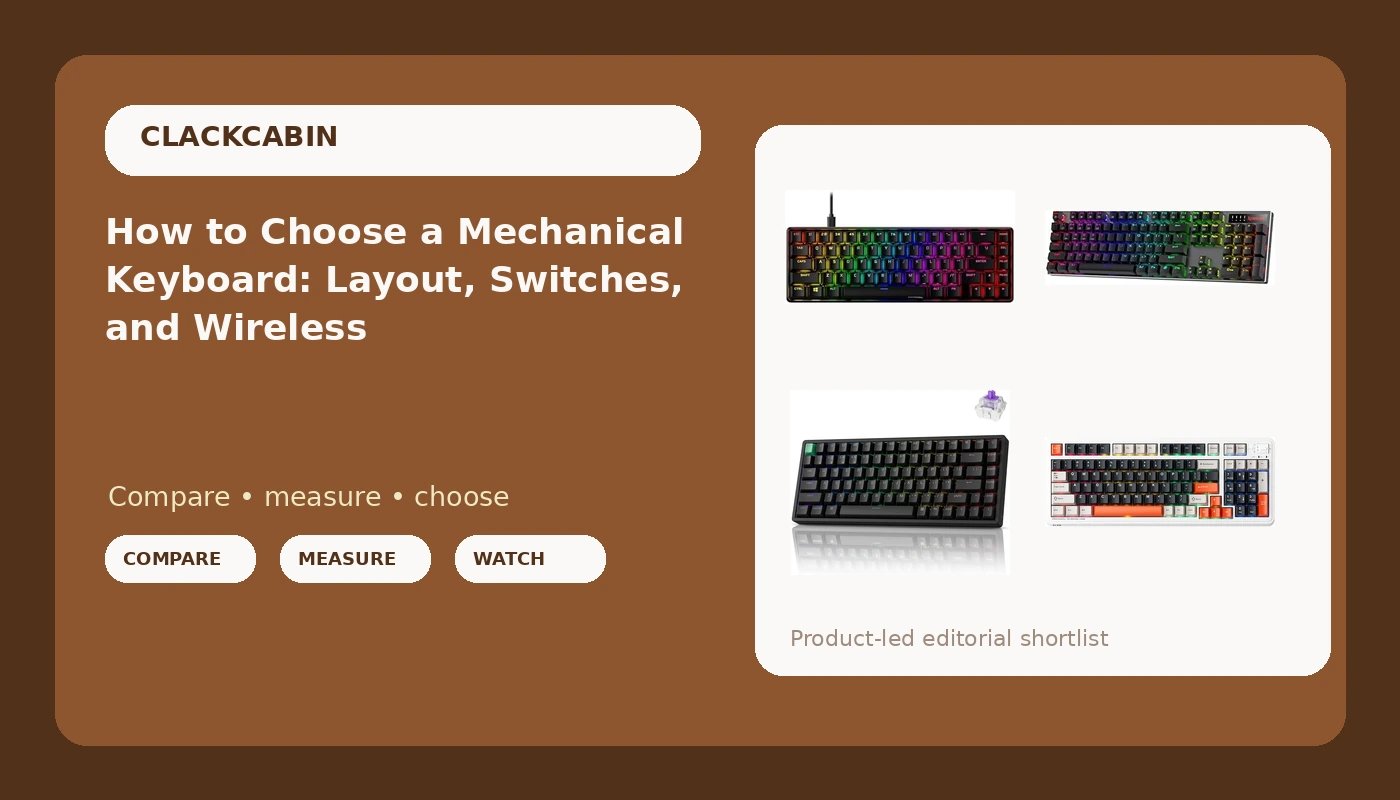
Picking a mechanical keyboard comes down to three decisions you make once and then live with for years: how many keys you actually need, what happens under the keycap when you press it, and whether the board reaches your computer over a cable or as a wireless mechanical keyboard. Most buying advice jumps straight to brand names and switch colors, which is how people end up with a board that looks excellent in photos and fights them at 2 a.m. during a deploy.
The four boards here split cleanly along those three lines. Two are compact or near-full-size wireless models, one keeps the entire 104-key layout, and one uses magnetic switches with an actuation point you can tune instead of a fixed spring position. Below, each board gets its own section, followed by the layout and switch explanations that make the choice obvious.
Related: Hot-Swap Sockets Explained: Why They Matter in 2026 →
Quick answer
There is no single keyboard that fits every desk, so match the board to the job. Choose a compact layout if you want your mouse closer and rarely touch a number pad, a full-size layout if data entry is part of your day, a hot-swap board if you plan to change switches later, and a magnetic switch board if you want an actuation point you can adjust. That is exactly how these four divide: the HyperX Alloy Origins 65 is a compact wired option, the Redragon K556 PRO is full-size and wireless, the Keychron K2 HE uses magnetic switches with rapid trigger, and the Machenike KG98 is a 98-key wireless board with hot-swap sockets.
Four useful options
| Model | Best fit | What stands out |
|---|---|---|
| HyperX Alloy Origins 65 | Compact desks, mouse-first setups | 65% form factor, linear Red switches, double-shot PBT keycaps |
| Redragon K556 PRO | Number-pad work on a wireless desk | 104-key layout, aluminum frame, wireless |
| Keychron K2 HE | Tuned actuation and rapid trigger | Magnetic switches, rapid trigger, wireless |
| Machenike KG98 | Nearly full size with room to mod | 98 keys, hot-swap sockets, wireless RGB |
Compact wired pick: HyperX Alloy Origins 65
The trade-off on any 65% board is missing keys, not missing quality. Losing the number pad and function row means two things change in daily use: the mouse sits several inches closer to your right hand, and anything you used to hit directly now lives behind a function layer. For writing and coding, that second part is usually invisible because the keys you press most are still right there. For spreadsheet work, it is a daily tax. Linear Red switches have no tactile bump, which makes them quiet in feel and smooth in travel, and double-shot PBT keycaps resist the shine that cheaper ABS caps develop. Because this board is wired, there is no wireless mode to think about at all.
Full-size wireless pick: Redragon K556 PRO
A full-size board is the least interesting choice and often the correct one. Every key has a home, nothing hides behind a modifier, and muscle memory from a decade of office keyboards transfers without a relearning week. The cost is desk space: a 104-key board pushes your mouse hand farther out, which matters more than most people expect over an eight-hour day. The aluminum frame is the other reason this board exists in this list. Metal cases reduce the hollow, plasticky resonance that cheap trays add to every keystroke, and they stay put on the desk instead of sliding during fast typing. Wireless is the bonus here, not the headline.
Adjustable magnetic switch pick: Keychron K2 HE
Magnetic switches are the biggest change in keyboard hardware in years, and the honest framing is that they matter more for some users than others. A conventional mechanical switch actuates at a fixed depth, usually around 2 mm, and resets at a fixed point on the way back up. A magnetic switch measures field strength instead, so the actuation point can sit high or low, and rapid trigger resets the key the instant you begin lifting your finger. In a game that rewards repeated taps, that reset behavior is the whole point. In prose, email, and code, it changes almost nothing, and you are paying for tunability rather than speed.
98-key hot-swap pick: Machenike KG98
Hot-swap sockets are the feature that decides whether a board ages well. With sockets, a switch that starts feeling scratchy, or a set you simply stop enjoying, gets swapped in an afternoon with a puller. Without them, changing switches means desoldering, which most people never do. The 98-key arrangement is the compromise layout: you keep the number pad that full-size buyers refuse to give up, but the arrow and navigation clusters tuck in tighter, so the board eats less desk. Wireless and RGB round it out, which makes this the most flexible of the four for someone who is not sure yet what they want.
Prices and availability may change. Product images, names, and retailer links are matched to verified listings. No current price, rating, stock status, or measured result is stated here without current evidence.
What 65%, 98, and 104 layouts actually change
Layout is the decision you feel every hour and the one buyers research least. A 65% board keeps the main typing block plus arrow keys, and drops the number pad and the dedicated function row; anything on the missing keys moves to a function layer. A 98-key board keeps the number pad and most navigation keys but compresses the spacing between clusters, so the footprint shrinks without deleting keys. A 104-key board keeps everything in its traditional place.
The practical question is not which layout is better but how often you leave the main typing block. If you live in a terminal, an editor, and a browser, a 65% board costs you almost nothing. If you enter numbers all day, the missing pad is a real cost, and the 98-key or 104-key arrangement pays for itself immediately. The second question is mouse travel. Narrower boards bring your right hand inward, which reduces shoulder reach over long sessions. That is the actual argument for small layouts, and it has nothing to do with aesthetics.
Wired, wireless, and magnetic: matching the connection to the job
Wireless keyboards reach a computer one of two ways. A 2.4GHz dongle creates a dedicated link, which is the option to pick when you want the connection to behave like a cable. Bluetooth pairs without a dongle and lets you switch between a laptop, a tablet, and a phone, which is the better fit for a board that travels or lives on a multi-device desk. Both add one thing a wired board never has: power management. Batteries need charging, and backlighting is the fastest way to drain them.
Switch behavior matters just as much. Linear switches like the Red variant on the HyperX board travel smoothly with no bump. Magnetic switches on the Keychron board replace the fixed contact point with a measured field, which is what makes rapid trigger possible. And hot-swap sockets, found on the Machenike board, let you change the switch itself later rather than replacing the keyboard.
A short decision path that works for most buyers:
- Count how often you use the number pad. Daily means 98-key or 104-key; rarely means 65% is fine.
- Measure the desk. A narrower board buys mouse room, which is the real benefit of a small layout.
- Decide on switch feel. Linear for smooth travel, tactile for feedback, magnetic if you want adjustable actuation.
- Decide on connection. Wired if the board never moves, 2.4GHz for a desktop wireless link, Bluetooth for multiple devices.
- Check the platform features you will actually use: hot-swap sockets, remapping software, and whether the RGB software is something you can tolerate.
What to check before you buy
- Confirm the layout includes the keys you press daily, not the keys you like the idea of.
- Check whether the board is wired, 2.4GHz, Bluetooth, or several of those, and whether the cable is the connector type your machine has.
- Look for hot-swap sockets if you expect to change switches; without them, switch swaps require soldering.
- Read the keycap material. Double-shot PBT resists shine far better than thin ABS.
- Decide up front whether you want software-based remapping and RGB control, because that is the feature you interact with after the novelty wears off.
Which option should you choose?
Choose the HyperX Alloy Origins 65 when you want a compact wired board with arrow keys, linear switches, and durable keycaps, and you rarely touch a number pad. Choose the Redragon K556 PRO when you need the full 104-key layout with a number pad on a wireless desk. Choose the Keychron K2 HE when adjustable actuation and rapid trigger are the point, which usually means gaming first. Choose the Machenike KG98 when you want a number pad, a smaller footprint than full size, and hot-swap sockets so you can change switches later.
One caveat applies to all four: none of these boards has been through a 30-day daily-driver trial here, so treat the descriptions above as feature-level guidance, not measured verdicts. Layout and connection type are the parts you can verify from the spec sheet, and they are also the parts most likely to make you happy or miserable.
The bottom line
Buy the layout you can live with, then the switch behavior you want, then the connection type that fits your desk. The HyperX Alloy Origins 65 is the compact wired choice, the Redragon K556 PRO covers full-size wireless work, the Keychron K2 HE brings tunable magnetic switches and rapid trigger, and the Machenike KG98 combines a 98-key layout with hot-swap sockets and wireless. If you are unsure, pick the board whose missing features you would never miss, because the keys you never press are the easiest ones to give up.