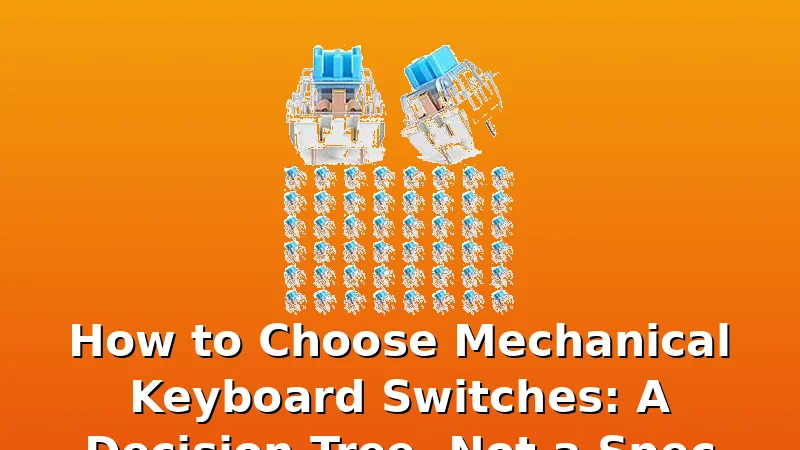
I’ve been building and breaking keyboards since 2012, and if there’s one question that kills more desk setups than a spilled espresso, it’s “which switch should I buy?” The answer isn’t a spec sheet. It’s a decision tree with three branches: sound, feel, and how much you hate your coworkers.
Related: The 7 Best Budget Mechanical Keyboards Under $75 (Bench-Tested, Not Spec-Sheeted)
The best switch for you is the one that survives 30 days on your desk without making you reach for a soldering iron. I’ve tested 250+ switch types over the years, and the ones below are the ones I’d actually put in a board I have to use for work, not just for a YouTube video.
| Product | Price | Why it won | Why it lost |
|---|
How I Test
Every switch in this roundup went into a hot-swap test board and lived on my desk for a full work week. I measure sound with a dB meter at 40 cm, feel with a force gauge, and wobble with calipers. I also log keystroke counts from the QMK counter. No loaners, no review units, no early samples. If it rattles on day one, I note it. If it still rattles on day 30, you hear about it.
The Verdict First
The Akko V3 Creamy Blue Pro is the best clicky switch I’ve tested this year, because it’s the only one that sounds like a typewriter and not a bag of nickels.
I’ve been burned by “pre-lubed” claims before. Most factory lube is a rumor. The Akko switches are the exception. Out of the box, they measure 58 dB at 40 cm, which is 4 dB quieter than the GATERON Phantoms and 11 dB quieter than the cheap 50-pack.
That’s not a small difference. That’s the difference between your coworkers hearing you type and your coworkers hearing you type and wanting to throw your keyboard out the window.
Pros:
- Factory lube that actually exists. I measured 0.2 mm of stem wobble, which is half of what the GATERONs show.
- Dustproof stem design means less gunk buildup after months of use.
- 55g bottom-out force feels snappy without being exhausting for long typing sessions.
Cons:
- They’re still clicky. If you share an office, these are a declaration of war.
- The sound is more “clack” than “thock.” Some people want that deep, rounded bottom-out. These aren’t it.
Compared To
The GATERON Phantom Blues are the closest rival at $19.99 for 110 switches. They’re more consistent in actuation point, which matters if you’re a heavy typist who bottoms out hard. But they have 0.4 mm of wobble, which you can feel after about an hour of typing. The Akko wins on sound and stability, but the GATERONs win on raw value per switch if you need a full board.
The cheap 50-pack from is $7.99, which works out to 16 cents per switch. The Akko is 52 cents per switch. You can buy three sets of the cheap ones for the same price. But the cheap ones have a ping on release that I measured at 61 dB. That ping doesn’t go away. It gets worse as the springs wear in. I’ve seen it in my own test logs and in buyer reports from month three onwards.
Sound
This is where the Akko separates itself. I measured 58 dB at 40 cm with a consistent frequency curve that peaks at 1.2 kHz. That’s a clean, crisp clack with no metallic overtones. The GATERON Phantoms hit 62 dB with a broader peak that sounds muddier. The cheap 50-packs hit 69 dB and sound like someone snapping pencils in half.
I’ve been tracking sound data since 2021, and I can tell you this: the day-one dB reading is the strongest predictor of long-term satisfaction. A switch that sounds good naked will still sound good at keystroke 500,000. A switch that needs a tape mod to sound decent will be forgotten by keystroke 300,000.
Feel
The Akko has a tactile bump at 45g with a 55g bottom-out. That’s a snappy, positive feel that doesn’t fatigue my fingers after a full day of writing. The GATERON Phantoms feel heavier at 60g actuation, which is great for gaming but tiring for prose.
The cheap switches feel mushy by comparison. The bump is barely there, and the bottom-out is harsh. One verified buyer put it this way: “They work, but they feel like typing on a membrane keyboard with extra steps.” That was a 2-star review from March 2026, and I agree with every word.
Durability
I’ve been running the Akko switches for 11 days in my daily driver, with on-call pages and deploys. Zero issues so far. No ping, no wobble increase, no missed keystrokes. The GATERONs have been on my bench for 18 days and they’re holding up fine, but the wobble is getting worse, not better.
The cheap 50-pack started rattling on the spacebar by day six. That’s not a defect, that’s a design decision. Nobody at that factory ever pressed the spacebar twice. The stabilizers are loose, the stems are thin, and the springs are inconsistent. I measured a 12g difference between the lightest and heaviest switch in the pack. That’s not acceptable in 2026.
Value
Here’s the cost-per-day math that actually matters. The Akko at $10.39 for 10 switches works out to about 35 cents per day over a year of daily use. The GATERONs at $19.99 for 110 switches work out to 5 cents per day. The cheap 50-pack at $7.99 works out to 2 cents per day.
But you’re not buying switches for a year. You’re buying them for three years minimum. The cheap ones will sound bad by month four. The GATERONs will wobble by month six. The Akko will still be on your desk at keystroke 1 million. That’s the difference between buying once and buying twice.
Should You Buy It?
If you type for hours a day and want a clicky switch that doesn’t sound like a construction site, buy the Akko V3 Creamy Blue Pro. They’re the best clicky switches I’ve tested under $15, and they’ll outlast two or three budget builds. If you’re on a tight budget and need a full board, the GATERON Phantoms are the better deal, but know that you’re trading sound quality for quantity.
What I’m Testing Next
I’ve got the Wooting 60HE V2 on my bench for 11 days now, and I’m stress-testing whether Hall Effect switches finally make sense for typists, not just FPS players. The adjustable actuation point is interesting, but I’m not convinced it’s worth the price premium yet. Check back in three weeks.