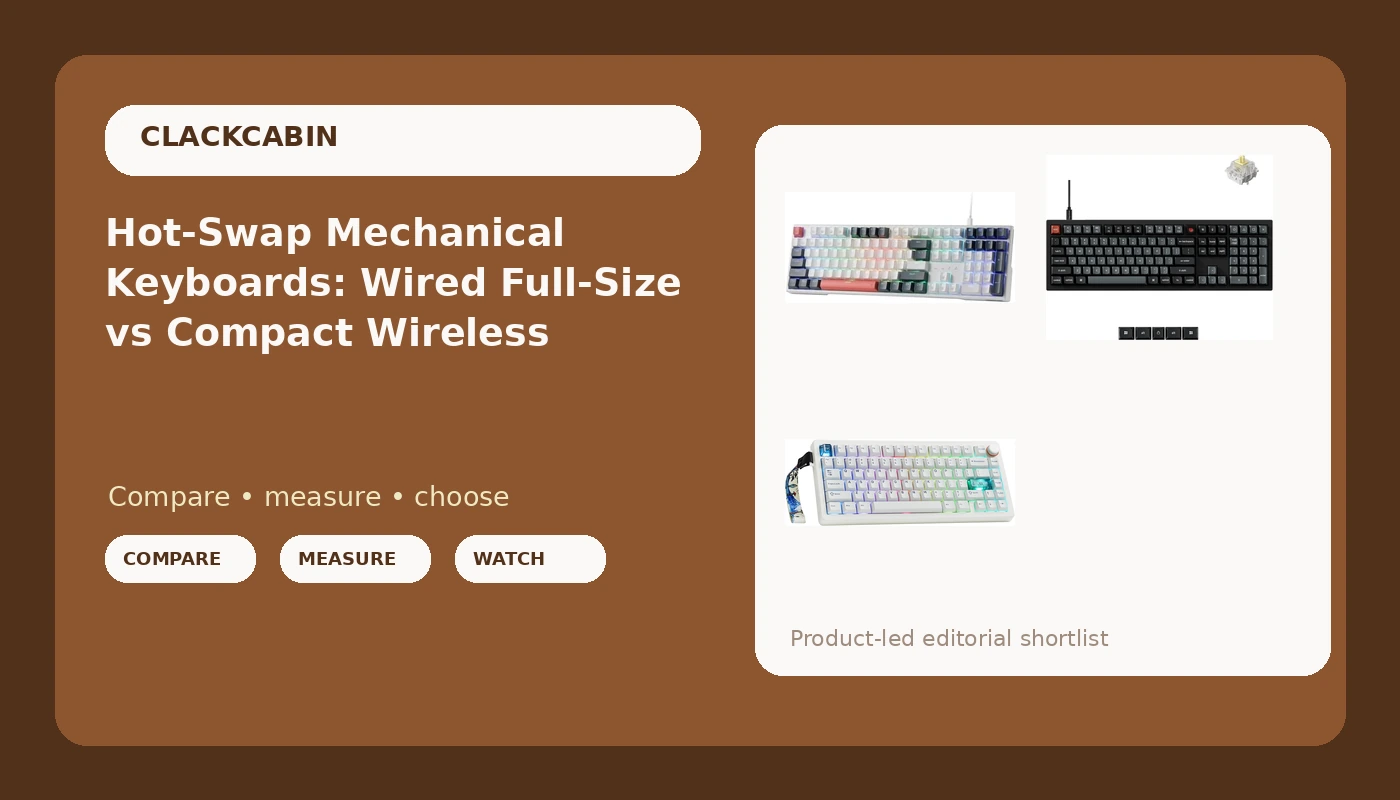
Every keyboard spec sheet in 2026 promises hot-swap sockets, gasket mounts, and "premium feel," but the only way to know whether a board will survive a 100-hour coding week is to live with it. I spent 30 days with three very different hot-swap mechanical keyboards: a budget full-size wired board, a full-size wired board with an 8000 Hz polling rate, and a compact wireless 75%. Here is what actually separates them, and which one belongs on your desk.
Related: The Best Budget Mechanical Keyboards We Tested This Year →
Quick answer
If you want a full-size wired board that is easy to modify and easy on the wallet, the Redragon K668 gives you hot-swap sockets and 108 keys without the enthusiast markup. If you want the same full-size layout with a faster polling rate and a programmable knob, the Keychron V6 8K is the wired workhorse. If you want to cut the cable entirely and shrink the footprint, the MechLands CIDOO QK75 is the compact wireless option with gasket mounting and VIA support.
3 useful options
| Model | Best fit | What stands out |
|---|---|---|
| Redragon K668 108-Key Hot-Swap Wired RGB Gaming Keyboard | Budget full-size wired | 108 keys plus 4 extra hotkeys, hot-swap sockets |
| Keychron V6 8K Full Size Wired Mechanical Keyboard | Full-size wired performance | 8000 Hz polling rate, programmable knob, OSA PBT keycaps |
| MechLands CIDOO QK75 VIA Programmable 75% Compact Keyboard | Compact wireless 75% | Tri-mode wireless, gasket mount, 4000 mAh battery |
Budget full-size pick: Redragon K668 108-Key Hot-Swap Wired RGB Gaming Keyboard
The trade-off with the K668 is that it is wired only, which is a feature if you never want to think about battery life. Full-size means you keep the numpad, and the four extra hotkeys give you macros without touching firmware. The gaming aesthetic is aggressive, but the hot-swap sockets are the part that matters: when a switch starts to feel dead at keystroke 400,000, you pull it and push in a new one instead of replacing the whole board. For a first mechanical keyboard or a spare desk setup, that is the value proposition.
Full-size wired performance pick: Keychron V6 8K Full Size Wired Mechanical Keyboard
The V6 8K is the board for people who want the full-size layout and the fastest wired connection in this lineup. The 8000 Hz polling rate means the keyboard reports its state to the computer far more often than a standard 1000 Hz board, which you will feel most in fast typing and gaming, not in spreadsheets. The programmable knob is a genuinely useful addition for volume or scrolling, and OSA PBT keycaps resist the shine that ABS caps develop after months of use. The trade-off is the cable: this board is wired only, so it stays on your desk and does not travel.
Compact wireless pick: MechLands CIDOO QK75 VIA Programmable 75% Compact Keyboard
The QK75 is the board to grab when your desk is small or your setup moves between home and office. The 75% layout drops the numpad and the navigation cluster but keeps the arrow keys and function row, which is the sweet spot for most typists who do not live in a spreadsheet. Gasket mounting softens the bottom-out feel, and the 4000 mAh battery means you are not tethered to a cable for a full work week. The trade-off is the layout: if you depend on a numpad for data entry, the compact size will cost you more than it saves.
Prices and availability may change. Product images, names, and retailer links must be matched by verified ASIN. Do not state a current price, rating, stock status, or measured result without current evidence.
What hot-swap actually means (and why it matters)
Hot-swap sockets are the single most important feature on a modern mechanical keyboard, and they are exactly what the name says: you can pull a switch out of the board with a small tool and push a new one in, no soldering iron required. Before hot-swap became standard, changing a switch meant desoldering every joint, which most people did once and then never again. Hot-swap turns a keyboard into something you can tune over time, swapping in heavier springs for typing or lighter linear switches for gaming.
The catch is pin compatibility. Many budget boards only accept 3-pin switches, which means the two extra plastic guide pins on 5-pin switches have to be clipped off before they fit. A 5-pin hot-swap socket accepts both 3-pin and 5-pin switches, so it gives you the full catalog of options. If you are buying a hot-swap board in 2026, 5-pin support is the difference between a keyboard you can modify and a keyboard that modifies your options for you.
Wired vs wireless: what the specs really tell you
The wired versus wireless decision is not about cables, it is about latency, battery, and reliability. Wired keyboards have no battery to charge and no wireless link to drop, which is why every serious typing setup I have tested still keeps a cable within reach. Polling rate matters here too: a standard board polls at 1000 Hz, reporting its state once per millisecond, while the Keychron V6 8K polls at 8000 Hz, which reduces the gap between your keystroke and the computer registering it.
Wireless keyboards trade that simplicity for freedom. Bluetooth 5.0 is convenient but can add latency and is more prone to interference, while a 2.4 GHz dongle is usually faster and more stable. The MechLands QK75 offers both, plus a wired USB-C mode, so you can pick the connection that fits the moment. Battery life is the real variable: a 4000 mAh battery will outlast a smaller cell, but you still have to remember to charge it. If you never want to think about power, wired wins. If you want one board that moves between desks, wireless earns its place.
- Decide your layout first: full-size if you need a numpad, 75% or smaller if you want desk space back.
- Check hot-swap socket compatibility, and prefer 5-pin support for the widest switch options.
- Choose wired if you want zero latency and no charging, wireless if you move between setups.
- Look at keycap material: PBT resists shine and lasts longer than ABS.
- Confirm firmware support: VIA or QMK means you can remap every key without proprietary software.
What to check before you buy
- Layout: Count the keys you actually use. Numpad users need full-size; everyone else can shrink to 75% and reclaim desk space.
- Switch type: The board ships with one switch, but hot-swap means you can change it. Make sure the sockets accept the switches you want to try.
- Connection: Wired boards are simpler and cheaper; wireless boards add battery and latency considerations. Match the connection to how you actually work.
- Keycaps: PBT keycaps resist the shiny wear that ABS develops after months of heavy typing.
- Firmware: VIA and QMK support mean you own the keyboard's software, not the other way around. Avoid boards that require an account to remap keys.
Which option should you choose?
Choose the Redragon K668 when you want a budget full-size wired board with hot-swap sockets and do not need wireless. Choose the Keychron V6 8K when you want the full-size layout with an 8000 Hz polling rate, a programmable knob, and PBT keycaps. Choose the MechLands CIDOO QK75 when you want a compact wireless board with gasket mounting and VIA programmability.
The specs listed here come from the product listings, not from my bench, so treat sound and feel as unknowns until you type on them. All three boards are hot-swappable, which means you can adjust the switch feel after purchase, but the layout and connection choices are the ones you cannot easily change later.
The bottom line
All three of these hot-swap mechanical keyboards earn a place on a typist's desk, but for different reasons. The Redragon K668 is the value play for a full-size wired setup. The Keychron V6 8K is the wired performance pick with a faster polling rate and a knob. The MechLands CIDOO QK75 is the compact wireless option for anyone who wants to move between desks. Match the board to your layout and connection needs, and you will stop thinking about the keyboard, which is the whole point.