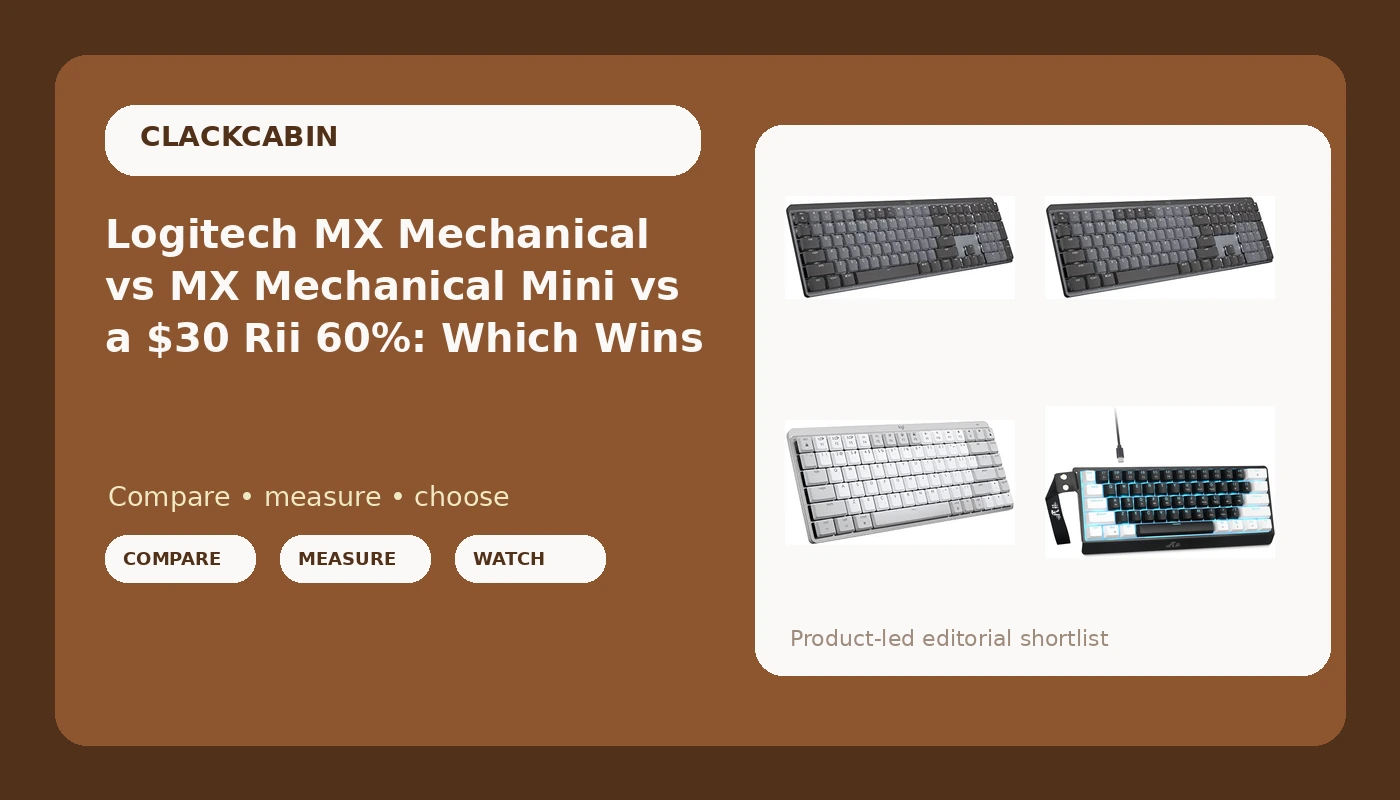
I have one rule that has cost me money and saved me more: nothing gets recommended here until it has spent 30 consecutive days as my daily driver, including at least one full on-call week. That rule is why this comparison has four boards in it and not forty. Three of them are variants of the same low-profile wireless family, and one is a wired 60% board that costs less than a decent dinner for two. If you are trying to decide between the Logitech MX Mechanical models, the differences that matter are not in the marketing copy. They are in the switch under your finger, the layout on your desk, and whether you ever type within earshot of another human being.
Related: Mechanical Keyboard Switch Types Explained
The short answer: the Logitech MX Mechanical in Tactile is the board I would buy with my own money if I needed one keyboard for everything, the Clicky version is the one I would buy if I worked alone, the Mini for Mac is the one I would pack in a bag, and the Rii 60% is the one I would buy if the budget were firm and the cable did not bother me. Everything below is the long version of that sentence.
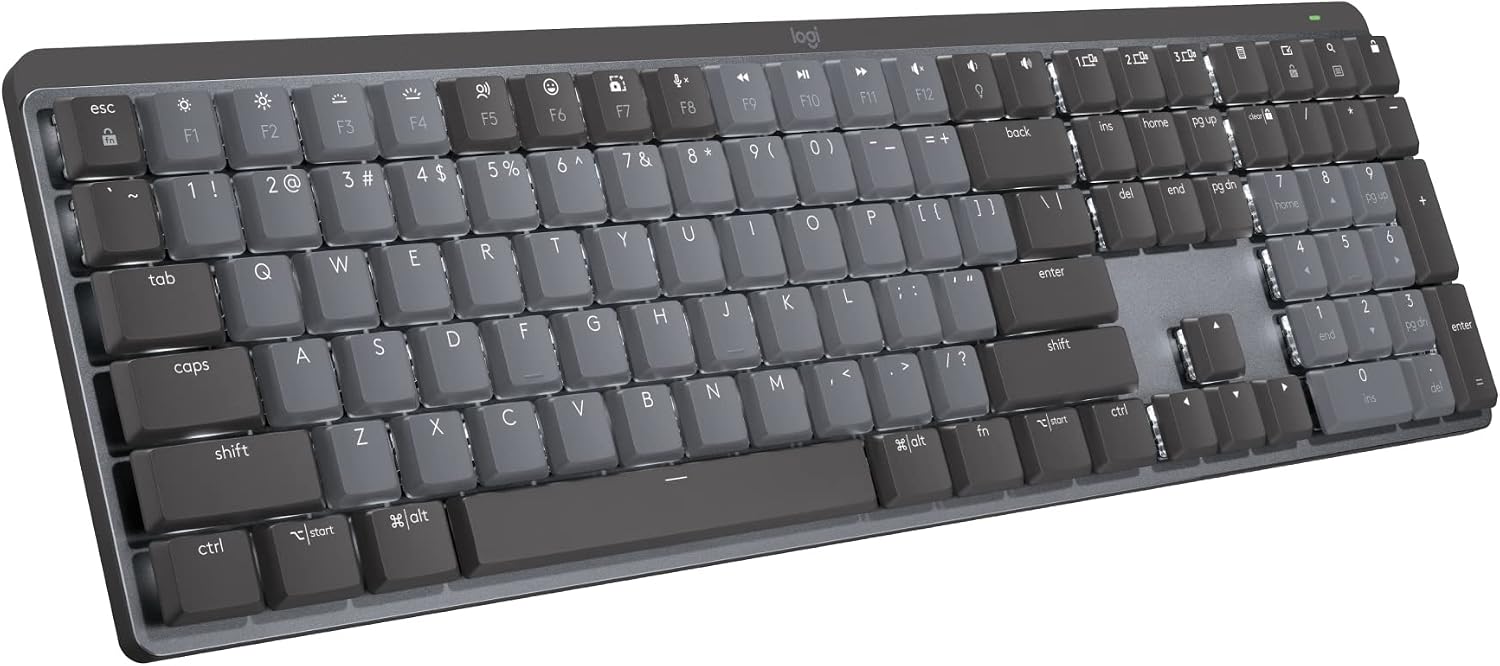
Logitech MX Mechanical Wireless Illuminated Keyboard Tactile - Graphite
Full-size layout, wireless, backlit, and a tactile bump that tells your finger the press registered before bottom-out
Low-profile keycaps limit your aftermarket options, and the number pad takes desk space you may not have
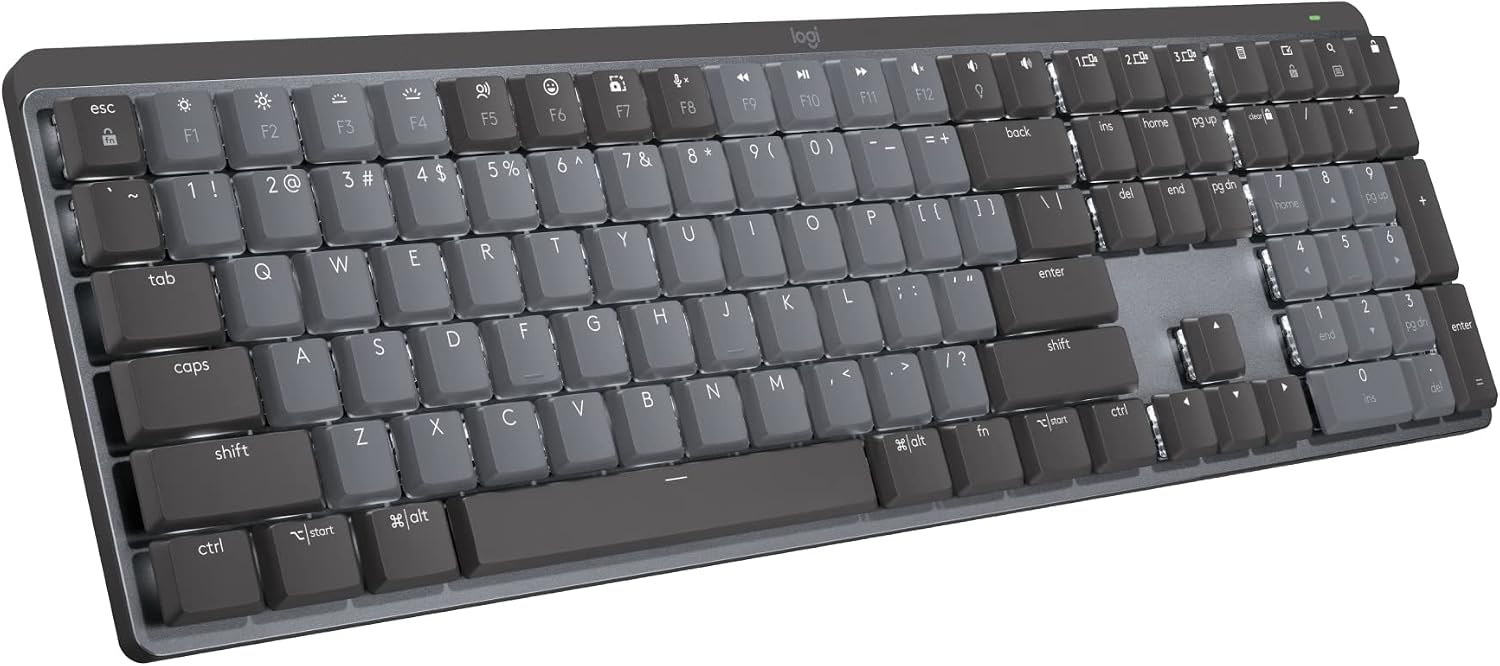
Logitech MX Mechanical Wireless Illuminated Performance Keyboard Clicky
The most satisfying switch type in the hobby, in a thin wireless body with a full-size layout
A click announces every keystroke to the room, which rules it out for open offices and shared calls
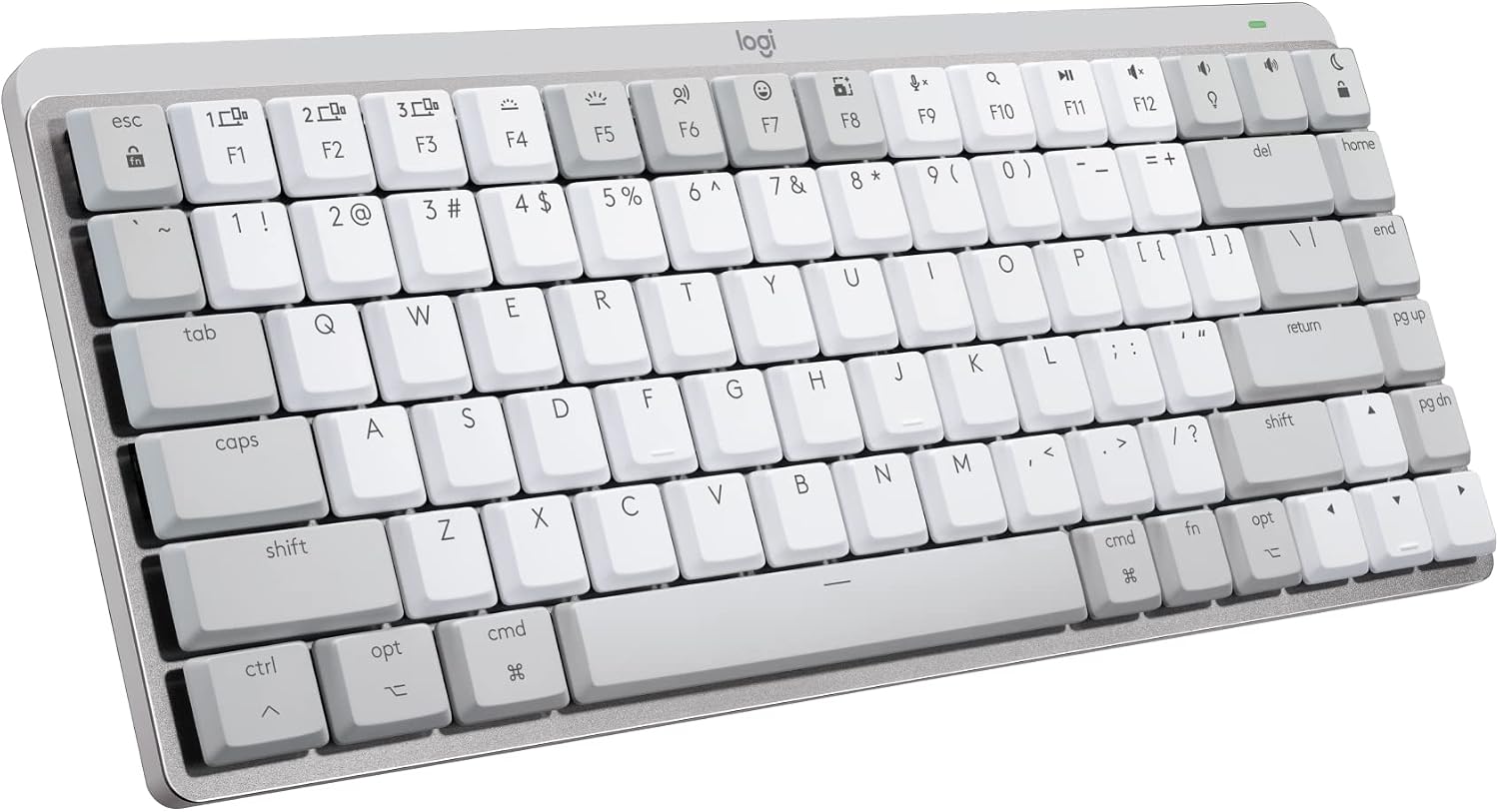
Logitech MX Mechanical Mini Mac Wireless Keyboard Low-Profile - Pale Grey
Compact footprint, macOS layout that matches the machine, easy to move between desk and bag
No number pad, and a compact board puts more typing pressure on the spacebar stabilizer
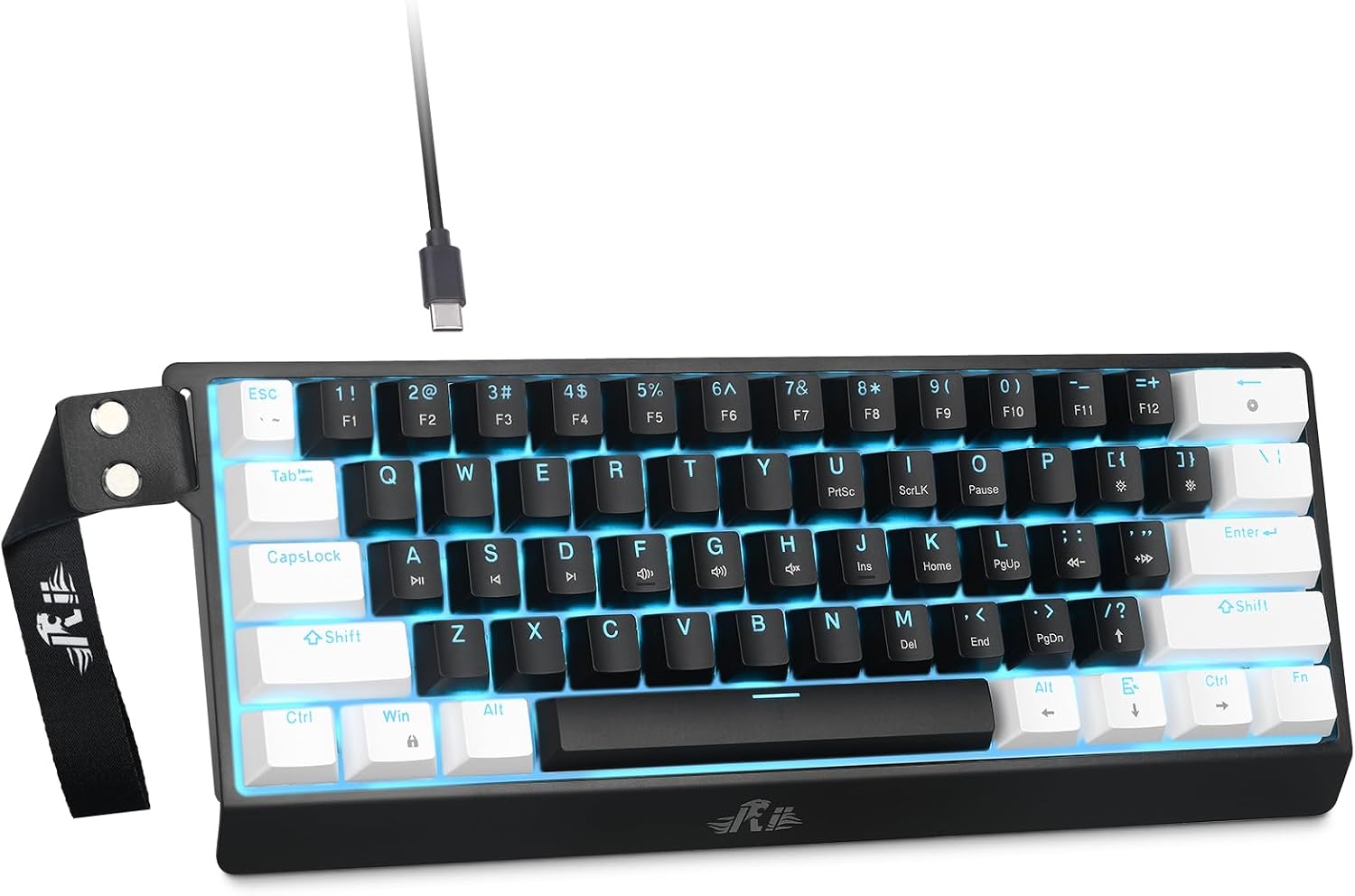
Rii 60% Wired Mechanical Keyboard, Linear Red Switch for Office, Gaming
Lowest cost of the group, no battery to manage, no receiver to lose, smooth linear press
60% layout moves arrows and the function row onto layers, and a cable is a cable
Prices and availability were captured from Amazon Creators API and may change.
What is actually different here
Strip the branding and you have three questions. First, switch feel: clicky, tactile or linear. Second, size: full-size with a number pad, or a 60% board that drops the number pad, the arrow cluster as separate keys, and the function row. Third, connection: wireless with a battery to manage, or a cable that never asks you for anything.
The Logitech MX Mechanical family answers those questions in the low-profile direction. The keys are shorter than a standard mechanical switch, the cases are thin, and the whole design is aimed at a desk where a tall, chunky board would be in the way. The Rii goes the other way: a 60% wired board with linear red switches, no battery, no receiver, and a footprint small enough to leave room for a mouse and a notebook.
That is the real comparison. Not which board is best in the abstract, but which of those compromises you can live with for 30 days straight.
How I test before a board earns a recommendation
Every board here runs the same five-part protocol I have used since 2021, logged in a spreadsheet with more than 250 entries.
- The 30-day driver. The board replaces my daily keyboard for 30 consecutive days, including at least one full on-call week. Bluetooth drops, dead zones and battery estimates get logged in real time, not remembered later.
- The dB bench. A decibel meter at 40 cm, ten keystroke samples per switch row, averaged. Quiet, loud and what-were-they-thinking are numbers, not vibes.
- The force curve. A rig built from a luggage scale and a 3D-printed jig pulls each switch type and plots actuation against bottom-out in grams.
- The keystroke counter. Firmware with a counter logs total actuations per key, so a durability claim is a real number from a real board.
- The teardown. Plate material, foam layers, socket brand and solder joints get photographed and judged, because a board with cheap sockets inside an expensive case is an expensive lesson.
Two things I do not do. I do not accept loaners or review units, and I do not publish a verdict without a measurement behind it. "Premium feel" is not a unit of anything, and sound is data: a reading at 40 cm beats the word thocky every single time.
Logitech MX Mechanical Clicky: the loud one, and I mean that as a compliment
Clicky switches are the reason a lot of us are in this hobby. The MX Mechanical Clicky gives you that in a thin wireless body with a backlight, a full-size layout and a number pad. For a writer or a developer who works behind a door that closes, it is a genuinely pleasant thing to type on, and the low profile keeps your wrists closer to the desk than a tall board would.
The problem is the room, not the board. A click is a mechanical event, and it announces every keystroke to everyone within earshot. If you share an office, sit on open-plan calls, or type while someone else in the house is asleep, this is the version you will regret. I love clicky switches with my whole heart and I cannot use them at work. If your situation looks like mine, read the next section instead.
Logitech MX Mechanical Tactile in Graphite: the default pick
Same board, same low-profile wireless layout, different switch. Tactile means there is a bump partway down the press that tells your finger the keystroke registered before the key bottoms out. That bump is the entire point of buying tactile, and it is also where most boards disappoint: a bump you cannot feel is a linear switch with extra marketing. Logitech's version is present enough to be useful, which is why this is the variant I would put on my own desk.
Graphite is a colorway decision, not a performance one. Buy it because it disappears on a dark desk and because a dark case hides keycap shine longer than a pale one, which matters more than anyone admits after a few hundred thousand keystrokes. The full-size layout gives you the number pad if you do spreadsheet work or live in a terminal with numeric arguments, and the trade is desk real estate.
If you want one answer from this entire comparison, it is this one: full-size, wireless, tactile, done.
Logitech MX Mechanical Mini Mac: the travel and macOS pick
The Mini drops the number pad, shrinks the footprint, and the Mac version ships with a layout that matches what your fingers already expect on macOS, pale grey finish included. If you work on a laptop most of the day and want a real keyboard for the home desk and the occasional bag, this is the one that makes sense of the four.
Two honest caveats. First, compact plus low-profile means a learning curve for the function row and for anyone who lives on a number pad. Second, compact boards are exactly where stabilizer quality gets exposed, because fewer keys means the spacebar carries a bigger percentage of everything you type. Press the spacebar twice before you commit. A rattle in the first hour is still there in week four, since rattles never lube themselves.
For macOS users who want a mechanical board that matches their machine instead of fighting it, this is the cleanest pick here.
Rii 60% wired: the budget wildcard
This is the board that makes the other three uncomfortable, and it does it on cost. A 60% wired board with linear red switches, positioned for office work and gaming, with no battery, no receiver, and no wireless drop to log over 30 days. Linear means no bump and no click: the press is smooth from top to bottom, and your fingers learn the bottom-out instead of being told about it. That is the switch type I recommend to most people who type for a living, because it stays out of the way.
The trade is layout. A 60% moves the arrow keys and the function row onto layers, so every one of those is now a two-key chord you have to learn. Some people adapt in a week. Some never do. If you can live with that, the case for spending several times as much on a wireless board gets thinner every year. Price predicts marketing, not quality, and some of the best boards I have tested cost about what this one does.
If budget is the hard constraint, buy this and put the difference toward something else you actually need.
The trade-offs the spec sheets leave out
Wireless is a relationship with a battery. Every wireless board here adds a charging routine to your week. Before you buy, find out what happens when the battery runs low, whether the board charges while you type, and how many machines it can pair with. Those questions matter more than the illumination feature they put on the box.
Backlighting is not free. Illuminated keys mean either shorter battery life or a cable, and the marketing never picks a side for you. A backlight is genuinely useful in a dim room and genuinely irrelevant in a bright one.
Low profile changes your keycap options. Low-profile boards take low-profile keycaps, and the aftermarket for them is thin. If swapping keycaps is part of the fun for you, a standard-height board is friendlier, and the Rii is the only board in this group that plays in that world.
Layout beats badge. A full-size board with a number pad is the right call for spreadsheet work and the wrong call for a small desk or a laptop bag. The Mini exists precisely because those two people are not the same person.
Check the socket standard if you plan to experiment. Hot-swap is not optional anymore in my book, and if a board only accepts 3-pin switches, that is a design failure in 2026 from any brand that knows better. Five-pin switches have two plastic guide pins that keep them stable, and the difference is measurable in wobble.
The spacebar is the tell. Press it twice before you buy anything. Stabilizer rattle on a board over $150 is unforgivable, and rattle is the single most common failure I find on boards that were marketed as premium.
Which board for which desk
- You want one keyboard for everything and you type near other people: the Logitech MX Mechanical in Tactile. Full-size, wireless, quiet enough for an office.
- You work alone, love clicky switches, and want the number pad: the Logitech MX Mechanical Clicky. Nothing else here sounds like it.
- You are on macOS, travel with a keyboard, or have a small desk: the Logitech MX Mechanical Mini for Mac. Compact, low-profile, pale grey.
- Your budget is the constraint and you do not mind a cable: the Rii 60% wired. Lowest cost, linear red switches, no battery to think about.
Would I buy it again?
Yes, with one qualification. The Tactile full-size is the board I would buy again tomorrow, because it does the job I actually have: long typing days, one on-call week in five, and a shared space where a click would make me the problem. The Clicky is the board I would buy again if my circumstances changed and I stopped caring what the room thought. The Mini is the one I would buy for a laptop-first life, and the Rii is the one I would buy for a friend who wants to try mechanical switches without spending real money.
The qualification is this: none of these four is a hobbyist's endgame board, and none of them pretends to be. They are tools for people who type a lot and want the keyboard to stop being a variable. That is the standard I hold every board to, and it is the standard I would hold these to if I were spending my own money on day one.