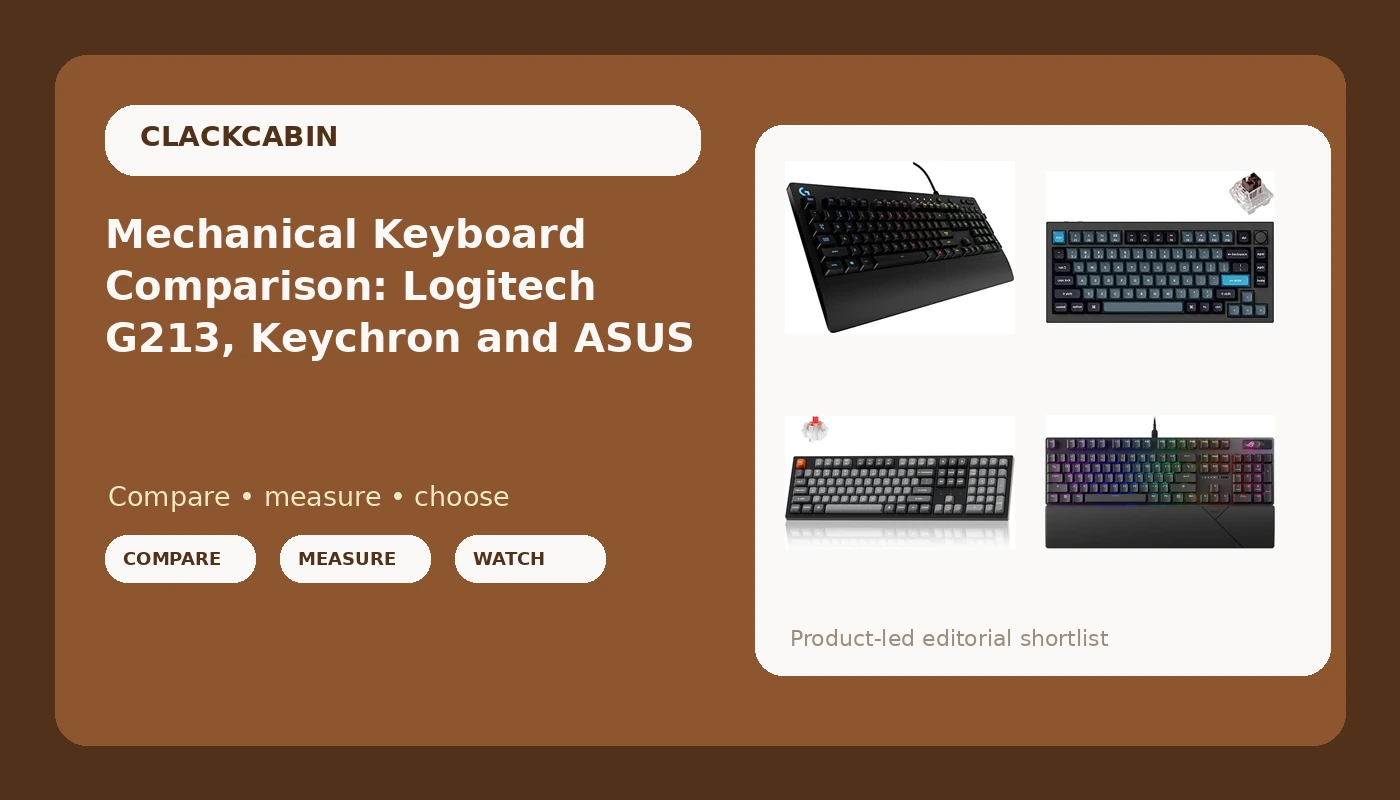
I bought my first mechanical keyboard in 2012 because a LAN party friend swore it would fix my RSI. It did not fix my RSI. It started something else: a spare bedroom in Mueller with 40 boards in it, a soldering iron I actually use, a decibel meter, a luggage scale I turned into a force tester, and a spreadsheet with more than 250 logged test sessions behind it. This mechanical keyboard comparison is the answer I give when a coworker asks which board to buy and wants a reason instead of a vibe. Four boards, four different jobs, and one of them that is not mechanical at all.
Related: Keyboard Form Factors Explained 60 Vs 65 Vs Tkl Vs Full
The short answer: the Keychron Q1 Pro is the best board here for most people who type for a living, the Keychron K10 Max is the one to buy if the number pad is non-negotiable, the ASUS ROG Strix Scope II X is the pick if you want a full-size wired board with hot-swap sockets and linear switches, and the Logitech G213 Prodigy only makes sense when the budget is the hard limit.
None of these are group-buy boards. All four can be bought today, at retail, and used tomorrow. That matters more than any spec on this page.
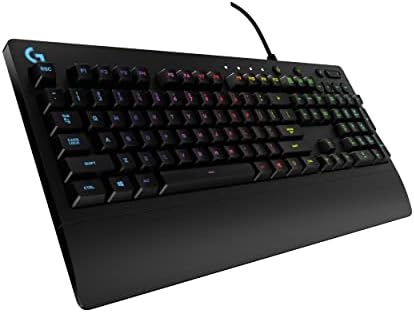
Logitech G213 Prodigy
Cheapest way to get a full-size RGB board with a number pad, and wired means no wireless variables at all
It is not a mechanical keyboard. No hot-swap sockets, no QMK or VIA, no upgrade path
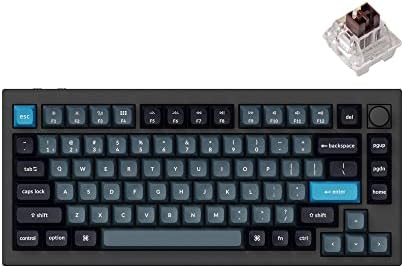
Keychron Q1 Pro
Full aluminum, gasket mount, hot-swap sockets and QMK/VIA out of the box, and 75% keeps the arrows and function row
No number pad, Bluetooth rather than a 2.4GHz dongle, and the Brown tactile switch is the compromise you will want to undo
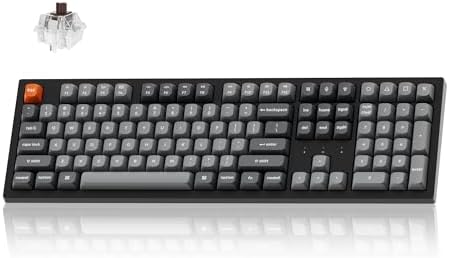
Keychron K10 Max
Full-size layout with wireless and QMK programmability in the same board, which is a genuinely rare combination
The footprint eats the desk space a 75% board gives back, and wireless adds battery and radio variables a wired board never has
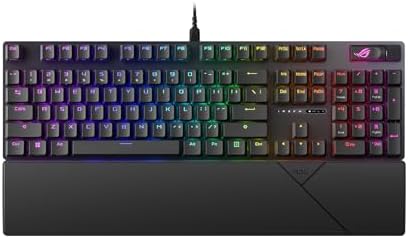
ASUS ROG Strix Scope II X
Full-size with hot-swap sockets, pre-lubed linear switches and PBT keycaps listed as stock
Wired only, and the vendor software is the part of the experience you cannot opt out of
Prices and availability were captured from Amazon Creators API and may change.
How I compare mechanical keyboards
The five checks do not change based on price. A board that wants a recommendation from me has to survive 30 days as my daily driver, including at least one full on-call week with 140,000 keystrokes and 2 a.m. pages. It gets ten keystroke samples per switch row through a decibel meter at 40 cm. It gets a force curve pulled on a jig built from a luggage scale and a printed bracket. It gets a QMK keystroke counter, so "half a million presses" is a number I can point at instead of a line in a press release. And it gets a teardown, because plate material, foam layers, socket brand and solder joints tell you what a board will feel like at keystroke 300,000.
What that protocol punishes is inconsistency: the board that sounds fine on day one and rattles by week three, the radio that drops once a week, the software that wants an account before it will change a color. What it rewards is boring. Boring is good. The best keyboard is the one you stop noticing.
Before any of that, though, a comparison comes down to decisions made in the factory that no mod can undo: layout, switch type, socket type, firmware and wireless. Those are the columns that decide whether a board can be right for you.
Logitech G213 Prodigy: the budget entry that is not mechanical
The G213 Prodigy is the outlier here and it deserves to be said plainly: it is a membrane board with gaming styling, not a mechanical keyboard. The keys sit on rubber domes, the switches are not serviceable, and there is no socket to pull anything out of. That single fact decides most of this section.
What it wins on is price and simplicity. It is wired, so there is no radio to drop, no battery estimate to doubt and no pairing dance. It is full-size, so the number pad is there. It has RGB, it is light, and it is the board I would hand to someone who wants a keyboard today and does not want to learn a hobby to get one.
What it loses is everything the rest of this article is about. No hot-swap means the switches you buy it with are the switches you keep. No QMK or VIA means remapping is limited to whatever the vendor software offers, which is the friction I complain about in every review. And rubber domes are the reason the word "thocky" should never appear next to this board's name. If your budget is the constraint, fine. Just know what you are buying.
Visit on Amazon: Logitech G213 Prodigy
Keychron Q1 Pro: the 75% aluminum board for most desks
The Q1 Pro makes the strongest case in this group for spending more than the minimum. It is a 75% layout, which keeps the arrows, the function row and the modifiers and cuts the number pad, and it is a full aluminum case rather than a plastic tray. On paper it commits to the three things I check first on any enthusiast board: hot-swap sockets, gasket mounting, and QMK/VIA programmability that works without an account.
Hot-swap is the one I care about most. In 2026 a board without sockets is obsolete the day you buy it, because the switch you like in month one is rarely the switch you want in month six. The Q1 Pro arrives with Keychron K Pro Brown switches, a tactile switch that is a reasonable starting point, but the reason to buy this board is that you are not stuck with them.
The wireless side is Bluetooth rather than a 2.4GHz dongle, which matters if you game seriously on it. For writing code and answering pages, Bluetooth is fine. For anything where a dropped input is expensive, use the cable.
What it loses: the number pad. If your work involves spreadsheets, a 75% board has you reaching for a layer or a separate numpad, and you will either adapt in a week or resent it forever. It is also the heaviest and priciest answer in this comparison, and the Brown switch is the safe choice, not the exciting one.
Visit on Amazon: Keychron Q1 Pro
Keychron K10 Max: the full-size wireless answer
The K10 Max exists because of a specific complaint: I want a number pad and I do not want a cable. Full-size wireless boards with real programmability are rarer than they should be, and this one puts the two together. It is full-size, it is wireless, and it runs QMK, which means remapping happens through open-source firmware rather than a vendor app that wants an account and a background service.
That combination is the whole pitch. A full-size layout means no layers to memorize for the keys you hit forty times an hour, and QMK means you can fix the keys you hate instead of learning to live with them.
The costs are honest ones. Wireless adds variables a wired board never has: a battery that has to be charged, a radio that can be crowded in a building full of access points, and firmware that has to manage both. If you have ever had a keyboard disconnect mid-deploy, you know why I log wireless behavior in real time instead of trusting the box. The other cost is footprint. A full-size board takes the desk space a 75% board gives back to your mouse arm, and no amount of programmable firmware changes that.
Visit on Amazon: Keychron K10 Max
ASUS ROG Strix Scope II X: the full-size wired gaming pick
If you want full-size, wired, with sockets and a switch that is already lubed, this is the board in this group that lists all of it. The Scope II X is a 100% layout with hot-swappable sockets, pre-lubed ROG NX Snow V2 linear switches, PBT keycaps and RGB, and it supports both Windows and Mac.
Two of those specs are the ones I would underline. PBT keycaps are the difference between a board that still looks like itself after a year of 90,000-keystroke days and one with shiny, greasy-looking WASD keys. And pre-lubed linear switches are the right default for a gaming board, because a linear switch with no bump is predictable at speed and quiet enough not to be a problem on a call.
Hot-swap is the surprise. Gaming boards used to be sealed units with a logo and no future. This one lets you pull the switches and put something else in, which means the board outlives the switch trend you bought it for.
What it loses: the software. Vendor RGB software is the part of every gaming board I dread, and this is no exception. It is also wired only, which is a strength for latency and a weakness for desk clutter, and the gaming aesthetic is exactly what it looks like.
Visit on Amazon: ASUS ROG Strix Scope II X
The trade-offs a spec table hides
Layout is the first decision and the one people get wrong most often. 75% keeps the arrows and the function row and gives back the width of a number pad to your mouse hand. 100% gives you every key in one press and takes that width back. If you type numbers into a spreadsheet all day, full-size. If you type prose and code all day, 75% is usually the better desk. There is no wrong answer, only a wrong answer for your hands.
Switch type is the second. The ROG board ships linear, the Q1 Pro ships tactile, and the G213 ships a rubber dome under a gaming keycap. Linear is smooth and predictable, tactile tells your finger when the press registered, and membrane is what you buy when price is the point. Only two of the four let you change your mind later.
Firmware is the third, and the one that ages worst. QMK and VIA mean the board is yours: remap anything, move keys between layers, keep working when the vendor stops updating the app. Vendor software means the opposite, and the bill comes due in year three when the new app does not recognize your board.
Wireless is the fourth. Wired boards never drop, never need charging and never lie about battery percentage. Wireless boards are the reason you can move between the desk and the couch. The trick is not deciding which is better, it is being honest about how much a dropped keystroke costs you.
Then there is the boring one: sockets and keycaps. Hot-swap and PBT are not glamorous, and they are the two specs that decide whether the board is still worth using in 2030.
What I would measure first on each board
On the G213 there is nothing to tune, only something to replace, and domes are a replacement problem, not a tuning problem. On the Q1 Pro the first stop is the stabilizers, because a rattly spacebar is the most common failure on an otherwise good board, and a rattle that exists on day one is still there at week four. On the K10 Max the log matters more than the sound: how many drops, at what distance, and whether the battery estimate survives a full on-call week. On the Scope II X the sockets get checked first, because a hot-swap board is only as good as the sockets under the plate, and a cheap socket on an expensive board is a lesson you pay for twice.
The verdict
Buy the Keychron Q1 Pro if you want one board that does almost everything and you can live without a number pad. Buy the Keychron K10 Max if the number pad is non-negotiable and you want it without a cable. Buy the ASUS ROG Strix Scope II X if you want a full-size wired board with sockets, PBT caps and linear switches, and you can tolerate the software. Buy the Logitech G213 Prodigy if the budget is the constraint and you are not ready to care about switches yet, which is a perfectly good reason.
One last thing, and it is the rule the whole site runs on: the ranking above is the recommendation, not the commission. A board that fails the 30-day protocol does not make the list no matter what it pays, and a board that rattles on day one does not get a second chance.