This wireless mechanical keyboard comparison started with a grudge and a spreadsheet. Three boards landed in the same conversation this month, plus one bag of switches that quietly changes what the other three can do, and none of them costs what the hobby insists a "real" keyboard costs. I buy everything at retail, I run every board as my daily driver for 30 days before it earns a verdict, and I log what happens during that month: Bluetooth drops, battery behavior, stabilizer rattle, whether the spacebar still sounds the same at keystroke 400,000 as it did on day one. A board that is still annoying me at week three failed the test, no matter what the marketing page promised on day one.
The short version: the Keychron K10 Pro is the safest pick here for anyone who types for a living, the Kisnt KN85 is the best value if you want a compact 75% board you can re-switch later, the Womier SK80 is for people who genuinely want a screen on their keyboard, and the Outemu Red 30-pack is for the board you already own.

Womier SK80 75% Keyboard with Color Multimedia Display
Compact 75% layout with arrows and function row, plus a display that is genuinely unusual at this tier
The display is a novelty that eats case space and adds a failure point you cannot repair
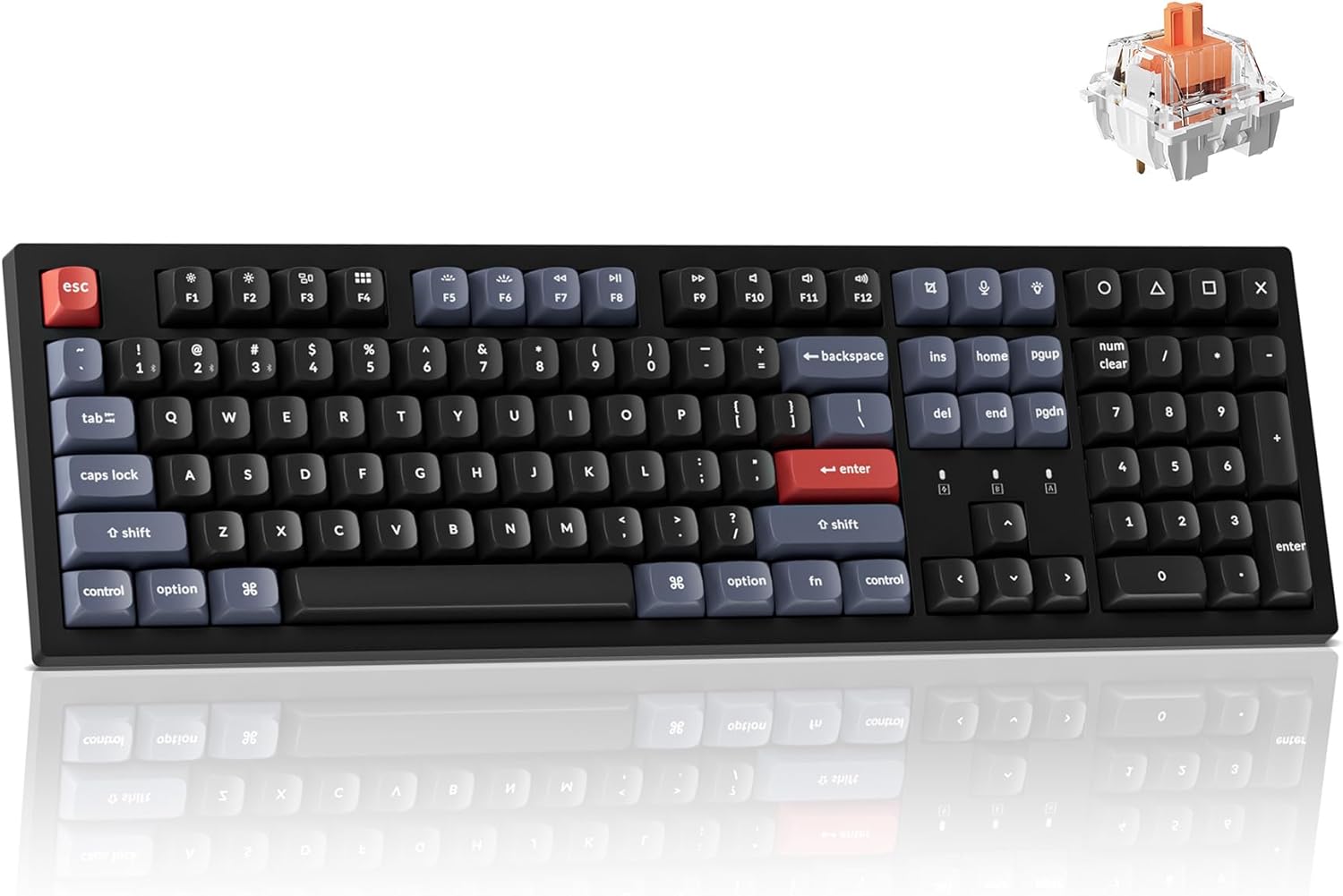
Keychron K10 Pro Wireless Custom Mechanical Keyboard, QMK Programmable Bluetooth 100% Layout with Silent Red Switch
QMK and VIA support, full 100% layout, silent linear switches, Mac and Windows and Linux all in one
Full-size footprint is a lot of desk, and the white backlight is the only lighting you get
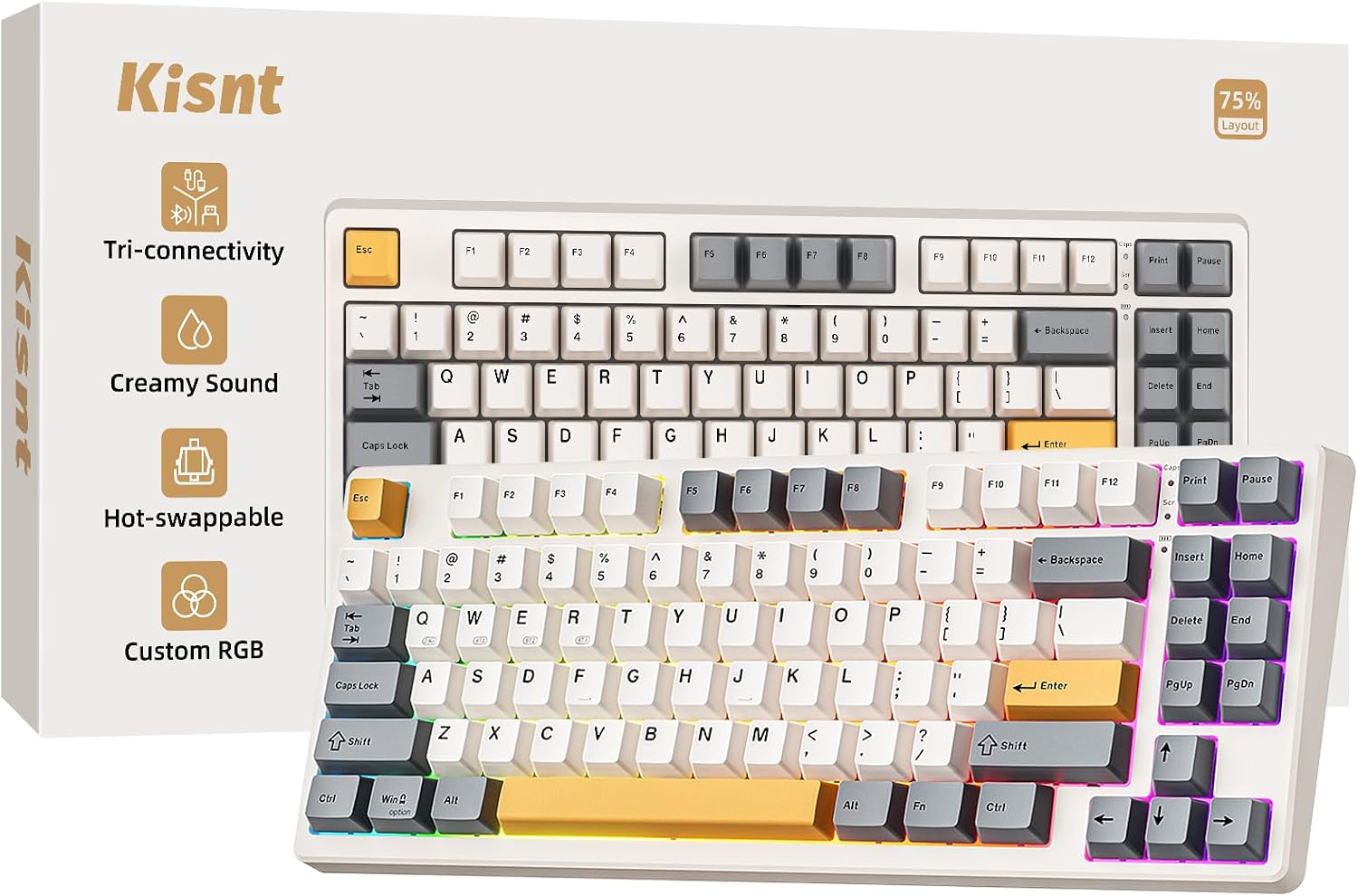
Kisnt KN85 Wireless Mechanical Keyboard, 75% Layout, Bluetooth/2.4GHz/USB-C, Hot-Swappable Linear Switch (Retro Beige)
Tri-mode wireless with a 2.4GHz dongle, hot-swap sockets, retro beige that does not look like a toy
"Creamy sound" is a vibe, not a measurement, and 75% still means living without a numpad
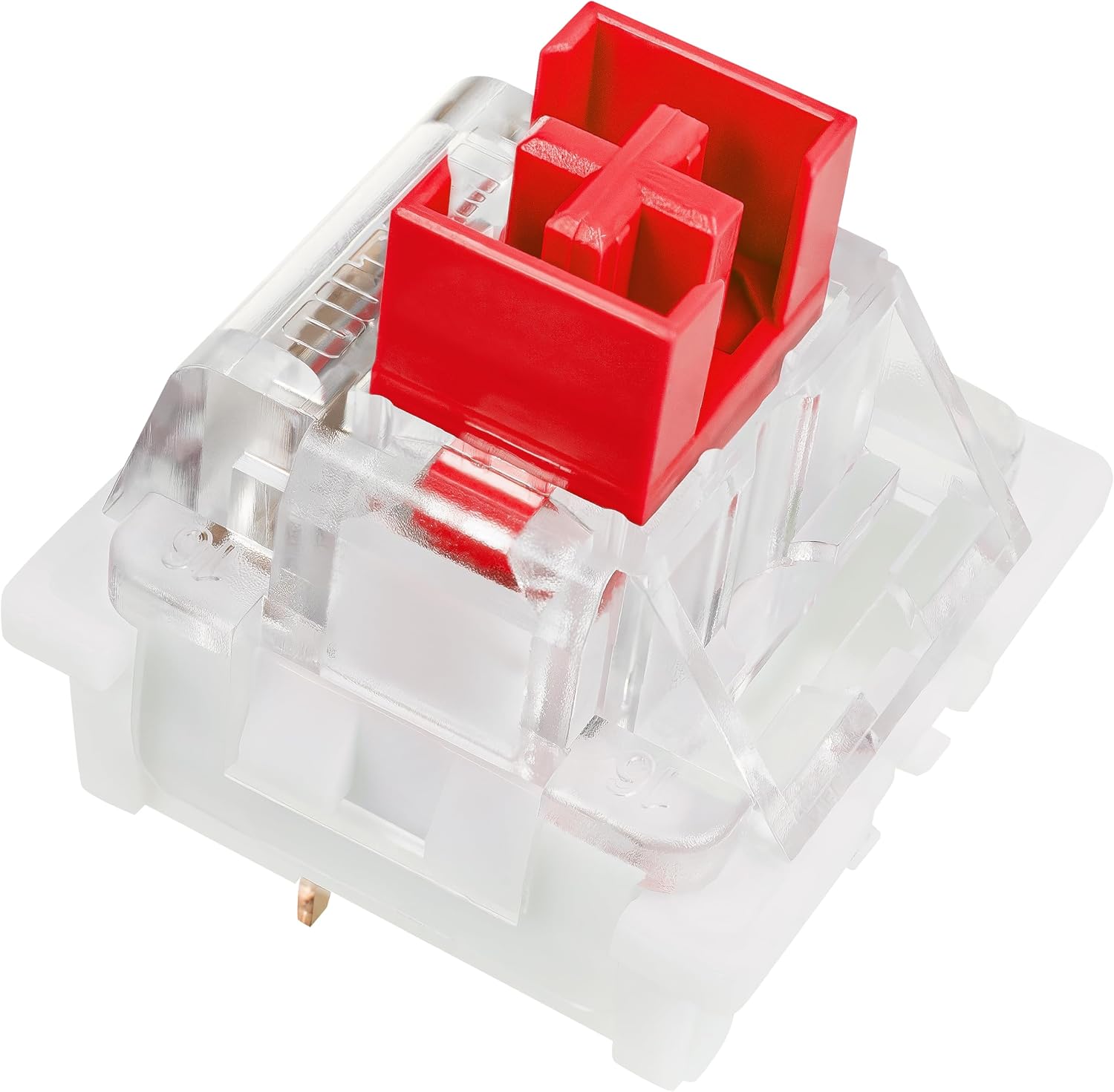
Outemu Red Switches, 30-Pack, 3-Pin Linear Dustproof RGB Key Switches
Cheap way to test linear switches or replace a dead row, dustproof housing, Cherry MX compatible
30 switches is not a full board, and 3-pin stems have less stability than 5-pin
Prices and availability were captured from Amazon Creators API and may change.
How I judge a board before it earns a recommendation
Every keyboard that passes through my bench gets the same five-part protocol. The 30-day driver, where the board replaces my daily keyboard for a month including at least one full on-call week. The dB bench, a decibel meter at 40 cm with ten samples per switch row, averaged. The force curve, pulled with a repurposed luggage scale and a 3D-printed jig. The keystroke counter, because "500,000 keystrokes" should be a number from a real board and not a figure from a marketing deck. And the teardown, where I photograph plate material, foam layers, socket brand and solder joints, because a $200 board with $4 sockets is a $200 lesson.
At this price tier, four things decide the ranking before I ever open a case: layout, connectivity, switch platform, and whether the board lets you change your mind later. That last one is hot-swap, and in 2026 it is not optional. A board without hot-swap sockets is obsolete the day you buy it, because the switch you love in month one is not always the switch you want in month twelve.
Two 75% boards, two completely different arguments
The Womier SK80 and the Kisnt KN85 occupy the same footprint and make opposite bets. Both are 75%, which is my favorite compromise layout: you keep the arrow cluster and the function row, which matters every single time you move through code, and you lose the numpad, which most people touch twice a week.
The Womier SK80 leads with its color multimedia display. I understand the appeal, and I also know what a display does inside a keyboard case: it consumes real estate that could have gone to foam or a thicker plate, it draws power, and it is one more component that can fail in a way you cannot fix with a soldering iron and a Saturday. Ask yourself honestly whether you would still look at that screen in week four. If the answer is yes, the SK80 is the more interesting board of the two. If the answer is no, you are paying for a feature you will stop noticing, and features you stop noticing are the definition of a bad buy.
The Kisnt KN85 makes the argument I actually respect. Tri-mode connectivity means Bluetooth for laptop hopping and a 2.4GHz dongle for the low-latency desk setup, with USB-C when you want none of that. Hot-swappable linear switches mean the board is a platform, not a purchase: pull the stock switches, drop in something else, and the same chassis serves a different job two years from now. And the retro beige colorway is a design decision I will defend in a hobby that keeps shipping black plastic with aggressive angles. My one pushback is the word "creamy" in the listing. Sound is data. A board that sounds good out of the box was designed, not assembled, and I weight that unmodded first impression heavily, but I weight it in decibels, not adjectives.
The full-size anchor: Keychron K10 Pro
The Keychron K10 Pro is the board in this group I would hand to someone who does not want a project. It is 100%, so the numpad is there for spreadsheet work and for the people who genuinely use it. It ships with Silent Red switches, which are the correct default for anyone who takes calls in a shared space or shares a wall with another human being. The trade-off is feel: a silenced linear gives up a little of the crispness that makes a mechanical keyboard worth owning in the first place, and if you have never typed on a silenced switch, that is a real adjustment.
What separates the K10 Pro from almost everything else at its price is QMK and VIA support. That is the difference between a keyboard and a keyboard you own. Remap every key in a browser, build layers, move the caps lock somewhere useful, and do it without installing a vendor utility that wants an account. The white backlight also sidesteps the north-facing LED problem entirely, since there is no per-key RGB to clash with Cherry-profile keycaps. The cost is the footprint. A full-size board on a small desk is a commitment, and the K10 Pro is compatible with Mac, Windows and Linux, which is more than most people need and exactly what some people need.
The outlier: a 30-pack of Outemu Reds
The Outemu Red 30-pack is not a keyboard, and treating it like one is the fastest way to waste money. Count your keys before you order: a 75% board needs roughly 82 switches, a TKL about 87, a full-size around 104. Thirty switches is a repair kit, a sampling pack, or a partial swap, not a full build. Where it earns its place is as the cheapest possible experiment. If you have never typed on a linear switch and you are not sure whether you want to, thirty switches cost less than a switch tester with a fraction of the information, because you can actually type on them.
Two spec details matter. These are 3-pin switches, which means no plastic guide pins on the bottom, so they will drop into any hot-swap socket, including 5-pin boards, but they will have slightly more stem wobble than a 5-pin equivalent. And they are dustproof, which is a housing design that keeps grit out of the contact area over a long service life. For a board that lives near a window in Austin, that is not a marketing bullet, it is a durability feature. If you want them in a full board, buy three packs and accept that you are paying per switch like everyone else.
Wireless is a promise, not a spec
Two of these boards are wireless, and that word covers three very different experiences. Bluetooth is for switching between a laptop, a desktop and a tablet without unplugging anything, and it is the mode most likely to drop. A 2.4GHz dongle is for latency, and it is the mode I would use for anything competitive or for typing at speed. USB-C is the mode that never lies to you. My rule after enough trials: if a board drops its Bluetooth once during a 30-day month, expect it to drop twice a day by month six. Drops do not fix themselves, batteries do not last as long as the listing claims, and a board that only tells you its battery level through a blinking LED is a board that will page you at 2 a.m. with a dead connection.
Sound, hot-swap, and the compatibility trap
Two closing checks decide whether a board stays on my desk. First, stock sound. A board that needs a tape mod or a layer of craft foam to stop pinging was assembled, not designed, and boards like that get forgotten by keystroke 300,000. Boards that sound good naked are still on the desk at a million. Second, socket compatibility. Hot-swap is table stakes, but the details matter: a 3-pin switch fits any socket, while a 5-pin switch needs a board drilled for the guide pins or a pair of flush cutters. If you plan to swap switches for years, know which side of that line your board sits on before you buy.
Who should buy which
Buy the Keychron K10 Pro if you type for a living, want a numpad, need QMK remapping, and value quiet over drama. It is the board here with the fewest ways to disappoint you.
Buy the Kisnt KN85 if you want a compact 75% board, you want to try switches without buying a new keyboard, and you would rather spend the difference on a keycap set. Tri-mode wireless and hot-swap sockets in a retro beige case is a strong package.
Buy the Womier SK80 if the display is the reason you are here. That is a legitimate reason. Just go in knowing it is the feature you are paying for.
Buy the Outemu Red 30-pack if you want to find out whether linear switches are for you, or if you have a dead key and no spare switches in a drawer.
What I am testing next
The Wooting 60HE V2 has been on my desk for 11 days, and the question I am trying to answer is whether Hall Effect actuation points make sense for people who write prose rather than play ranked. The other thing on the bench is a budget board that is embarrassing hardware costing three times as much, which is a pattern I have now seen repeat often enough that it stopped being surprising and started being the thesis of this site. A keyboard is a tool you touch ten thousand times a day. The only premium that survives contact with a real workload is the one you can still measure in month three.