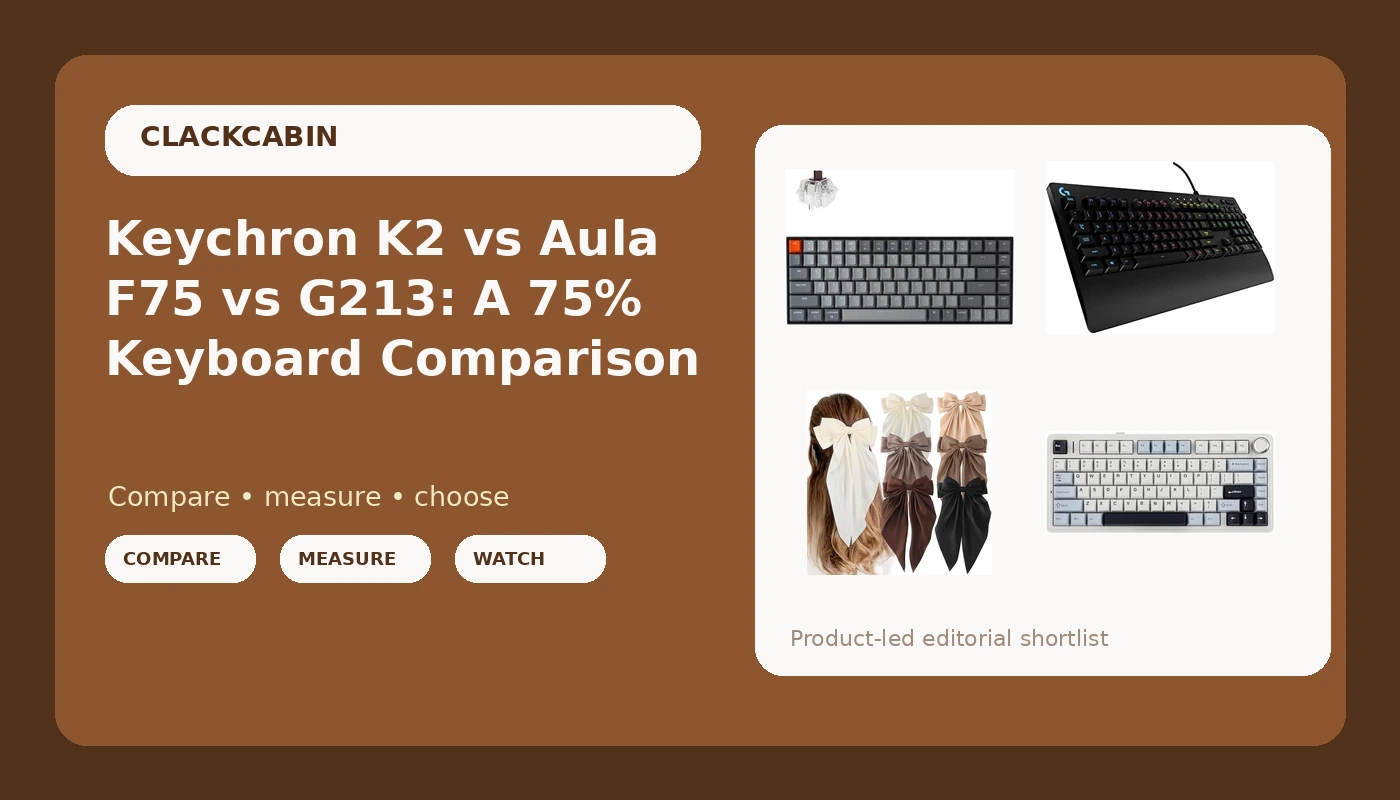
I bought my first mechanical keyboard in 2012 because a LAN party friend swore it would fix my RSI. It didn't. What it did was start a habit that now eats a spare bedroom in my house in Austin and a spreadsheet with more than 250 logged test sessions in it. I type about 90,000 keystrokes on a normal day and 140,000 on an incident day, and I am on call one week in five, which means any board I write about has to survive a 2 a.m. page before it earns a spot on a list. This 75% keyboard comparison covers three boards that showed up in the same batch, plus one item that is not a keyboard at all. I would rather tell you that up front than quietly delete it and pretend the batch was tidy.
Related: Keyboard Form Factors Explained 60 Vs 65 Vs Tkl Vs Full
The best pick for most people in this batch is the EPOMAKER x Aula F75, because it is the only board here that arrives gasket-mounted, hot-swappable and tri-mode at the same time. The Keychron K2 Version 2 is the safer known quantity, especially if you live in macOS. The Logitech G213 Prodigy is the odd one out on the keyboard side because it is not a mechanical board at all. And the satin bow clips are exactly what the listing says they are, which is hair accessories, not typing tools.
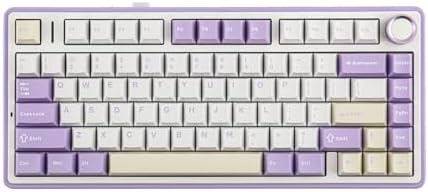
EPOMAKER x Aula F75
Gasket mount, five-layer padding, hot-swap sockets, tri-mode wireless and a knob in one package
Light blue colorway will not suit every desk, and the knob takes a corner key

Keychron K2 75% Layout Bluetooth Wireless Mechanical Keyboard
The 75% board that made the layout mainstream, with real Mac and Windows support and 84 keys
White LED only, and you must confirm you are buying a hot-swap version
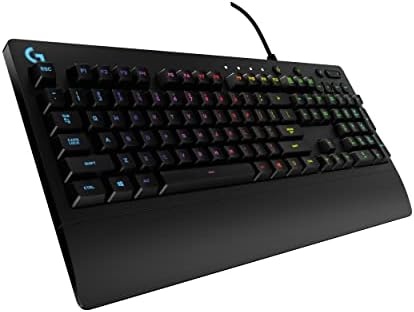
Logitech G213 Prodigy Wired RGB Gaming Keyboard
Wired, plug and play, RGB, and the cheapest way into a lit keyboard from a big brand
Membrane domes, no hot-swap, no switch choice, nothing to tune

6 PCS Hair Bows for Women, Silky Satin Bow Clips
Six oversized satin bows with metal clips in neutral colors, which is exactly what the listing promises
It is not a keyboard and cannot be ranked on any of the things this site measures
Prices and availability were captured from Amazon Creators API and may change.
How I rank a board, and what I refuse to do
Every board that earns a written verdict on this site goes through the same five-part protocol, and the rules do not bend for a nice colorway or a big brand.
The first part is the 30-day driver. The board replaces my daily keyboard for 30 consecutive days, including one full on-call week. Bluetooth drops, dead zones and battery claims get logged in real time, because a board that disconnects during a deploy is a board that failed, no matter how good it sounded on day one.
The second part is the dB bench: a decibel meter at 40 cm, ten keystroke samples per row, averaged. Sound is data. I do not accept "thocky" as a unit of measurement, and neither should you.
The third is the force curve, pulled with a luggage scale and a 3D-printed jig so actuation and bottom-out are numbers in grams rather than adjectives. The fourth is a keystroke counter running in QMK firmware, so a claim like 500,000 presses is a real figure from a real board. The fifth is the teardown: plate material, foam layers, socket brand and solder joints, photographed, because a $200 board with $4 sockets is a $200 lesson.
One boundary matters for this article. I buy everything at retail. No loaners, no review units, no early samples. So what follows is not a set of fabricated bench numbers for three boards I have never opened. It is a comparison built on what each listing actually promises, what the design choices mean for someone who types for a living, and what I would verify before spending my own money.
EPOMAKER x Aula F75: the one I would hand to most people
The Aula F75 is the only board in this batch that stacks the features I actually care about. It is a 75% layout, so you keep the arrow cluster and the function row and lose only the numpad. It is gasket-mounted, which means the plate sits on rubber strips instead of being screwed hard into the case, and that softens the bottom-out in a way you feel on the fourth hour of typing, not the fourth minute. It ships with five layers of padding, which is the factory doing the foam and tape work that people usually end up doing themselves with craft foam and a screwdriver.
The hot-swap sockets are the part that matters most to me. Sockets that let you pull a switch with a $5 tool instead of a soldering iron are not optional in 2026. If a board does not have them, it is already obsolete the day you buy it, because the switch you love in October is rarely the switch you love in March.
Tri-mode connectivity is the other real feature here. Bluetooth for the laptop bag, a 2.4GHz dongle for the desk when latency matters, USB-C when you want zero doubt. The knob handles volume and media without software, which is a quiet quality-of-life win that reviewers underrate. It runs RGB and it ships with LEOBOG Reaper switches in the light blue colorway.
What would make me send it back? Rattly stabilizers. A rattly spacebar is a design decision, not a defect, and it means nobody at the factory pressed the bar twice before boxing it. On a board with this much padding, rattle is the one thing the foam cannot hide.
Keychron K2 Version 2: the known quantity
The K2 Version 2 is the board that made 75% a normal thing to buy. It gives you 84 keys, Bluetooth wireless, a white LED backlight, USB-C charging and data, anti-ghosting and N-key rollover, and it works properly on both macOS and Windows. If you split your day between a Mac and a Windows machine, that dual support is worth more than any spec sheet flourish, because most boards treat Mac layouts as an afterthought.
N-key rollover and anti-ghosting sound like marketing until you type at 120 words per minute and a chord drops. Then they are the difference between a clean line of code and a mystery.
Two things to check before you buy. First, confirm whether the version in front of you has hot-swap sockets or soldered switches, because Keychron has shipped both over the life of this model, and the difference changes everything about how you will live with it. Second, understand the mount. The K2 is a firmer, tray-style board, so it will sound crisper and louder than a gasket-mounted board like the Aula. That is not a flaw. It is a different tuning, and some people prefer the clack.
The white LED only, no RGB, is a feature in my book. It lights the legends and it does not require an account login to change a color, which is more than I can say for a lot of software I have used.
Logitech G213 Prodigy: the one that is not mechanical
Here is the honest part. The G213 Prodigy is a wired RGB gaming keyboard with membrane dome keys, not mechanical switches. In a mechanical keyboard comparison it is the outlier, and I am not going to pretend otherwise just because it is in the batch.
That does not make it a bad product. It makes it a different product. It is wired only, so there is no Bluetooth to drop and no battery to lie to you. It is plug and play, so there is no firmware to flash, no switch puller to buy, no lubing to learn. If you want a lit keyboard, a known brand, and a price that does not require justification, this is the entry point.
What it loses on this bench is everything that makes the hobby worth entering. There is no hot-swap, so you cannot change the feel. There is no switch choice, so you cannot move from linear to tactile when your taste changes. There is no teardown worth photographing. A membrane dome will also change feel over years of use in a way that a mechanical switch, with its metal leaf and spring, resists far longer. If you type 90,000 keystrokes a day, that matters.
The curveball: six satin bow clips
One item in this batch is not a keyboard, and I am not going to launder it into one. The six-piece bow set is exactly what the name says: oversized long-tail bows in silky satin, on metal clips, in neutral colors. It is a hair accessory. It has no actuation point, no force curve, and no dB reading, and if I invented a testing protocol for it you should stop trusting everything else I write.
So here is the plain verdict. If you want six large neutral satin bows with clips that hold, the listing describes them accurately and the price is what it is. If you are here for a typing tool, this is not one, and the only reason it appears in this table is that it shared a batch with three keyboards. Sometimes that is the whole story.
The trade-offs that actually decide this
Hot-swap versus soldered. Hot-swap wins, always, unless you solder for fun. The Aula F75 has it. The G213 does not.
Gasket versus tray. Gasket mount is maybe 60% real improvement and 40% marketing, but that 60% is worth paying for once you have typed on a board without it. The Aula is gasket. The K2 is tray. Both are legitimate, and neither is a defect.
Tri-mode versus wired. Wireless is finally real, but "wireless" is not a feature on its own. Latency, battery life and drop-free weeks are the features. A wired board sidesteps the whole question, which is the G213's one structural advantage.
75% versus everything else. The layout keeps arrows and function keys, drops the numpad, and gives your mouse hand more room. If you live in a spreadsheet, you want the numpad and you should look elsewhere. If you live in a terminal, 75% is the sweet spot.
Who should buy which
Buy the EPOMAKER x Aula F75 if you want one board that covers a desk and a laptop bag, and you want to be able to change switches next year without buying a new keyboard. It is the most future-proof item here.
Buy the Keychron K2 Version 2 if you use macOS daily, want a proven 75% layout from a brand with a long track record, and prefer a crisp tray-mounted sound to a soft gasket one. Just confirm the hot-swap question before you check out.
Buy the Logitech G213 Prodigy if you want a wired, lit, plug-and-play keyboard and you have no interest in the hobby side of this at all. There is no shame in that. There is also no upgrade path.
Buy the satin bow clips if you want satin bow clips. That is the entire recommendation, and it is an honest one.
What I am testing next
The Wooting 60HE V2 has been on my desk for 11 days, and I am still stress-testing whether Hall Effect switches with adjustable actuation and rapid trigger make sense for people who write prose rather than play ranked. Rapid trigger is genuinely game-changing for games and close to useless for a 4,000-word incident postmortem. The consistency of magnetic sensing is measurable, though, and that is the part I care about.
The other thing on the bench is a $65 budget board that is embarrassing hardware costing three times as much. That review is coming, and a few brands are not going to enjoy it.