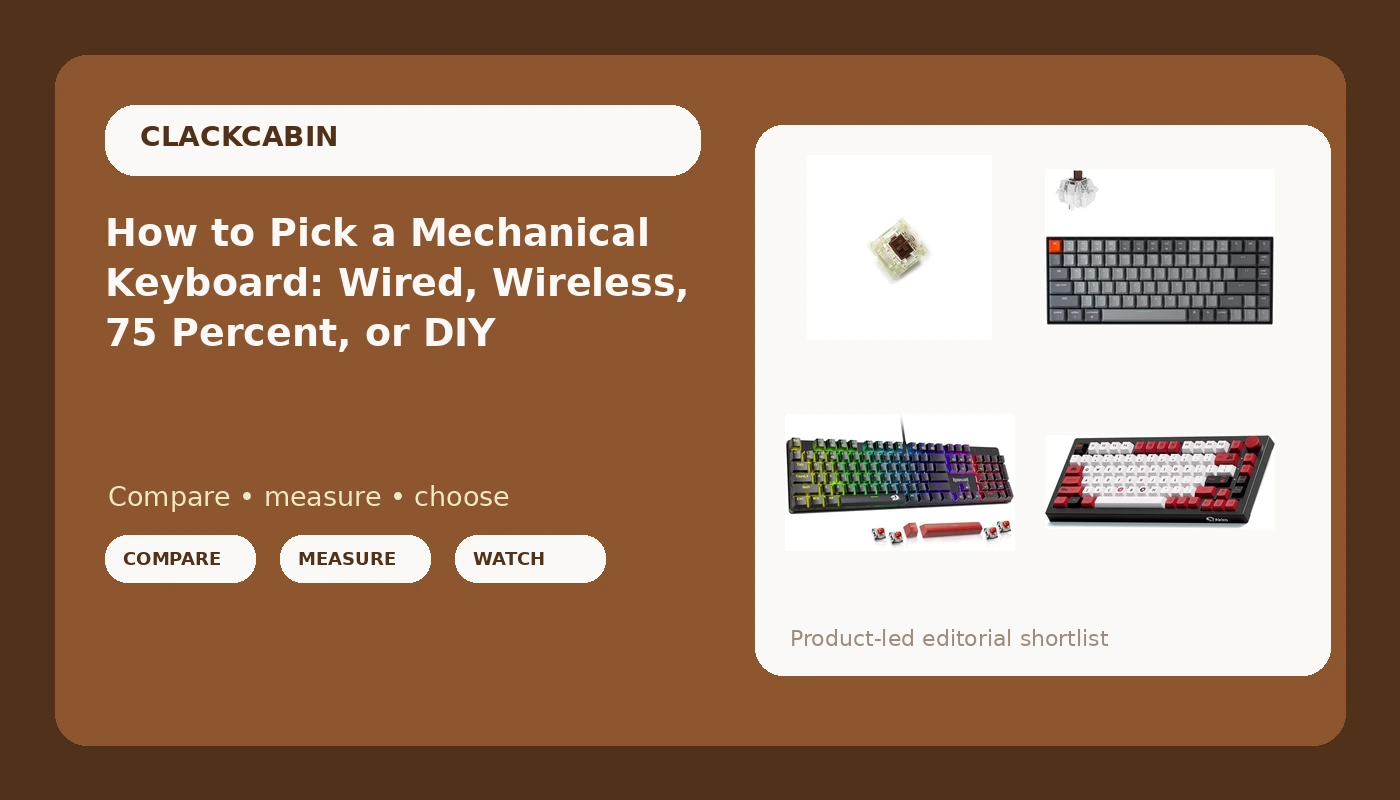
Most keyboard advice starts with the wrong question. You do not need the best mechanical keyboard in the abstract, you need the one that fits how you actually type, and that usually depends on a single constraint: whether the board has to travel, whether it has to stay wired to a locked-down work machine, or whether you would rather change the switches than change the keyboard. A hot-swappable mechanical keyboard makes that last path cheap, because the sockets let you pull a switch with a tool instead of a soldering iron. The four options below cover the realistic shapes of that decision, from a wired budget board to a compact 75 percent deck to a small bag of replacement switches.
Related: Hot-Swap Sockets Explained: Which Switches Actually Fit →
Quick answer
Start with the constraint that cannot move. If the board must work over Bluetooth on a laptop you carry, pick a wireless model. If it lives on a desk next to a docking station, a wired board is simpler and never needs charging. If you want a knob, a compact layout and room to swap switches later, a 75 percent hot-swap board with a rotary encoder covers the most ground. If your current keyboard is fine except for how it feels, a switch kit solves the actual problem for far less. None of these four is the quietest, fastest, or best in any measurable sense, and no rating is offered here beyond how each one fits a specific desk.
Four useful options
| Model | Best fit | What stands out |
|---|---|---|
| Redragon Mechanical Gaming Keyboard Wired | A fixed desk and a tight budget | Wired connection, hot-swappable Red switches, double-shot PBT keycaps |
| Akko 5075B Plus World Tour | A compact board with a knob and RGB | 75 percent layout, hot-swappable, rotary knob, Cherry profile PBT keycaps |
| Keychron K2 75% Version 2 | Travel and laptop use | Bluetooth wireless, 84 keys, USB-C, Mac and Windows layouts |
| Cherry MX 3-pin switches, 24 pcs | Upgrading a board you already own | Authentic Cherry MX Brown 3-pin switches, SMD RGB compatible |
The wired budget pick: Redragon Mechanical Gaming Keyboard Wired
Wired is not a compromise if the keyboard stays put. It removes charging, pairing and battery health from the list of things that can go wrong at 2 a.m. during a deploy, and it removes the latency question entirely. The trade is obvious and worth naming: you get one cable running across the desk, one more USB port in use, and no ability to grab the board and walk to the couch. Hot-swap sockets matter more at this price than at any other, because they let a budget board survive a change of taste. Red switches here are linear, so if you want a tactile bump you are buying switches separately rather than a different keyboard.
The compact board with a knob: Akko 5075B Plus World Tour
The 75 percent layout is the compromise most people should make first. You lose the number pad, which most typists touch a few times a day at most, and you keep the arrow cluster and function row, which you touch constantly. That reclaims several inches of desk and brings the mouse closer to your right hand. The knob is the other reason this class of board sells: a physical dial for volume beats a function-key chord. Two things to think through before buying. Cherry profile keycaps sit lower and can collide with north-facing LEDs on some boards, so check clearance if you plan to swap caps. And if you rely on a number pad for spreadsheets, a 75 percent board will make you buy a separate one.
The wireless desk regular: Keychron K2 75% Version 2
Bluetooth is the feature that changes a routine rather than a spec sheet. A board that pairs with a laptop means one keyboard for the work machine and the personal machine, switched without unplugging anything. The honest caveats: wireless adds a battery to your life, Bluetooth adds a pairing stack that occasionally needs to be forgotten and re-added, and backlighting draws down charge faster. This is also the option to weigh carefully if you type long sessions, because it is the board most likely to be carried around and least likely to be plugged in. If you want wireless without thinking about it, treat the cable as the default and Bluetooth as the convenience.
The DIY path: Cherry MX 3-pin switches, 24 pcs
Before buying a whole keyboard, consider whether you only dislike the switches. If the board already has hot-swap sockets, a switch kit is the cheapest upgrade in the hobby, and it is reversible in an evening. Two limits matter here. First, count: 24 switches will not fill a 75 percent board, which needs roughly 80 depending on layout, so this set suits a small cluster, a test run, or a top-row experiment rather than a full rebuild. Second, pin count: 3-pin switches drop straight into 5-pin-capable hot-swap sockets, but they will not fit a board that requires the two extra plastic legs for stability, and clipping pins on a board that needs them is a one-way decision.
Prices and availability may change. Check the current Amazon price and confirm the exact switch type, pin count and layout before you buy.
How hot-swap sockets change what you can buy
A hot-swap socket is a small metal receptacle soldered to the PCB that grips a switch's pins instead of requiring solder. It turns switch choice from a permanent decision into a reversible one. That changes the buying logic in three ways. A board with hot-swap sockets stays useful after your taste changes, so you can buy for layout and case quality first and treat the switches as a consumable. You can sample switch types cheaply, buying a couple dozen instead of a whole keyboard. And a switch that wears out or develops a rattle can be replaced individually rather than condemning the board. The main compatibility rules are pin count and plate cutout: 3-pin switches lack the two plastic locating legs and rely on the plate, while 5-pin switches include them for extra stability. Check which your board supports before ordering.
Wired, Bluetooth, or a switch kit: what actually decides it
- Write down your hard constraint: travel, a locked-down work laptop, a fixed desk, or an existing board you already like.
- Confirm the layout you can live without. A 75 percent layout usually means giving up the number pad and keeping the arrows.
- Check the socket type on any board you are considering. Hot-swap is the feature that keeps a purchase flexible.
- Verify switch pin count and keycap profile compatibility before buying switches or caps separately.
- Decide how the board connects, then stop optimizing. Past that point you are shopping, not solving.
Practical guidance
- Count switches before ordering a kit: a full-size board needs well over 100, a 75 percent board around 80, and a 24-piece set only covers a cluster.
- If the board uses north-facing LEDs, check clearance before pairing it with Cherry profile keycaps.
- Prefer double-shot PBT keycaps if you type heavily, since they resist the shiny wear that shows up on cheaper caps.
- Treat wireless as a battery commitment, not just a cable you skip, and plan where the charging cable lives.
- Keep the number pad question separate: if you use one daily, a 75 percent board means buying a separate pad or accepting the loss.
Which option should you choose?
Choose the Redragon Mechanical Gaming Keyboard Wired when the board sits on one desk, you want hot-swap sockets and PBT caps without paying for wireless, and a cable is not a problem. Choose the Akko 5075B Plus World Tour when you want a compact 75 percent layout with a rotary knob, RGB, and a themed set of Cherry profile PBT keycaps in one purchase. Choose the Keychron K2 75% Version 2 when the keyboard has to follow you between a laptop and a desk, or you want the option of switching between Bluetooth and USB-C. Choose the Cherry MX 3-pin switches, 24 pcs when the keyboard you own is fine except for how it feels, and you want to change the switches rather than replace the whole board.
One caveat applies to all four paths. Compatibility is not implied by a product listing: pin count, socket type, keycap profile and layout only work together in specific combinations, and the only reliable way to confirm a fit is to check the specifications for your exact board before ordering. Nothing here is a claim about measured sound, latency or longevity for these products, and no current price or rating is stated.
The bottom line
The right mechanical keyboard is the one whose constraint you have already accepted. Buy wired if the board never moves, buy a 75 percent layout if you want the desk space and can live without a number pad, buy Bluetooth if the keyboard has to travel, and buy switches alone if the only thing you dislike is the feel under your fingers. Hot-swap sockets are the thread connecting all four options, because they are what keep the decision reversible in a hobby that otherwise pushes you toward buying a whole new board every time your taste shifts. Confirm the pin count and profile, then stop comparison shopping. Check current Amazon price on the option that matches the constraint you wrote down first.