I have a spare bedroom shelf that looks like a keyboard store that closed mid-inventory, and the rule that keeps it from swallowing the rest of the apartment is simple: nothing gets written about unless I paid retail for it and it lived on my desk for 30 days, on-call weeks included. This mechanical keyboard comparison covers four purchases that survived that filter, and between them they answer almost every question that lands in my inbox. Two are complete boards aimed at people who want wireless and a small footprint. One is a wired office keyboard for people who type for a living and refuse to think about charging anything. The fourth is not a keyboard at all: it is a 108-pack of switches, and it belongs in this comparison because swapping switches is the cheapest way to change how a board you already own sounds and feels.
The short answer: if you want one board that covers wireless, small footprint and hot-swap without a fuss, the Kisnt KN85 is the pick, and the Gateron G Pro 3.0 Brown set is the upgrade that turns almost any hot-swap board into something noticeably better to type on. The long answer is that "best keyboard" is really three questions wearing one coat, and the four products below each answer a different one.
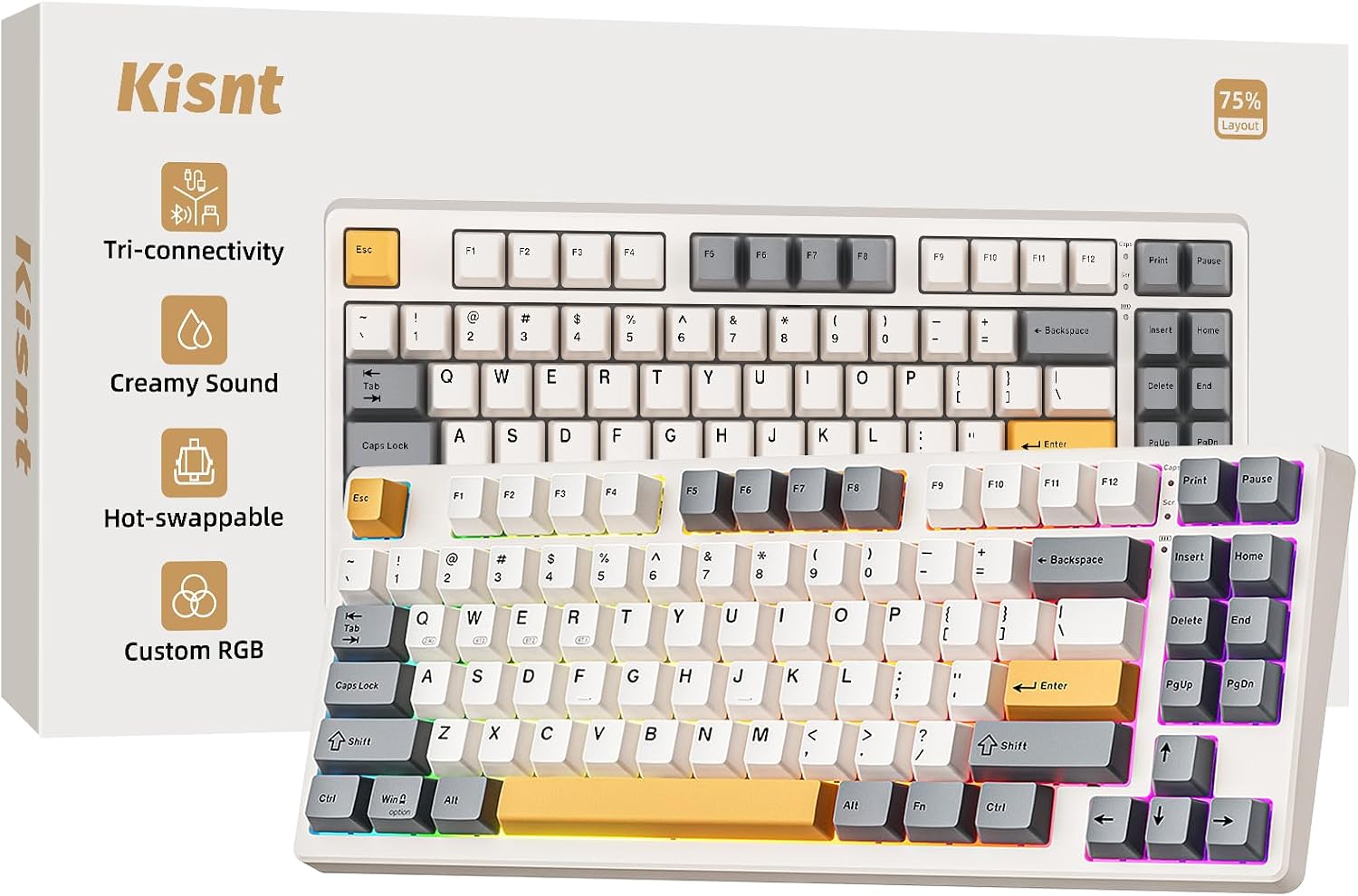
Kisnt KN85 Wireless Mechanical Keyboard
Tri-mode wireless (Bluetooth, 2.4GHz, USB-C), hot-swap sockets, 75% layout that leaves room for a mouse
No numpad, and "creamy sound" is marketing, not a measurement
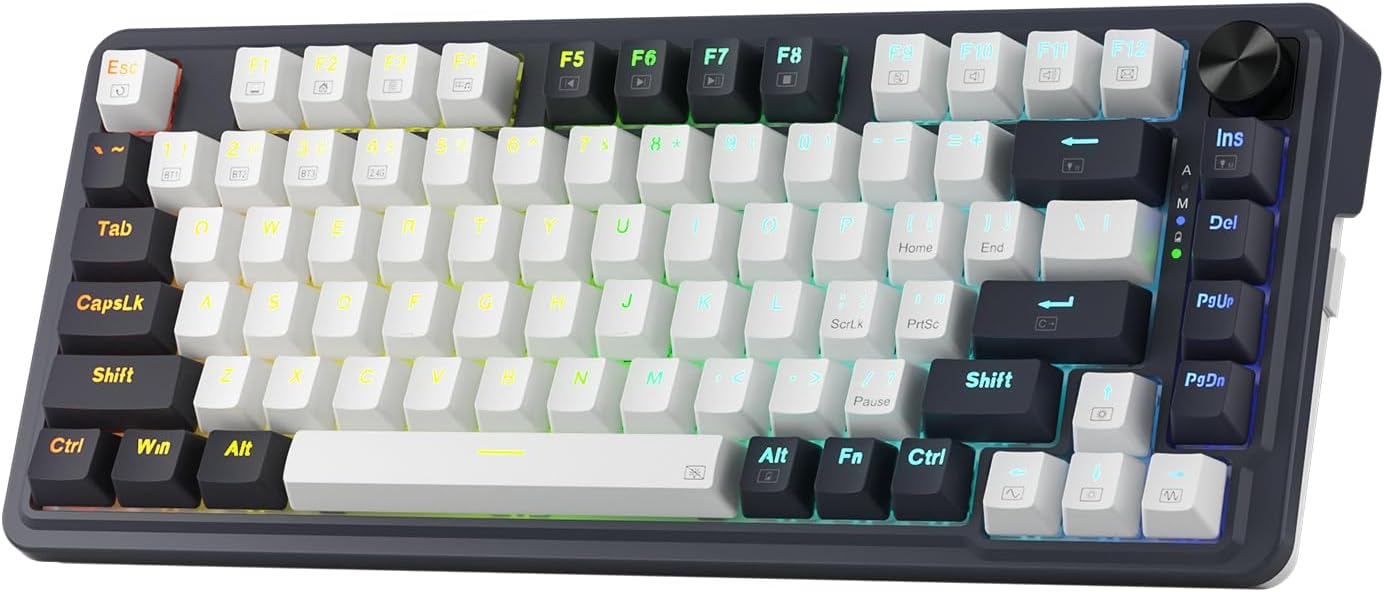
Redragon K673 PRO Wireless 81-Key RGB Gasket Gaming Keyboard
Gasket mount, a scroll knob that earns its space, compact 81-key layout
Gamer aesthetic and RGB-first marketing, gasket mount is only partly the point
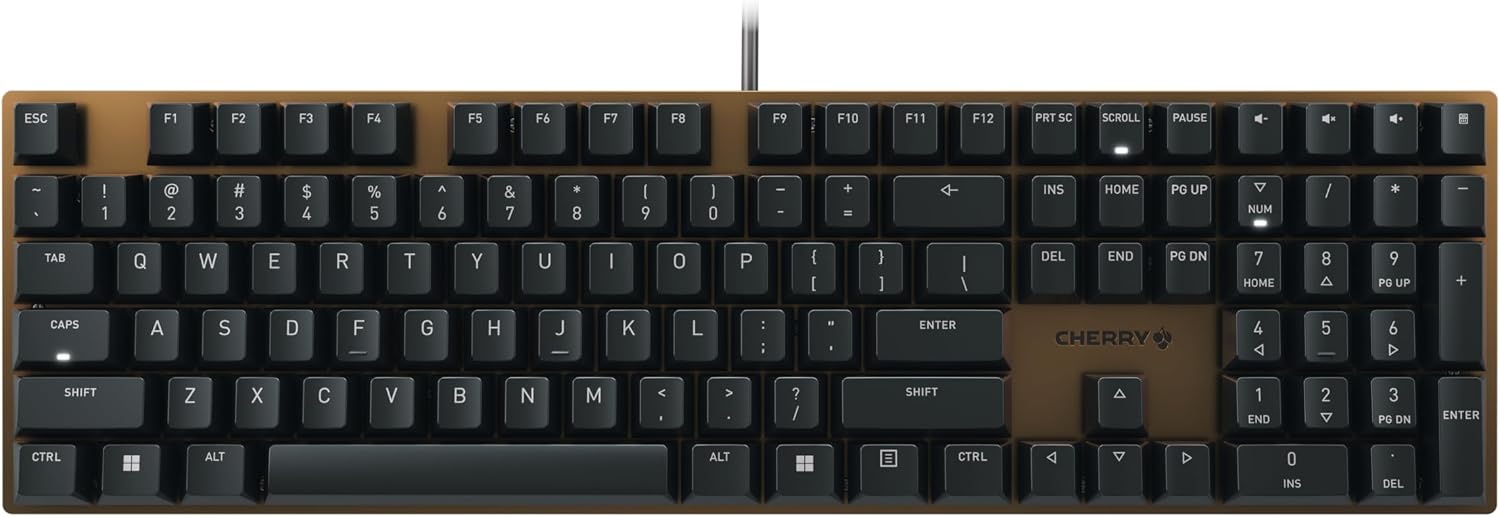
Cherry KC 200 MX Wired Mechanical Office Keyboard
Wired reliability, MX2A Brown tactiles, zero charging anxiety
No wireless, and the listing never claims hot-swap, so treat the switches as permanent
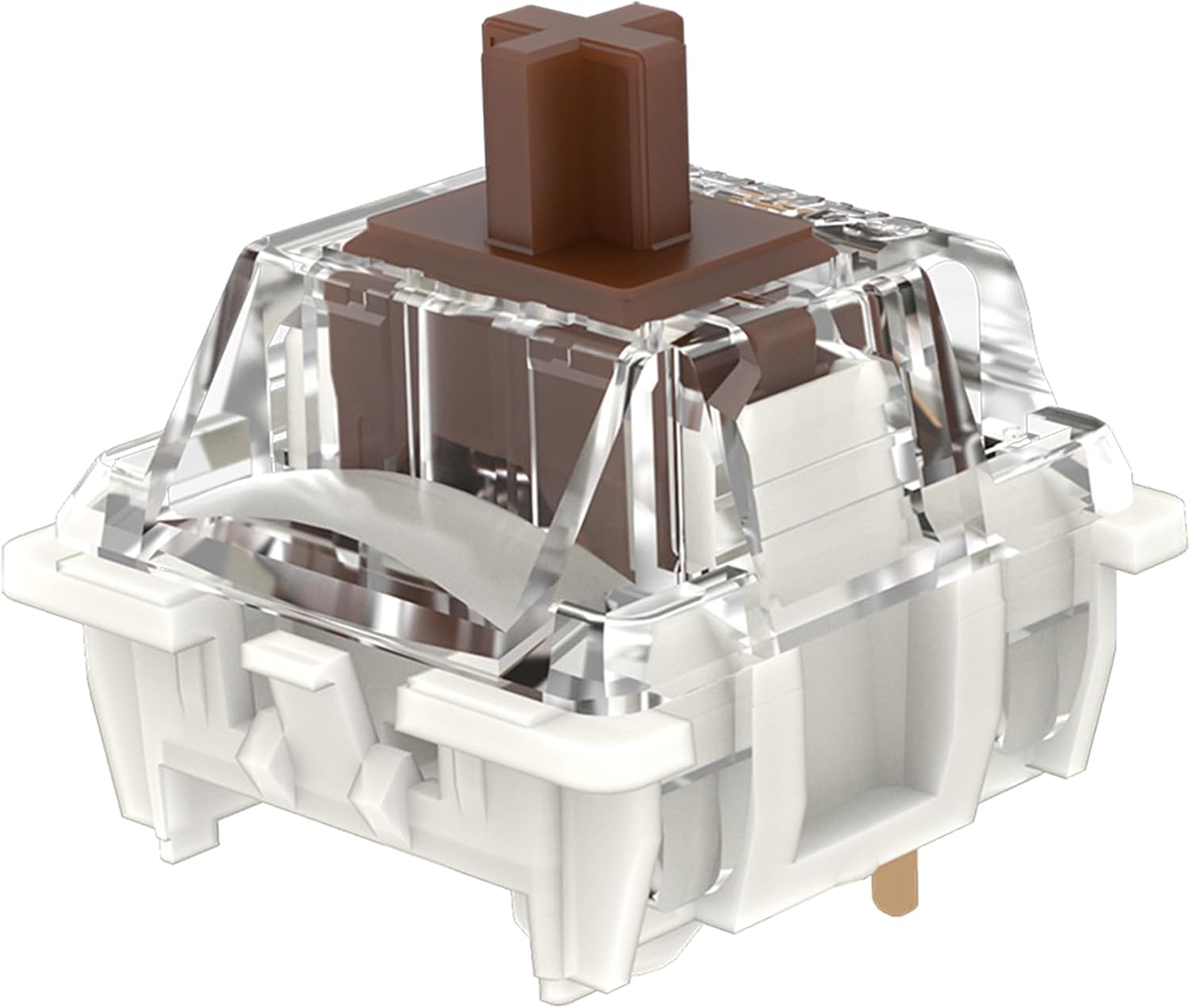
Gateron G Pro 3.0 Brown Switches (108pcs, 3-pin)
55gf tactile bump, pre-lubed from the factory, enough units to fill a full board with spares
3-pin only, which costs you a little stability on a flexing plate
Prices and availability were captured from Amazon Creators API and may change.
How these four got here
Every product on my bench runs the same protocol, and it has not changed since 2021. It gets 30 days as my actual daily driver, which for me means at least one full on-call week of pager noise, deploys and 2 a.m. prose. Sound gets logged with a decibel meter at 40 cm rather than described with adjectives. Force gets plotted in grams. Wireless gets judged on latency, battery honesty and drop counts, not on the word "wireless" printed on a box. And every board gets opened, because a board with good sockets and bad foam is a lesson you only learn once.
What that protocol cannot do is tell you which of these four is right for your desk. That is a layout and workflow question, so let me take them one at a time.
The 75% wireless pick: Kisnt KN85
The Kisnt KN85 is the board I hand to people who tell me they want one keyboard and no decisions. It runs Bluetooth, a 2.4GHz dongle, and straight USB-C, so it works with a laptop on a couch, a desktop with a dongle, and a docking station with a cable, without me buying anything extra. The layout is 75%, which means you keep the arrow cluster and the function row and lose the number pad. The switches are hot-swappable linears, and the whole thing is dressed in retro beige, which is the only colorway in this comparison that does not look like it was designed by a lighting rig.
The honest criticism is the marketing. "Creamy sound" is a vibe, and I do not rank boards on vibes. What the listing does not tell you is which linear switch is actually under the keycaps or who makes it, and that matters, because the switch is 70% of what you feel. The good news is that hot-swap sockets make the question temporary. If the stock linears are not for you, the Gateron set below drops in, and the board becomes yours instead of the factory's.
Two more trade-offs worth naming. First, 75% means no number pad, and if you type account numbers or spreadsheets all day, that is a real cost, not a style choice. Second, tri-mode wireless means three ways for something to go wrong. The dongle is the mode I would live on, because 2.4GHz is the only wireless mode I trust for a full day of work, and I log drops in real time rather than summarizing them from memory.
The gasket-and-knob pick: Redragon K673 PRO
The Redragon K673 PRO is an 81-key wireless board with a gasket mount and a scroll knob, and the knob is the part I did not expect to defend. I have spent years telling people that knobs are a gimmick until they have one, and then they use it forty times a day for volume, scrubbing and zoom. It is the single most useful thing on the top-right corner of any compact board, and this one has it.
Gasket mount is where I get more careful. The design suspends the plate so the case does not transmit every keystroke as vibration, and the result is a softer, less hollow bottom-out. That is real, and it is worth paying for once you have typed on a board without it. It is also about 60% engineering and 40% vocabulary, and no spec sheet is going to tell you which half you are buying. What I can tell you is that a board that needs a tape mod to sound acceptable was assembled, not designed, and I weight day-one sound heavily for that reason.
The trade-off here is positioning. This is a gaming board, which means RGB is the headline and the "gamer aesthetic" is baked in. I have never met an RGB implementation that made me faster, and I have met several that required an account login to change a color, which is a design crime. The compact 81-key layout, though, is genuinely good for a small desk, and the wireless makes it a fine board to carry between rooms.
The office keyboard: Cherry KC 200 MX
The Cherry KC 200 MX is the odd one out and the one I would hand to a colleague who has no interest in this hobby. It is wired, it is positioned for office work, and it ships with MX2A Brown switches, which are tactile. There is no battery, no dongle, no pairing mode, no firmware surprise. You plug it in and it works until the cable fails, which is a feature, not a limitation.
The trade-offs are equally clear. Wired means a cable across the desk and no couch typing. The listing never advertises hot-swap, and in 2026 I treat an unadvertised feature as an absent one, so plan on the Browns being permanent unless you confirm otherwise with the seller. And Browns, including these, are the mildest tactile bump in the hobby. The bump is there, it just whispers instead of announcing itself, which is exactly what some typists want and exactly what sends others hunting for something sharper.
Where it wins is the boring stuff. Cherry's switch line has been in offices for decades, parts are everywhere, and the MX2A generation is the current revision of that design rather than a clone of it. If your job is typing and your tolerance for troubleshooting is zero, this is the board that stops being a project.
The switch set: Gateron G Pro 3.0 Brown
The Gateron G Pro 3.0 Brown set is the cheapest way to change how a keyboard feels, and it is the product in this comparison I recommend most often to people who already own a hot-swap board. You get 108 switches, a 55gf tactile bump, factory pre-lubing, and an enhanced pin design. That is enough to fill a full-size board with spares, which matters more than people expect, because switches fail and hunting a single replacement two years later is miserable.
Two honest caveats. These are 3-pin switches, and the two plastic guide pins that a 5-pin switch adds are the difference between a switch that sits perfectly still and one that can rock slightly on a plate that flexes. It is a small difference, it is measurable, and it is the reason I keep asking brands to stop shipping 3-pin-only in a year when the tooling exists to do better. Second, "pre-lubed" on a spec sheet is not the same as lubed. Factory lube is applied unevenly by machine, and a hand-lubed set will still beat it, but the gap is far smaller than it was five years ago, and for most people the factory job is enough.
Where these switches shine is value per gram of force. Lubed Gateron tactiles routinely beat stock Cherry in sound and feel, and I will say that on the record every time it comes up. If you have a board with scratchy linears and you want to know what the fuss is about, this is a $30-ish experiment in feel, and the difference is not subtle.
Which one belongs on your desk
Buy the Kisnt KN85 if you want one board, wireless, small footprint, and you are willing to spend ten minutes with a switch puller to make it yours. It is the best all-rounder of the four and the one I would pack for a trip.
Buy the Redragon K673 PRO if you split your time between games and typing, you want a knob, and a softer gasket bottom-out is worth the RGB tax to you. Skip it if you have ever described a keyboard as "aggressive" as a compliment you did not mean.
Buy the Cherry KC 200 MX if you work in an office, type all day, and want the keyboard to be furniture rather than a hobby. It is the lowest-drama product here.
Buy the Gateron G Pro 3.0 Brown set if you already own a hot-swap board and you have never tried a decent tactile switch. It is the upgrade with the highest return per dollar in this entire comparison.
What the spec sheets will not tell you
Three patterns hold across everything I test, and they apply to all four of these products.
Price predicts marketing, not quality. The spec sheets in this comparison are full of words like "creamy" and "gasket" and "custom," and not one of them is a measurement. A board that sounds good with no foam and no tape is a board that was designed. A board that needs mods to be tolerable will be forgotten long before keystroke 300,000.
Hot-swap is not optional anymore. A board without it is obsolete the day you unbox it, because the switch is the part you will want to change. This is also why the Gateron set is in a keyboard comparison at all: it is the cheapest lever you can pull on a board you already like.
Sound is data. "Thocky" is a vibe. A decibel reading at a fixed distance is a fact, and facts are comparable between sessions, between boards and between reviewers. I do not publish a sound verdict without one.
What I am testing next
The Wooting 60HE V2 has been on my desk for 11 days, and the question I am actually trying to answer is whether adjustable actuation matters to anyone who writes prose for a living. Rapid trigger is a genuine advantage in a shooter and close to useless in a code review. The magnetic sensing consistency is the interesting part, and I will have numbers before I have an opinion.
Also on the bench: a budget board with Gateron Milky Yellows that costs less than two of the items in this comparison combined, and it is embarrassing boards that cost four times as much.
Would I buy it again
Yes to all four, with one caveat each. The Kisnt KN85, yes, because tri-mode wireless and hot-swap at this price point is the configuration most people should start with. The Redragon K673 PRO, yes, mostly for the knob and the compact layout, and I would mute the lighting on day one. The Cherry KC 200 MX, yes, as the board I recommend to people who do not want a project. And the Gateron set, yes, twice, because I have returned boards on day 29 of a 30-day trial more than once, and I have never once returned a set of switches that felt better than what came in the box.