I get asked the same question every week, and it is never "what is the best keyboard." It is "these four are in my cart, pick one." So this is a comparison of four hot-swappable mechanical gaming keyboards that keep turning up in those carts, judged on the things that still matter after the unboxing high wears off: socket quality, layout, firmware, switch feel, and whether the board makes sense at keystroke 400,000.
Related: Keyboard Form Factors Explained 60 Vs 65 Vs Tkl Vs Full
The short answer: the ASUS ROG Strix Scope II X is the safest buy of the four, the SOLAKAKA KI99 Pro is the one to get if your desk has to be wireless, the MONSGEEK M1 V5 is the only board here built for competitive shooters, and the Redragon is the answer when the budget is fixed and non-negotiable.
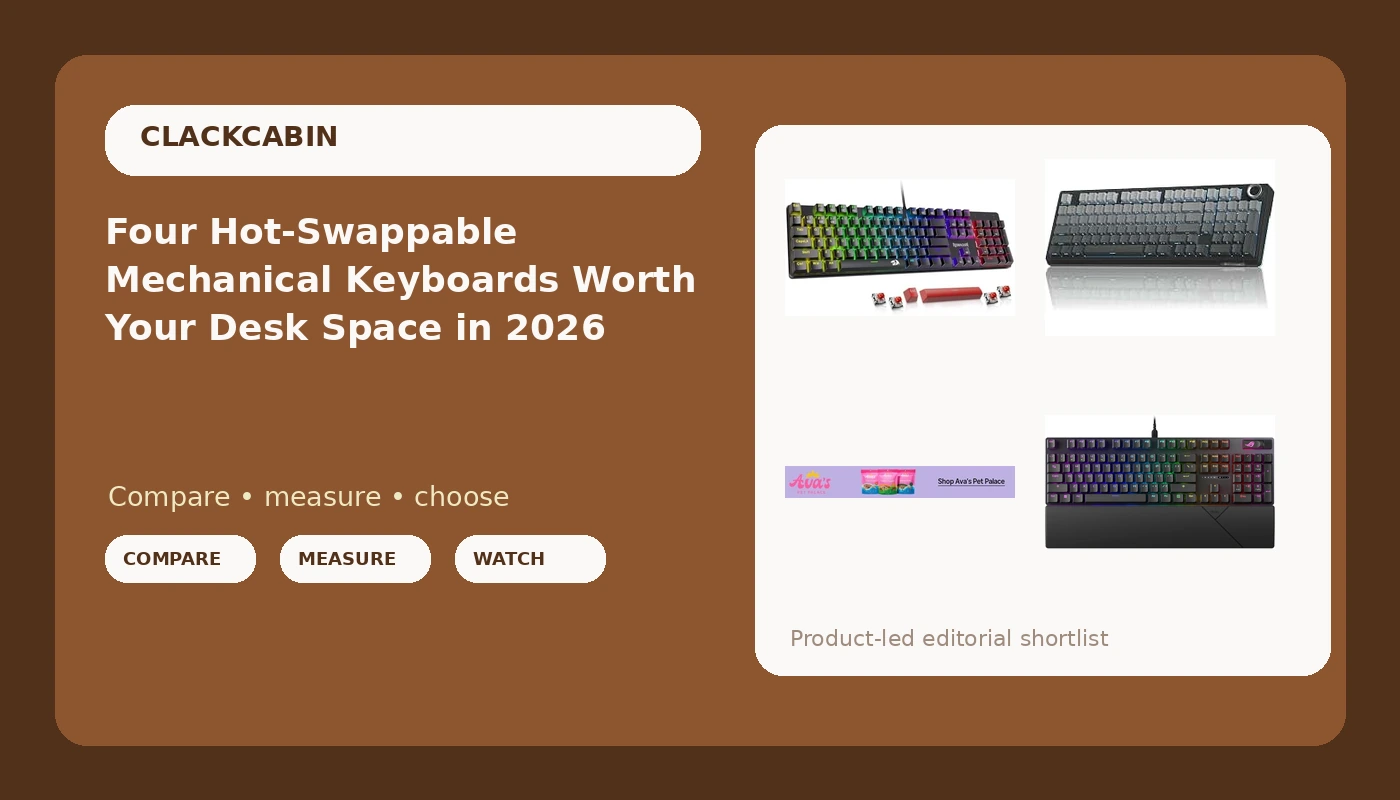
Redragon Mechanical Gaming Keyboard Wired
Hot-swap sockets, double-shot PBT keycaps, anti-ghosting, wired simplicity, PC and Mac support
No gasket mount, plastic case, no wireless, red switches are light for heavy typists
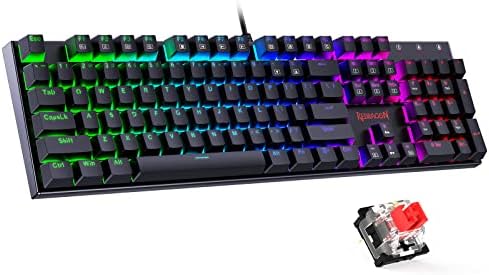
SOLAKAKA KI99 Pro 96% Wireless Mechanical Keyboard
Gasket structure, 96% layout keeps the numpad, hot-swap pre-lubed switches, wireless freedom
Non-silent version is loud, smaller brand support, wireless claims need a 30-day log to trust

MONSGEEK M1 V5 TMR Rapid Trigger Gaming Keyboard
Magnetic switches with rapid trigger, aluminum case, 32k scanning rate, quick release design
Highest price here, magnetic tech pays off in games far more than in prose, newest platform to live with
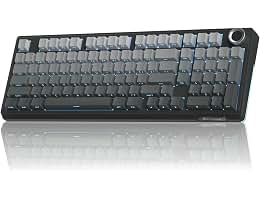
ASUS ROG Strix Scope II X Wired Mechanical Gaming Keyboard
Full-size layout, hot-swap pre-lubed ROG NX Snow V2 linear switches, PBT keycaps, mature firmware and support
Wired only, full-size footprint eats desk space, vendor software is heavier than it needs to be
Prices and availability were captured from Amazon Creators API and may change.
How I judge a board before it earns a recommendation
Every board that reaches this site has to clear the same five gates: 30 days as my actual daily driver including one on-call week, a decibel reading at 40 cm across ten keystrokes per row, a force curve pulled with a luggage scale and a 3D-printed jig, a keystroke counter running in firmware so "500,000 presses" is a real number, and a teardown that photographs the plate, the foam, the sockets, and the solder joints. A board can be pretty and still fail gate five. A $200 board with $4 sockets is a $200 lesson, and I have published that lesson more than once.
For a comparison like this one, the gates translate into four plain questions. Does it have hot-swap sockets, and do they take five-pin switches or only three-pin? Is the plate suspended on something, or bolted straight to the case? Do the stabilizers rattle before you touch them, because a rattle in hour one is still a rattle in week four. And does the firmware let you remap keys without creating an account for a cloud service you did not ask for?
Those four questions cut this list from "four keyboards" to "four different jobs." That is the honest framing. There is no single winner here, only a winner for your desk, your layout, and the thing you do for eight hours a day.
The Redragon: the budget answer that is not embarrassing
The Redragon wired mechanical gaming keyboard is the entry point of this group and it does not pretend otherwise. You get hot-swappable sockets, double-shot PBT keycaps, red linear switches, anti-ghosting, and a plain wired USB connection that removes every wireless variable from the equation before it can become a problem.
The PBT caps matter more than the spec sheet suggests. Cheap ABS keycaps develop a greasy shine at the WASD cluster somewhere around month four, and you cannot unsee it. Double-shot PBT does not do that, and on a board at this price it is the difference between a tool and a disposable.
What you give up is the gasket-mounted plate and the wireless option. The case is plastic, the sound is clack-forward rather than deep, and the red switches are light enough that a heavy-handed typist will bottom out on nearly every keystroke. That last point is fixable, because the sockets are the whole reason to buy this board: a switch puller and a bag of heavier linears turns it into a different keyboard for the price of lunch.
The SOLAKAKA KI99 Pro: the wireless one that keeps its numpad
The SOLAKAKA KI99 Pro is the board I would hand to anyone who works with numbers and refuses to give up a numpad. The 96% layout keeps the number pad while trimming the dead space around it, which means you get a full-size skillset in a footprint that leaves room for a mouse. The gasket structure is listed on the spec sheet, and gasket mount is roughly 60% real improvement and 40% marketing, but that 60% is worth having once you have typed on a board without it.
The switches are hot-swappable and pre-lubed, which is the correct combination for 2026. Hot-swap sockets are not optional anymore; a board without them is obsolete the day it ships. Pre-lubed is a weaker promise, because "lubed" on a product page is not the same as lubed in your hand, and the only way to know is to pull a switch and look.
Two honest notes. The listing is explicit that this is the non-silent version, so if you share a room or take calls all day, plan accordingly. And wireless is not a feature, it is a set of features: latency, battery honesty, and a week without a dropped connection. That is exactly the kind of claim my 30-day driver log exists to test, and it is why I never treat "wireless" as a checkbox.
The MONSGEEK M1 V5 TMR: the specialist, and it knows it
The MONSGEEK M1 V5 TMR is the odd board out in the best way. Magnetic switches, a 32k scanning rate, rapid trigger, and a quick release aluminum build put it in a different category than the other three. Rapid trigger resets the switch the instant you lift your finger instead of at a fixed point, and if you play shooters at a level where counter-strafing matters, that is a real mechanical advantage and not a marketing line.
It is also the board on this list where the money goes somewhere you can feel immediately: an aluminum case changes the sound and the weight of the whole experience. Aluminum does not automatically mean better, because a heavy case with bad stabilizers is still a rattly keyboard, but the material is the first thing you notice when you set your hands down.
Here is the part the spec sheet will not tell you. Adjustable actuation is close to useless for prose. If you spend your day writing code or documentation, magnetic switches do not make you faster, and the extra cost buys you gaming headroom you will never spend. This is a specialist purchase, and the honest advice is to buy it only if the specialist use case is actually yours.
The ASUS ROG Strix Scope II X: the one I would recommend first
The ASUS ROG Strix Scope II X is a 100% full-size wired board with hot-swappable sockets, pre-lubed ROG NX Snow V2 linear switches, PBT keycaps, RGB, and support for both PC and Mac. That is a boring list, and boring is the point. Every item on it is something that stops being a problem before it starts.
The NX Snow V2 is a linear switch with factory lube, which is the right starting point for most people in 2026: smooth, quiet enough for a shared office, and consistent enough that you stop noticing it. That last part is the real test. The best keyboard is the one you stop thinking about, and if you are still noticing the board at week three, it failed.
The two costs are footprint and software. Full-size means the numpad, the function row, and roughly the entire right half of your desk if you mouse on the same surface. And the vendor software stack for RGB and macros is heavier than the job requires, which is the same complaint I level at every brand that wants an account before it will let you change a color. If you can live with a wired cable and you want a board that will not surprise you in month seven, this is the pick.
The trade-offs the spec sheets skip
Wired versus wireless. Wireless is finally real, but "wireless" is not a feature. Latency, battery life, and drop-free weeks are the features, and the only way to judge them is to live with the board through an on-call week. If you want zero variables, buy wired and stop thinking about it. The Redragon and the ASUS both make that easy.
Layout is a decision, not a detail. The SOLAKAKA at 96% keeps the numpad in less space. The ASUS at 100% gives you the classic layout with no compromises and no desk space left. Neither is wrong; the wrong choice is buying full-size and then complaining that your mouse has nowhere to go.
Switch technology is a fork in the road. Three of these four are mechanical, and the MONSGEEK is magnetic. Mechanical switches are the known quantity: predictable, repairable, endlessly swappable. Magnetic switches buy adjustable actuation and rapid trigger, which is a genuine advantage in games and close to dead weight in a text editor.
Software is part of the product. Open firmware you can remap in a browser is the difference between a keyboard and a keyboard you own. Every vendor tool on this list does the job, and every one of them would be better if it stopped asking for an account.
Keycaps are the wear item. Double-shot PBT on the Redragon and the ASUS is a real long-term win, because ABS shines and PBT does not. If a board gets the sockets right and the caps wrong, you are buying caps in six months anyway.
Which one to buy
- Buy the ASUS ROG Strix Scope II X if you want the least risky board here: full-size, wired, hot-swap, pre-lubed linears, and a support structure that will still exist in three years.
- Buy the SOLAKAKA KI99 Pro if wireless is a requirement and you want the numpad without the full-size footprint. Accept the noise of the non-silent version before you click.
- Buy the MONSGEEK M1 V5 TMR only if competitive gaming is the actual job. The aluminum case and rapid trigger are excellent and they are not cheap.
- Buy the Redragon if the budget is the constraint. Hot-swap sockets and PBT caps at this price are the two things that matter most, and you can upgrade the switches later.
What I am testing next
The Wooting 60HE V2 has been on my desk for 11 days now, and the question I am stress-testing is whether Hall Effect boards finally make sense for typists rather than just FPS players. The magnetic sensing is consistent and measurable, which I like. The adjustable actuation is a gimmick for prose, which I also have to say out loud.
The other thing on the bench is a budget board that keeps embarrassing boards costing three times as much. When that write-up lands, it will make at least one brand uncomfortable, and it will follow the same rule as everything else here: a keyboard you can buy tomorrow and actually use beats a rare one that ships in fourteen months.