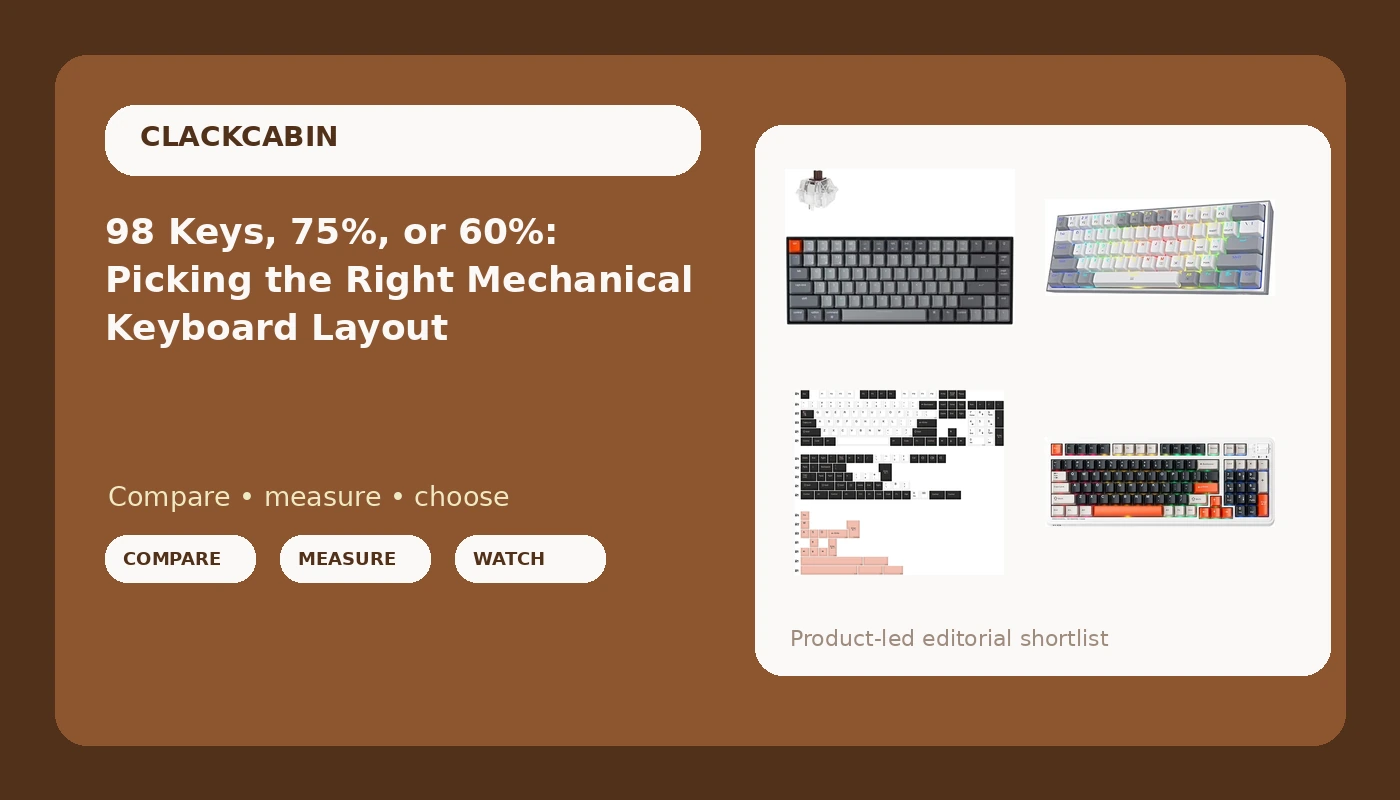
Ask five people which mechanical keyboard to buy and you will get five answers about switches. The more useful question is about size. Mechanical keyboard form factors decide how much desk the board occupies, which keys live under your fingers without a modifier, and how much of your muscle memory survives the change. A 98-key wireless board, a 75% wireless board, a 60% wired compact, and a set of replacement keycaps are four different answers to the same problem, and the right one depends less on taste than on which keys you press in a normal hour of work.
Related: Hot-Swap Sockets Explained: Why They Are No Longer Optional →
Quick answer
There is no best size, only a size that matches your work. If you use a number pad every day, stay at 98 keys or above. If you mostly type prose and code and want the mouse closer to your shoulder, a 75% board drops the number pad while keeping the function row and arrow cluster. If your desk is narrow or the board travels, a 60% layout gives up dedicated keys in exchange for a footprint barely wider than the alphanumerics. And if the keyboard you already own fits your hands, a keycap set changes the surface and the look without changing the layout at all.
Four useful options
| Model | Best fit | What stands out |
|---|---|---|
| Machenike KG98 Wireless Mechanical Keyboard | Desks that need a number pad without full-size width | 98-key arrangement with hot-swap sockets, RGB, and a wireless connection |
| Redragon K617 Wired 60% Compact Hot-Swap RGB Gaming Mechanical Keyboard | Narrow desks, travel, and minimal footprints | 60% compact layout, wired connection, hot-swap sockets, RGB |
| Keychron K2 75% Layout Bluetooth Wireless Mechanical Keyboard, 84 Keys, Version 2 | Mac and Windows users who want a compact wireless board | 75% layout, Bluetooth, USB-C, white LED backlight, N-key rollover |
| KBDiy 174 Keys GMK Botanical PBT Keycaps | Changing the surface and look of a board you already own | 174 PBT keycaps in a botanical colorway |
The number pad keeper: Machenike KG98 Wireless Mechanical Keyboard
The trade-off with a 98-key board is density, not size. Nothing is missing, but everything is closer together: the arrow keys sit directly under the right side of the main block, and the number pad loses the small breathing room a full-size case provides. That is usually fine for touch typists who navigate by feel and less fine for anyone who glances down at the arrows. It also means the board occupies less horizontal desk space, which is the whole point, since it lets your mouse hand sit closer to your body. If you are coming from a full-size keyboard and you want the number pad to stay, this is the smallest change you can make to your muscle memory.
The space saver: Redragon K617 Wired 60% Compact Hot-Swap RGB Gaming Mechanical Keyboard
A 60% board is the biggest behavioral change on this list, because the keys are not gone, they are relocated. Arrows usually live on the function layer, often on the same keys as IJKL or WASD, and the function row folds into the number row. Some people adapt in a day; some people never stop reaching for a key that is not there. The upside is real: the board is narrow enough to leave room for a large mouse mat and a notebook, and it is easy to pack. One detail worth checking before you buy keycaps for a 60% board is the bottom row, since compact layouts often use shorter modifier keys than a full-size board does.
The cross-platform compact: Keychron K2 75% Layout Bluetooth Wireless Mechanical Keyboard, 84 Keys, Version 2
The 75% layout is popular for a reason: it removes only the part of a full-size board that many people never use. You keep Escape and the function row for editor shortcuts, you keep arrows for spreadsheet work, and you lose the number pad. If you type numbers in long bursts, that loss stings, and a separate number pad or a 98-key board is the honest answer. If you type numbers occasionally, the reclaimed desk space is worth more. The Mac and Windows version matters too: platform-specific modifier legends and a physical switch for the layout mean fewer remapping sessions when you move the board between a work laptop and a personal machine.
The upgrade kit: KBDiy 174 Keys GMK Botanical PBT Keycaps
Keycaps are the cheapest way to change how a keyboard feels and the easiest purchase to get wrong. Two things decide whether a set fits: the sizes of the keys in the bottom row, and the length of the spacebar. A 60% board with a 1u right shift and a 75% board with a 1.75u right shift need different caps, and a large set like this one is designed to include those variants. There is also the north-facing LED question, since some board and keycap combinations collide on the lower rows when the LED sits above the switch. Measure first, or check the set against your board's layout before ordering.
Prices and availability may change. Product images, names, and retailer links are matched to verified listings. No current price, rating, stock status, or measured result is stated here without current evidence.
Why key count is the decision you actually feel
Your hands spend almost all their time on the same forty-odd keys. Everything a layout debate is about lives outside that core: the function row, the arrow cluster, the navigation column, and the number pad. Full-size boards keep all four. Tenkeyless boards drop the number pad. 75% boards drop the number pad and compress the rest into a single row above the alphanumerics. 65% boards keep arrows and lose the function row to a layer. 60% boards keep only the main block and put everything else on layers. The 96 and 98-key boards are the outlier: they keep every key but rearrange the right side so the case is narrower.
That means the honest question is not which layout is better but which keys you press without looking. If you reach for Home, End, and Page Up while reading code, a 60% board will interrupt you for a week or two. If you never touch the number pad, keeping it costs you five inches of mouse room every day. Write down the keys you pressed in the last hour of real work, and the layout usually picks itself.
Wired, Bluetooth, and what the connection changes
Wired is the boring answer and often the right one. No battery to think about, no pairing to redo when you switch machines, and no question about whether a dropped keystroke was the board or the connection. A wired board also draws power for full backlighting without shortening anything's runtime.
Bluetooth is what makes a compact board genuinely portable. The useful features are not the word wireless itself but the details behind it: how many devices the board remembers, how long it lasts with the backlight on, and whether it wakes cleanly after sitting idle overnight. Those are the things that turn a wireless board from a convenience into a daily annoyance, and they are worth checking in reviews rather than assuming from a spec sheet.
One more spec-sheet caveat: N-key rollover is a claim about how many keys the board can register at once, and it is most reliably delivered over a cable or a dedicated low-latency dongle. Over Bluetooth, the ceiling is often lower. If you play games where simultaneous presses matter, treat the wired mode as the one that counts.
How to decide in an afternoon
- List the keys you press in a normal hour: arrows, number pad, function row, navigation. Any key on that list should stay dedicated rather than move to a layer.
- Measure the desk you actually have, not the desk you plan to buy, and leave room for the mouse arc your arm makes.
- Count the machines you type on. Two or more means Bluetooth earns its keep; one desktop means a cable is simpler.
- Decide whether you will ever change switches. If the answer is maybe, hot-swap sockets stop being a nice-to-have.
- Decide whether you are buying a keyboard or upgrading one. If the board you own already fits your hands, a keycap set is the cheaper project.
What to check before you order
- Confirm the layout matches your muscle memory, especially if you use arrows and a number pad without looking.
- Check switch compatibility if you plan to swap switches, since some sockets accept only certain pin counts.
- Check keycap sizes against your board's bottom row and spacebar before buying a set.
- Check how the board connects and how many devices it remembers if you move between machines.
- Check the platform keys if you split your time between Mac and Windows, and confirm the layout switch is physical rather than software-only.
Which option should you choose?
Choose the Machenike KG98 Wireless Mechanical Keyboard when you use a number pad daily but want the narrower case that a 96 or 98-key arrangement provides. Choose the Redragon K617 Wired 60% Compact Hot-Swap RGB Gaming Mechanical Keyboard when desk space or portability matters more than dedicated arrows, and you are willing to relearn a few keys on layers. Choose the Keychron K2 75% Layout Bluetooth Wireless Mechanical Keyboard, 84 Keys, Version 2 when you want the function row and arrows to stay put, you can live without a number pad, and you split your typing between two machines. Choose the KBDiy 174 Keys GMK Botanical PBT Keycaps when the keyboard you already own fits your hands and you want to change how it looks and feels rather than how it is laid out.
The caveat is that layout advice is geometry, and geometry is the one part of a keyboard you can reason about before it arrives. It says nothing about how any specific board sounds, how its stabilizers behave, or how its wireless holds up over months. Those are the parts that need a bench and a long trial, and they should come from measurements rather than from a spec sheet.
The bottom line
Buy the layout first and everything else second. A 98-key board keeps the number pad and trims the width; a 75% board trades the number pad for a smaller footprint while keeping the function row and arrows; a 60% board trades dedicated keys for the smallest case here; a keycap set trades nothing at all and only changes the surface. Switches, keycaps, and firmware are all things you can change later. The key count is the decision you live with every day, so count the keys you actually press, measure the desk you actually have, and pick the size that makes the board disappear under your hands.