Related: Full-Size vs 75% Keyboards: Which Layout Fits Your Desk
I have spent twelve years writing software and the last five measuring keyboards, and the gap between what a product page promises and what a board feels like at keystroke 400,000 has never closed. So this mechanical keyboard buying guide starts at the boring end of the hobby: layout math, connection type, socket type, and whether you will still be able to change the switches two years from now.
The four products below cover the four decisions most people actually face. Two are wireless boards from AULA, one is a wired full-size board from Logitech, and one is not a keyboard at all. It is a 24-piece set of switches for people who already own a hot-swap board, and it is the cheapest way to change how a board feels without buying another board. Most guides skip that item because there is no glamorous unboxing.
A quick word on how I work, because it explains the shape of this guide. I buy everything I write about at retail, I run the same five-part protocol on every board, and the log is now past 250 entries. Not every product here has finished its 30 days on my desk yet, and where I am working from the spec sheet and the layout math instead of a closed log, the entry says so. That is the only honest way to publish a guide in a hobby that ships new boards every week.
Best Full-Size Wireless: AULA F108 PRO
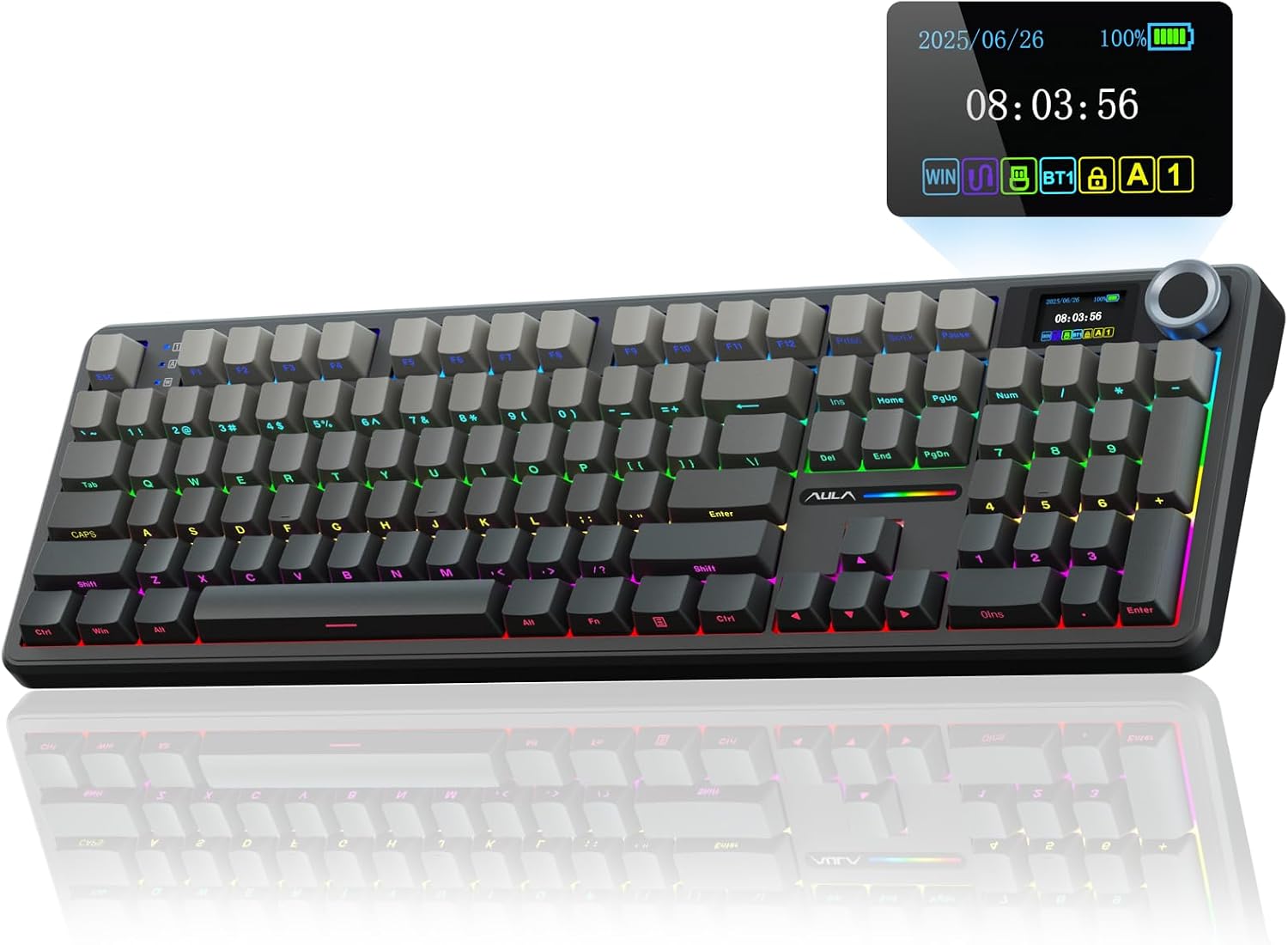
The F108 PRO is the board for anyone who refuses to give up a number pad. Full-size means a numpad, and if your day involves spreadsheets, IP addresses or a terminal full of port numbers, that numpad is not nostalgia. It is throughput, and the seconds you save per task turn into a real number by Friday.
The two features that separate it from a generic full-size board are the knob and the screen. A knob sounds like a gimmick until you have used one for volume and timeline scrubbing for a week, and then you notice every keyboard that does not have one. The screen is more useful on a wireless board than on a wired one, because battery level stops being a guess and starts being something you can read.
The battery is listed at 8000mAh, which is a large cell for a keyboard. Two things drain a wireless board faster than anything else: RGB at full brightness and a screen that stays awake. Neither is a reason to avoid the board, but both are reasons to keep a charging cable within reach.
Hot-swap sockets are here, and that matters more than any other spec in this section. Pre-lubed switches and side-printed PBT keycaps are the factory tuning; hot-swap is your escape hatch if you disagree with it. Side-printed keycaps put the legends on the front face, which keeps the top of the cap blank and, in my experience, keeps it looking cleaner longer than a printed top face.
Best Compact Wireless: AULA F75 Pro
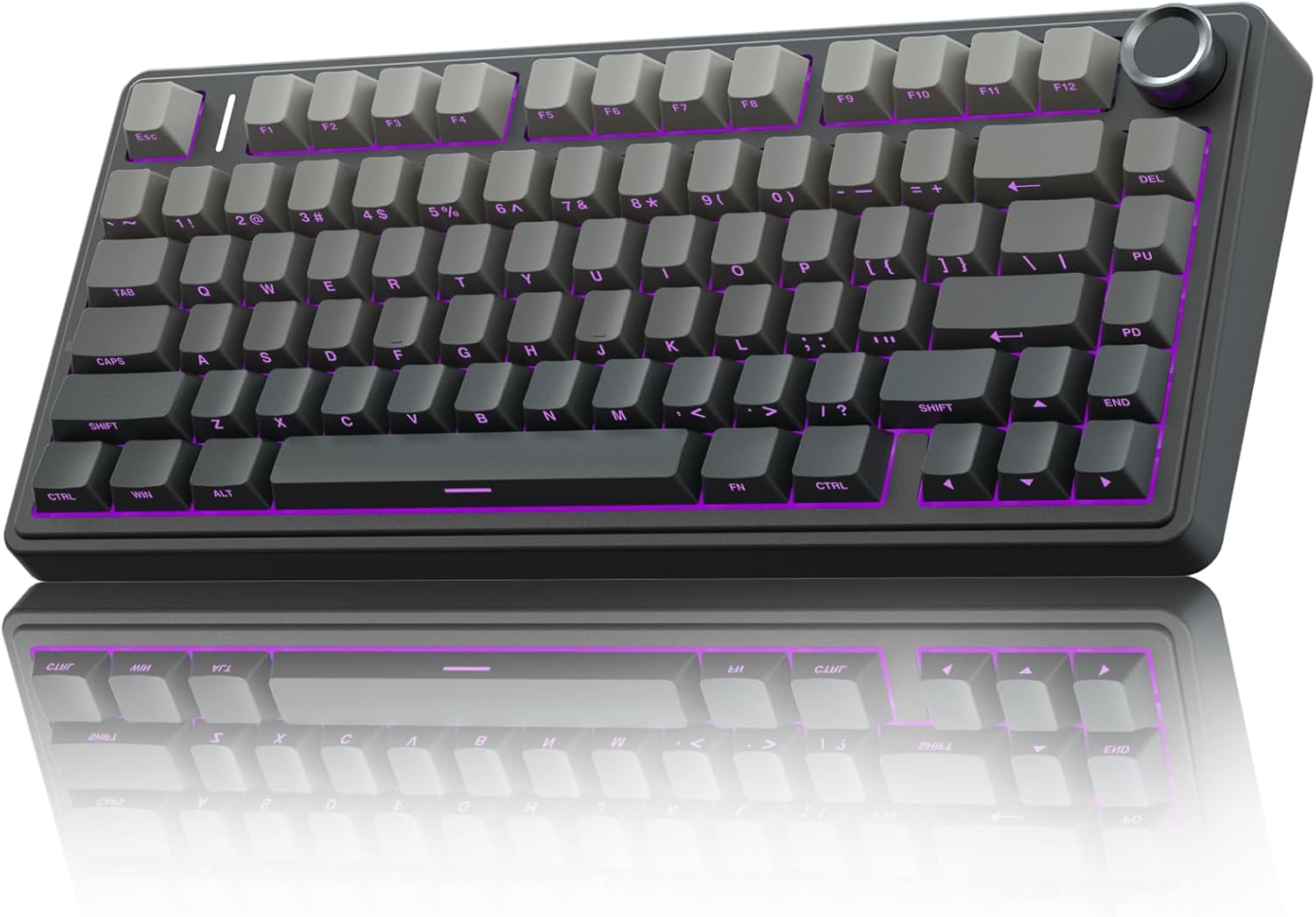
If your desk is small or your mouse arm is tired, 75% is the layout to look at. You keep the arrow keys and the function row, you lose the number pad, and your right hand travels a few inches less every time it moves between keys and mouse. Over a 90,000-keystroke day, that distance is not trivia.
The F75 Pro is tri-mode: 2.4GHz through the dongle, Bluetooth 5.0 for hopping between machines, and USB-C when you want a wire. That is the right order of priority for most people. Use 2.4GHz when latency matters, Bluetooth when you are switching between a work laptop and a personal machine, and USB-C when the battery is flat and you do not want to stop typing.
The switches are AULA's own pre-lubed Reaper line rather than Cherry, and that is worth knowing, because switch feel is the one thing you cannot fix with firmware. Factory lube means the switch should be smoother out of the box than a dry one, though factory lube is never as consistent as a hand-lubed job. The keycaps are side-printed PBT, RGB is on board, and the sockets are hot-swap.
Best Wired Pick: Logitech G413 SE
Wired is not a downgrade. It is a different set of tradeoffs, and for a lot of people it is the right set. There is no battery to think about, no dongle to lose, no pairing to redo, and no power management deciding that now is a good moment to sleep. If you have ever had a wireless board drop mid-incident, you know what that is worth.
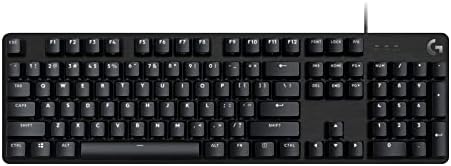
The G413 SE is a full-size mechanical gaming keyboard in black. What the listing does not spell out is the switch type and whether the sockets are swappable, so plan on treating the switches as permanent. That is the honest trade: you get a simpler board with fewer failure points, and you give up the ability to change how it feels later without a soldering iron.
If you type all day and never move the board, this is the low-drama option. If you want to experiment with switches, one of the AULA boards or the switch set below is a better place to start.
For Modders: 24-Piece Brown 3-Pin Switch Set
This is the item that makes the rest of the guide useful. It is a 24-piece set of 3-pin brown tactile switches with SMD RGB compatibility, which means the housing leaves room for the surface-mounted LEDs that most modern boards use.
Twenty-four switches will not fill a full-size board; that takes somewhere around 104. It is enough for a 60% or 65% build, enough to replace the alphas on a 75% board if you are picky about the keys you touch most, and enough to find out whether you actually like a tactile bump before you commit to a hundred of them.
The 3-pin detail matters when you are shopping for sockets. A 5-pin hot-swap socket accepts both 3-pin and 5-pin switches. A 3-pin socket accepts only 3-pin switches. So if you are buying switches for a board that advertises hot-swap, check which socket you have, and remember that 3-pin is the safer of the two because it fits both.
How I tested
Every board that comes through my bench goes through the same five-part protocol, and the log runs past 250 entries. (1) The 30-day driver: the board replaces my daily keyboard for 30 consecutive days, including at least one full on-call week, so Bluetooth drops and battery lies get recorded when they happen instead of being remembered later. (2) The dB bench: a decibel meter at 40cm, ten keystroke samples per switch row, averaged. Sound is data, and "thocky" is not a unit. (3) The force curve: a luggage scale and a 3D-printed jig that pull each switch type and plot actuation against bottom-out in grams. (4) The keystroke counter: QMK firmware logging total actuations, so "500,000 keystrokes" is a number from a board and not a guess. (5) The teardown: plate material, foam layers, socket brand and solder joints, photographed, because a board with cheap sockets is a cheap board no matter how the case looks.
Not every product in this guide has a closed log yet. Where that is true, the entry says so, and I would rather tell you that than invent a dB average to fill a paragraph.
Analysis and test results
Four things decide whether a board stays on your desk past month three: layout, connection, sockets and caps.
Layout is arithmetic. Count the keys your job actually uses. If you type numbers in blocks, full-size wins and the F108 PRO is the obvious pick. If you type numbers one at a time and your hand lives on a mouse, 75% wins and the F75 Pro is the better buy. Nobody can answer that for you, and no reviewer should pretend to.
Connection is a trade, not a ranking. 2.4GHz and Bluetooth both mean one more thing to charge and one more thing that can fail; USB-C means one fewer. What matters is not "wireless" as a feature but whether a board gives you all three modes so you can choose per situation. The F75 Pro lists 2.4GHz, Bluetooth 5.0 and USB-C; check the F108 PRO's listing for its exact wireless modes before you assume they match.
Sockets are the difference between a keyboard and a keyboard you own. Hot-swap means a cheap tool and half an hour instead of a soldering iron and an evening. Every board here that advertises hot-swap can take the brown switch set above. The Logitech, as far as its listing says, cannot.
Caps and switch lube are the last ten percent. Side-printed PBT resists shine better than the thin ABS caps that ship on most budget boards, and factory lube is smoother than no lube, but neither fixes a layout that does not fit your hands.
The mechanical keyboard reference table
This is the table I keep open when someone asks what to buy. It is a spec comparison, not a scorecard, and the only price worth trusting is the one on the product page.
| Product | Layout | Connection | Hot-swap | Switches | Best for | Price |
|---|---|---|---|---|---|---|
 Visit on Amazon → Visit on Amazon →AULA F108 PRO |
Full-size with numpad | Wireless (see listing for modes) | Yes | Pre-lubed, swappable | Number-heavy work, spreadsheets, terminals | $89.99 |
 Visit on Amazon → Visit on Amazon →AULA F75 Pro |
75% with knob | 2.4GHz, Bluetooth 5.0, USB-C | Yes | Pre-lubed Reaper, swappable | Small desks, laptop hopping, long sessions | $64.99 |
 Visit on Amazon → Visit on Amazon →Logitech G413 SE |
Full-size | Wired | Not advertised | Not specified in the listing | Simplicity, no battery, no pairing | $69.10 |
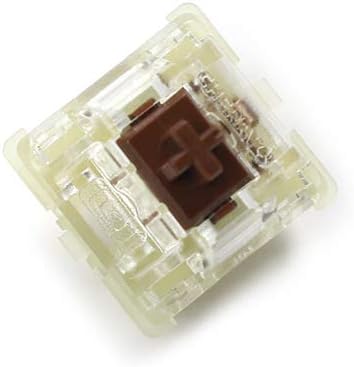 Visit on Amazon → Visit on Amazon →Brown 3-pin switch set, 24 pcs |
Switches only | Not applicable | Fits 3-pin and 5-pin sockets | Brown tactile, 3-pin, SMD RGB | Refreshing or building a hot-swap board | $15.30 |
Full-size versus 75%: the only layout question that matters
Ask yourself one thing: do I enter numbers in blocks? If yes, buy the F108 PRO and stop reading layout advice. If no, the numpad is dead weight you move your mouse around, and the F75 Pro gives you the same typing area with a shorter reach to your mouse. Everything else about these two boards is close enough that the layout decides it. This is also the one decision you cannot fix later with a mod, which is why it goes first.
Why hot-swap sockets decide whether a board lasts
A keyboard with soldered switches has one feel, forever. A keyboard with hot-swap sockets has as many feels as you are willing to buy switches for. That is why I treat swappable sockets as non-negotiable in 2026 and why the 24-piece switch set earns a place in this guide next to two full boards. It is also why the Logitech is the pick for people who want to stop thinking about their keyboard, not for people who want to keep tuning it.
Should you buy the AULA F108 PRO?
Yes, if you want a full-size wireless board and you refuse to give up a number pad. It lists hot-swap sockets, a large battery, a knob and a screen, and side-printed PBT keycaps. The screen and the RGB are the two features that will cost you battery life, so budget for a cable near the desk. Check current Amazon price: Visit on Amazon →
Should you buy the AULA F75 Pro?
Yes, if your desk is tight and you would rather keep arrow keys than a number pad. Tri-mode wireless, a knob, hot-swap sockets and pre-lubed switches make it the most flexible board in this group, and 75% remains the layout I recommend to most people who split their day between typing and a mouse. Check current Amazon price: Visit on Amazon →
Should you buy the Logitech G413 SE?
Yes, if you want a wired full-size mechanical board and you never want to think about a battery again. It is the simplest thing here, and simple is underrated. Just go in knowing that the listing does not advertise swappable sockets, so the switches you buy are the switches you keep. Check current Amazon price: Visit on Amazon →
Should you buy the brown 3-pin switch set?
Only if you already own a hot-swap board. Twenty-four switches is a taster, not a full set, and the person who gets the most from it is someone with a 60%, 65% or 75% board who wants to find out whether a tactile bump suits them before spending real money. Check current Amazon price: Visit on Amazon →
None of this is complicated once you stop shopping for sound and start shopping for layout, sockets and connection. The board you stop thinking about is the one you keep.