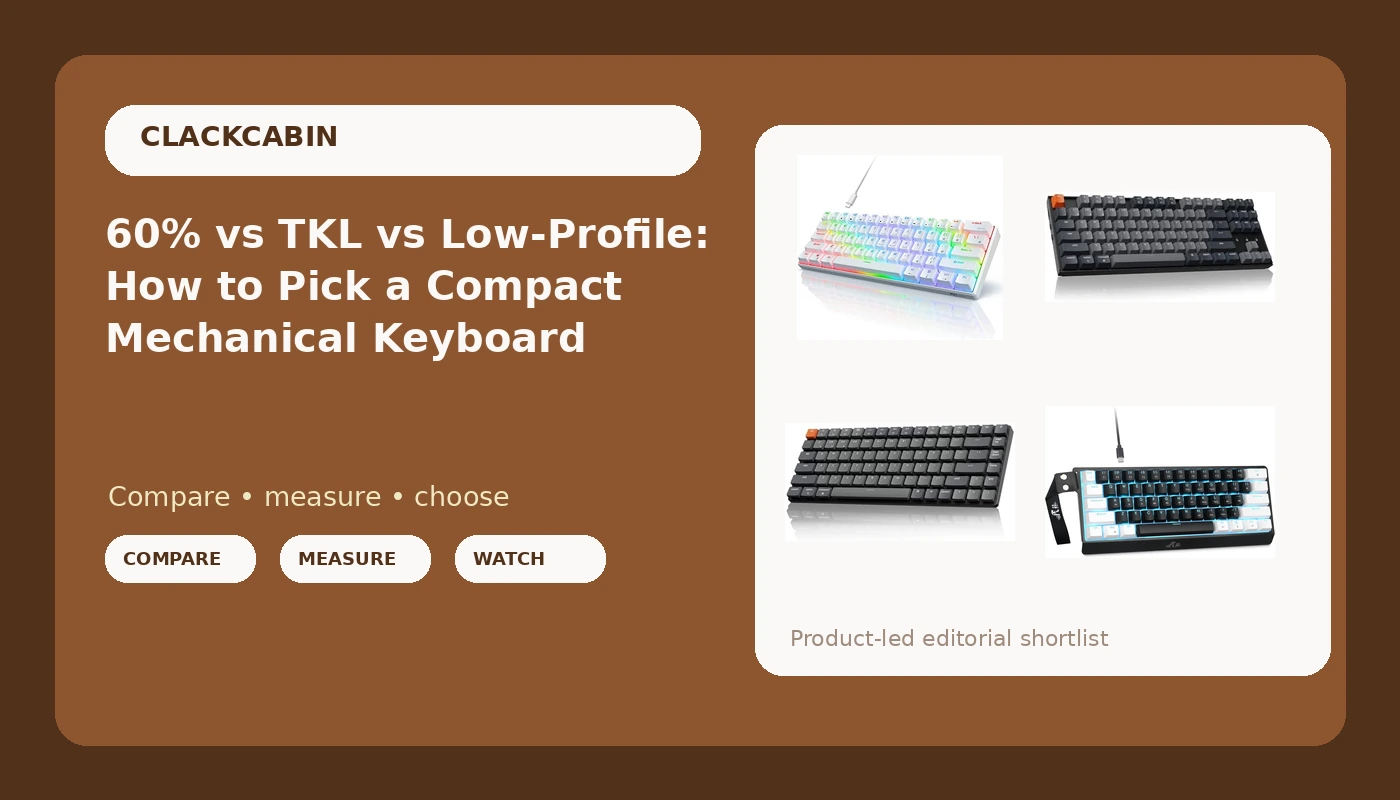
Compact mechanical keyboards are sold on size, but size is the least interesting thing about them. The four boards in this explainer span three layouts: two 60 percent models, one tenkeyless board, and one low-profile 75 percent. Each layout removes a different set of keys, and those removals shape your working day far more than the color of the switch underneath. If you are shopping for a compact mechanical keyboard, the honest starting point is not a ranking. It is a subtraction problem. Which keys can you live without, and which features, wireless, hot-swap sockets, remappable firmware, do you refuse to give up?
Related: Hot-Swap Sockets Explained: Why Soldering Is Optional in 2026 →
Quick answer
Layout decides the board; the switch only decides the feel. A 60 percent board deletes the arrow cluster, the function row, and the numpad, and expects you to reach them through layers. A tenkeyless board keeps the arrows and the function row and drops only the numpad. A 75 percent board keeps the arrows and function row in a footprint barely wider than a 60 percent. Of the four boards here, the RK ROYAL KLUDGE RK61 pairs a 60 percent layout with open firmware and hot-swap sockets, the Rii is the simplest wired 60 percent, the Keychron K8 is the wireless tenkeyless option, and the Keychron K3 Version 2 is the thin, low-profile 75 percent.
Four useful options
| Model | Best fit | What stands out |
|---|---|---|
| RK ROYAL KLUDGE RK61 Wired 60% Mechanical Gaming Keyboard | Small desk, remappable layout | QMK/VIA programming and hot-swappable sockets |
| Rii 60% Wired Mechanical Keyboard, Linear Red Switch for Office, Gaming | Simplest wired 60 percent | Linear red switches, no firmware layer to learn |
| Keychron K8 Tenkeyless Wireless Mechanical Keyboard | Dedicated arrows plus wireless | Tenkeyless layout, Bluetooth and Type-C wired, Mac layout |
| Keychron K3 Version 2 QMK 75% Wireless Low-Profile Mechanical Keyboard | Thin, portable 75 percent | Low-profile switches with QMK support |
The programmable 60 percent: RK ROYAL KLUDGE RK61 Wired 60% Mechanical Gaming Keyboard
This is the board to look at if you want the smallest practical footprint without surrendering control of the layout. QMK and VIA support means remapping happens in a browser rather than through a utility that may not exist in three years, and hot-swap sockets mean a switch you dislike is a five-minute fix instead of a soldering project. The trade-off is the 60 percent layout itself: no dedicated arrows, no function row, no numpad. Everything lives on a layer, and how comfortable that feels depends on whether you already live on keyboard shortcuts or reach for the mouse out of habit. Pre-lubed red switches are a linear starting point that suits typing and gaming about equally. If you have never used a layer-based board, expect a week of clumsiness before it clicks.
The straightforward 60 percent: Rii 60% Wired Mechanical Keyboard, Linear Red Switch for Office, Gaming
The Rii takes the same 60 percent footprint and strips the feature list back. Linear red switches, a wired connection, no open firmware, no hot-swap sockets. That is not automatically a bad thing. Fewer features means fewer things to configure, and a board with nothing to tune is a board you eventually stop thinking about. The cost is flexibility. If you later want different switches or a remapped escape key, you replace the keyboard rather than the switch. For a spare desk, a second machine, or a first mechanical keyboard where the goal is simply finding out whether you like linear switches and a small layout, that trade can be reasonable. Just go in knowing the learning curve is identical to any other 60 percent board.
The wireless tenkeyless: Keychron K8 Tenkeyless Wireless Mechanical Keyboard
The K8 is the layout compromise most people should consider first. Tenkeyless keeps dedicated arrow keys and a function row, so you are not relearning anything, and it removes only the numpad, the block most typists touch least. Bluetooth plus a Type-C wired mode covers both a clean desk and a cable for the moments when you want one, and the board is built around a Mac layout while still supporting Windows. Brown switches are tactile without being loud, which puts them in the middle of the road by design. The trade-offs are physical. A tenkeyless board is wider than a 60 percent and eats more desk space, and if you enter numbers all day, the missing numpad is the one deletion you will feel constantly.
The low-profile 75 percent: Keychron K3 Version 2 QMK 75% Wireless Low-Profile Mechanical Keyboard
The K3 Version 2 answers a different question: what if the board were thin? A 75 percent layout keeps the function row and arrow cluster, so the key count is generous, but low-profile switches and a slimmer chassis cut the height of the whole thing. That makes it easier to carry and easier to adjust to if you are coming from a laptop, where your hands are already trained on short travel. It also changes the feel in ways you cannot undo. Low-profile switches bottom out sooner and produce a less pronounced sound signature than full-height switches, which is physics rather than tuning. QMK support is the counterweight, because it lets you reshape the layout around the thinner keycaps. If you want a full-height board with a deep bottom-out, this is the wrong branch of the family tree.
Prices and availability may change. Product images, names, and retailer links are matched to verified listings. No current price, rating, stock status, or measured result is stated here without current evidence.
What a layout actually removes
The percentage in a keyboard name describes how much of a full-size board survives, and the number is less useful than the list of keys that disappear.
A full-size board has four blocks: the main alphanumeric area, the function row, the navigation and arrow cluster, and the numpad. A tenkeyless board keeps the first three and removes the numpad, which is why it is often called 80 percent. A 75 percent board keeps the function row and arrows but compresses them against the main block, so it is barely wider than a 60 percent. A 60 percent board keeps only the main alphanumeric area, which means no arrows, no function row, no numpad, and no dedicated navigation keys.
Those missing keys are not gone. They move onto layers, which means holding a modifier such as Fn and pressing another key to produce the missing one. Arrows usually land on a cluster around the right side of the main block, and the function row maps onto the number row. The layout works, and plenty of people never go back. But it is a genuine change in how you type, and the cost shows up in the first week rather than the first hour.
The practical question is which missing block you would actually miss. If you write prose and rarely touch the numpad, a tenkeyless board costs you almost nothing. If you spend your day in a spreadsheet, losing the numpad is a real tax, and a smaller board will not pay it back. If you navigate code with arrow keys, a 60 percent board asks you to relearn that habit, and the relearning is the point where most returns happen. Layering is not hard. It is just different, and different has a price.
Wireless, hot-swap, and firmware: what the spec sheet means
Three feature names decide most of the value in this price range, and each one means less than the marketing implies.
Wireless on these boards generally means Bluetooth, sometimes with a wired Type-C fallback. Bluetooth is convenient and it removes a cable, but it adds a small amount of latency compared with a wired connection and it introduces a battery to manage. The wired mode exists precisely so you can sidestep both when it matters. If you are choosing between a wireless board and a wired one, decide whether you want a clean desk or a predictable connection, because you are trading one for the other.
Hot-swap describes the sockets on the circuit board. Instead of soldering a switch in place, the switch sits in a socket and can be pulled with a tool. In practice this is the single most useful feature on this list, because it turns switch preference from a purchase decision into a five-minute experiment. One caveat worth checking before you buy: some sockets accept only three-pin switches, and five-pin switches need the extra plastic legs trimmed. The spec sheet rarely says which kind you are getting, and it is the detail people discover too late.
QMK and VIA describe open-source firmware and a browser-based configurator. VIA is the part most people actually use: plug the board in, open a web page, remap a key, close the tab. The advantage over a vendor utility is longevity. Vendor software tends to die with the product line, and a board whose remapping tool no longer installs becomes a board you cannot customize. Open firmware also makes layers genuinely usable, which matters more on a 60 percent board than anywhere else.
- Write down the keys you pressed yesterday and count how many came from the numpad or arrow cluster.
- Decide whether a numpad is optional for your work, because that single answer eliminates either tenkeyless boards or small boards.
- Decide between wired and wireless based on whether you value a clean desk or a connection you never think about.
- Decide whether you want to change switches later, which makes hot-swap sockets close to mandatory.
- Decide whether you need remapping, which makes QMK or VIA support the tiebreaker between two otherwise similar boards.
Before you buy
- Check the layout on your own desk before you check the switch. Size is the decision you cannot reverse.
- Treat factory lubrication as a starting point, not a guarantee. Pre-lubed means someone applied lubricant, not that it was applied evenly.
- Confirm the socket type if hot-swap matters to you, since three-pin sockets and five-pin switches do not always get along.
- Plan for the adjustment period. A 60 percent board costs you a week of slower typing regardless of how good the switches are.
- Keep the return window in mind. Feel is the one specification no product page can communicate, and it is the reason boards go back.
Which option should you choose?
Choose the RK ROYAL KLUDGE RK61 Wired 60% Mechanical Gaming Keyboard when you want a 60 percent board you can remap and re-switch yourself. Choose the Rii 60% Wired Mechanical Keyboard, Linear Red Switch for Office, Gaming when you want the simplest wired 60 percent and have no interest in firmware or hot-swap sockets. Choose the Keychron K8 Tenkeyless Wireless Mechanical Keyboard when you want dedicated arrow keys and a wireless connection without relearning a layout. Choose the Keychron K3 Version 2 QMK 75% Wireless Low-Profile Mechanical Keyboard when a thin, low-profile 75 percent board matters more to you than key travel.
None of these four is a universal answer, and the spec sheets do not capture feel. Actuation weight, keycap wobble, stabilizer noise, and battery behavior vary by unit and by how you type, so treat the layout and the feature set as the reliable part of the decision. The rest is best judged in person, or within a return window.
The bottom line
The compact keyboard market rewards people who know which keys they actually use. Start with the layout: a tenkeyless board is the low-risk choice because it keeps the arrows and function row, a 75 percent board gets you most of that in a smaller case, and a 60 percent board is a deliberate trade that buys desk space with a learning curve. Then layer in the features that outlast the honeymoon, which in this group means hot-swap sockets, QMK or VIA support, and a wired mode on any wireless board. The RK61 is the most configurable of the four, the Rii is the most straightforward, the Keychron K8 is the one that keeps arrows and adds Bluetooth, and the K3 Version 2 is the thin, low-profile outlier. Pick the layout first, and the rest of the decision gets much smaller.