Buying a mechanical keyboard in 2026 means reading a spec sheet that mixes real engineering with pure decoration. Polling rates, actuation points, gasket mounts, hot-swap sockets: some of those numbers change how a board behaves at keystroke 200,000, and some exist only to fill a marketing bullet. The gap between the two is where money gets wasted. This guide covers mechanical keyboards for coding and gaming across the layouts people actually buy, from compact 60% decks with magnetic switches to a 96% board with a number pad and a wood accent frame. It stays inside what the published specifications and documented feature lists can support, and it says so when a listing is thin on detail.
Related: Layout Math: How to Pick 60%, 75%, or Full Size Without Regret
Quick answer
The AULA F75 75% Wireless Mechanical Keyboard is the strongest fit for a general desk setup because it pairs a 75% layout with three connection modes (2.4GHz, Bluetooth 5.0, and USB Type-C), hot-swappable sockets, and pre-lubed Reaper switches. Choose the Keychron K4 HE instead when you need a number pad and adjustable Hall Effect actuation on a wireless board.
Mechanical keyboards worth comparing
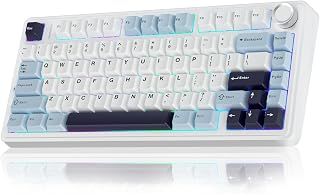
AULA F75 75% Wireless Mechanical Keyboard, Hot Swappable Creamy Keyboard, Pre-lubed Reaper Switches, 2.4GHz/Type-C/BT5.0, RGB Backlit Gaming Keyboards(White & Blue)
A 75% board with hot-swap sockets and pre-lubed Reaper switches, plus 2.4GHz, Bluetooth 5.0, and wired Type-C connections. The layout keeps arrows and function keys while trimming the footprint.
Visit on Amazon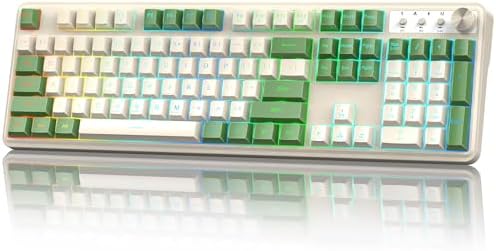
Redragon K521 Upgrade Rainbow LED Gaming Keyboard, 104 Keys Wired Mechanical Feeling Keyboard with Multimedia Keys, One-Touch Backlit, Anti-Ghosting, Compatible with PC, Mac, PS4/5, Xbox
A full 104-key wired board described as mechanical feeling rather than mechanical. Multimedia keys, one-touch backlighting, and anti-ghosting, with console and Mac compatibility listed.
Visit on Amazon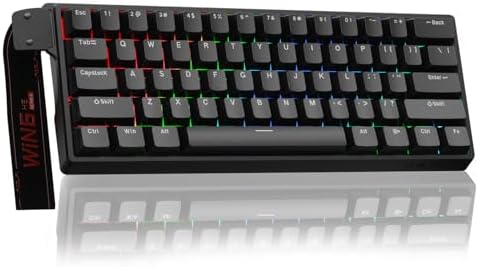
Aula WIN60 HE - 60% Mechanical Gaming Keyboard Wired, Magnetic Switch Hot Swappable, Adjustable Actuation Rapid Trigger Mode, 8000 Hz Polling Rate, RGB Small Keyboard 60 Percent Compact Design for PC
A wired 60% board built around hot-swappable magnetic switches with adjustable actuation and rapid trigger, rated at an 8000 Hz polling rate. Compact footprint with RGB backlighting.
Visit on Amazon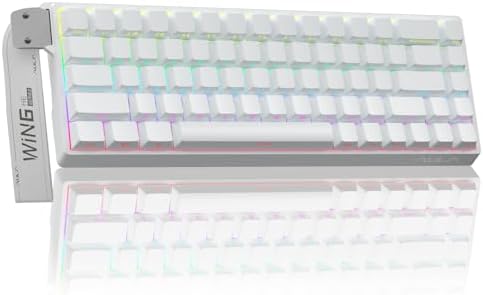
AULA WIN68 HE Mechanical Gaming Keyboard 60%, Hall Effect Magnetic Switch, Fast Trigger Mode Adjustable Actuation, 8000Hz Polling Rate, RGB Backlit, Wired Black Keyboard for Laptop/PC Gamer
A wired 60% Hall Effect board with fast trigger mode, adjustable actuation, and an 8000 Hz polling rate, finished in black with RGB backlighting for laptop and desktop use.
Visit on Amazon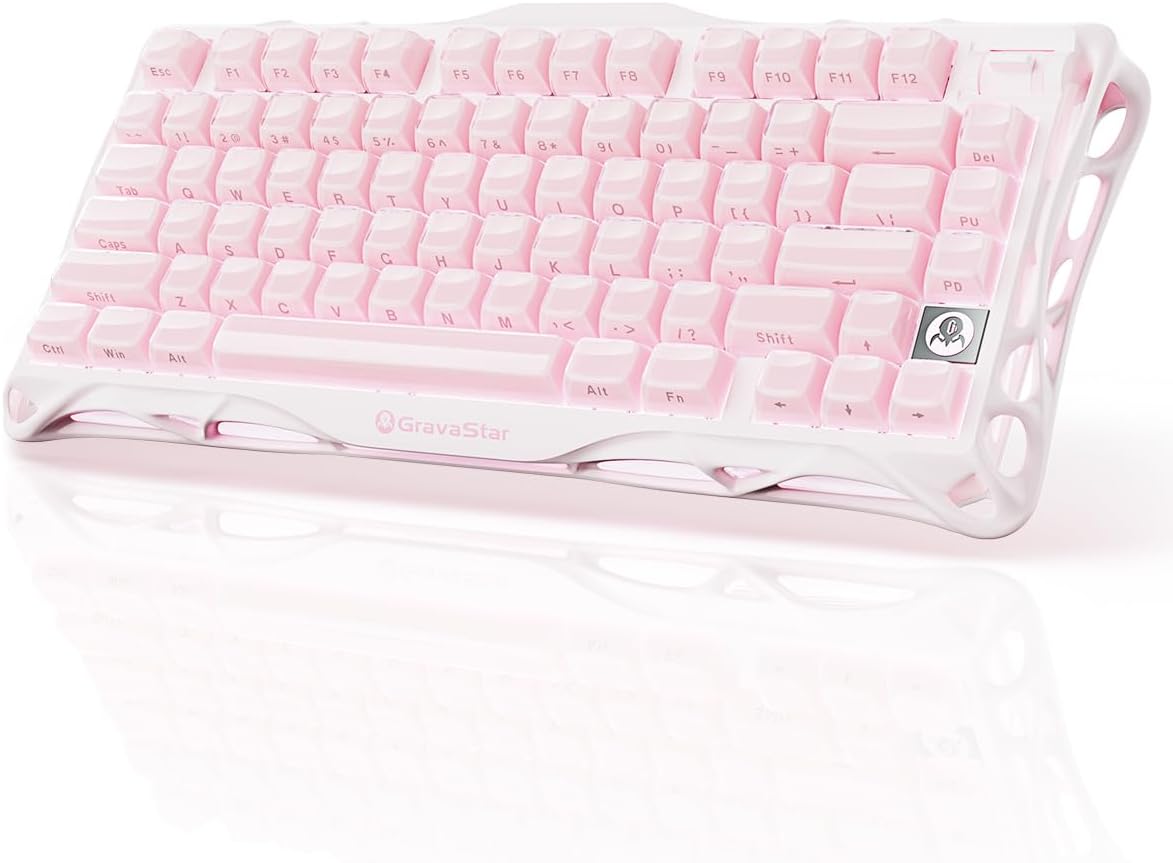
GravaStar Mercury K1 75% Wireless Mechanical Gaming Keyboard RGB Backlit
A 75% wireless mechanical board with RGB backlighting and a design-forward chassis. The listing documents the layout and wireless operation; confirm switch type and connection details on the product page before ordering.
Visit on Amazon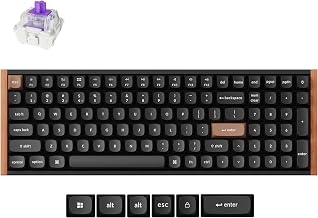
Keychron K4 HE 96% Wireless Hall Effect Keyboard with Number Pad, Rapid Trigger Magnetic Switches, QMK Launcher, 2.4GHz/Bluetooth/Wired, Mac & Windows, Wood Accent Frame, Black (Non-Shine-Through)
A 96% Hall Effect board with a number pad, rapid trigger magnetic switches, and QMK Launcher support across 2.4GHz, Bluetooth, and wired modes. Mac and Windows layouts with a wood accent frame and non-shine-through keycaps.
Visit on AmazonPrices and availability may change. Check the retailer for current details.
How these products were compared
This guide compares layout and footprint, connection modes, switch type and hot-swap support, polling rate and actuation adjustability, and platform and firmware compatibility. Product names, images, and retailer links are matched to the same listing so that every card points to the product shown.
None of the notes below are presented as lab measurement. They come from published manufacturer specifications, the feature set each listing documents, and the sorting criteria this site applies to every board it covers. Where a listing does not document something, this guide flags the gap instead of filling it with a guess. That matters most for switch type: "mechanical feeling" and "mechanical" are different claims, and Hall Effect is a third thing entirely.
Two of the boards here are Hall Effect, two are compact 60% decks, one is a 75% tri-mode, and one is a budget full-size. That spread is deliberate. The right board for a 100-hour coding week is usually not the right board for a first-person shooter, and it is almost never the board with the loudest marketing.
How to choose the right mechanical keyboard
Start with the layout, because it is the one decision you cannot change later. A 60% board drops the arrow cluster, function row, and number pad, which frees desk space for a mouse and forces you to reach for layers instead. A 75% keeps the function row and arrows in a compact frame, which is why it is the default recommendation for mixed work. A 96% board squeezes a number pad into a footprint barely wider than a tenkeyless, and a full 104-key board keeps everything separated. If you type numbers all day, take the number pad. If you mostly type prose and code in a terminal, you will not miss it.
Switch type is the second decision. Standard mechanical switches use a physical contact and come in linear, tactile, and clicky flavors. Hall Effect switches use magnetic sensing instead, which is what makes adjustable actuation and rapid trigger possible: you can set how far the key travels before it registers, and rapid trigger resets the key the moment you ease off rather than at a fixed point. That is genuinely useful for competitive games and largely irrelevant for writing prose, so do not pay a premium for it if your work is email and pull requests. "Mechanical feeling" describes a membrane board with a tactile dome, which is a real category and a real budget option, but it is not the same product class.
Third, decide how the board connects. A wired board removes charging, pairing, and latency questions entirely. A tri-mode board adds 2.4GHz and Bluetooth on top of wired, which is the most flexible arrangement and the one most people end up using. If you go wireless, treat battery life and drop-free weeks as the features that matter, not the word wireless itself.
AULA F75 75% Wireless Mechanical Keyboard
The AULA F75 lands on the combination that suits the widest range of desks. It is a 75% board, so it keeps the function row and arrow keys while staying narrow enough to leave room for a mouse. It runs on 2.4GHz, Bluetooth 5.0, or USB Type-C, so you can move between a work machine and a personal one without unplugging anything. The sockets are hot-swappable, which means a switch swap costs you a puller and ten minutes rather than a soldering iron, and the board ships with pre-lubed Reaper switches and RGB backlighting.
The trade-off is that a 75% board with three connection modes asks you to accept a compact layout and a wireless stack at the same time. If you need a number pad, this is not your board. If you want the absolute lowest-latency wired connection and nothing else, you are paying for radios you will not use. And pre-lubed switches, as always, are factory lubed rather than hand lubed, which is a real but modest difference you should weigh before assuming it matches a custom build.
Alternatives to consider
The AULA WIN68 HE Mechanical Gaming Keyboard 60% is better suited to competitive gaming on a wired connection, since its Hall Effect magnetic switches support fast trigger mode, adjustable actuation, and an 8000 Hz polling rate in a black 60% frame, while the Aula WIN60 HE 60% Mechanical Gaming Keyboard is a stronger fit when you want the same magnetic switch and rapid trigger feature set in a different compact 60% design with hot-swappable sockets.
The Keychron K4 HE 96% Wireless Hall Effect Keyboard, the GravaStar Mercury K1 75% Wireless Mechanical Gaming Keyboard, and the Redragon K521 Upgrade Rainbow LED Gaming Keyboard cover the rest of the range. The Keychron is the pick when you want a number pad, wireless freedom, rapid trigger magnetic switches, and QMK Launcher remapping with Mac and Windows layouts, and its wood accent frame and non-shine-through keycaps set it apart visually. The GravaStar is a 75% wireless mechanical board with RGB backlighting for buyers who care about how the desk looks, though its listing documents less about switches and connectivity than the others, so verify the details before ordering. The Redragon K521 is the full-size budget entry: 104 keys, wired, multimedia keys, one-touch backlighting, anti-ghosting, and console compatibility, in a mechanical feeling design rather than a true mechanical one.
Day-to-day use and maintenance
Every board on this list benefits from the same routine. Keep the keycaps clean with a soft brush and a lightly damp cloth rather than a soaked one, and pull keycaps only when you need to. On hot-swap boards, use a proper switch puller and pull straight up; rocking a switch sideways is how sockets get damaged. If a switch starts to feel scratchy, replacing it is a two-minute job on a hot-swap board and a soldering project on everything else, which is the strongest practical argument for hot-swap sockets in 2026.
For wireless boards, charge before the battery is empty rather than after, and keep the 2.4GHz dongle on a front port or a short extension cable so the signal is not fighting the metal of your case. If you use Bluetooth, expect to re-pair occasionally when switching between machines. On boards with adjustable actuation, resist the urge to set the travel as short as it will go: a hair-trigger setting that feels fast in a game becomes a typo generator in a document. Save the aggressive profiles for games and keep a normal profile for work.
Buying checklist
- Measure your desk space and decide whether you need a number pad before anything else.
- Choose the layout based on normal use rather than an occasional edge case.
- Confirm whether the exact model uses mechanical, Hall Effect, or mechanical feeling switches.
- Check that the sockets are hot-swappable and that the switch pins match your spare switches.
- Verify connection modes, and confirm that the wireless features you are paying for are ones you will actually use.
- Read the cleaning, firmware, and remapping instructions for the specific model.
- Verify the current retailer price, availability, and return terms before ordering.
Final recommendation
Choose the AULA F75 75% Wireless Mechanical Keyboard when you want one board that handles work and play, with a compact layout, three connection modes, hot-swap sockets, and pre-lubed switches. Choose the Keychron K4 HE 96% Wireless Hall Effect Keyboard when a number pad and adjustable magnetic switches matter more than a small footprint. Pick one of the two 60% Hall Effect boards if gaming response is the priority, the GravaStar if the chassis design is what sold you, and the Redragon K521 if the budget is the deciding factor and a mechanical feeling full-size board is enough.