Most keyboard advice is written by someone who unboxed a board on Tuesday and declared it endgame by Friday. If you type for a living, that tells you almost nothing. The questions that matter show up later: does the spacebar still sound the same at keystroke 300,000, does the layout still make sense during a five-hour debugging session, and would you buy the thing again after a month of real work.
This guide covers mechanical keyboards for typing and gaming at a few different levels of commitment, plus two DIY items that change how an existing board feels and sounds without replacing it. There are five products here, one top pick, and a plain statement of who each one is for. Nothing on this list is a group buy that ships in 14 months. Every item is a normal retail product you can order today.
If you only want the verdict, the Quick answer below has it. The rest of the page explains the reasoning and the trade-offs.
Related: Linear vs Tactile vs Clicky Switches: What Actually Changes
Quick answer
The LOFREE Sugar Color 70s 84-Key Mechanical Keyboard is the strongest fit for daily typing because its 84-key layout keeps a function row and arrow keys while dropping the number pad, and its linear switches give a smooth, consistent press with no tactile bump to fight through on long sessions. Choose the Cherry MX 3.0S Wired Mechanical Gaming Keyboard instead when you want a wired board built around Cherry MX2A Silent Red switches and would rather have quieter bottom-out than a compact footprint.
Mechanical keyboards and DIY parts worth comparing
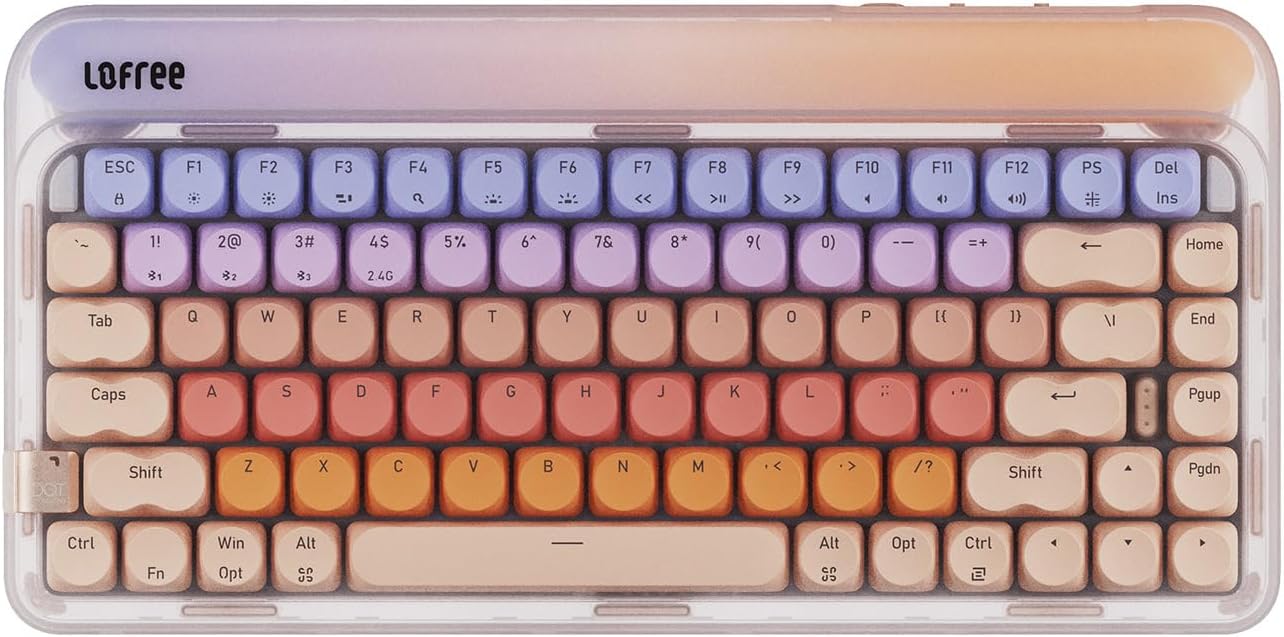
LOFREE Sugar Color 70s 84-Key Mechanical Keyboard, Linear Switch
An 84-key mechanical board with linear switches and a retro sugar-color finish. The layout keeps a function row and arrow keys while leaving out the number pad, which frees desk space for a mouse and keeps your shoulders square to the screen.
Visit on Amazon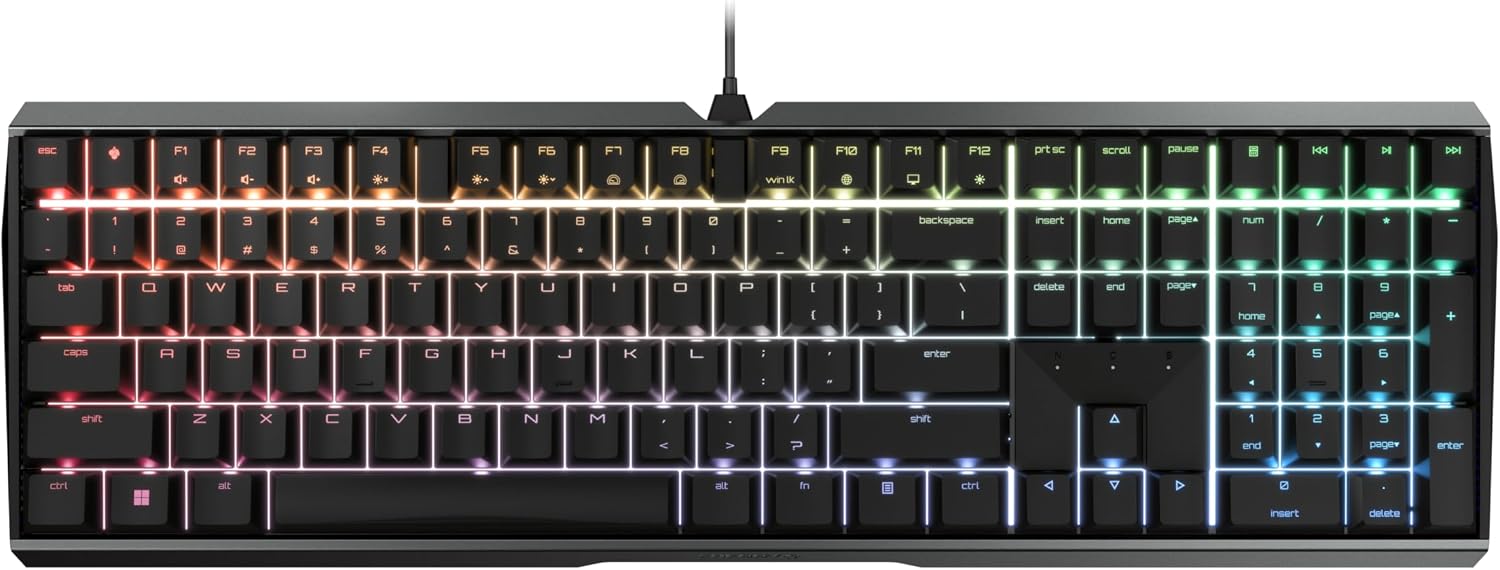
Cherry MX 3.0S Wired Mechanical Gaming Keyboard MX2A Silent RED Switches
A wired mechanical board built around Cherry MX2A Silent Red linear switches. Silent Red switches are designed to soften the noise of bottoming out, which matters if you share a room, take calls at the same desk, or work late next to someone who sleeps.
Visit on Amazon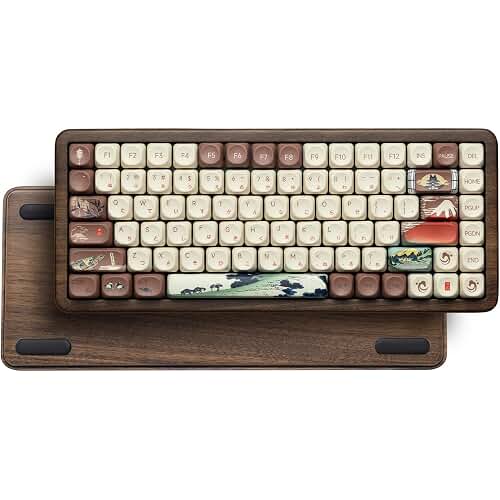
Womier 60% Percent Keyboard Gaming, Creamy Mechanical Wired Keyboard Anime
A 60 percent wired mechanical board with an anime-themed finish and a very small footprint. The 60 percent layout trims the number pad, function row, and dedicated arrow keys, so it leaves a lot of room for a mouse without pushing your hands off-center.
Visit on Amazon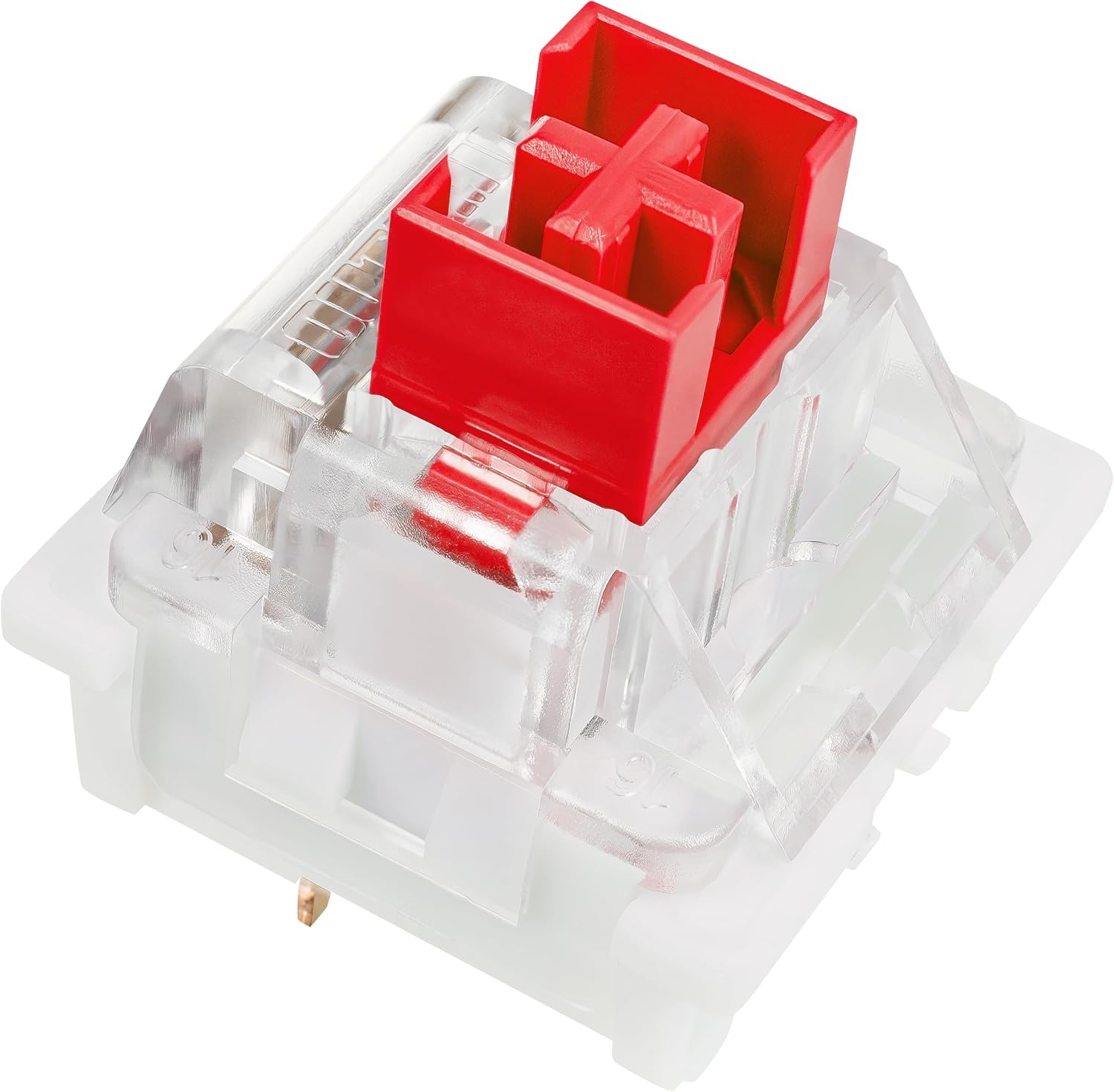
Outemu Red Switches, 30-Pack, 3-Pin Linear Dustproof RGB Key Switches, Cherry MX Compatible for DIY Mechanical Keyboard Replacement
A 30-pack of 3-pin linear red switches with dustproof stems and RGB-friendly housings, built to the Cherry MX footprint. These are replacement parts for a hot-swap board, not a complete keyboard, so buy them to change a board you already own rather than to build one from nothing.
Visit on Amazon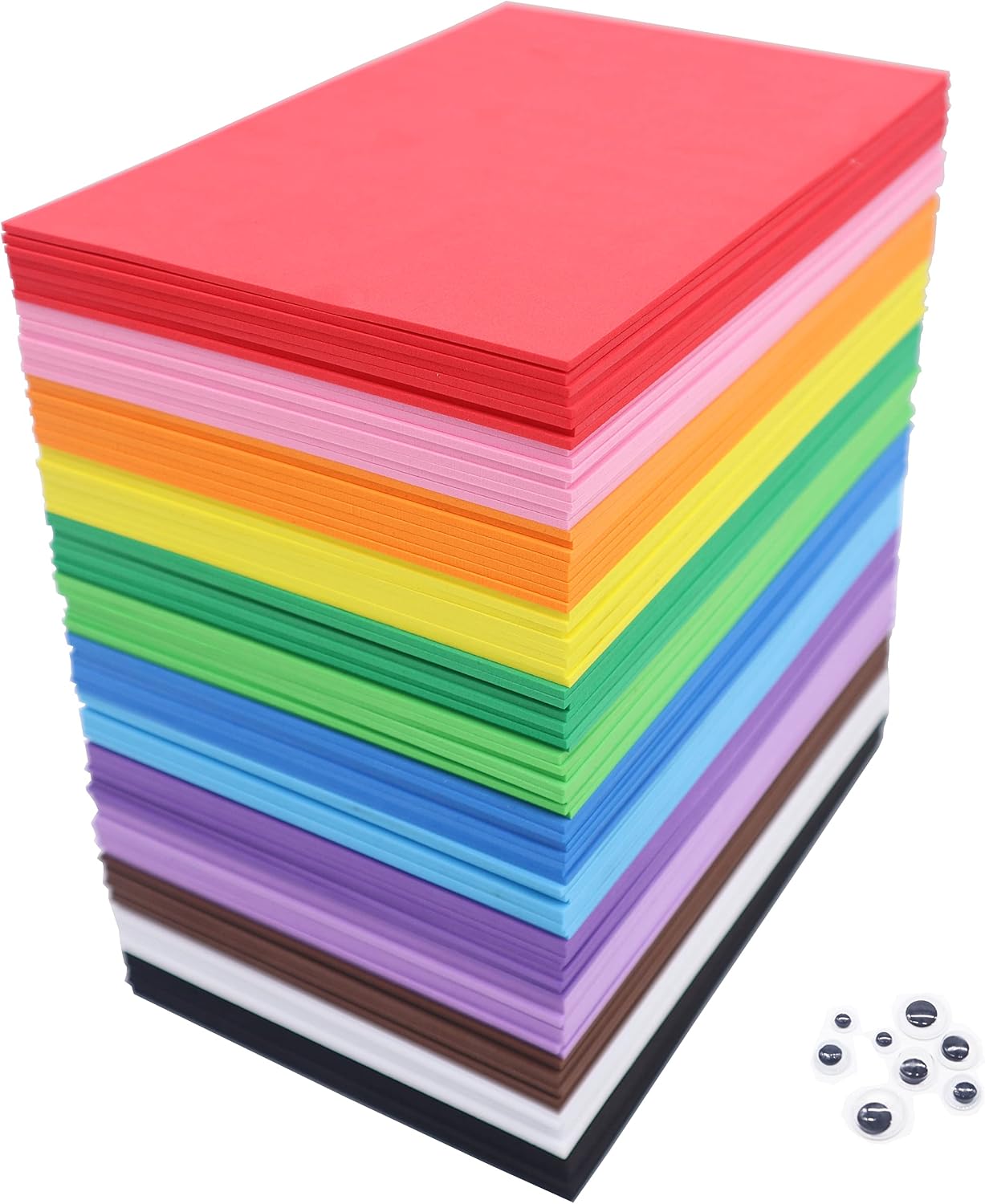
OISAKLD 104 Pack EVA Color Foam 5.5x8.5 inch EVA Craft Foam 2mm EVA Foam Sheets for DIY Handcraft Crafts Project
A 104-pack of 2mm EVA craft foam sheets sized 5.5 by 8.5 inches, sold for DIY and craft projects. Modders cut sheets like these to fit inside a keyboard case as a damping layer, and 104 sheets is far more material than a single board will ever need.
Visit on AmazonPrices and availability may change. Check the retailer for current details.
How these products were compared
This guide compares layout and footprint, switch type, connection method, repair and modification path, and what is actually included in the box. Product names, images, and retailer links are matched by listing so that every card points to the product shown, and each link goes to the exact item described above it rather than to a similar model in the same family.
One thing worth saying plainly: this comparison is based on the published specifications and product listings for each item, not on hands-on bench testing of these specific units. No decibel averages, force curves, or long-term durability numbers are claimed for any product here. Where a section describes how a switch type or a layout generally behaves, that reflects how the category works, not a measurement of one board. No current prices are printed either, because listings move; use the link on each card to confirm the price and availability yourself.
How to choose the right mechanical keyboard
Start with the layout, because it is the one decision you cannot undo with a firmware update. A full-size board keeps a number pad, which is genuinely faster if your day is full of spreadsheets, IP addresses, or financial models. An 84-key layout, like the top pick here, keeps the function row and arrow cluster but drops the number pad, which brings your mouse hand closer to the board and keeps your typing posture centered. A 60 percent layout, like the Womier board, drops the number pad, the function row, and the dedicated arrow keys, which is great for a small desk and terrible if you live in a spreadsheet. Layer functions can replace those missing keys, but only if you are willing to learn them.
Switch type is the second decision. Linear switches, which all three boards here use, travel straight down with no bump, and they are the usual recommendation for long typing sessions and for gaming, because there is no tactile event to fatigue your fingers and no click to annoy anyone nearby. Tactile switches add a bump at the actuation point so you can feel when a press registers. Clicky switches add an audible click on top of that. Silent variants, like the Silent Red switches on the Cherry board, add internal damping to reduce the noise of bottoming out, and the difference is noticeable in a shared space. If you are still weighing those three families, my breakdown of linear versus tactile versus clicky switches covers what actually changes under your fingers.
Connection matters more than the spec sheet suggests. A wired board has no battery to charge, no pairing to redo after a reboot, and no wake-up delay on the first keystroke of the morning. Wireless is worth it when you move between a laptop and a desktop or genuinely need a clean desk, but treat it as a convenience feature rather than a quality upgrade. Finally, look at whether the board is repairable. Hot-swap sockets let you pull a failed switch with a small tool instead of a soldering iron, and they turn a $20 pack of switches into a whole new board. If a keyboard has soldered switches, the switches it ships with are the switches you keep.
LOFREE Sugar Color 70s 84-Key Mechanical Keyboard
The Sugar Color 70s is the pick here because it hits the layout most people actually want without going to a full-size board. It is an 84-key mechanical keyboard with linear switches, which means a function row, an arrow cluster, and no number pad, all in a case with a retro finish that does not look like a plastic spaceship. For someone who types all day and only occasionally reaches for a numpad, that is close to the ideal footprint: everything you use every hour, nothing you use twice a week.
The trade-off is honest and worth naming. Dropping the number pad is a real adjustment if your work involves data entry, and there is no separate numeric keypad in the box, so you would need to add one or pick a full-size board instead. Linear switches also give you no tactile confirmation that a press registered, which some typists dislike for the first week. And if you need wireless, verify that against the listing before ordering, because the layout and the switches are the parts this recommendation is built on.
Alternatives to consider
The Cherry MX 3.0S Wired Mechanical Gaming Keyboard is better suited to shared rooms, open offices, and late-night work, because its MX2A Silent Red switches are built to reduce the noise of bottoming out while keeping the linear feel. It is a wired board, so there is no battery or pairing to think about. The Womier 60% Percent Keyboard Gaming is a stronger fit when desk space is the constraint and you want an anime-styled 60 percent board that leaves maximum room for a mouse, as long as you accept life without dedicated arrow keys.
The Outemu Red Switches 30-Pack and the OISAKLD EVA Craft Foam Sheets cover the modification path rather than the purchase path. The Outemu pack is a 30-count of 3-pin linear switches for hot-swap boards that take the Cherry MX footprint, which is the cheapest way to change how a board feels without replacing it. The EVA foam is a 104-sheet pack of 2mm craft foam that modders cut to size as a case damping layer. Neither one is a keyboard, and neither one will help if your board has soldered switches or no removable case.
Day-to-day use and maintenance
A mechanical keyboard is mostly maintenance-free, but a few habits stretch its life. Keep drinks on a different surface than the board, because liquid is the one failure mode that no amount of foam or lube can fix. Dust is the second enemy, and a soft brush or a can of compressed air once a month keeps it out of the switch stems. Keycaps on ABS plastic will eventually shine where your fingers rest, which is cosmetic and unavoidable, and swapping to a fresh set is the fix if it bothers you.
If you go the modification route, work with the board unplugged and take photos at each step so you can put it back together. Foam cut for a case should sit flat without pressing on the PCB or blocking the USB port cutout, and it should never cover the battery if your board has one. Switches only come out of hot-swap sockets with a proper puller, straight up, and they only go back in one orientation, so check the pin alignment before you push. For the Outemu switches specifically, confirm your board's sockets accept 3-pin switches, since some boards are built for 5-pin and need the two plastic legs trimmed. Keep the spare switches and spare foam somewhere you will find them; both are the kind of part you need one of, once, two years from now.
Buying checklist
- Measure your desk space and decide whether a number pad, a function row, and dedicated arrow keys need to be on the board itself.
- Choose the switch type based on your normal day rather than an occasional gaming session, and pick a silent variant if you share the room.
- Confirm that the exact model you are ordering has the layout and switch you want, since board families often ship in several configurations under similar names.
- Decide whether you need hot-swap sockets, and if you do, verify the socket pin count before buying replacement switches.
- Check the current retailer price, availability, and return terms through the link on the card before you commit.
Final recommendation
Choose the LOFREE Sugar Color 70s 84-Key Mechanical Keyboard when you want a compact daily typing board with linear switches and a layout that keeps the keys you use every hour. Choose the Cherry MX 3.0S Wired Mechanical Gaming Keyboard when quiet, wired, and built around Cherry MX2A Silent Red switches matters more than footprint. If you are not ready to replace a board at all, the switch pack and the foam sheets are the two low-cost ways to change how the board you already own sounds and feels, and both are worth trying before you spend money on a new one.