If you have ever opened a keyboard listing and closed the tab twenty seconds later, you are not the problem. The spec sheet has become a maze: 60%, 65%, 75%, TKL, hot-swap, Hall Effect, 2.4GHz versus Bluetooth, north-facing versus south-facing LEDs. Each of those terms changes something real, and almost none of them are explained in the order that matters. This mechanical keyboard buying guide is organized around the four decisions that still count after the honeymoon week: layout size, switch behavior, connection, and the room the keyboard lives in. Get those four right and the badge on the case stops mattering much. Get them wrong and an expensive board can be more irritating than a cheap one.
Related: Linear vs Tactile vs Clicky: Switch Types Explained →
Quick answer
Start with layout, because it decides how much desk you give up and how many keys you will end up reaching through a layer. Then decide between fixed switches and hot-swap sockets. Then decide whether wireless earns its charging overhead. Finally, treat the room as part of the setup rather than an afterthought. A 65% hot-swappable board fits narrow desks and small budgets. A 75% wireless board keeps the function row and drops the cable. A tenkeyless Hall Effect board is the option to consider when adjustable actuation is the feature you actually want. Acoustic panels are what you buy when the keyboard is fine and the room is the problem. There is no single winner here, only trade-offs that land differently for a coder, a player, and someone who shares a wall with a neighbor.
Four useful options
| Model | Best fit | What stands out |
|---|---|---|
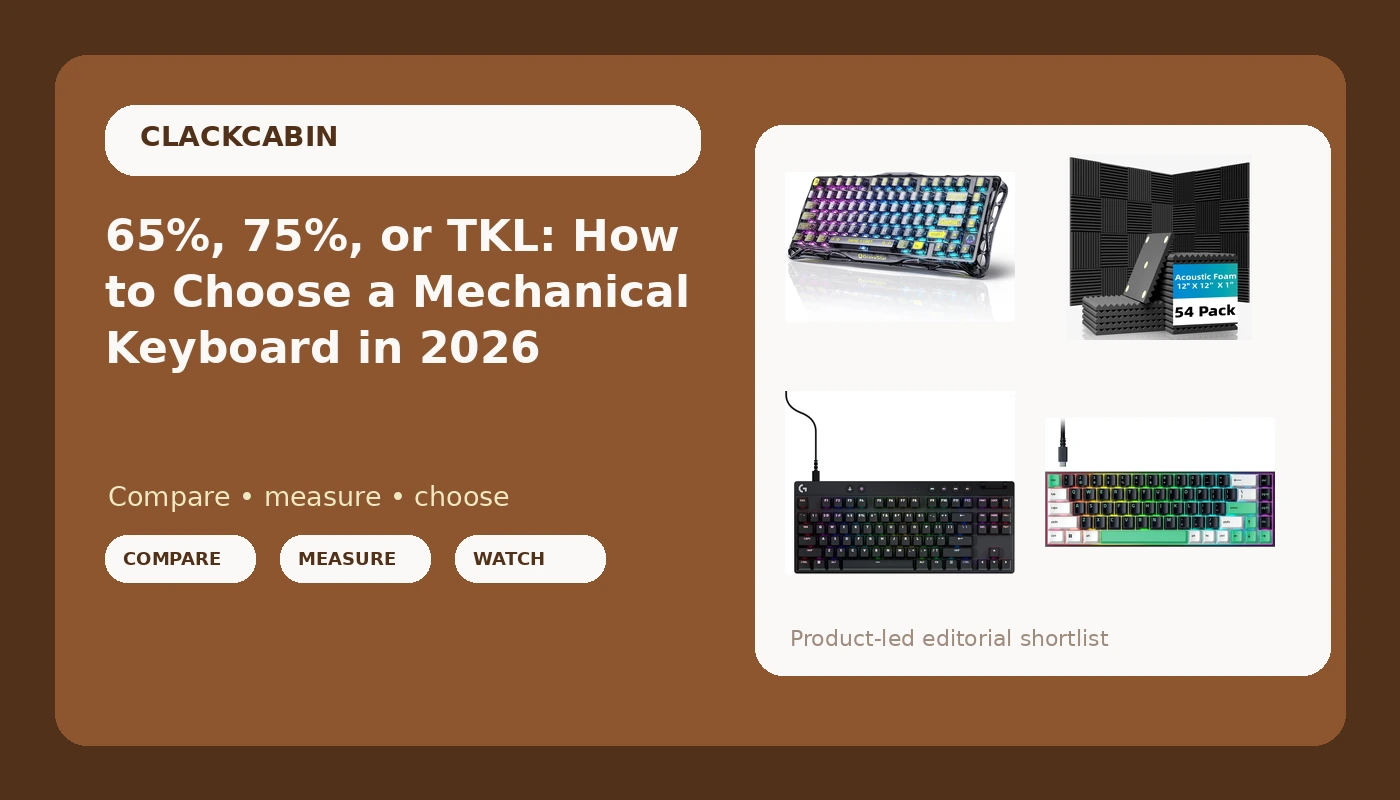
| Razer Reclusa X Mini 65% Hot-Swappable Mechanical Gaming Keyboard | Narrow desks and first builds | 65% layout with hot-swappable sockets |
| GravaStar Mercury K1 Lite 75% Wireless Mechanical Gaming Keyboard RGB | Cable-free 75% setups | Wireless connection with RGB lighting |
| Logitech G PRO X TKL Rapid Tenkeyless Gaming Keyboard (Hall-Effect) - Black | Adjustable actuation and rapid trigger | Tenkeyless board built on Hall Effect switches |
| 54 Pack Acoustic Foam Wall Panels, 12 x 12 x 1 in | Rooms that ring | 54 panels, each 12 x 12 x 1 in |
Compact pick: Razer Reclusa X Mini 65% Hot-Swappable Mechanical Gaming Keyboard
The case for 65% is straightforward: it keeps the arrows, which is where most people draw the line, and removes the numpad that most desks never needed. The cost is the function row, so volume, media keys, and anything else you touch daily moves onto a layer you hold with a modifier. That is a habit rather than a hardship, but it is a habit you will have to form. Hot-swap sockets are the bigger long-term win. They mean the board outlives its first switch choice: if the feel stops working for you in a year, a switch swap costs a set of switches instead of a whole new keyboard.
Wireless pick: GravaStar Mercury K1 Lite 75% Wireless Mechanical Gaming Keyboard RGB
Going wireless buys back the cleanest desk upgrade available: no cable running under the monitor, no snag when you rotate the board, no dock to dust. It also introduces a habit. Wireless boards need charging, and the honest question is whether you will remember before a long session rather than in the middle of one. The 75% layout is the middle ground that makes the wireless trade worthwhile, because you keep the function row the 65% class gives up without committing to a full-size footprint. RGB lighting is included, and if lighting matters to you, look at how the control software behaves before you commit, since lighting utilities vary in how much friction they add.
Adjustable-actuation pick: Logitech G PRO X TKL Rapid Tenkeyless Gaming Keyboard (Hall-Effect) - Black
Hall Effect switches register key position magnetically rather than through a physical contact point, which is why they can offer an adjustable actuation point instead of one fixed depth. In practice that means you can set how far a key travels before it registers, and it means the release behavior can be tuned so a key resets the moment you lift your finger. For competitive games, that is the entire pitch. For writing, the gain is smaller, because prose does not reward an instant reset. The tenkeyless footprint keeps arrows and the function row while dropping the numpad, which is the layout many typists settle on after a few years of shrinking.
Room treatment: 54 Pack Acoustic Foam Wall Panels, 12 x 12 x 1 in
Acoustic foam does not soundproof a room, and it is worth being blunt about that. What it does is reduce reflections, which is what makes a mechanical keyboard sound sharp and loud inside a small office with bare walls. Covering the wall behind and beside the desk cuts the flutter that turns a moderate clack into a racket on video calls. If you share a wall with a neighbor, panels will not solve that, but they will change how the room sounds to you and to your microphone. Placement matters more than sheer quantity: the wall behind the monitor and the first reflection surfaces do the most work per panel.
Prices and availability may change. Product images, names, and retailer links are matched to verified listings. No current price, rating, stock status, or measured result is stated here without current evidence.
What layout size actually costs you
Layout is the first decision because it is the hardest one to undo. A 60% board drops the arrow cluster, the function row, and the navigation keys, which pushes a lot of daily actions onto held layers. A 65% board brings the arrows back and nothing else. A 75% board adds the function row, and sometimes a knob or a small display, which is why it has become the default recommendation for people who want compact without relearning muscle memory. A tenkeyless board keeps everything except the numpad. A full-size board keeps the numpad too.
The cost of shrinking is not just missing keys, it is the layer presses that replace them. If you spend your day in a spreadsheet, a numpad and dedicated navigation keys earn their desk space back quickly. If you spend your day in a terminal or an editor, you probably reach for arrows and modifiers far more often than numbers, and the compact classes make sense.
There are second-order effects worth planning for. Smaller layouts concentrate your hands closer together, which some typists find easier on the shoulders and others find cramped. They also free desk width for mouse movement, which matters more than most buyers expect. And if you plan to swap keycaps eventually, check that the set you want includes the shorter right-hand modifier sizes that compact layouts use, because a set built for a full-size board will leave you short a few caps.
Hot-swap, Hall Effect, and what changes after the first month
Switch feel splits into three families. Linear switches travel smoothly with no bump. Tactile switches add a bump partway down so you can feel the registration point. Clicky switches add the bump plus an audible click. None of the three is more correct than the others, and the only way to learn your preference is to live with one for a while, which is the real argument for hot-swap.
Hot-swap sockets let you pull a switch with a tool instead of desoldering it. The details that matter are pin count and mounting style, because a socket that only accepts three-pin switches locks you out of a large part of the aftermarket, and a plate that grips the switch differently changes how much wobble you feel. In 2026 this is close to a baseline expectation rather than a premium feature.
Hall Effect is a different approach entirely. Instead of a metal contact closing at a fixed depth, the board senses position magnetically, which is what makes an adjustable actuation point possible. That adjustability is genuinely useful for games built around fast inputs. For typing, the honest summary is that a well-built mechanical board with good stabilizers will feel better at keystroke 400,000 than a poorly built one with fancy actuation.
- Measure the width of your desk and subtract your mouse's comfortable travel before you pick a layout.
- Write down the five keys you press most in a normal workday, then check that the layout you want keeps them on the base layer.
- Decide whether you want to be able to change switch feel later; if yes, require hot-swap sockets.
- Decide whether you need wireless, and if so, whether you will actually keep the board charged.
- Listen to the room with the keyboard unplugged from your attention: bare walls and hard floors amplify everything a keyboard does.
Practical guidance before you buy
- Buy the layout you can already touch-type on, not the one that looks best in photos.
- Budget for a switch puller and a keycap puller if you go hot-swap, because you will use them.
- Plan the numpad question honestly. If you type numbers for a living, tenkeyless may cost you more than it saves.
- If you work on calls, treat the room before you treat the board. Panels and a desk mat change perceived noise more than most switch swaps.
- Check the return window before you commit, and use it. Thirty days of real work tells you more than any first impression.
- If you go wireless, decide in advance where the charging cable lives so it does not become a permanent desk cable.
Which option should you choose?
Choose the Razer Reclusa X Mini 65% Hot-Swappable Mechanical Gaming Keyboard when desk space is tight, you do not need a numpad or a function row, and you want the freedom to change switches later. Choose the GravaStar Mercury K1 Lite 75% Wireless Mechanical Gaming Keyboard RGB when you want the function row, a tidier desk, and RGB lighting without a cable. Choose the Logitech G PRO X TKL Rapid Tenkeyless Gaming Keyboard (Hall-Effect) - Black when adjustable actuation is the specific feature you are shopping for and you still want arrows and a function row. Choose the 54 Pack Acoustic Foam Wall Panels, 12 x 12 x 1 in when your board already feels right and the room is what makes it sound wrong.
None of the four products above was tested for this article, and no measured result is claimed here. Layout size, switch design, panel count, and panel dimensions are the verified distinctions. Everything beyond that depends on your desk, your hands, and how much noise reaches the people around you.
The bottom line
There is no universal keyboard, and there is no shortcut around the layout decision. Pick the smallest layout that still keeps your most-used keys on the base layer. Prefer hot-swap sockets so your first switch choice is not permanent. Pay for Hall Effect only if adjustable actuation is a feature you will genuinely use. Treat the room as part of the setup, because reflections make more perceived noise than most buyers expect. Do those four things in order and the rest of the spec sheet stops being a maze and starts being a checklist.