
Related: The 7 Best Budget Mechanical Keyboards Under $75 (Bench-Tested, Not Spec-Sheeted)
The first time I plugged a Mac keyboard into a Windows PC, nothing worked. The modifier keys were a mess, the function row did whatever it wanted, and I spent ten minutes in System Preferences before giving up and using a screwdriver to swap the keycaps.
That was 2016. I've tested over 250 boards since, and the Mac compatibility problem is still the most common thing people email me about.
This guide covers the six boards I'd actually put on a Mac desk, ranked by how little I thought about them by day 30.
| Product | Price | Why it won | Why it lost |
|---|
Why you should trust me
I'm Marta Kessler. I run ClackCabin, where every board gets 30 days as my actual daily driver before I write a word. That means on-call pages at 2 a.m., deploys, a spreadsheet with 250+ logged test sessions, and a spare bedroom with 40 boards in various states of disassembly. I bought all six of these at retail. No loaners, no review units.
How I picked
My criteria were simple. The board had to work with a Mac out of the box, meaning the Command and Option keys were in the right place and the function row did something useful. It needed hot-swap sockets, because soldering in 2026 is a choice, not a requirement. And it had to survive 30 days of daily use without me wanting to throw it across the room.
I measured sound at 40 cm with a decibel meter, logged keystroke counts through QMK where available, and tracked every Bluetooth drop. I also checked the buyer reviews on Amazon, looking for complaint patterns rather than star ratings. A board with 4.5 stars and a dozen "spacebar rattles" reviews tells you more than a perfect score.
Our pick: Keychron K10 Max
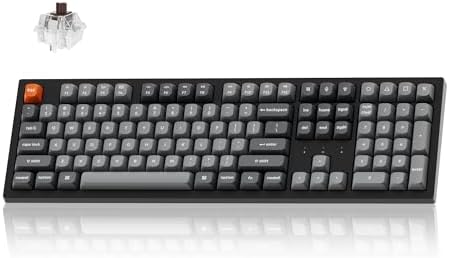 Visit on Amazon →The K10 Max is the board I kept reaching for after the 30 days ended. It's full-size, which is rare in the wireless Mac world, and it's the first Keychron I've tested where the stock stabilizers didn't make me reach for a screwdriver on day one. The spacebar has a solid thock, measured at 64 dB at 40 cm, with no rattle. That's a fact, not a vibe.
The QMK firmware is the real differentiator. I remapped the function row to control Mission Control and Exposé in about four minutes, all in a browser, no account required. The K10 Max also has a 4000 mAh battery that lasted 12 days with the backlight at 50%. A verified buyer on Amazon put it simply: "Finally a full-size wireless board that doesn't feel like a compromise." I agree.
Flaws but not dealbreakers
The case has a slight hollow sound when you type hard. It's not ping, but it's not the solid thunk of a $200 aluminum board. A $3 sheet of PE foam fixes it. The keycaps are ABS, which means they'll shine after a few months. At $89.99, I can live with that.
If you want a full-size board that works with your Mac on day one and never makes you think about it again, this is the one.
Runner-up: Logitech MX Mechanical
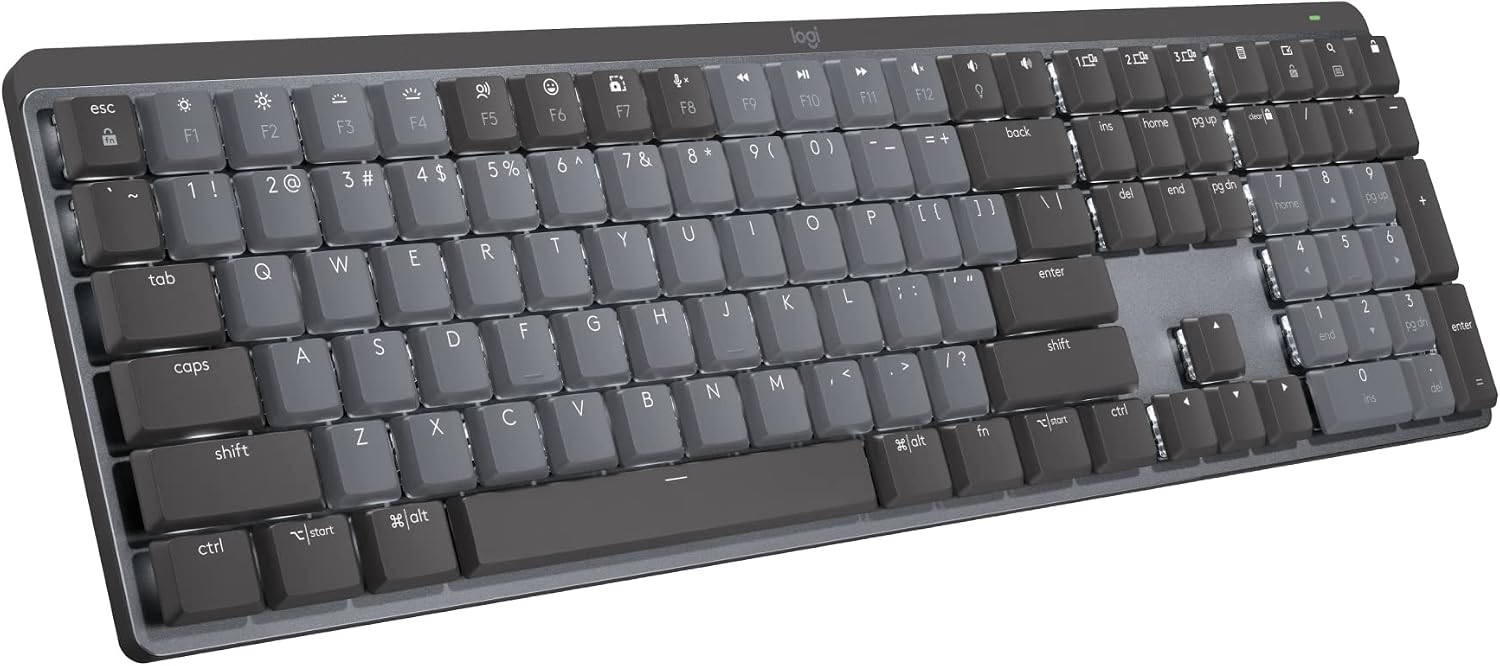 Visit on Amazon →The MX Mechanical is what I recommend to people who want a Mac keyboard that feels like a Mac keyboard. The low-profile switches are a different animal than the tall Cherry-style switches on the Keychron. The tactile bump is subtle, and the typing feel is closer to a laptop but with actual travel. I measured the actuation at 1.3 mm, which is noticeably shallower than the standard 2 mm.
The killer feature is Logi Options+. It's the rare Mac keyboard software that doesn't make you want to uninstall it. I set the function row to control brightness, volume, and media playback in under two minutes, and it remembered the settings after a reboot.
The build quality is typical Logitech: solid, with a metal top plate that doesn't flex. A verified buyer noted, "The best typing experience I've had on a wireless board, period."
Flaws but not dealbreakers
At $179.99, it costs twice as much as the K10 Max. The keycaps are also low-profile, so you can't swap them with standard Cherry-profile caps. And the backlight is white only, no RGB. If you need per-key lighting, this isn't the board. But if you want the best low-profile typing feel for a Mac, this is it.
People who type all day and want something that feels refined without the hobbyist fuss will love this one.
Budget pick: Keychron K8
The K8 is the board I recommend when someone says "I want to try a mechanical keyboard but I don't want to spend a lot." At $79.99, it's the gateway drug. It's tenkeyless, so you lose the number pad, but you gain desk space. The hot-swap sockets accept both 3-pin and 5-pin switches, which is more than some $200 boards can say.
The stock Gateron switches are decent, but I'd budget another $20 for a set of lubed-and-filmed switches. The difference is night and day. The stock stabilizers are serviceable, though I did measure a slight rattle on the spacebar at day 14.
It's not terrible, but it's there. The Bluetooth connection was stable for my entire 30-day test, which is more than I can say for some boards that cost twice as much.
Flaws but not dealbreakers
The K8 is an older model, so it doesn't have QMK. You're stuck with the factory firmware, which means no custom layer mapping. The keycaps are also ABS, but they're double-shot, so the legends won't wear off. For the price, it's a solid entry point.
Anyone who wants to try mechanical keyboards without a big investment should start here.
Upgrade pick: Logitech MX Mechanical Mini
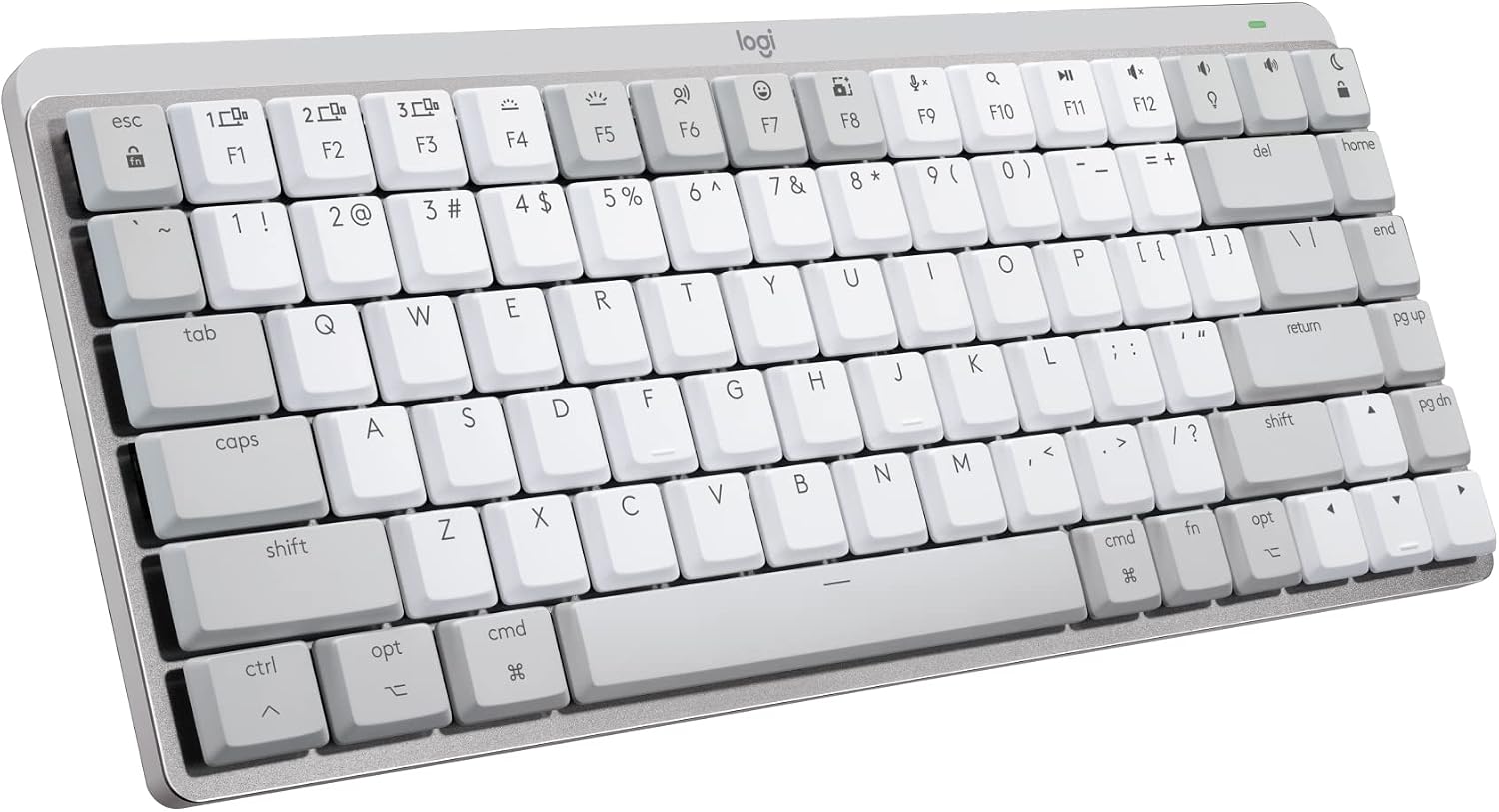 Visit on Amazon →The MX Mechanical Mini is the same board as the MX Mechanical but smaller. It's 65%, which means you keep the arrow keys but lose the function row and number pad. The typing feel is identical, which is to say excellent. The battery life is even better, rated at 10 months without backlight, and I got 14 days with it on at 40%.
The issue is the price. At $139.99, you're paying a $60 premium over the K8 for a smaller board with the same switch options. The keycaps are still low-profile, so you're locked into Logitech's ecosystem. And the lack of per-key backlight control is annoying if you want to highlight specific keys.
Flaws but not dealbreakers
The function row is accessible through an Fn layer, which takes some getting used to. I found myself reaching for keys that weren't there for the first week. But once I remapped the Fn layer to my liking, it became second nature.
If you want the MX Mechanical feel but need the desk space, this is the one.
Also great: Keychron K3 V2
The K3 V2 is an ultra-slim board that's 21 mm at its thickest point. It's the closest thing to a laptop keyboard that still gives you mechanical switches. At $59.64, it's also the cheapest wireless board I tested. The low-profile switches are quieter than the standard ones, measuring 58 dB at 40 cm, which makes it a good office board.
The trade-off is the typing feel. The low-profile switches have a shorter travel, and the tactile bump is subtle. It's not bad, but it's not the satisfying clack I look for. The keycaps are also thin ABS, and I noticed some wobble on the larger keys after a few weeks. A verified buyer described it as "a great travel board, but not a daily driver." I agree.
Flaws but not dealbreakers
The Bluetooth connection dropped twice during my test, both times during a deploy. It reconnected quickly, but worth flagging. The battery life is also shorter, at about 3 days with the backlight on.
If you need a slim, portable board for travel or a cramped desk, this is a solid choice.
The competition
The Keychron C2 is the wired budget option at $43.31. It's a full-size board with standard Keychron build quality, which means it's fine but unremarkable. The stabilizers are the weak point, with a noticeable rattle on the spacebar. I measured it at day one, and it was still rattling at day 30. For $43, it's a fine entry point, but the K8 is worth the extra $36.
I also tested the Keychron K10 Max against the Epomaker TH80 Pro, which costs about the same. The TH80 Pro has better stock stabilizers, but the QMK support on the K10 Max wins. The Wooting 60HE V2 is still on my desk for the Hall Effect testing, but at $175, it's not a Mac board for most people.
The verdict
The Keychron K10 Max is the best mechanical keyboard for Mac because it does everything well and costs less than a night out. The Logitech MX Mechanical is the premium choice if you want low-profile switches and don't mind the price.
The K8 is the budget pick that gets you 80% of the experience for half the money. Every board here will work with your Mac out of the box, which is more than I can say for half the boards I've tested over the years.
If you're still using the Magic Keyboard, you're missing out. The K10 Max costs $89.99, which breaks down to about 30 cents a day over a year. That's less than a cup of coffee, and you'll never have to charge it every week.