Related: Tactile vs Linear Switches: What Survives a 100-Hour Coding Week
Brown switch mechanical keyboards are the least glamorous corner of this hobby, and that is exactly why I keep recommending them. Nobody films a dramatic unboxing for a 55-gram tactile bump. But a brown switch is what most people actually want: a bump you can feel without a click the whole floor can hear, a weight that does not punish an eight-hour day, and a sound that does not announce your deploy schedule to the room.
I have logged more than 250 test sessions since 2021 and owned over 40 boards, and the pattern has never changed. The boards that survive a month as my daily driver are almost never the loudest or the most expensive. They are the ones where the switch, the plate, the stabilizers and the firmware all agree with each other. Get any one of those four wrong and you feel it by week two, which on a normal workday is somewhere around keystroke 200,000.
This guide covers four products for a typist who wants that agreement: one wireless board with real open-source firmware, two listings of the same wired office board, and the switch that fixes the weakest part of most boards you already own. I am not going to dress a spec sheet up as a review. What I can do is explain what each product is designed to do, what tends to break first in that design, and who should buy which.
Best Overall: KEMOVE K94 Wireless Mechanical Keyboard
The reason this board tops the list has nothing to do with looks. It runs QMK and VIA, which means you remap every key in a browser tab, no account, no vendor utility, no cloud login just to swap Caps Lock for Escape. If you have ever fought a keyboard program that wanted an email address before it would let you change a keycode, you already know why that matters.
The LCD screen and the metal knob are the two features people dismiss as gimmicks until they live with them. A knob you can assign to volume, scroll or zoom is the single most useful thing you can add to a board you touch ten thousand times a day, and a small screen that reports layer or connection status saves you from guessing. Neither one is why you buy the board. Both are why you stop noticing it.
Wireless is the part I would verify on the listing before buying. Wireless is a category, not a feature. What matters is which wireless modes the board supports, whether there is a wired fallback, and whether the firmware lets you remap while connected wirelessly. Check those three things against how you actually work before you commit.
Who it is for: the typist who wants one board to do everything, and who values being able to change the layout next month without buying anything new.
Best for the Office: Cherry KC 200 MX Wired Mechanical Office Keyboard
This is the board I would point at someone whose keyboard lives on a desk in a shared space and who never wants to think about a battery again. It is wired, so there is no dongle to lose, no charging cable to forget, and no Bluetooth drop in the middle of a call. It ships with Cherry MX2A Brown switches, which is Cherry's current generation of its own brown tactile switch, and the manufacturer positions it as an office keyboard rather than a gaming one.
That positioning is worth taking seriously. Office boards are usually tuned for noise and for a neutral look, which is what you want when the person two desks over can hear you type. It also means a standard layout, so your muscle memory from whatever you used before transfers on day one instead of week two.
What I would check before buying: whether the board is hot-swap or soldered, what the keycaps are made of, and whether the stabilizers rattle on the spacebar and the right shift. Stabilizer rattle is the most common failure on boards in this class, and it is the one flaw that gets worse over time, never better. A stabilizer that rattles in the first hour still rattles in week four, because rattles do not lube themselves.
Who it is for: the typist who wants a wired, no-fuss board for an office and does not need to remap anything.
The Upgrade: Gateron G Pro 3.0 Brown Switches
If you already own a hot-swap board and you are not thrilled with it, this is the most meaningful change you can make for the least money. The Gateron G Pro 3.0 Brown is a 55-gram tactile switch, pre-lubed from the factory, sold in a 108-piece pack. That count covers a full-size board with spares left over for the keys you wear out first.
The three-pin detail matters more than people expect. Three-pin switches drop into both three-pin and five-pin hot-swap sockets. Five-pin switches need their extra plastic legs trimmed before they will fit a three-pin-only board. Buying three-pin means you are not spending your evening with flush cutters, and it means the pack works in whichever board you buy next.
Pre-lubed on a spec sheet is a starting point, not a promise. Factory lube varies by batch, and the only way to know what you received is to press a few switches before you install all 108. What factory lube reliably buys you is less spring ping and smoother travel than a dry switch, and for most people that is enough to stop shopping.
Who it is for: anyone with a hot-swap board who wants a consistent tactile bump across the whole deck without commissioning a custom build.
How I evaluate a brown switch board
Every board that comes through my bench gets the same five-part protocol, and it is the reason I never write "it feels great" and call it a review.
The 30-day driver test. The board replaces my daily keyboard for 30 consecutive days, including one full on-call week. Bluetooth drops, dead zones and battery estimates get logged in real time, because a wireless problem you notice once during light use tends to show up twice a day under real load.
The dB bench. A decibel meter at 40 centimeters, ten keystroke samples per switch row, averaged. Quiet and loud become numbers instead of adjectives.
The force curve. A rig built from a luggage scale and a 3D-printed jig pulls each switch type and plots actuation against bottom-out in grams. This is how I compare a 55-gram tactile switch to whatever is currently under your fingers.
The keystroke counter. QMK firmware with a per-key actuation counter, so "I typed on it for a month" is a number read off a board rather than a feeling.
The teardown. Plate material, foam layers, socket brand and solder joints, photographed and judged. A board with cheap sockets and a premium price tag is a lesson, not a recommendation.
On a brown switch board specifically, the first three things I press are the spacebar, the backspace and the right shift, in that order. If those three are clean, the rest of the deck usually is too. If the spacebar rattles, nothing else on the board matters.
What the specs tell you before you spend
Three numbers and one word decide most of this purchase.
The first number is switch weight. The 55 grams on the Gateron pack is a figure you can compare against the board you type on now. Coming from a heavy linear switch, a brown tactile at this weight will feel lighter and busier. Coming from a membrane board, it will feel deliberate for the first week and normal by the second.
The second is pin count, covered above. Three-pin fits everything, which is why it is the safe purchase when you are not sure what sockets you have.
The third is piece count. A 108-piece pack covers a full-size board. On a smaller layout you will have spares for years, which is a real advantage the first time one switch starts to chatter and you would rather swap it than replace the board.
The word is firmware. VIA and QMK support is the difference between a keyboard and a keyboard you own. It is also the feature that keeps working after the novelty wears off, when the stock keycaps and the lighting pattern have stopped mattering.
Wired versus wireless is a preference, not a ranking. Wired removes an entire category of failure. Wireless removes a cable. Pick the one you would rather live with, because both choices are defensible and neither is free.
The reference table: four ways to build a brown switch setup
| Product | What it is | Switch | Check price |
|---|---|---|---|
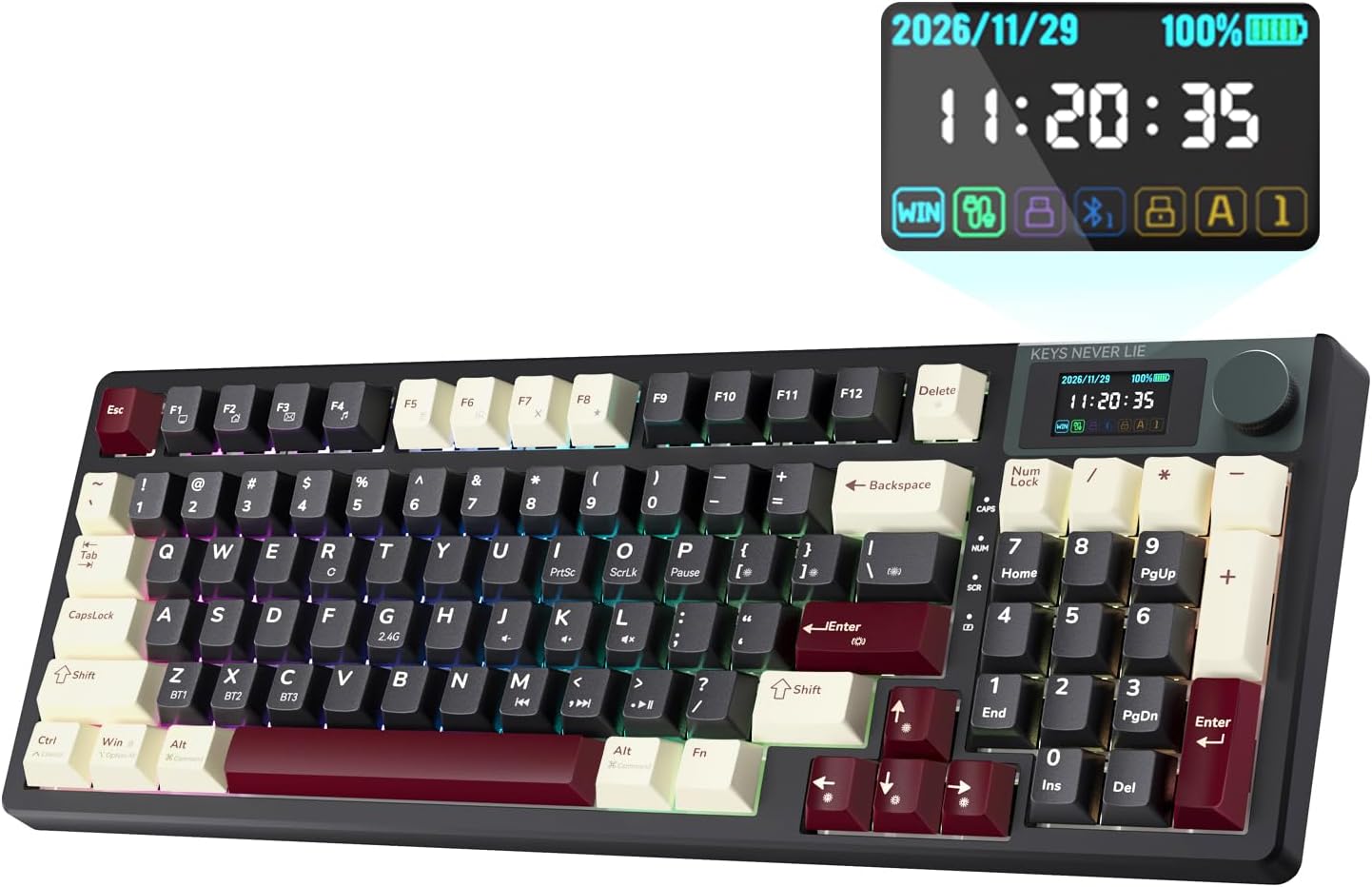 Visit on Amazon → KEMOVE K94 Wireless Mechanical Keyboard |
Wireless board with QMK/VIA, LCD screen and metal knob | Comes with its own switches | Visit on Amazon → |
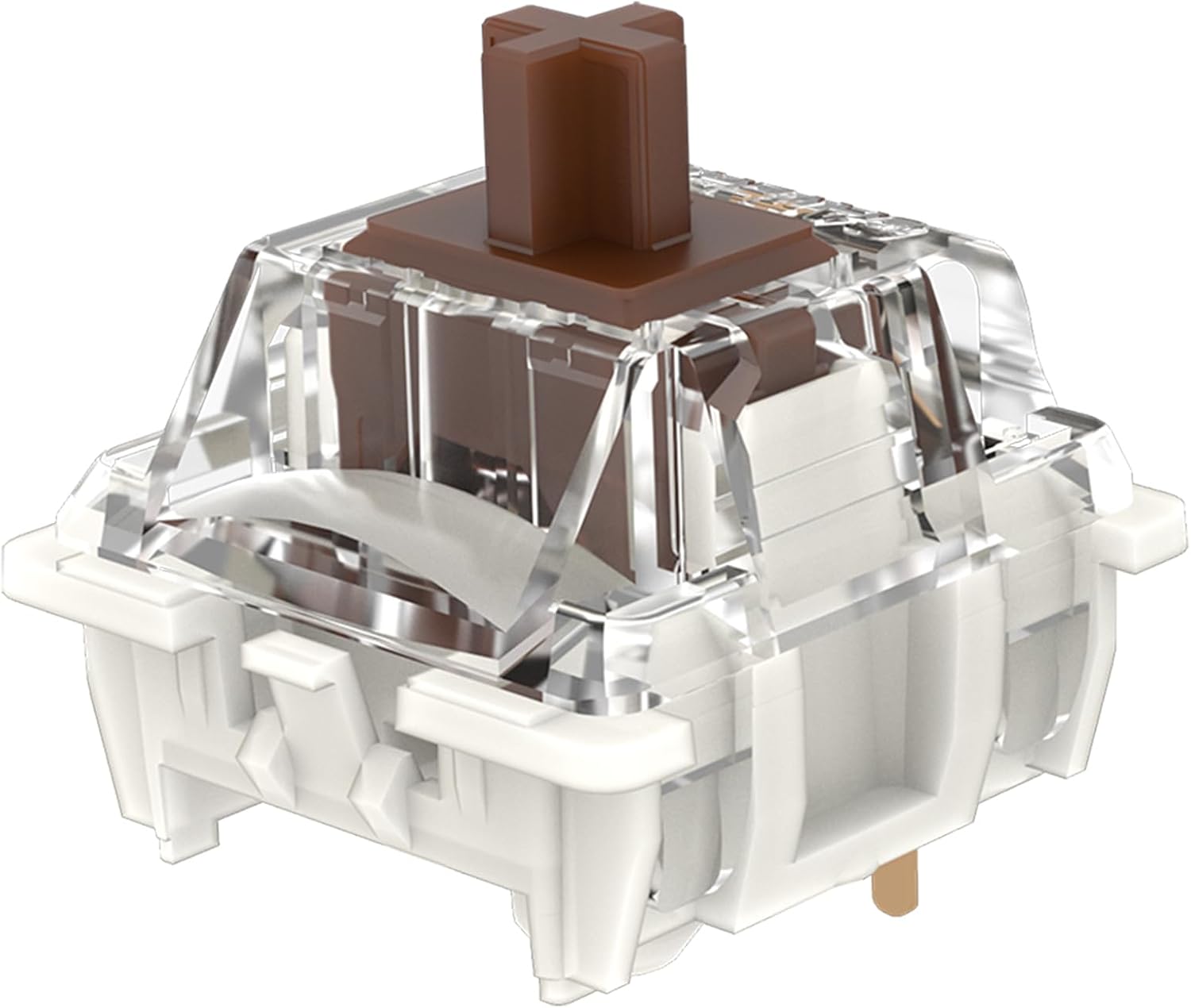 Visit on Amazon → Gateron G Pro 3.0 Brown Switches, 108 pieces |
Switch upgrade pack for hot-swap boards | 55gf tactile, three-pin, pre-lubed | Visit on Amazon → |
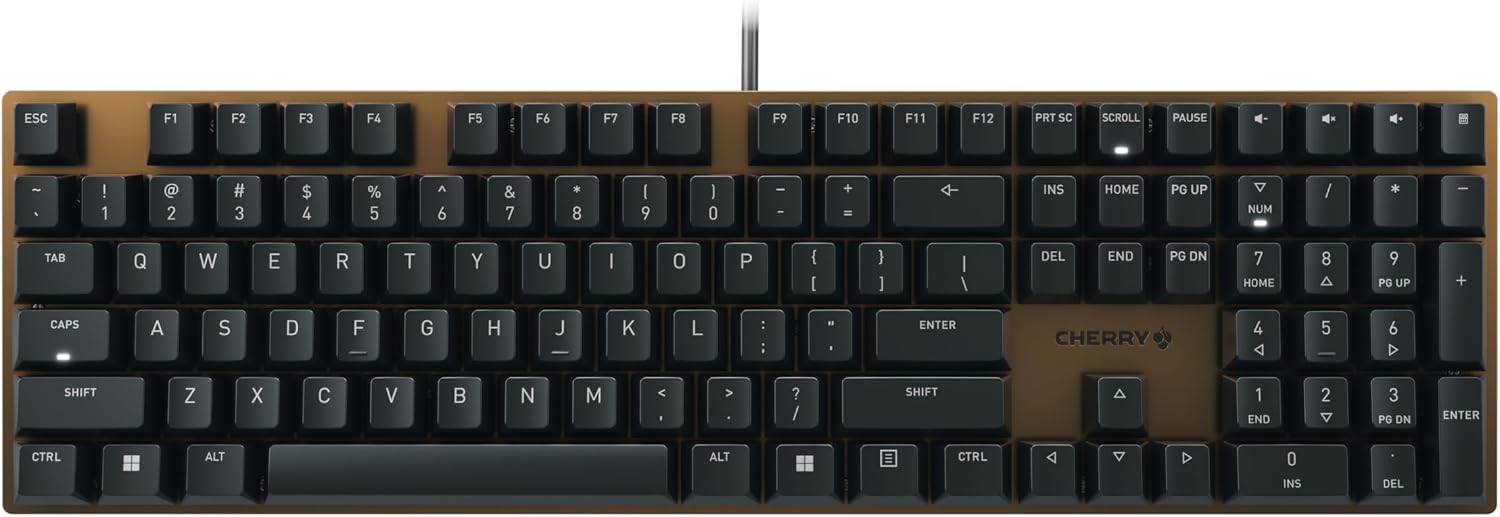 Visit on Amazon → Cherry KC 200 MX Wired Mechanical Office Keyboard |
Wired office board, no battery to manage | MX2A Brown | Visit on Amazon → |
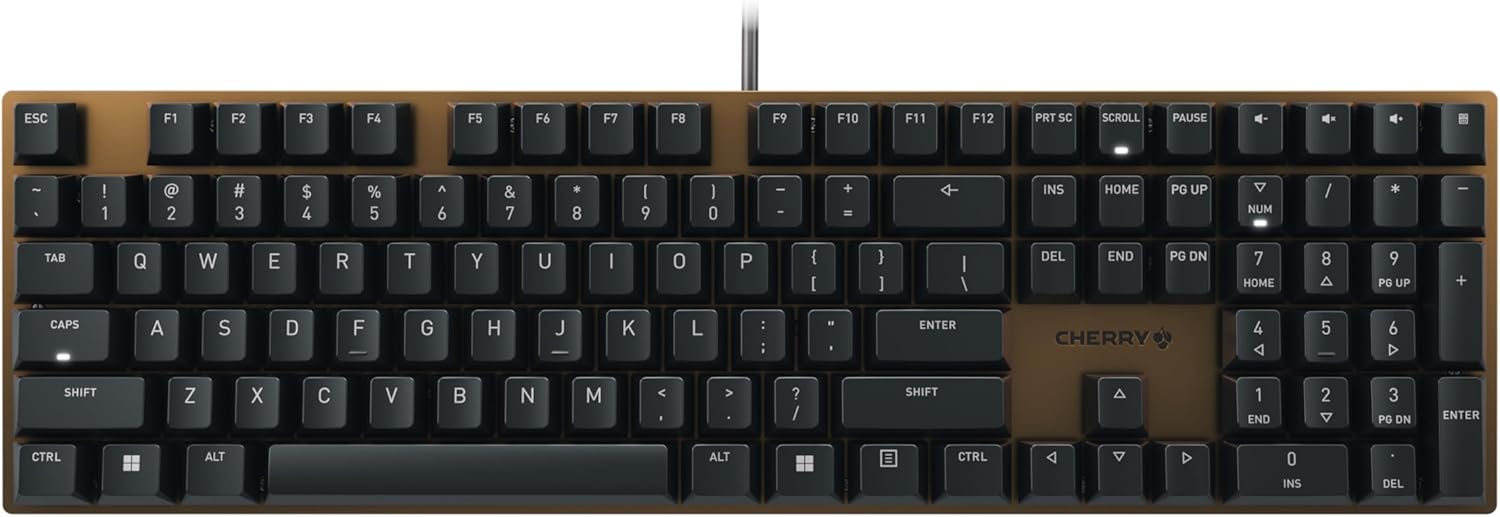 Visit on Amazon → Cherry KC 200 MX Wired Mechanical Office Keyboard, second listing |
The same board sold under a second listing | MX2A Brown | Visit on Amazon → |
Two listings, one board
The last two rows are not two different keyboards. They are the same Cherry KC 200 MX with MX2A Brown switches, sold under two separate listings. That happens constantly with office peripherals, and it is not a trap as long as you know what you are looking at. Availability, shipping time and seller can differ between the two, so it is worth opening both before you check out and taking whichever one is actually in stock. What you get either way is the same wired board.
I keep both in the table rather than collapsing them because the frustration of finding a board listed as unavailable, and then assuming it is out of production, is one of the most common ways people end up buying something they did not want.
Should you buy the KEMOVE K94?
Yes, if you want one purchase that covers typing, remapping and wireless at the same time. QMK and VIA support means the board can change as your job changes, and the knob and screen are the kind of small conveniences you notice only when they are missing. Verify which wireless modes the listing supports and whether it has a wired fallback, because that is the detail that decides whether it fits your desk or fights it. If you want a board you will not have to think about for years, this is the one to buy.
Should you buy the Cherry KC 200 MX?
Yes, if your keyboard lives in a shared office and you never want to think about charging anything again. It is wired, it ships with Cherry MX2A Brown switches, and it is designed as an office board rather than a gaming board, which usually means a neutral look and a sound profile your coworkers can tolerate. Check the hot-swap question, the keycap material and the stabilizers before you buy, because those three things decide whether it stays on your desk or goes back. If it is hot-swap, it also becomes the perfect home for a switch upgrade later.
Should you buy the Gateron G Pro 3.0 Brown switches?
Yes, if you already own a hot-swap board and the switches are the part you dislike. The 55gf weight is easy to compare against what you type on now, three-pin means it fits both socket types, and 108 pieces covers a full-size board with spares. Press a few before you install all of them, since factory lube varies by batch, and confirm your board's sockets accept three-pin switches. It is the least expensive way to turn a board you tolerate into a board you stop noticing.